Multi-year time series of multi-spectral data viewed and analyzed in Sentinel Hub
For a long time Earth observation was about the identification of specific features on an individual “still” image, starting with defense and security purposes, and then slowly spreading to other industries as well. While the stills part is true even today, with the introduction of ongoing monitoring programmes such as Landsat and Sentinel a new methodology appeared — the long-term observation of changes, developments, or simply monitoring vegetation growth. Having weekly (or better) coverage available over land worldwide makes it a uniquely powerful dataset. However, such a dataset also means quite a bit of data to process, suddenly becoming a technical challenge rather than just a “cost of data” one. We have recently upgraded Sentinel Hub services to make long-term analysis even more efficient. And, as usual, we have updated our showcase tool EO Browser, to make these features available to just about anyone.
Let’s start with the EO Browser upgrade. The first new feature is time-lapse. To use it you simply go over an area of interest, select a relevant satellite (e.g. Sentinel-2, Landsat-8, MODIS) and visualization setting (true colour, false colour, NDVI). Then you click on the “Create Gif” button where you can choose the time range. EO Browser will find all the available scenes for the area, subject to your cloud coverage requirement, and present them as “frames”.
You can then preview the time-lapse in the right part of the window. Note that the cloud coverage condition is applied on the full scene level (e.g. 100km x 100km), so there might still be some frames with too many clouds. We made them super simple to remove. Just uncheck anomalous frames on the left.
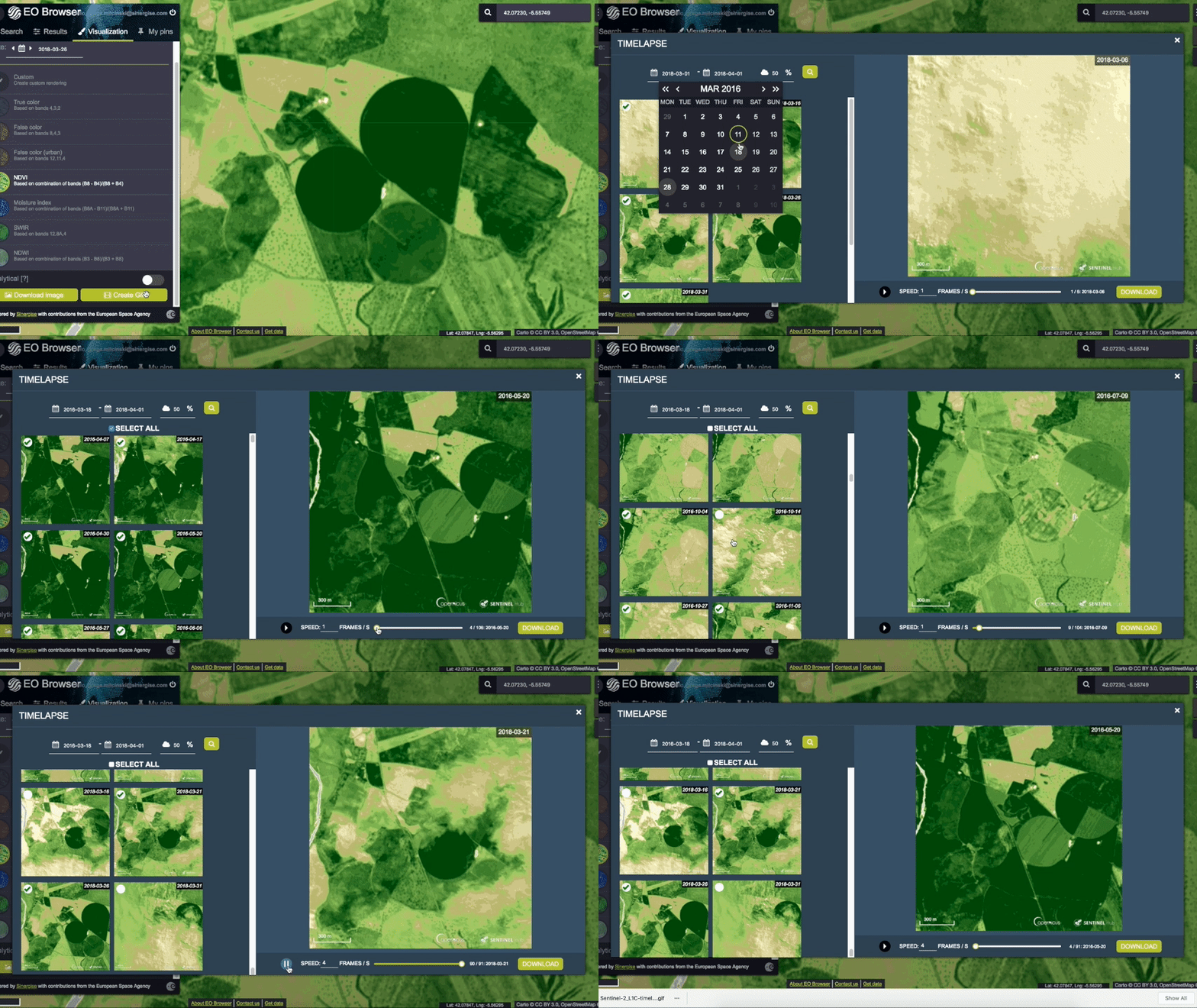
Once you are satisfied with the result, the time-lapse can be exported as an animated GIF, and then used for your own purposes, shared over social media, etc.
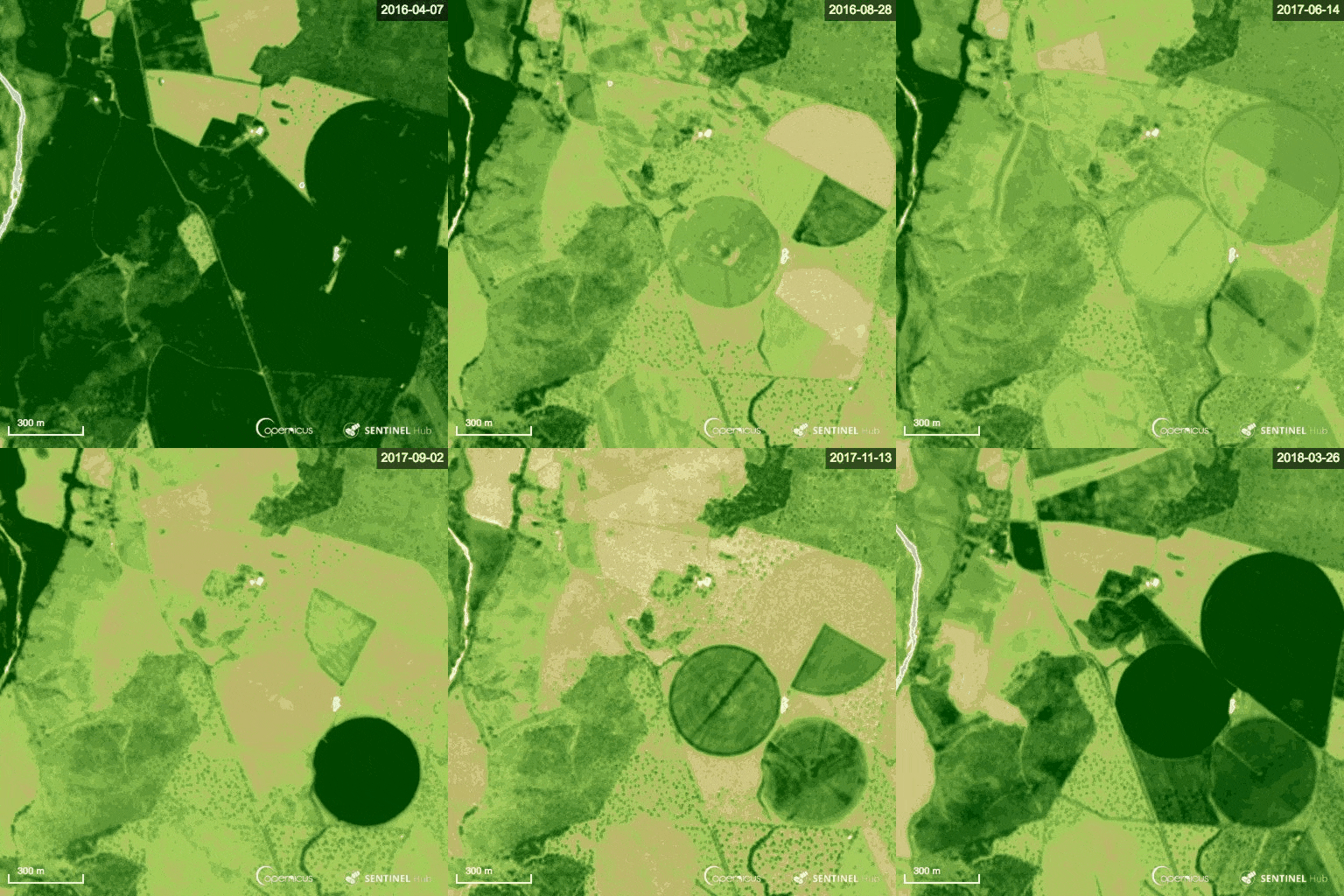
The slight wobble you see is caused by the slightly different geopositioning of the source imagery.
Earth observation is not only about visualization. Its also about statistical analysis. A typical use-case, when observing vegetation, is to calculate the average NDVI of a farm parcel and see how it is changes over time. This vegetation growth curve can be then compared to a typical “crop signature” (the expected NDVI over time for a certain crop), which often reveals what kind of crop it is if ground-truth data is unavailable. In case it is known, deviations from the expected behavior can identify abnormalities, and act as a warning for the farmer. And while statistical variables are best analyzed using statistical tools, we can do some part of it in EO Browser as well. One needs to outline the area and then select the statistical info chart. Buttons on the top right. Note that this works only for layers with one output component (i.e. indices, single band products, etc.).
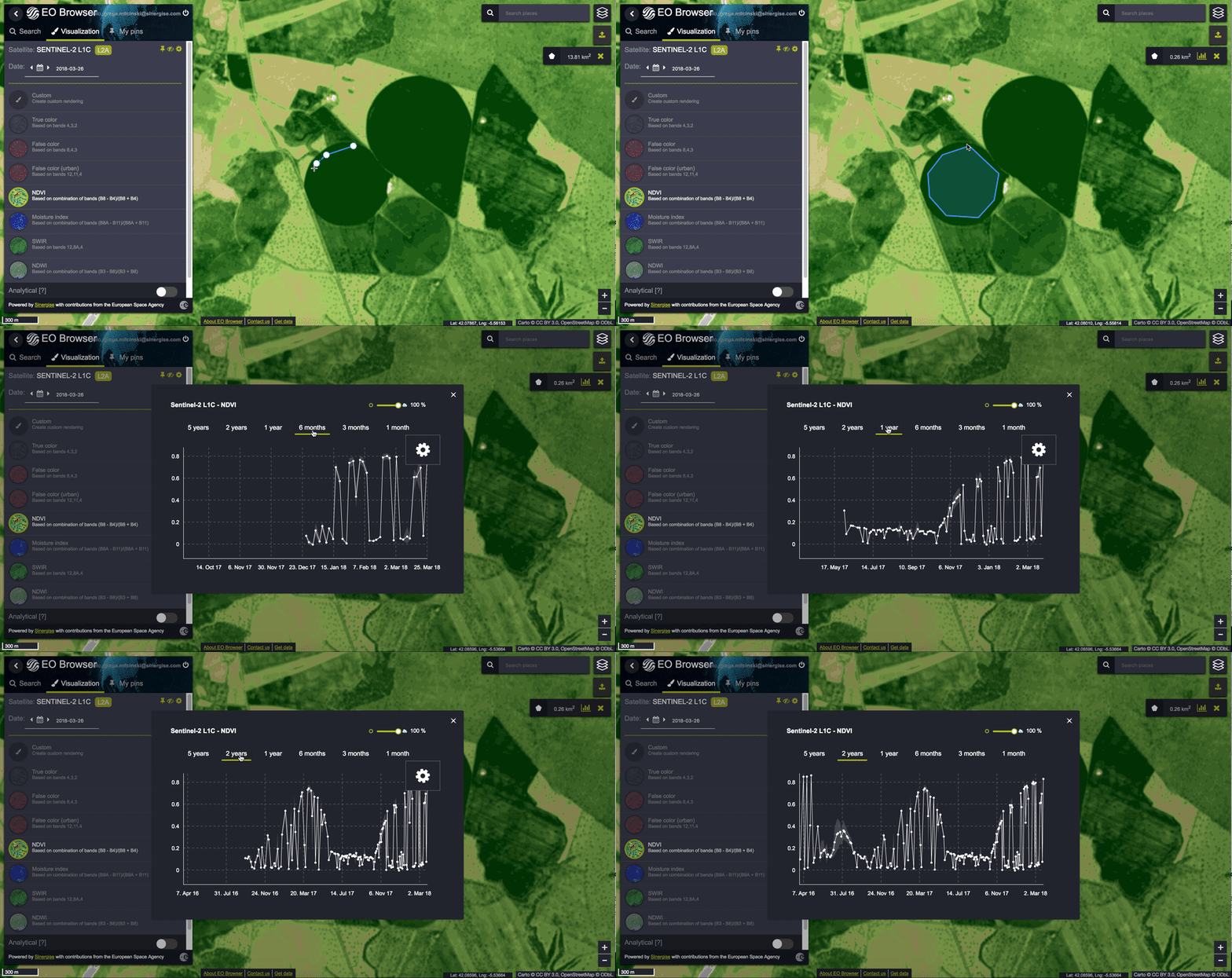
In this case the growth curve is not as orderly as one would have hoped for, with many jumps which do not seem realistic. The reason for this is that there are clouds which get in the way and which distort the NDVI significantly (cloud NDVI values are low). We have added a simple (yet imperfect as well) local area cloud detection algorithm based on the Braaten-Cohen-Yang method (this can be replaced with the L2A scene classification data or some other algorithm) and the result is much nicer. You can also check the numerical values of each point.
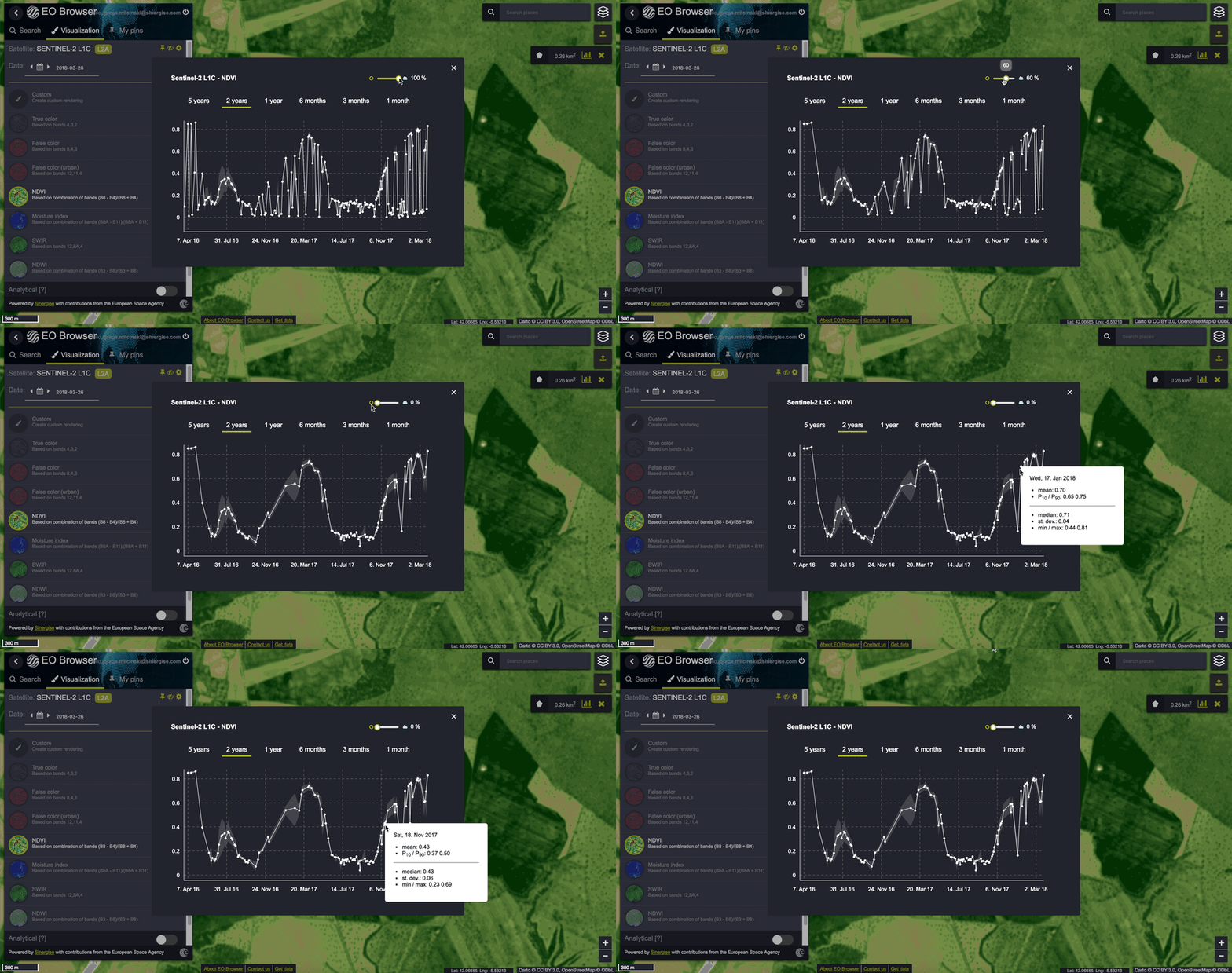
The results are not instant, they take a couple of seconds to produce, however, if you take into account that this function analysed 384 Sentinel-2 scenes collected over a two year period, it is still pretty fast. Again we need to point out that none of this is pre-processed, but generated from the raw data on demand, so with this in perspective we find it really quite amazing.
Let’s go through the steps that one would need to do to get this one simple chart if done manually without Sentinel-Hub:
- Query ApiHub, OpenSearch or some other meta-data service to get list of all scenes in the chosen area and time range.
- Download 384 products from OpenHub, at an average size of 0.75 GB per product (or a lot more old products) this is 288 GB of data.
- Alternatively one can work around the “full product” download and only go for individual bands, e.g. using the AWS public bucket. This specific process requires the red and near-infrared bands for NDVI computation and green for cloud detection. As these bands have the highest resolution, they represent a significant chunk of the volume, so still about 115 GB of data.
- In case the area of interest lies in two or more tiles, these need to be stitched together.
- Optionally reproject from one or more source coordinate systems into a target coordinate system (EO Browser uses Web Mercator; EPSG:3857)
- Create two composites — one for NDVI and another one for cloud detection.
- Clip the area of interest and calculate statistics within it.
- Output the result either as a JSON, chart, or set of images.
- We don’t dare estimate how long all this would take.
We do not use magic or high performance computing or even supercomputers to get there faster. We do not pre-process data to generate “data cubes” — we cannot afford to replicate petabytes of data to fit our structure as we neither have venture capital funding nor a large amount of cloud credits. And it is better that way as it is simply not needed. We have simply optimized each and every step in the process. We only download the pixels that are needed, using the JPEG2000 structure to our advantage (or cloud optimized GeoTiff when working with Landsat). We use a combination of virtual machines and AWS Lambda combined with much parallelization to get fast response times. And then a lot of optimization, optimization, optimization.
As mentioned in the beginning, one of the reasons we developed EO Browser was to showcase a new way of working with EO data. We want to demonstrate that one can build useful apps without a large budget if they use available resources in a smart manner. And this goes beyond simple web apps. We strongly believe that statistical monitoring can be done in a similar way, this blog post demonstrates that. Machine learning is probably the next step to try…
We hope you enjoy the new tools!
And remember, EO Browser is open-source, so you can replicate this yourself!


