avatarEric Anicet

Free AI web copilot to create summaries, insights and extended knowledge, download it at here

1948

Abstract

namoDB.</h3></div> <div><p>boottechnologies-ci.medium.com</p></div> </div> <div> <div style="background-image: url(https://miro.readmedium.com/v2/resize:fit:320/0*qhUJWtk42FiVM4IL)"></div> </div> </div> </a> </div><div id="d609" class="link-block"> <a href="https://boottechnologies-ci.medium.com/spring-boot-authentication-server-using-aws-cognito-91da69fc1bd4"> <div> <div> <h2>Spring boot Authentication server using AWS cognito</h2> <div><h3>In this story, we’ll implement an authentication microservice using Amazon Cognito.</h3></div> <div><p>boottechnologies-ci.medium.com</p></div> </div> <div> <div style="background-image: url(https://miro.readmedium.com/v2/resize:fit:320/0*slxye0K8XenWv0No)"></div> </div> </div> </a> </div><p id="4fe1">For this example, we will implement three endpoints <b><i>/sign-up</i></b>, <b><i>/sign-in</i></b>, <b><i>/logout</i></b>.</p><figure id="fc81"><img src="https://cdn-images-1.readmedium.com/v2/resize:fit:800/1*Qf_lbPR-KUUqqQa1bY-bFQ.png"><figcaption>DynamoDB tenant_master table</figcaption></figure><figure id="b2c9"><img src="https://cdn-images-1.readmedium.com/v2/resize:fit:800/1*1CWuuAboCDfoPCqOgQDfvA.png"><figcaption>Cognito User Pools</figcaption></figure><p id="3459">We will start by creating a multi-module project with Spring Boot.</p><h1 id="91a6">Project Structure</h1><figure id="7ee7"><img src="https://cdn-images-1.readmedium.com/v2/resize:fit:800/1*4qCJFy80uVRYIqgkpklCUg.png"><figcaption></figcaption></figure><ul><li><b>web</b>: api entry point.</li><li><b>user-manager</b>: Connects the API to aws cognito with the corresponding credentials..</li><li><b>tenant-manager</b>: Stores and manages tenant us

Options

er pool credentials in DynamoDB.</li><li><b>common</b>: Component shared between other modules.</li></ul><figure id="3e05"><img src="https://cdn-images-1.readmedium.com/v2/resize:fit:800/1*Uwg_sCGIk42G_OH7Z-CzAw.png"><figcaption>Step 1: Tenant Id interceptor</figcaption></figure><figure id="d1de"><img src="https://cdn-images-1.readmedium.com/v2/resize:fit:800/1*e_1KNo7bKF-uNTJ10JhxuA.png"><figcaption>Step 2: Get the credentials of the tenant pool user in DynamoDB.</figcaption></figure><h1 id="e041">Test the REST APIs:</h1><p id="b922">Run the Spring Boot Application.</p><ol><li>Register a user</li></ol><figure id="5953"><img src="https://cdn-images-1.readmedium.com/v2/resize:fit:800/1*B3my7ceFTRzL-xA6R8tEvQ.png"><figcaption></figcaption></figure><figure id="233b"><img src="https://cdn-images-1.readmedium.com/v2/resize:fit:800/1*t3elNNkC9rgsRuOfDzDxeA.png"><figcaption></figcaption></figure><p id="21f4">2. User sign-in</p><figure id="39ef"><img src="https://cdn-images-1.readmedium.com/v2/resize:fit:800/1*nGvHT8IF8ZSw20D9GF3uSw.png"><figcaption></figcaption></figure><figure id="34d9"><img src="https://cdn-images-1.readmedium.com/v2/resize:fit:800/1*JiI28kpklRAx5cVytHS1SQ.png"><figcaption></figcaption></figure><p id="d8fc">3. Logout</p><figure id="8e44"><img src="https://cdn-images-1.readmedium.com/v2/resize:fit:800/1*nx3k65yACf-iROLpHInxyw.png"><figcaption></figcaption></figure><h1 id="97aa">Conclusion</h1><p id="23aa">This User pool-based multi-tenancy model require high development and operation effort. You need to build tenant onboarding and administration components into your application that uses Amazon Cognito API operations and automation tools.</p><p id="dd3f">The complete source code can be found in my <a href="https://github.com/anicetkeric/spring-boot-aws-cognito-multi-tenancy.git">GitHub repository</a>.</p><p id="a197">Hope this was helpful and looking forward to hearing your thoughts.</p></article></body>

Multi-Tenancy architecture using AWS Cognito : Part 2

In the previous story, we introduced multi-tenancy models with AWS Cognito. We have chosen the multi-tenant approach based on user pools. In this story, we are going to do the implementation.
User pool-based multi-tenancy

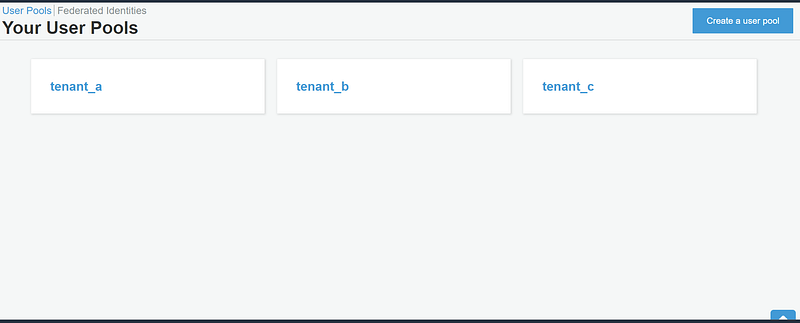
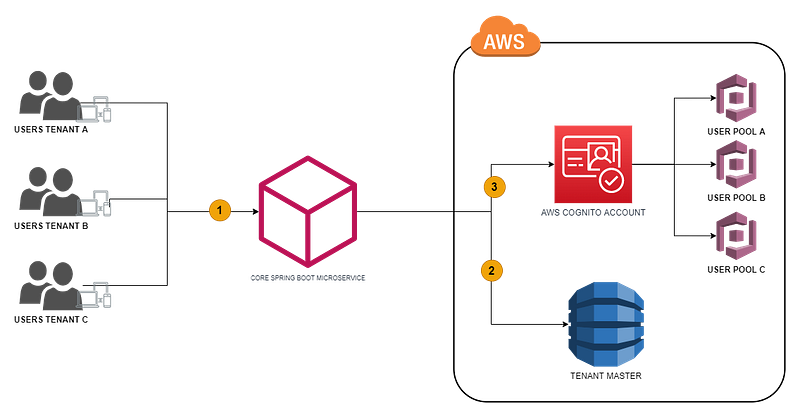
The above architecture shows the level of isolation of the tenants. Each tenant has their own user pool on AWS cognito (Tenant A -> User Pool A, Tenant B -> User Pool B, Tenant C -> User Pool C).

We’ve used Amazon DynamoDB, storing each tenant identifier and the user pools credentials.

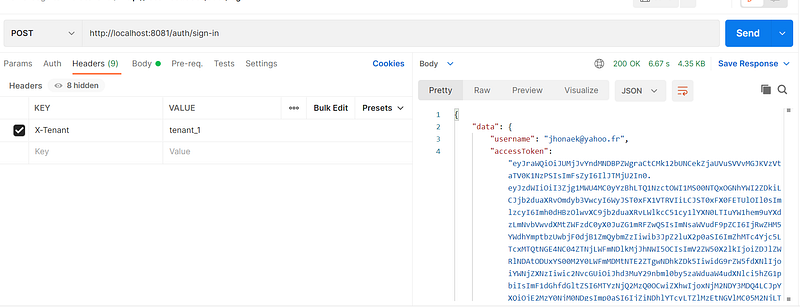
Step 1: The tenant users send requests with tenant identifier (X-Tenant) in http header.

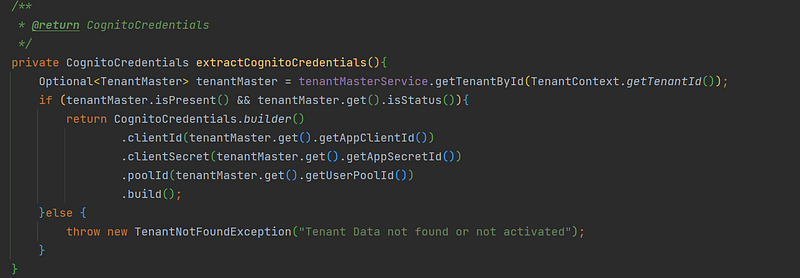
Step 2: The Java Core application intercepts the X-Tenant header and checks if the tenant exists in DynamoDb (with AWS SDK). Next, retrieves the credentials of the tenant’s user pool.

Step 3: With the credentials of the tenant’s user pool, we can interact with the corresponding tenant’s user pool in Cognito.

Getting Started

You can find out how to set up DynamoDb and Cognito and my previous stories.

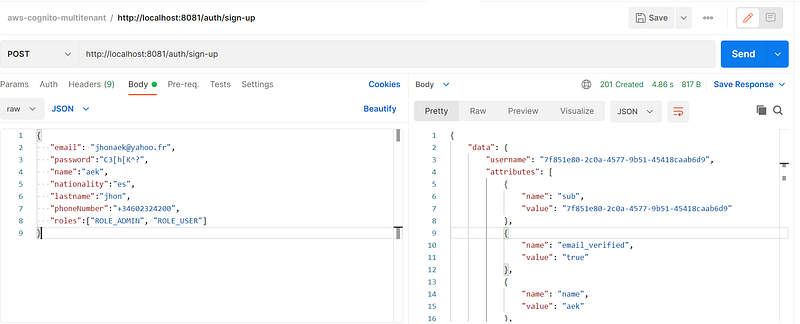
For this example, we will implement three endpoints /sign-up, /sign-in, /logout.
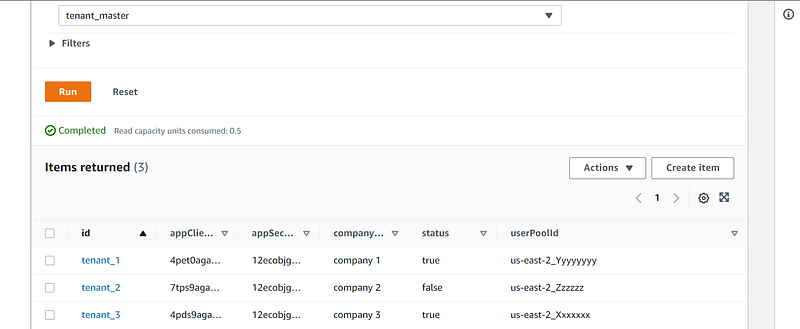
DynamoDB tenant_master table
Cognito User Pools

We will start by creating a multi-module project with Spring Boot.

Project Structure
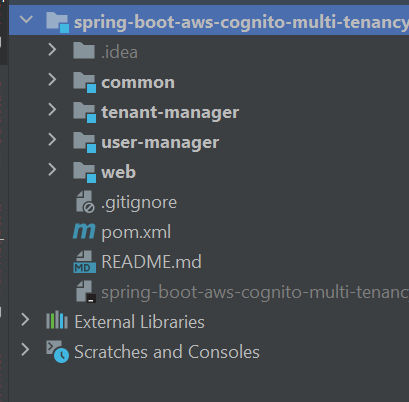
  • web: api entry point.
  • user-manager: Connects the API to aws cognito with the corresponding credentials..
  • tenant-manager: Stores and manages tenant user pool credentials in DynamoDB.
  • common: Component shared between other modules.
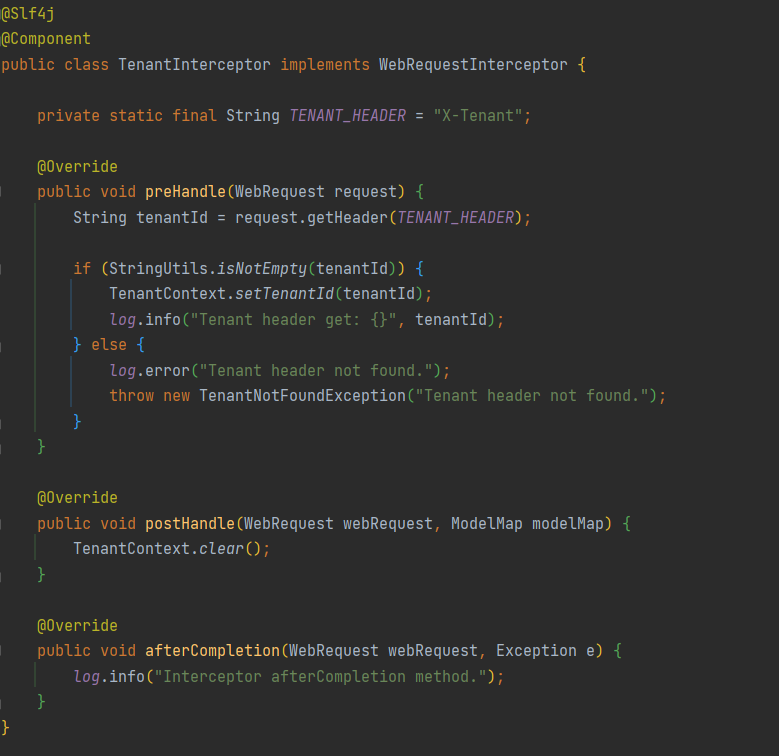
Step 1: Tenant Id interceptor
Step 2: Get the credentials of the tenant pool user in DynamoDB.

Test the REST APIs:

Run the Spring Boot Application.

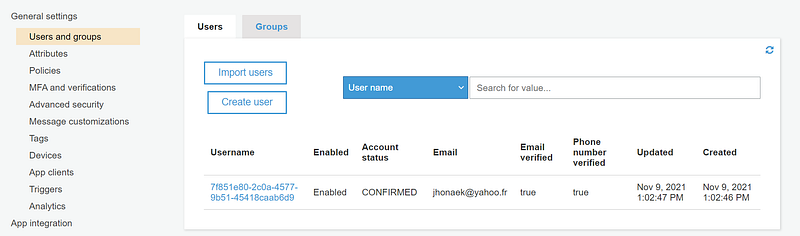
  1. Register a user

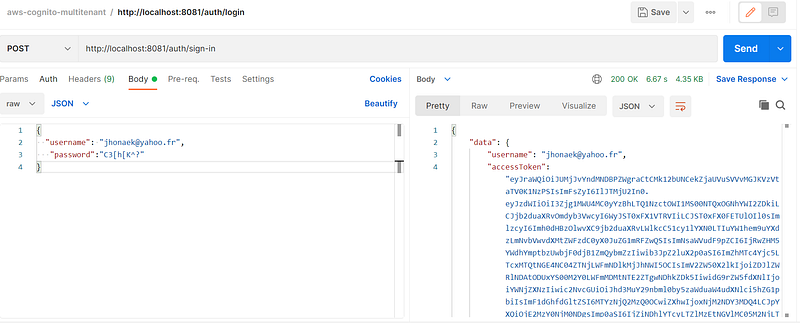
2. User sign-in

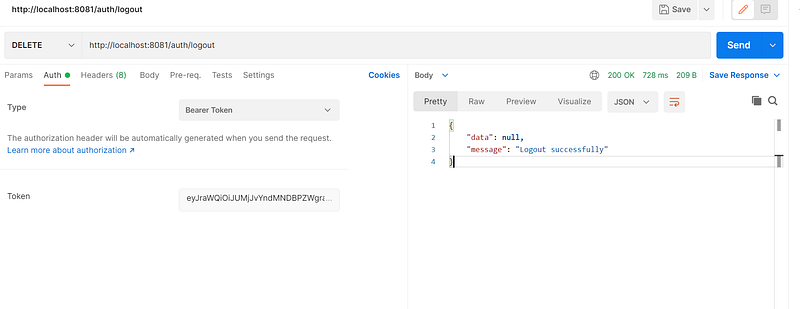
3. Logout
Conclusion

This User pool-based multi-tenancy model require high development and operation effort. You need to build tenant onboarding and administration components into your application that uses Amazon Cognito API operations and automation tools.

The complete source code can be found in my GitHub repository.

Hope this was helpful and looking forward to hearing your thoughts.

Aws Cognito
Aws Dynamodb
Spring Boot
Multi Tenant Architecture
Java11
Recommended from ReadMedium