
Move over MOCs we now have DITs
Using Capacities table function as a high level dashboard

A MOC, Map Of Content has been a great way to present a high-level view of content. There have been many articles about how to implement these from PKM Beth , Nick Milo and others, including myself.
DIT OR DASHBOARD INDEX TABLE
With the introduction of tables and embedded links with the Pro and Believer levels of Capacities there is a new way to create a working dashboard and it is called a DIT for Dashboard Index Table. This functionality may be obvious but having a working grid is a great way to keep on top of what’s on your mind. You can, and should of course, call it a DIT or whatever you want and make it your own by applying the things that are important to you.
CAPACITIES IS A BETTER PKM SOLUTION
The following is based on Capacities with the Believer or Pro level that enables AI through tbeir AI Assistant, see Capacities pricing for more information. Capacities is getting better all the time and currently one of the very best notes and PKM applications. Capacities has a different take on the data structure using objects instead of folders. This data structure creates a huge advantage in organization, productivity and usability.
Note: Links to Capacities.io are affiliate links that provide a commission to me if you purchase a subscription, there is no additional fee to you. As an incentive if you purchase through my affiliate link you will receive the first month free.
SETTING UP A DIT
The DIT grid is composed of topics and projects in the left vertical column with associated objects in the top horizontal row. A structure something like:
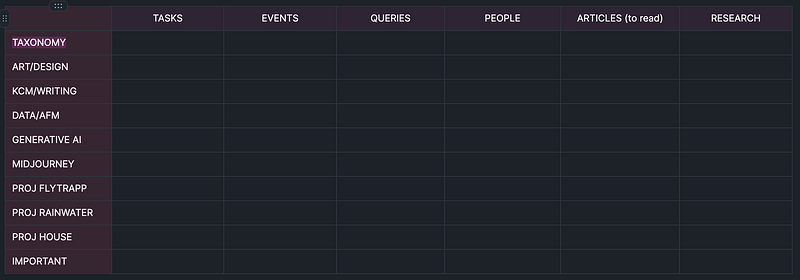
Ok, it’s simple but what makes it powerful is that you can enter plain text, tags, queries, objects, internal links and external links (I use Hookmark which will link to any file for external links).
A working DIT (Dashboard Index Table) that you will want to pin to your workspace looks something like:
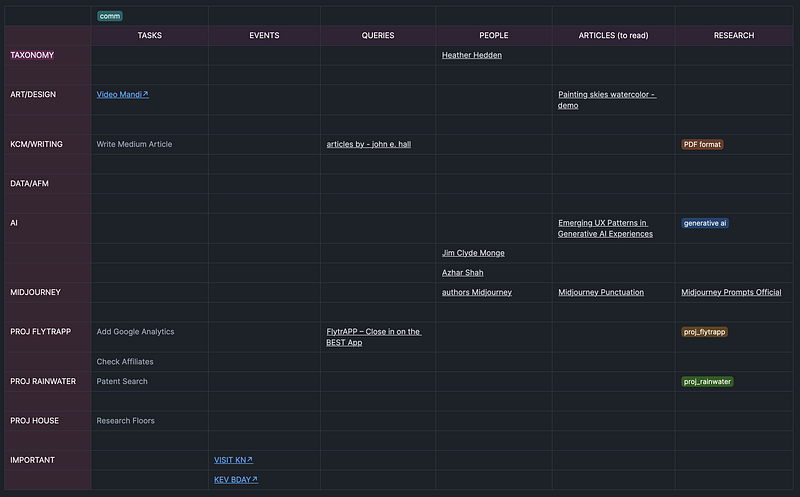
Queries that are embedded will run the query when clicked, tags will pull together all objects with that tag and external links will open the associated application assuming the links can be copied successfully. For example, Things works well for tasks, BusyCal works well for events and people can be linked to either BusyContacts or people objects created in Capacities. Just embed each of these by using “[[“ and selecting the object.
THE DIT DASHBOARD GRAPH
A great way to visualize your DIT dashboard is to use the graph command from the table view in the upper right. The sample dashboard graph view looks something like this after selecting ‘Show more’ at the bottom:
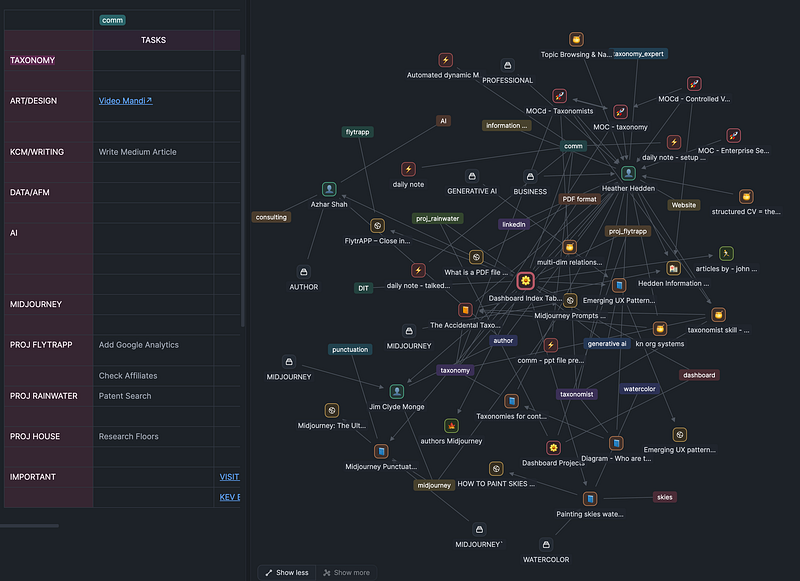
With the icons assigned to each object it’s easy to see people, queries, articles and other objects along with their connections. I hope Capacities development team implements inline dynamic clickable filters, which has been suggested, so that each object type can be seen in a filtered, simplified view with their connections.
Another view from the DIT would be displayed by clicking a tag such as clicking on the ‘generative ai’ tag in the above graph. That would present all of the objects tagged with ‘generative ai’:
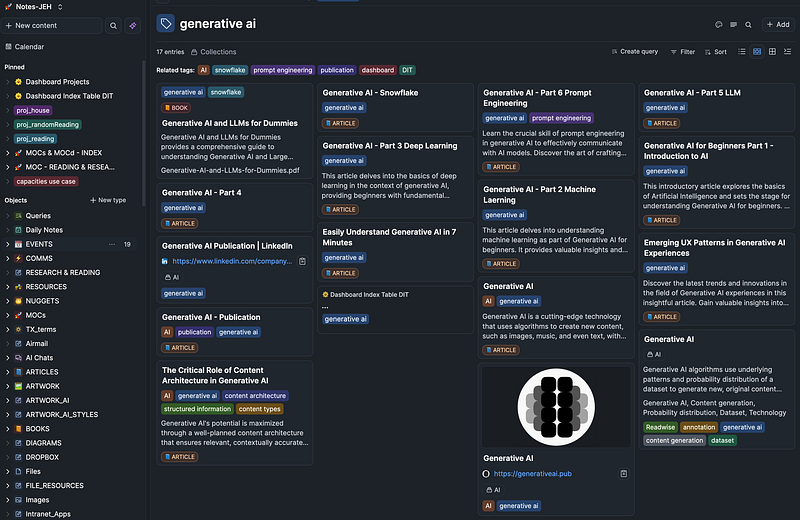
As you can see the possibilities are endless and I hope people will share some of the different ways this new table structure can be used as a DIT overview.
Again, Capacities is amazingly simple and yet powerful, see Capacities pricing for more information and to give it a try. Thanks for your support!
Note: Links to Capacities.io are affiliate links that provide a commission to me if you purchase a subscription, there is no additional fee to you. As an incentive if you purchase through my affiliate link you will receive the first month free.
👉🏻 If you want to try Hookmark, BusyCal, or BusyContacts they are available in the Setapp subscription, which has dozens of fantastic Mac and iOS applications at a great price. If you want to try SetApp with 240+ apps please use the link below; I will receive a small commission through the below link. Thank you very much!
👉🏻 Another way to show appreciation and support would be to give a clap or more. Thank you for reading and your support!


