Free AI web copilot to create summaries, insights and extended knowledge, download it at here
2105
Abstract
="hljs-string">"firebrick3"</span>)
<span class="hljs-attribute">T</span>.forward (<span class="hljs-number">100</span>)</pre></div><p id="6161">So far when we specified a color with the color command we have been taking a short cut. Instead of:</p><div id="0c81"><pre><span class="hljs-keyword">import</span> turtle <span class="hljs-keyword">as</span> T
<span class="hljs-type">T</span>.color (<span class="hljs-string">"red"</span>)</pre></div><p id="5c85">We could have written:</p><div id="8430"><pre><span class="hljs-keyword">import</span> turtle <span class="hljs-keyword">as</span> T
<span class="hljs-type">T</span>.pencolor (<span class="hljs-string">"red"</span>)</pre></div><p id="c3cf">Or:</p><div id="e4cf"><pre><span class="hljs-keyword">import</span> turtle <span class="hljs-keyword">as</span> T
<span class="hljs-type">T</span>.color (<span class="hljs-string">"red"</span>,<span class="hljs-string">"green"</span>)</pre></div><p id="b52e">The color command changes the pen color that is the the color of any lines we draw. A dot also uses the pencolor.</p><p id="a194">The color command also changes the fill color that is the color that we fill shapes with. The color of the turtle changes to that of the fill color.</p><p id="557a">Here are the options:</p><div id="5dc3"><pre><span class="hljs-keyword">import</span> turtle as T
T.<span class="hljs-property">color</span> (<span class="hljs-string">"red"</span>) #changes both pen <span class="hljs-type">color</span> and <span class="hljs-built_in">fill</span> <span class="hljs-type">color</span>
T.<span class="hljs-property">color</span> (<span class="hljs-string">"red"</span>,<span class="hljs-string">"green"</span>) # changes pen <span class="hljs-type">color</span> to <span class="hljs-built_in">red</span> and <span class="hljs-built_in">fill</span> <span class="hljs-type">color</span> to
<span class="hljs-built_in">green</span>
T.<span class="hljs-property">pencolor</span> (<span class="hljs-string">"red"</span>) #only pen <span class="hljs-type">color</span> changes
T.<s
Options
pan class="hljs-property">fillcolor</span> (<span class="hljs-string">"green"</span>) # only <span class="hljs-built_in">fill</span> <span class="hljs-type">color</span> changes
T.<span class="hljs-property">pencolor</span>() # will <span class="hljs-keyword">return</span> the pen <span class="hljs-type">color</span>
T.<span class="hljs-property">fillcolor</span>() # will <span class="hljs-keyword">return</span> the <span class="hljs-built_in">fill</span> <span class="hljs-type">color</span>
T.<span class="hljs-property">color</span>() # will <span class="hljs-keyword">return</span> a tuple containing pen <span class="hljs-type">color</span> and <span class="hljs-built_in">fill</span>
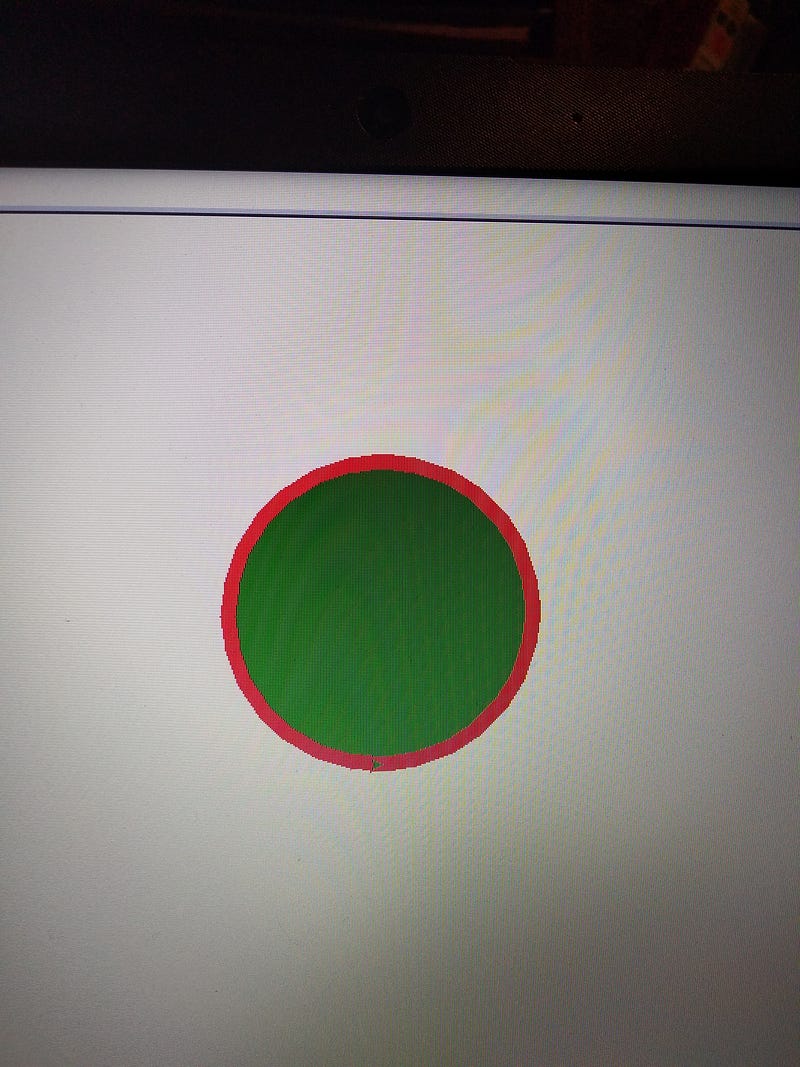
<span class="hljs-type">color</span> </pre></div><p id="72d2">To use the fill color requires 2 commands. When you start drawing a shape
you enter begin_fill () and when you finish a shape enter end_fill ().</p><div id="a6e1"><pre>import turtle as T
T<span class="hljs-selector-class">.width</span> (<span class="hljs-number">10</span>)
T<span class="hljs-selector-class">.color</span> (<span class="hljs-string">"red"</span>,<span class="hljs-string">"green"</span>)
T<span class="hljs-selector-class">.begin_fill</span>()
T<span class="hljs-selector-class">.circle</span> (<span class="hljs-number">100</span>)
T<span class="hljs-selector-class">.end_fill</span> ()</pre></div><p id="ebb2">Will give you:</p><figure id="7dc4"><img src="https://cdn-images-1.readmedium.com/v2/resize:fit:800/1*o3umYhs1dVBLWpCHtrUmrw.jpeg"><figcaption></figcaption></figure><p id="85a8"><a href="https://readmedium.com/c4d5fe0b9b6c?source=post_page-----acf8106ab83d----------------------">Jim McAulay🍁</a> says: Something fun to try. Sit on a bench and wait for a stranger to sit down beside you . When they do look straight ahead and say
“Did you bring the money?”</p><figure id="ee88"><img src="https://cdn-images-1.readmedium.com/v2/resize:fit:800/1*ONhE2wL8SrDpc1k_6w3lAw.jpeg"><figcaption>Buy me a coffee</figcaption></figure><p id="dab5">58–57</p><p id="30f9">26–26</p></article></body>