
Modern Neovim — AI Coding
Pair programming using artificial intelligence.
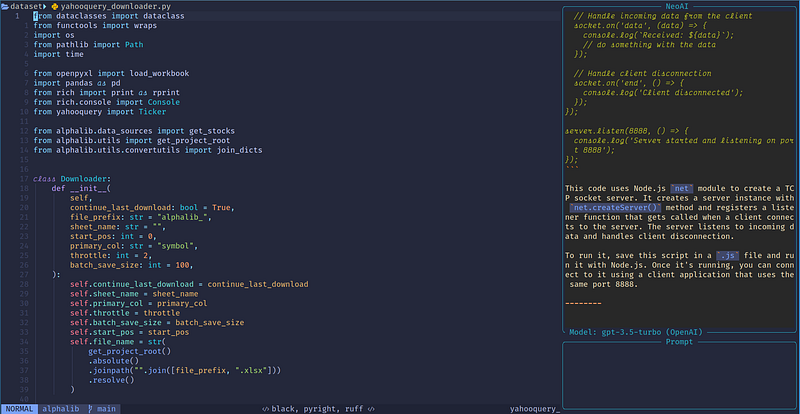
AI-assisted coding is an evolving field and can greatly improve developer productivity. In this article, we will explore AI coding with Neovim.
This article is part of the Modern Neovim series.
The Neovim configuration files are available in this repository.
Getting Started
AI coding, also known as AI-assisted coding or augmented coding, refers to using artificial intelligence (AI) technologies to assist programmers in coding. AI can provide suggestions, automate repetitive tasks, improve code quality, and enhance productivity.
AI can be used in coding for
- Code Completion — AI-powered code completion tools can analyze our code and provide intelligent suggestions for completing lines of code, saving us time and effort.
- Code Generation — AI can generate code snippets or even entire code blocks based on a given input, such as natural language descriptions or desired functionality.
- Code Refactoring — AI can analyze code and provide suggestions for refactoring, optimizing, or improving code quality.
- Code Review — AI-powered code review tools can automatically analyze code for bugs, vulnerabilities, coding standards violations, or other issues, and provide suggestions for fixing them.
- Code Search and Navigation — AI can assist in code search and navigation tasks by providing intelligent suggestions for finding relevant code snippets, files, or functions.
- Code Conversion — AI can assist in converting existing applications to a new programming language. This is especially helpful if we need to migrate existing applications to a new language for whatever reasons, or if we want to learn a new language using an existing language we are familiar with.
- Natural Language Programming — AI-powered natural language programming tools allow us to write code using plain English or other natural languages, and automatically convert it into executable code. These tools can help non-programmers or those new to coding to create simple scripts or automate tasks without learning a programming language.
- Code Annotation — AI can analyze our code and help us generate documentation, code examples, and tests.
We will use several Neovim plugins to demonstrate the above usage.
Code Completion
For code completion, we will try out Codeium (a free, ultrafast Copilot alternative for Vim and Neovim) and Tabnine.
Codeium
There are 2 available plugins for Codeium.
codeium.vim is the official plugin for Neovimcodeium.nvim is a native Codeium Lua plugin for Neovim
codeium.vim
A sample configuration for codeium.vim using lazy.nvim is shown below.
return {
  {
    "Exafunction/codeium.vim",
    event = "InsertEnter",
    -- stylua: ignore
    config = function ()
      vim.g.codeium_disable_bindings = 1
      vim.keymap.set("i", "<A-m>", function() return vim.fn["codeium#Accept"]() end, { expr = true })
      vim.keymap.set("i", "<A-f>", function() return vim.fn["codeium#CycleCompletions"](1) end, { expr = true })
      vim.keymap.set("i", "<A-b>", function() return vim.fn["codeium#CycleCompletions"](-1) end, { expr = true })
      vim.keymap.set("i", "<A-x>", function() return vim.fn["codeium#Clear"]() end, { expr = true })
      vim.keymap.set("i", "<A-s>", function() return vim.fn["codeium#Complete"]() end, { expr = true })
    end,
  },
}
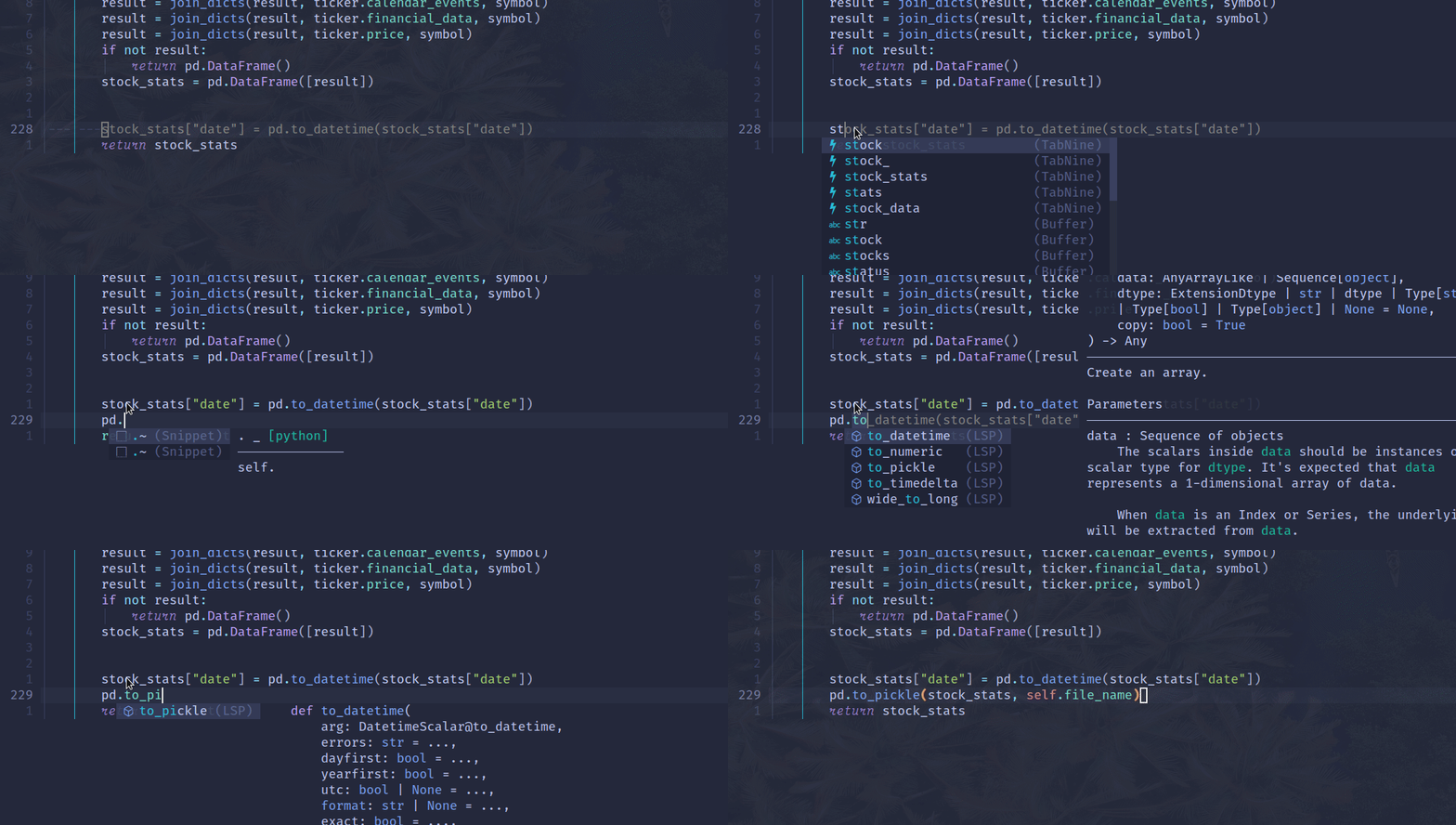
codeium.vim provides code completion inline, similar to Copilot.
codeium.nvim
codeium.nvim takes a different approach by integrating with nvim-cmp to provide code completion.
The sample configuration is shown below.
return {
  {
    "hrsh7th/nvim-cmp",
    event = "InsertEnter",
    dependencies = {
    ...
      { "jcdickinson/codeium.nvim", config = true },
      {
        "jcdickinson/http.nvim",
        build = "cargo build --workspace --release",
      },
    },
    config = function()
      local source_names = {
        ...
        codeium = "(Codeium)",
       ...
      }


      sources = cmp.config.sources {
        ...
        { name = "codeium", group_index = 1 },
       ...
      },
      formatting = {
        format = function(entry, item)
          if ...
          elseif entry.source.name == "codeium" then
            item.kind = "^"
          end
          return item
        end,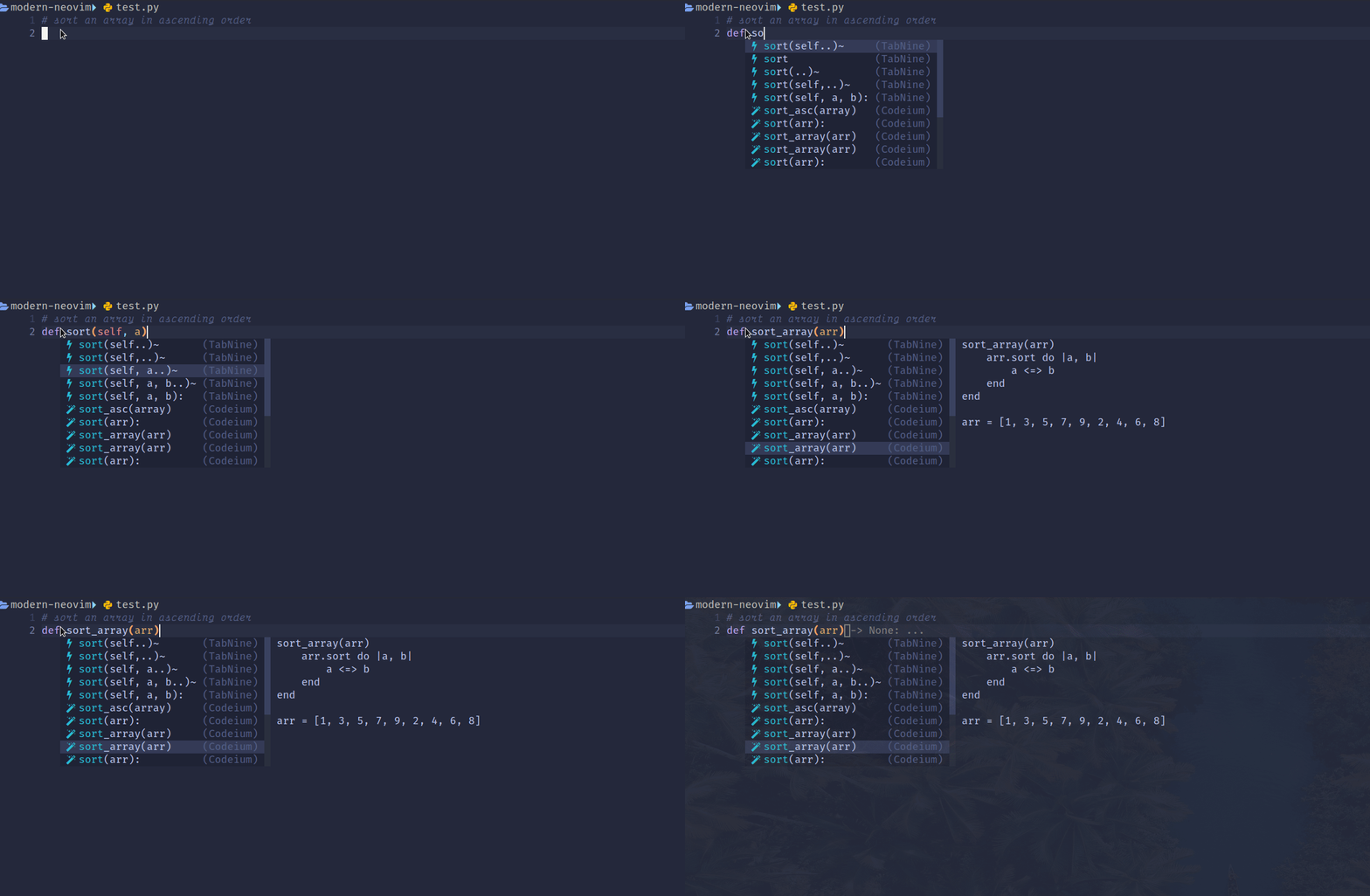
Tabnine
There are 2 available plugins for Tabnine.
tabnine-nvim is the official Tabnine client for Neovimcmp-tabnine is a Tabnine source fornvim-cmp
tabnine-nvim
A sample configuration for tabnine-nvim using lazy.nvim is shown below.
return {
{
  "codota/tabnine-nvim",
  build = "./dl_binaries.sh",
  event = "VeryLazy",
  config = function()
    require("tabnine").setup {
      disable_auto_comment = true,
      accept_keymap = "<A-t>",
      dismiss_keymap = "<C-]>",
      debounce_ms = 800,
      suggestion_color = { gui = "#808080", cterm = 244 },
      exclude_filetypes = { "TelescopePrompt" },
    }
  end,
},
}
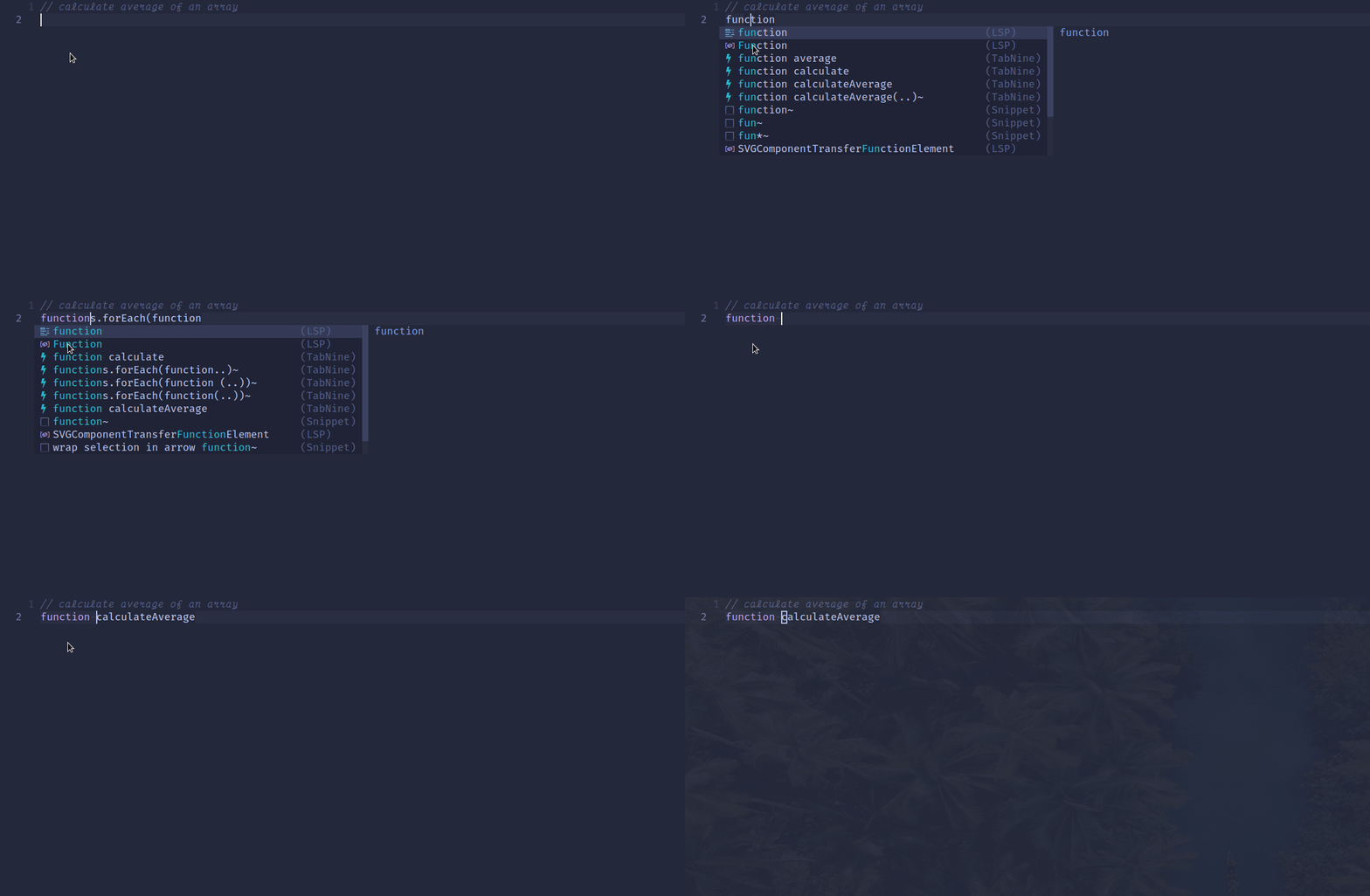
We map <Alt-t> to accept the suggestion.
cmp-tabnine
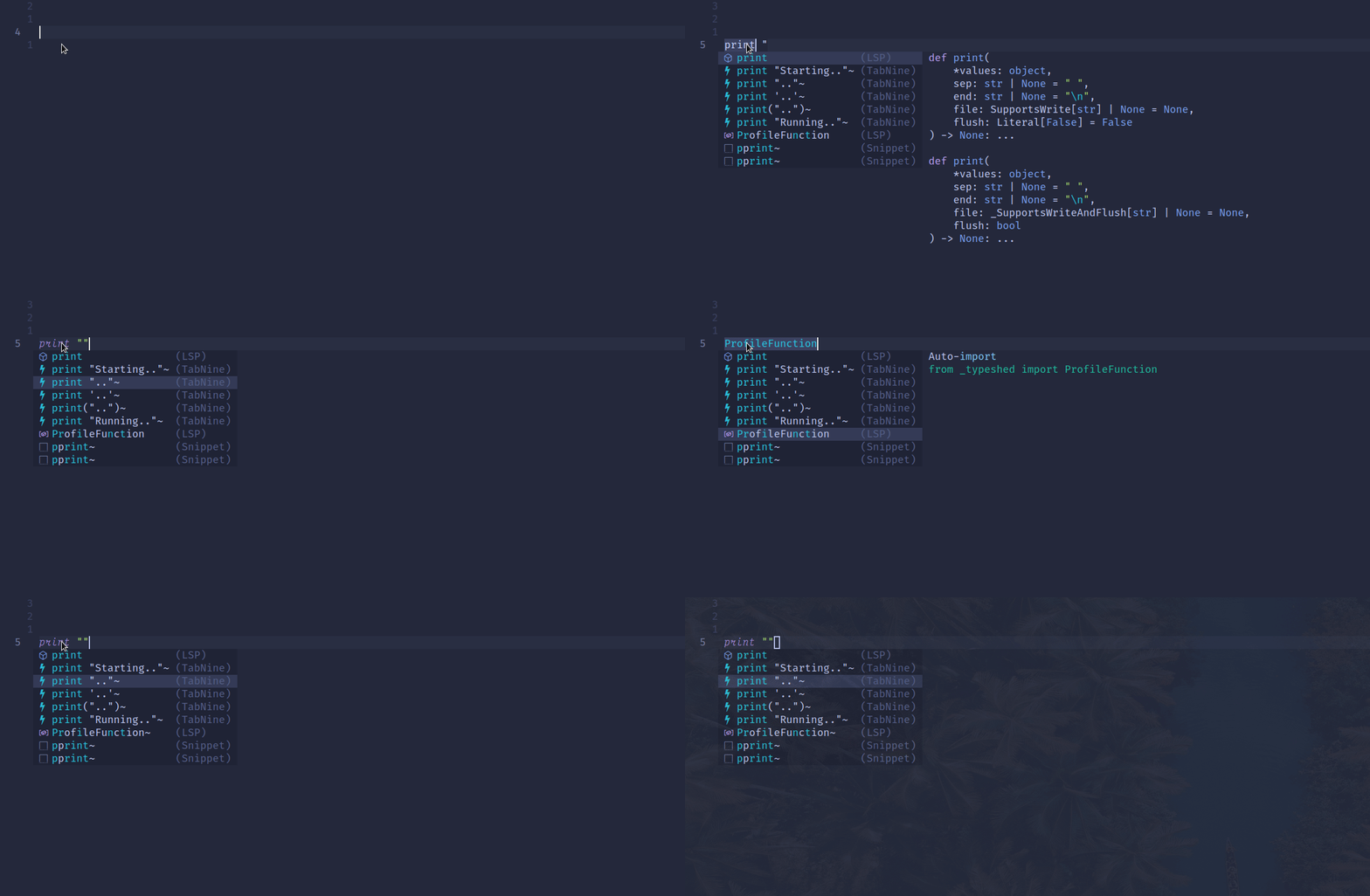
Alternatively, we can configure Tabnine as a completion source for nvim-cmp, using cmp-tabnine.
{
"hrsh7th/nvim-cmp",
event = "InsertEnter",
dependencies = {
...
{
"tzachar/cmp-tabnine",
build = "./install.sh",
},
...
},
config = function()
...
local source_names = {
...
cmp_tabnine = "(TabNine)",
...
}
sources = cmp.config.sources {
...
{ name = "cmp_tabnine", group_index = 1 },
...
},
formatting = {
...
if entry.source.name == "cmp_tabnine" then
item.kind = ""
...
return item
end,
},
Code Generation
For code generation, we can use the following plugins.
- Codeium —
codeium.vim,codeium.nvim - OpenAI GPT —
ChatGPT.nvim,NeoAI
Codeium
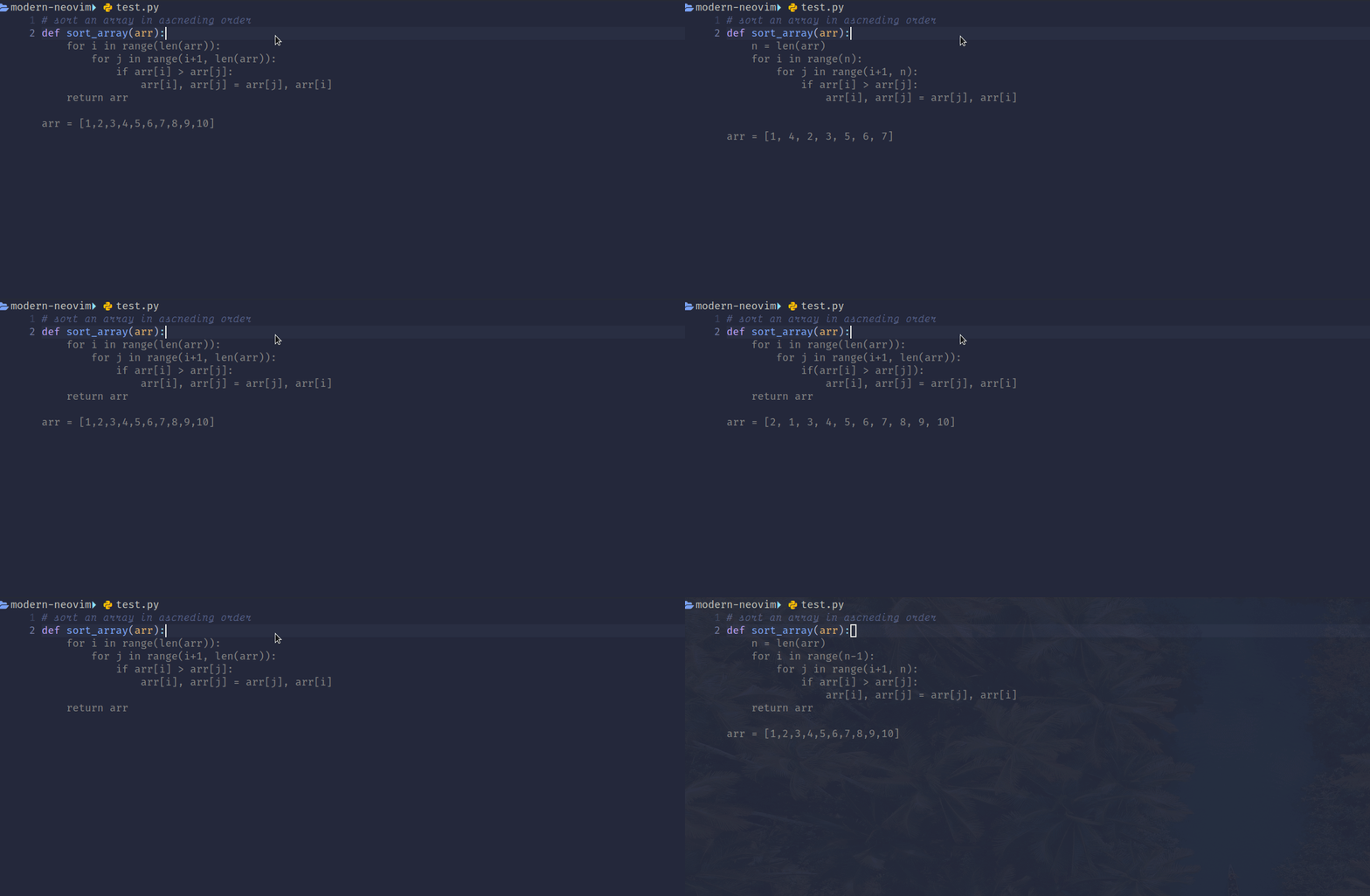
We use codeium.vim to generate suggestions from the comment and cycle through them, as shown in the screenshot below.
OpenAI GPT
ChatGPT.nvim and NeoAI plugins interact with OpenAI GPT language models.
ChatGPT.nvim
A sample configuration for ChatGPT.nvim is shown below.
return {
  "jackMort/ChatGPT.nvim",
  cmd = { "ChatGPT", "ChatGPTRun", "ChatGPTActAs", "ChatGPTCompleteCode", "ChatGPTEditWithInstructions" },
  config = true,
  enabled = true,
  dependencies = {
    "MunifTanjim/nui.nvim",
    "nvim-lua/plenary.nvim",
    "nvim-telescope/telescope.nvim",
  },
}
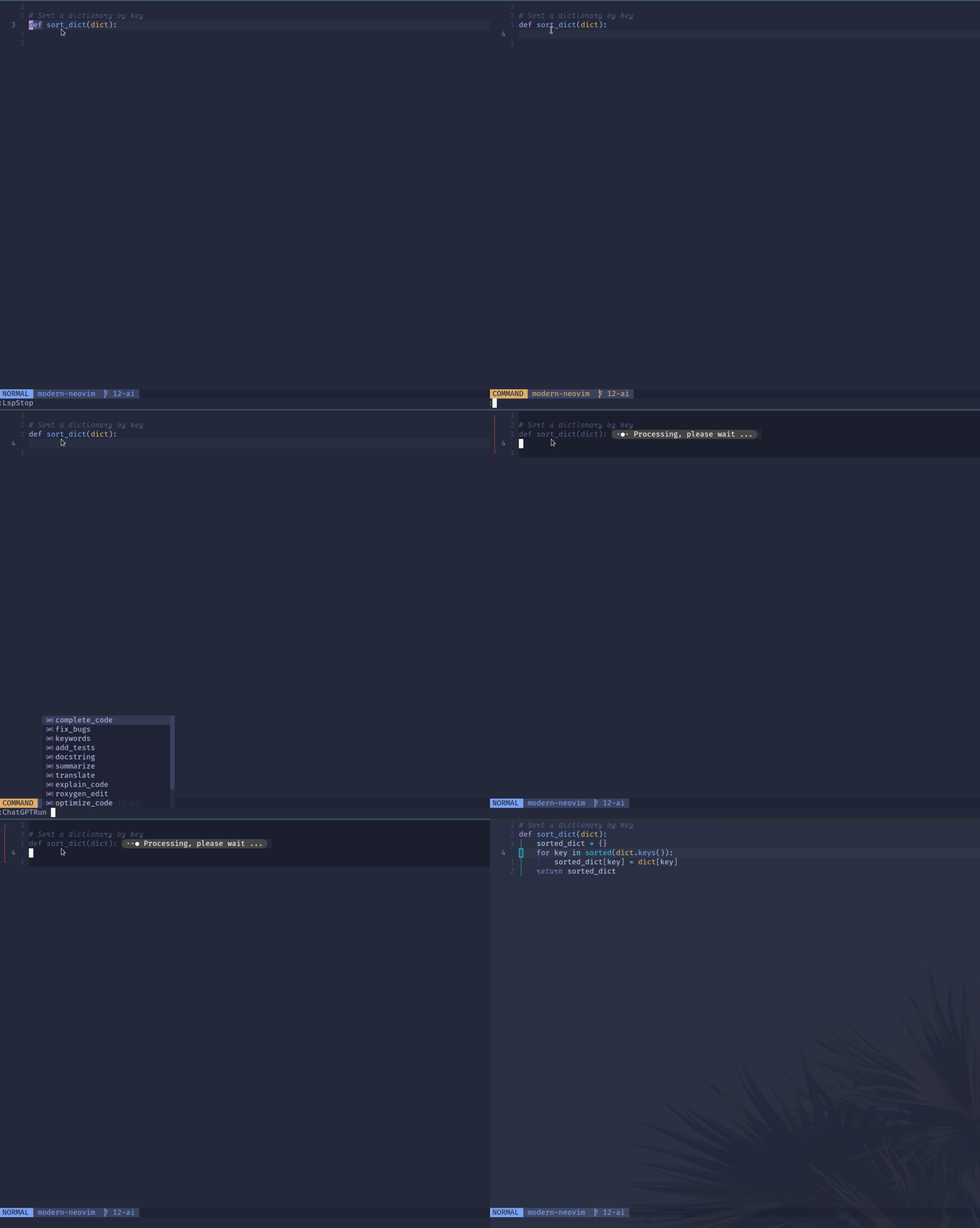
Using the :ChatGPTRun complete_code command, we can generate the code.
NeoAI
A sample configuration for NeoAI is shown below.
  "Bryley/neoai.nvim",
  dependencies = {
    "MunifTanjim/nui.nvim",
  },
  cmd = {
    "NeoAI",
    "NeoAIOpen",
    "NeoAIClose",
    "NeoAIToggle",
    "NeoAIContext",
    "NeoAIContextOpen",
    "NeoAIContextClose",
    "NeoAIInject",
    "NeoAIInjectCode",
    "NeoAIInjectContext",
    "NeoAIInjectContextCode",
  },
  keys = {
    { "<leader>as", desc = "Summarize Text" },
    { "<leader>ag", desc = "Generate Git Message" },
  },
  config = function()
    require("neoai").setup {
      -- Options go here
    }
  end,
}
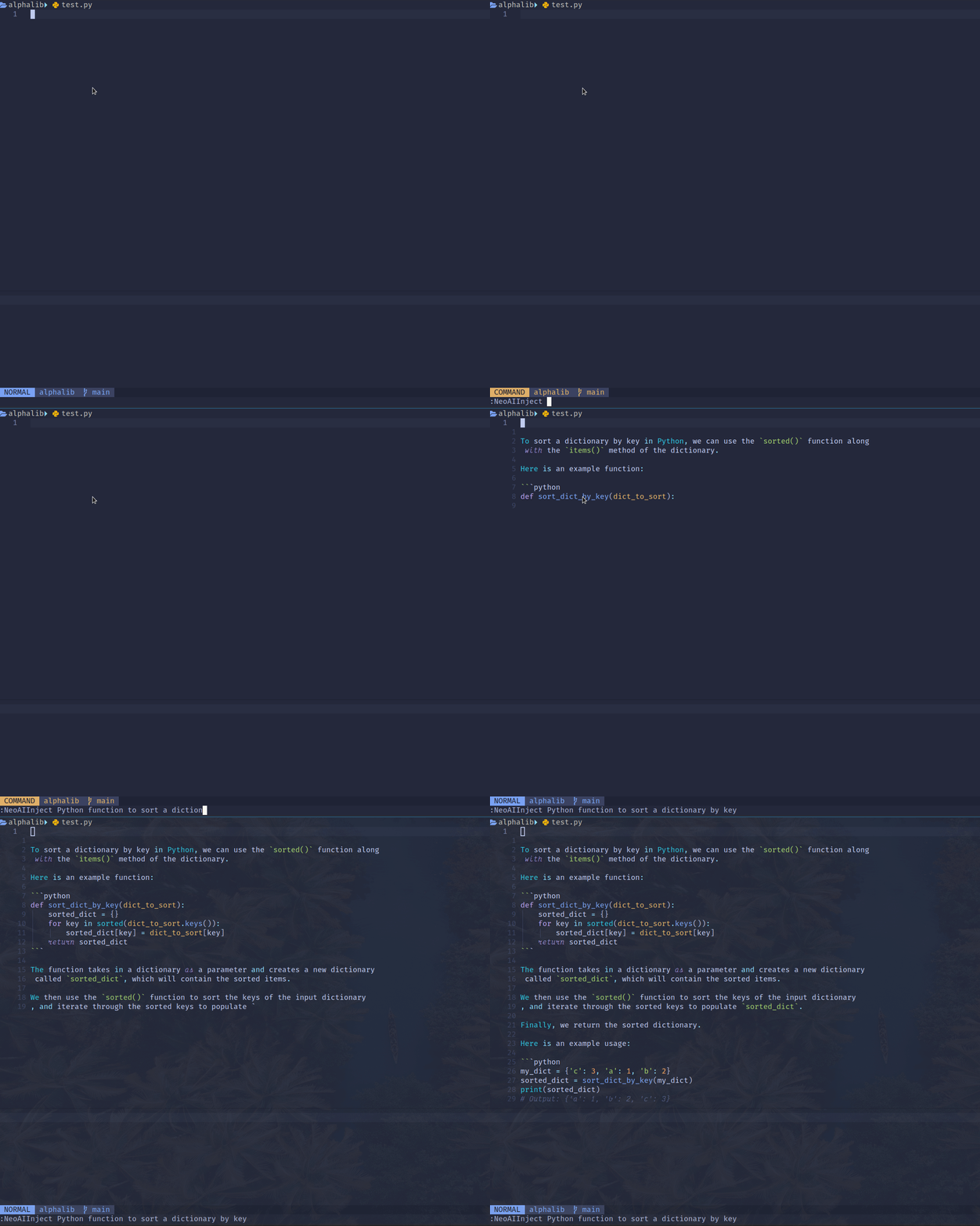
Using the Inject Mode, we can send a prompt to the model and have the resulting output automatically inserted below the cursor.
In the screenshot below, we use the :NeoAIInject command to generate the code.
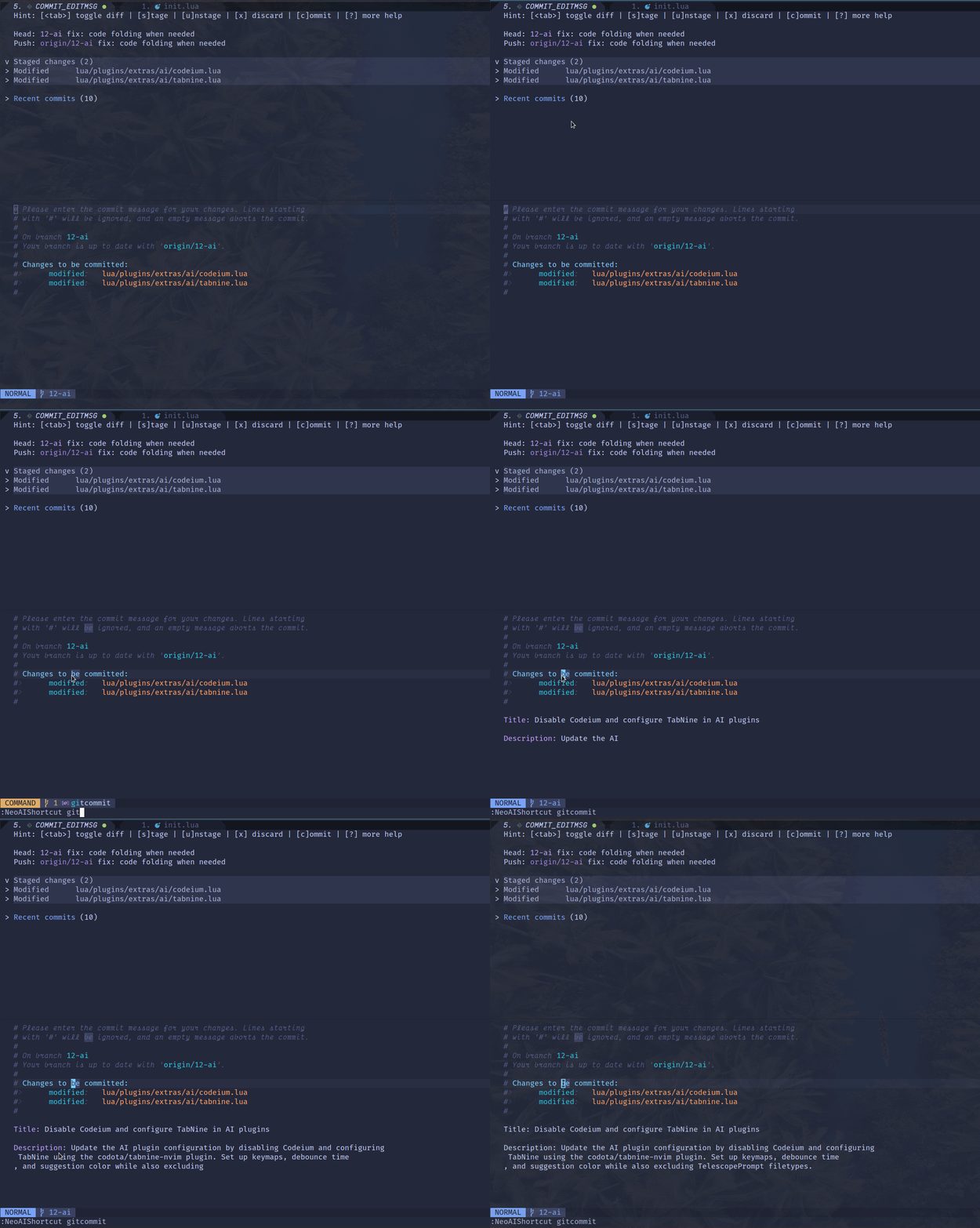
We can also generate Git commit messages using NeoAI.
In the screenshot below, we use the :NoeAIShortcut gitcommit command to generate the commit messages.
Code Refactoring
For code refactoring, we will demonstrate using ChatGPT.nvim and NeoAI.
ChatGPT.nvim
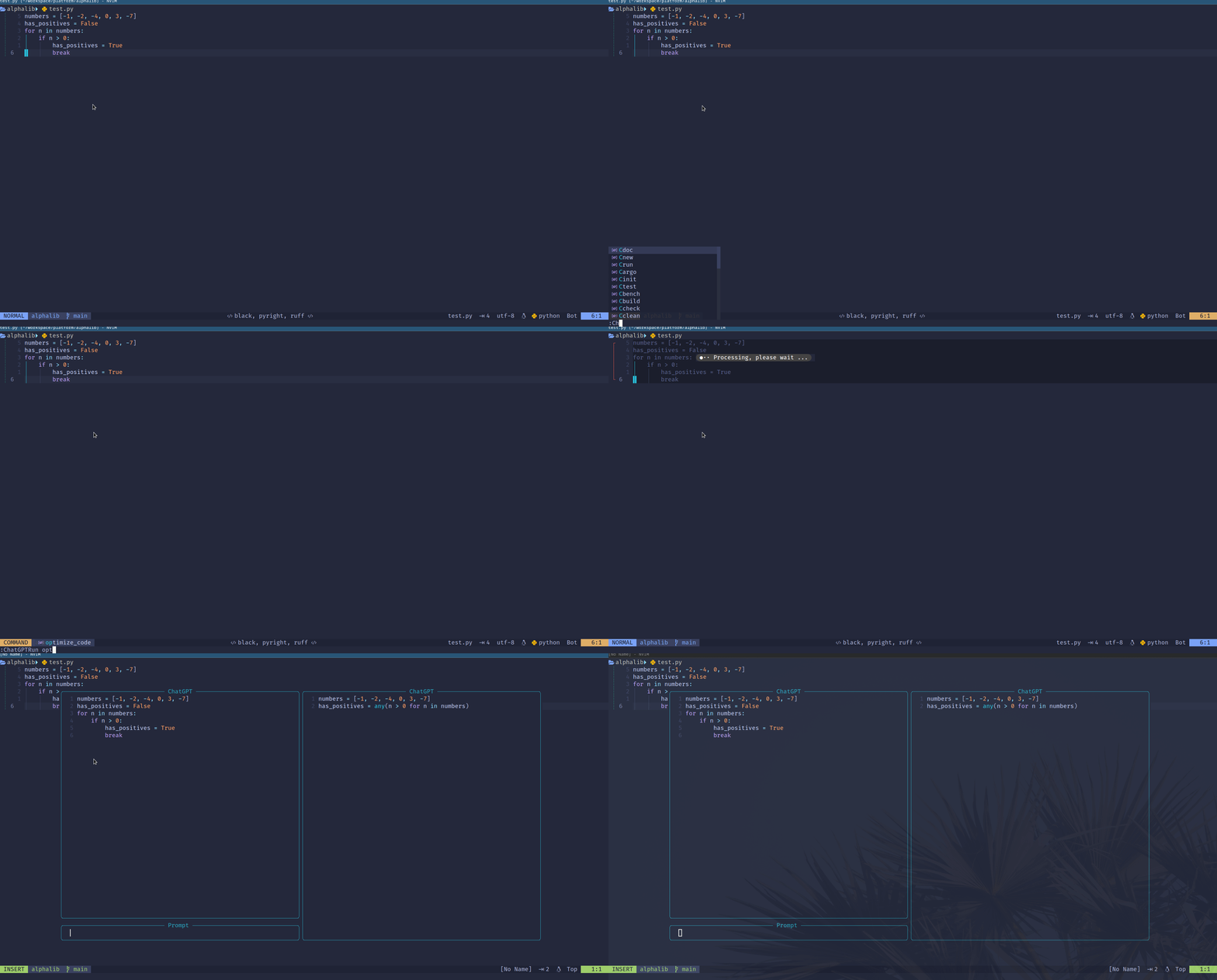
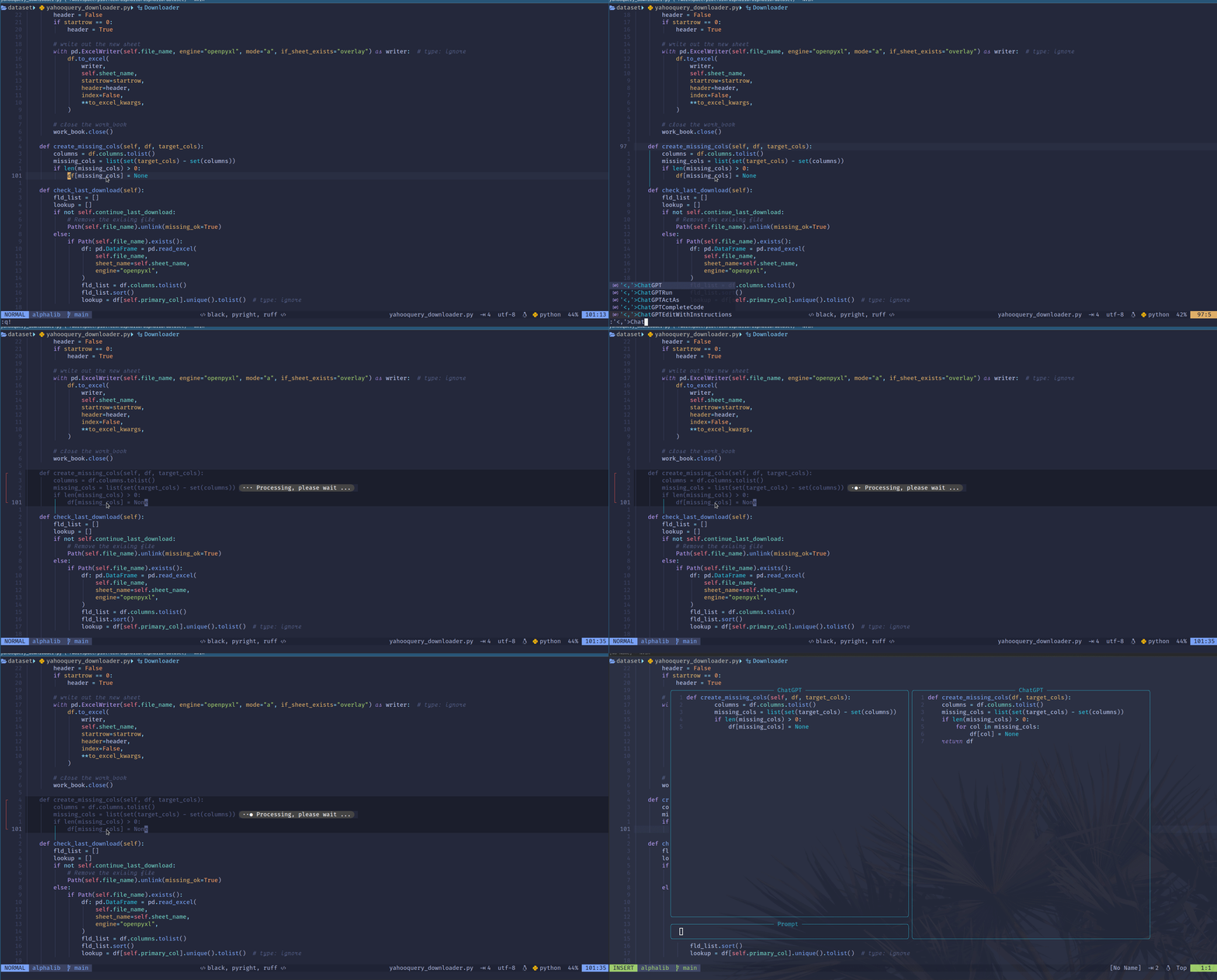
We can use the :ChatGPTRun optimize_code command to optimize the visually selected code, or the current buffer if no selection is made.
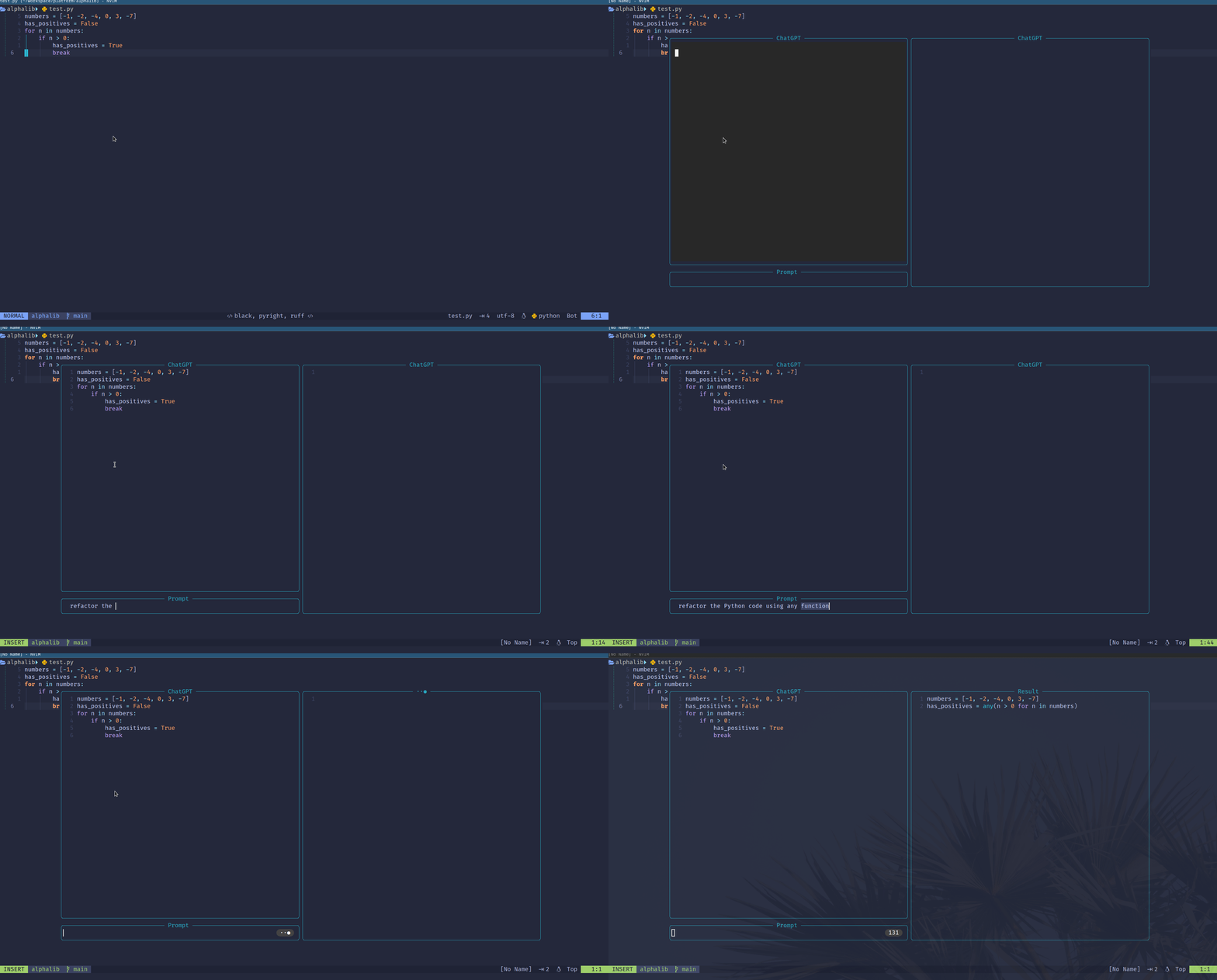
Alternatively, we can use the :ChatGPTEditWithInstructions command.
NeoAI
For NeoAI, we can use the :NeoAIContext command to refactor or analyze the code.

Code Review
ChatGPT.nvim
Using ChatGPT.nvim, we can explain the code and fix bugs.
We use the :ChatGPTRun explain_code or :ChatGPTRun summarize command to explain the visually selected code, or the current buffer if no selection is made.
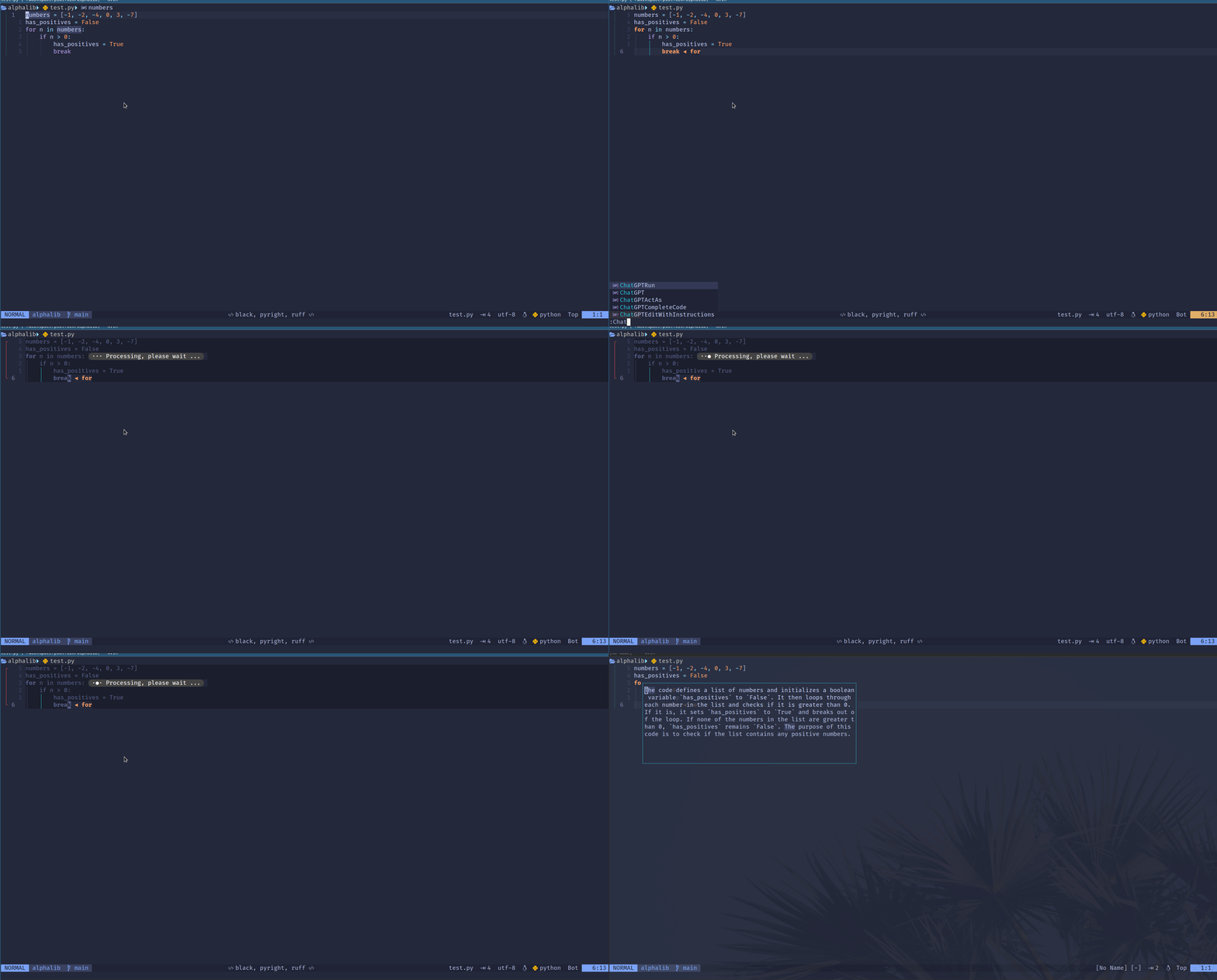
We use the :ChatGPTRun fix_bugs command to check and fix bugs.
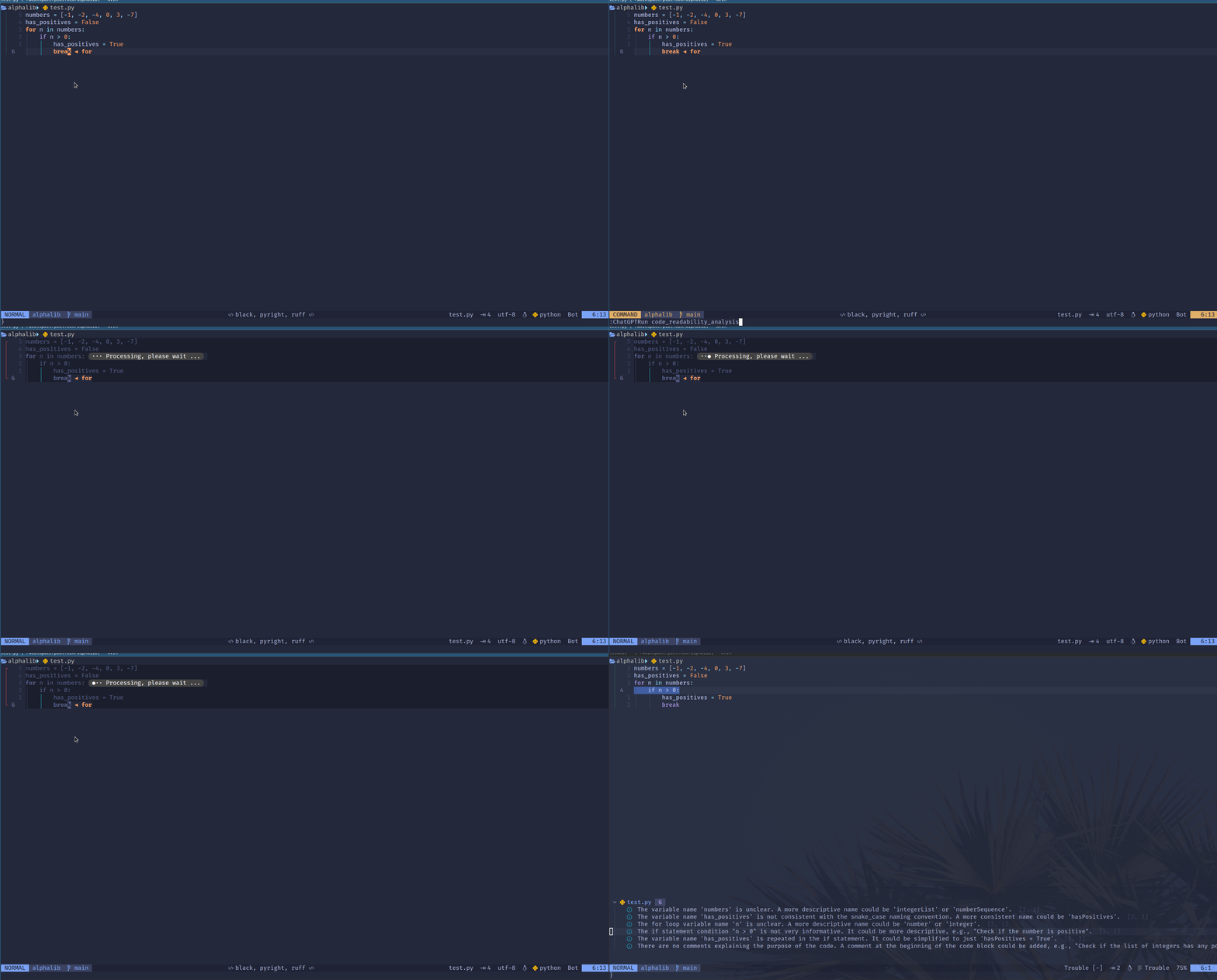
We can use the :ChatGPTRun code_readability_analysis command to perform code readability analysis.
NeoAI
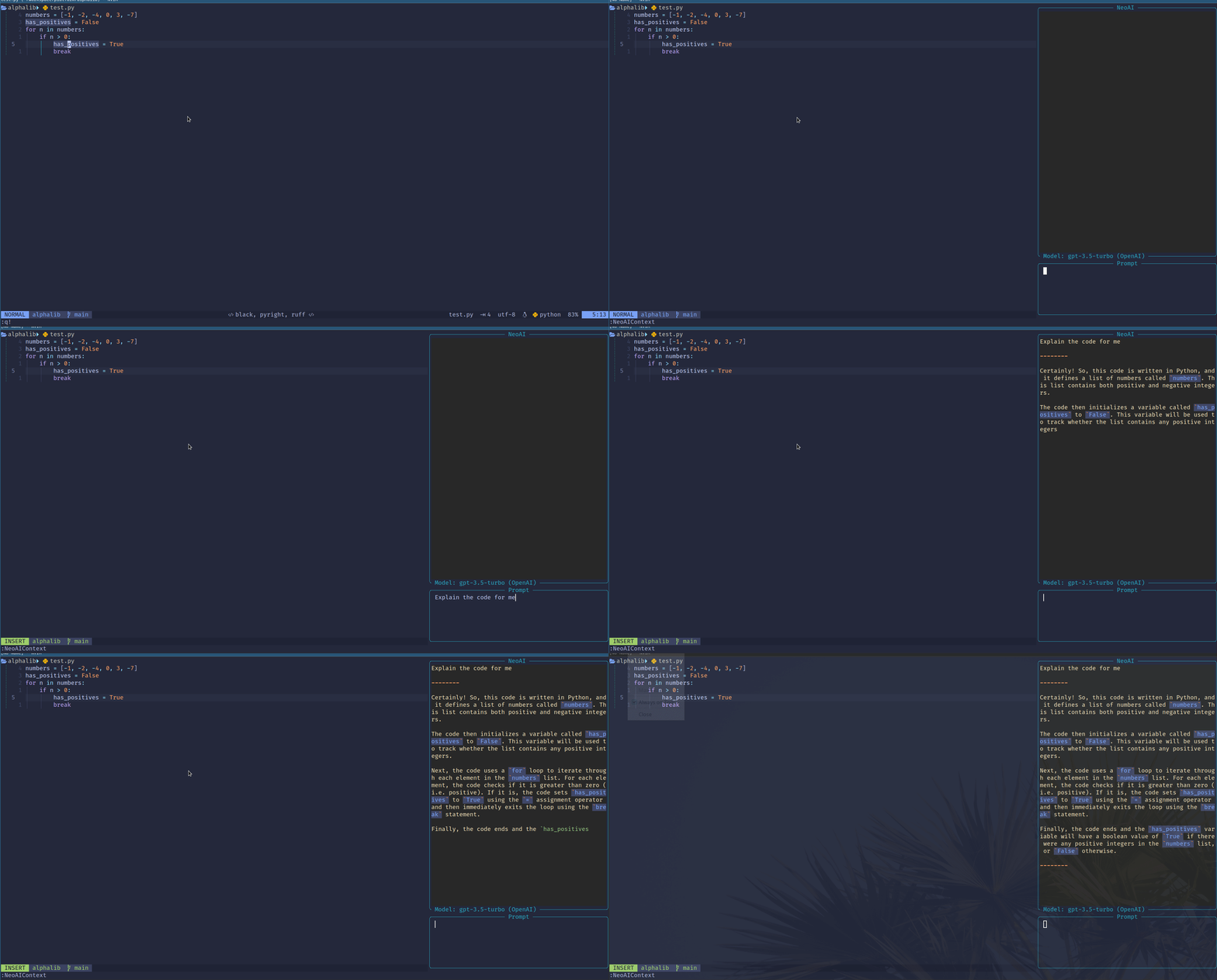
For NeoAI, we can use :NeoAIContext command to explain and review the visually selected text, or the current buffer if no selection is made.
Code Search and Natural Language Programming
ChatGPT.nvim and NeoAI allow us to interact with the OpenAI GPT language model. We can chat with the model, and search and navigate code easily from Neovim.
ChatGPT.nvim
For example, for ChatGPT.nvim we can use
:ChatGPTcommand to open an interactive window:ChatGPTActAscommand which opens a prompt selection from Awesome ChatGPT Prompts:ChatGPTEditWithInstructionscommand which opens an interactive window to edit selected text or the whole window
We use the :ChatGPT command to open an interactive window in the screenshot below.

NeoAI
For NeoAI, we can use
:NeoAI,:NeoAIToggle,:NeoAIOpencommands to interact with the language model:NeoAIContext,:NeoAIContextOpencommands to provide additional context to the language model by visually selecting the code, or sending the entire buffer if no text is selected
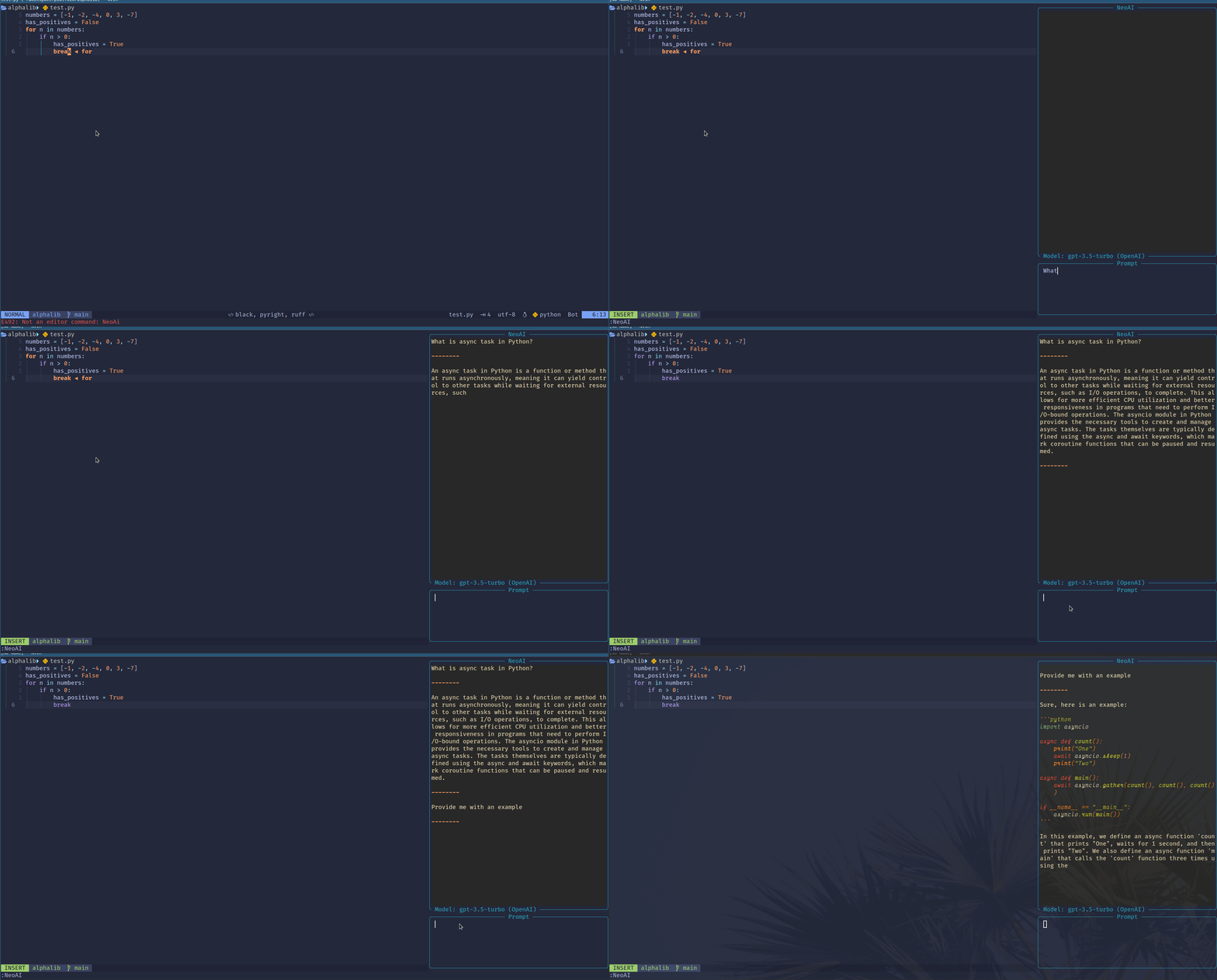
In the screenshot below, we use the :NeoAI command to open an interactive window.
Code Conversion
AI can save us time if we need to convert existing applications to a new programming language.
ChatGPT.nvim
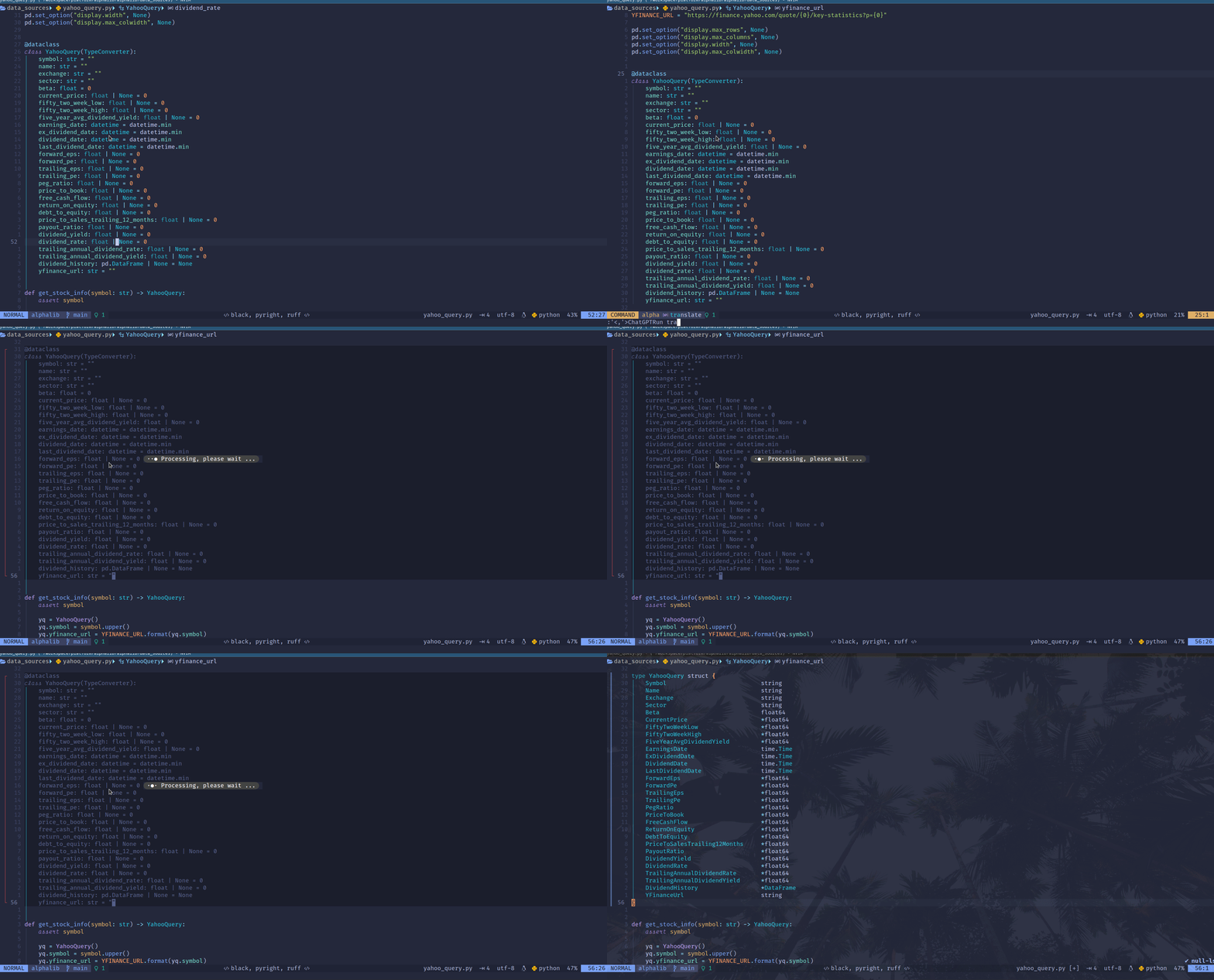
For example, using the :ChatGPTRun translate command, we can convert the current buffer, or the visually selected text to a new programming language.
We convert the code from Python to Go in the screenshot below.
NeoAI
For NeoAI, we can use the :NeoAIContext command to translate the current buffer or the visually selected text.

Code Annotation
AI can also help us to generate comments, test cases, and documentation.
ChatGPT.nvim
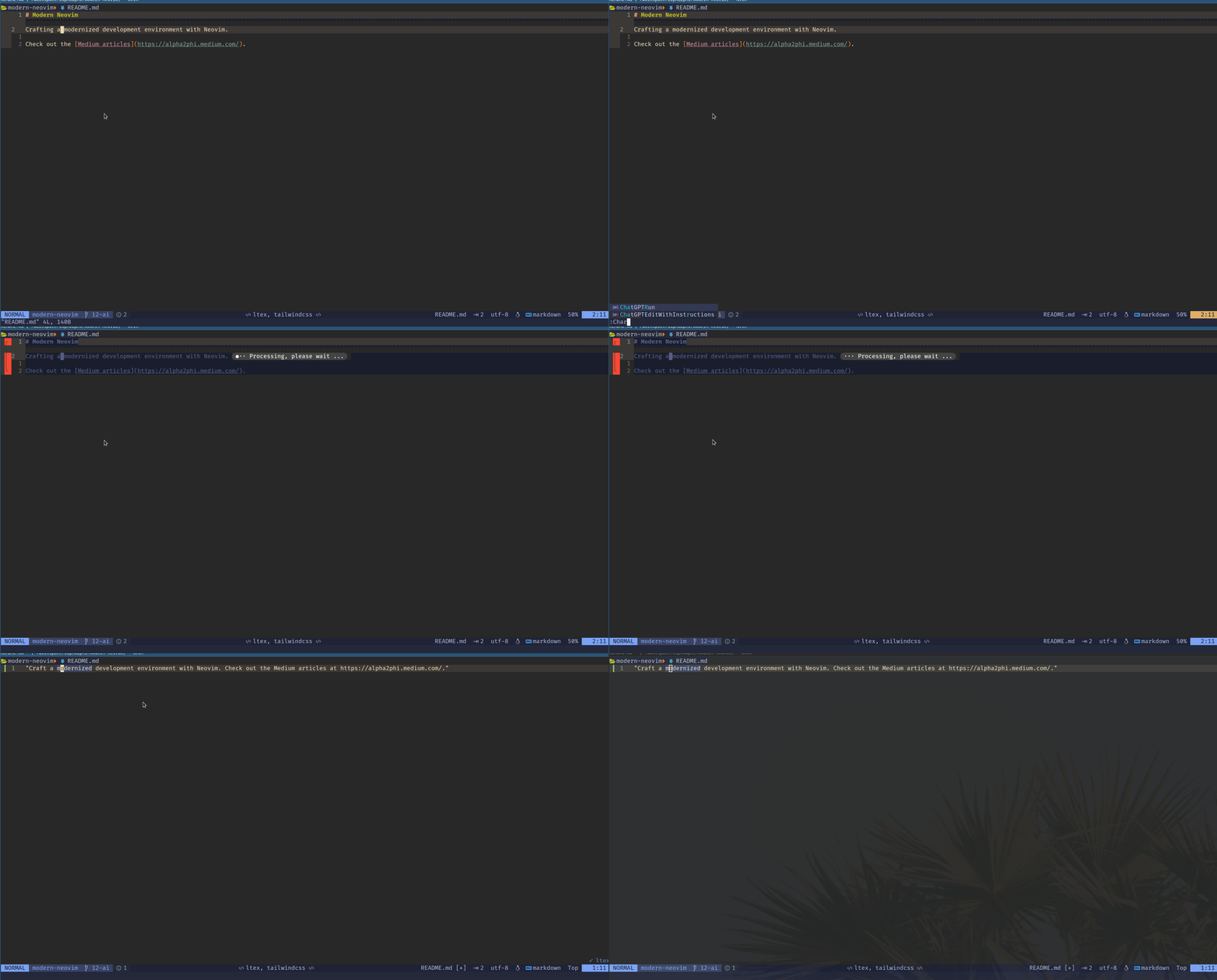
For example, using the :ChatGPTRun docstring command, we can generate code annotation, as shown below.

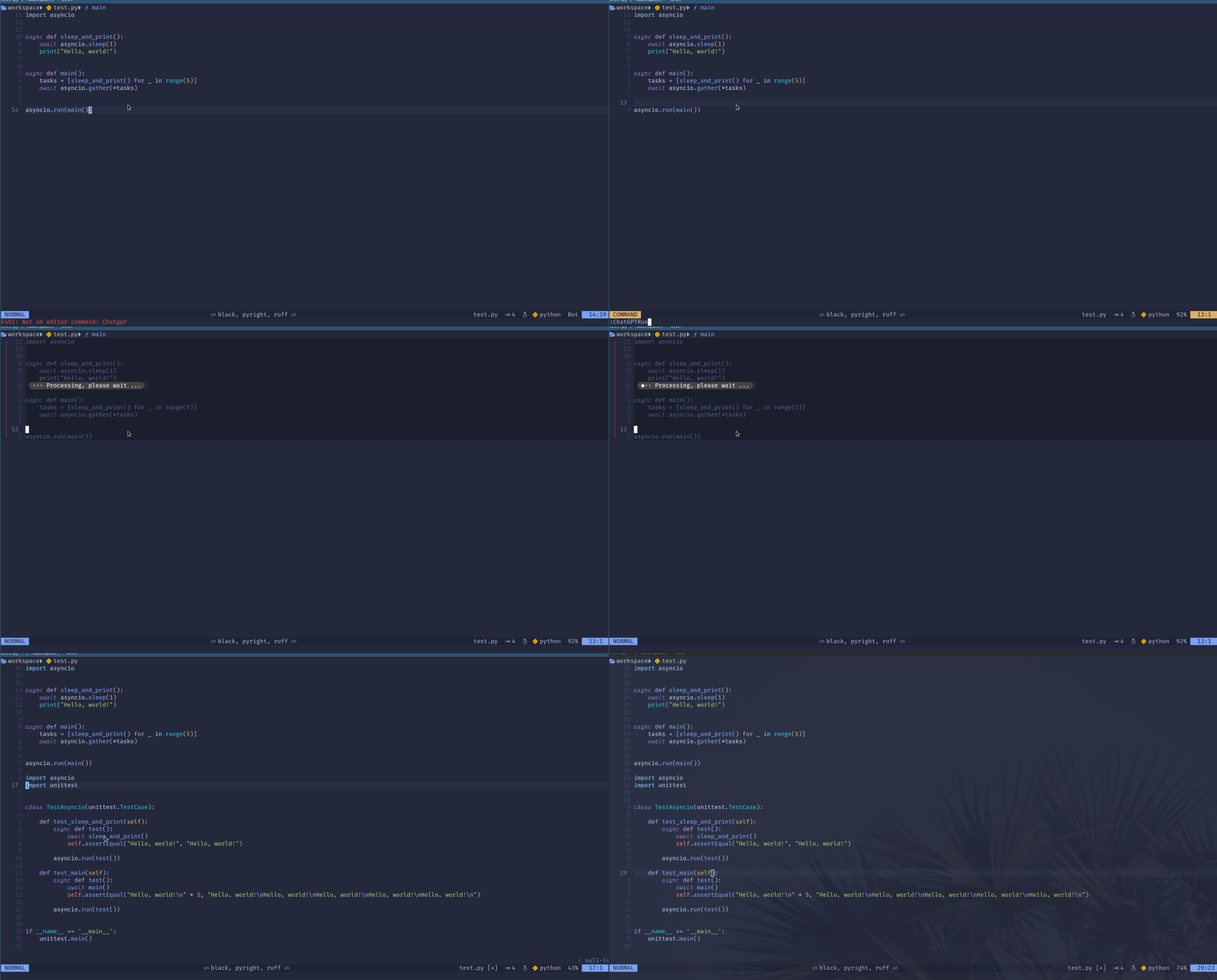
We can use the :ChatGPT add_tests command to generate test cases.
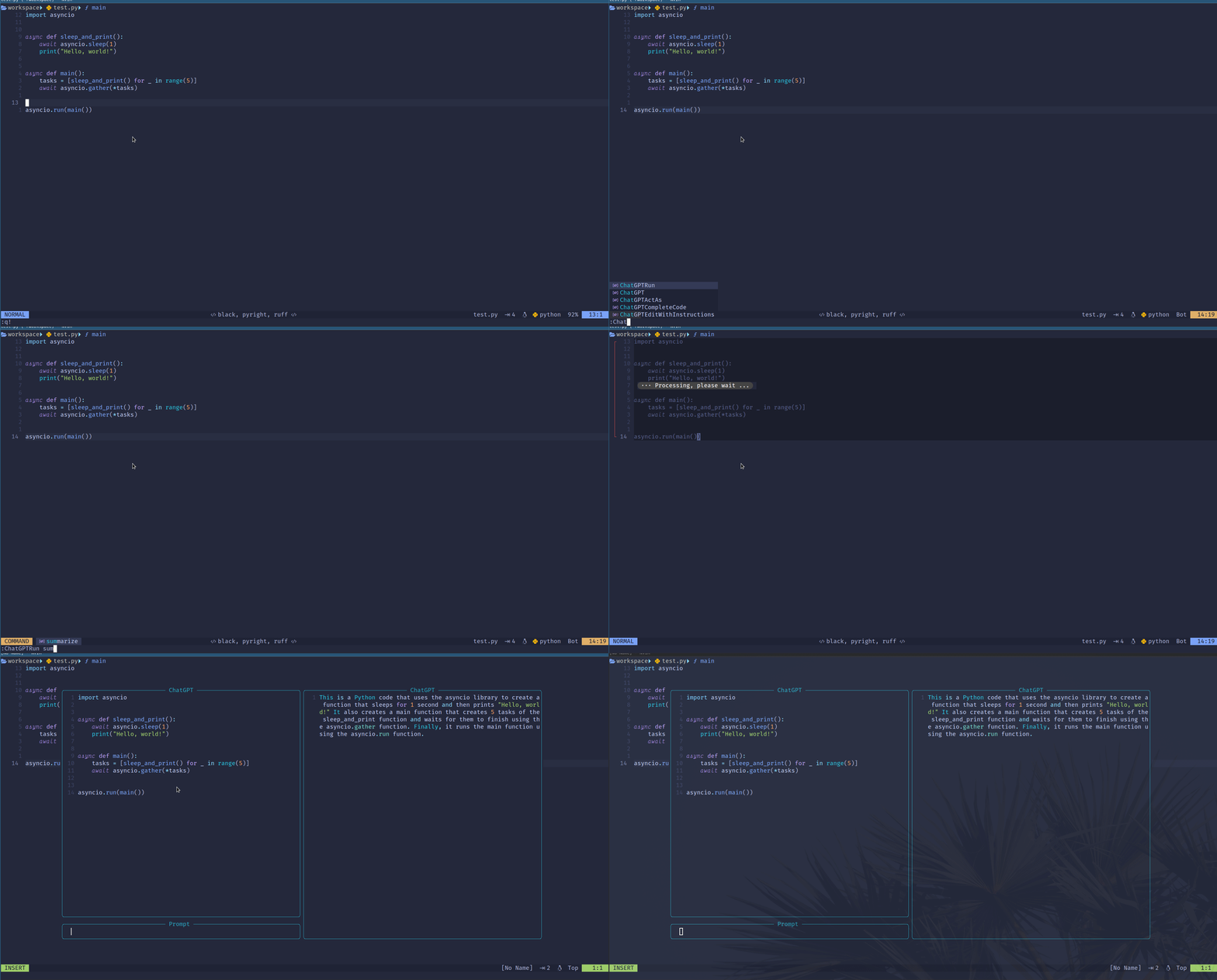
We can use the :ChatGPTRun summarize command to generate documentation.
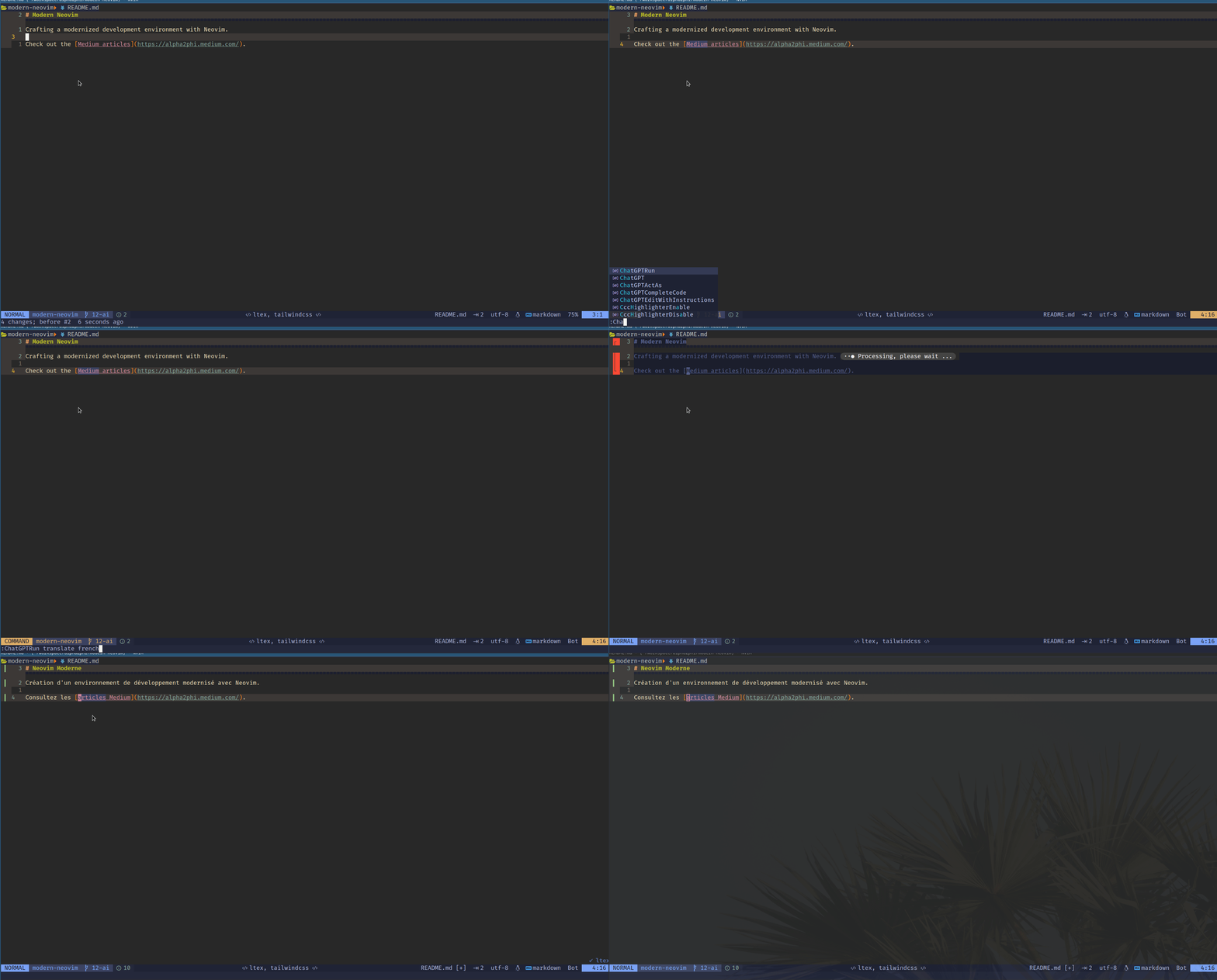
We can use the :ChatGPTRun translate command to translate existing documentation.
We can use the :ChatGPTRun grammar_correction command to correct any grammar errors.
NeoAI
For NeoAI, we can use the :NeoAIContext or :NeoAIInject command to generate code annotation, test cases, and documentation.

Other Plugins
backseat.nvim
backseat.nvim is a Neovim plugin that uses GPT to highlight and explain code readability issues.
Codeium Chat
The new Codeium Chat feature can generate, explain, refactor, and translate code. As of this writing, it is only available in the VSCode extension.
CodeGPT
CodeGPT is a plugin for Neovim that provides commands to interact with ChatGPT.
Hugging Face
hfcc.nvim is a Neovim plugin just like Copilot but we can pick our model on the Hugging Face Hub.
naVI
naVI is another Neovim OpenAI plugin.
Check out this article for many other AI plugins we can use!
Conclusion
While AI-powered coding tools can help automate certain coding tasks, they are not a substitute for human expertise and judgment. It is important to thoroughly review and test the code generated by AI tools to ensure its correctness, security, and adherence to coding standards.
AI is continuously evolving, and its applications in coding are still being explored, offering exciting opportunities for improving coding productivity and efficiency.
Do check out these related articles!
- Neovim OpenAI Codex, GitHub Copilot, and cheat.sh
- Neovim and VS Code — AI-Assisted Code Completion
- Modern Neovim — Configuration Recipes
Check out the article Learn Neovim The Practical Way for all the Vim/Neovim articles!
If you are yet to be a Medium member and want to become one, click here. You will gain unlimited access to all Medium articles and support my work directly.


