
Minimize the Jobs Executed in your GitLab CI Pipeline
How to minimize the jobs executed in your GitLab CI pipeline
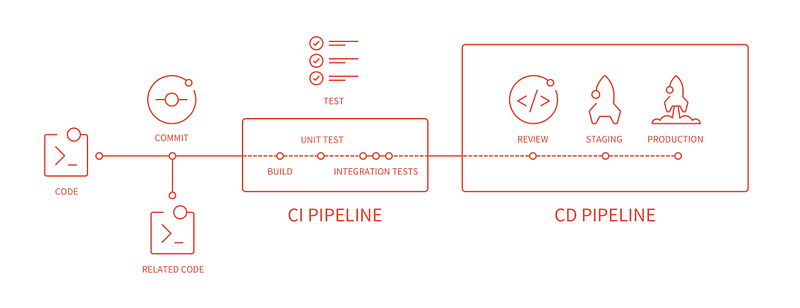
You may have a lot of jobs running in your pipeline if you have a lot of commits or merge requests on a daily basis. If you don’t have a lot of runners to run those jobs, then this can cause delays as you wait for your jobs to execute important code quality checks, test coverages, docker builds, etc.
Solution
A simple solution is to use the rules: changes clause. This clause will only add a job to the pipeline if the files and/or folders specified have been changed. Therefore, if your rules aren’t satisfied for a given job, it will not be added to the pipeline and hence not run for a given commit.
Let’s look at the following example with the project structure:
We have two stages and three jobs. Notice the rules: changes clauses that have been added to each of the jobs. For each build docker job, we specify a rule which will add the job to the pipeline ONLY IF there has been a change to its corresponding subfolder. So the docker image for the backend will only be built if there have been changes to any files or folders in /example-project/backend/. As for the tests execution job, the tests will only be executed if there have been any changes to the frontend/ or backend/ folders.
In a given commit, the jobs that will be added to the pipeline can range from all to none. Therefore, you can omit the entire execution of a pipeline if no relevant files have been modified.
Why /**/*?
This will make sure that the job is added to the pipeline if any file or folder is changed, including in any subfolders. If you do not wish to account for subfolders, specify only /*. If you want just a single file, specify the file name and extension or if you want any txt file, specify *.txt. You get the idea.
Conclusion
Of course if you have a lot of runners, or need to run all jobs all the time, then this solution might not be needed. However, adding this clause to your jobs will allow your pipeline to run fewer jobs and potentially an entire pipeline altogether. The rules are quite flexible and can be tailored to the needs of your project’s pipeline.


