
PRODUCTIVITY
Milanote for Creative Organization
For the colorful, organized virtual desk you need to stay on top of your life
I don’t recall exactly how I stumbled upon Milanote, but alas I did. I have tried at least a dozen organizational apps for my computer and have yet to find the right solution to organize my writing work, things in my personal life, or even just put down random thoughts that come to me throughout the day. Finally, the solution.
Somehow the universe saw fit to run an ad by my face yesterday on whatever website I happened to be on and Milanote became my virtual desk. When I got up this morning, I just about could not wait to sit down at my virtual desk, move my thoughts around, plan my day, and look at all that beautiful organization on my screen. All day today, in between tasks I have gone back to the board and updated or added new things.
In short, I am thrilled. Imagine — disorganized thinking all wrapped up into a pretty vision board! It’s a writer and creative professional’s paradise. Where has this been all my life?
So, how does this work any different from all of the other organizational apps? For one, it does have a free and paid version, but it seems fairly generous. As much work as I put into it yesterday and today, I would have thought I’d hit the paywall and be forced to sign up for the $9.99 per month fee to use my new favorite virtual helper. But so far I am sailing just fine with the free version. Secondly, it is more interactive and customizable than anything I’ve seen, to date. All this time I have been looking for organizational calendars — and it turns out, a more creative, vision-oriented interface is what I have needed.
So allow me to introduce you to Milanote and share my experience thus far
First of all, you’re probably going to love it. You are a ‘creative,’ right? Chances are, your life (brain)can be a bit disorganized from time to time. You may carry a calendar, you may keep notes on a sticky pad, or you may have a journal app on your phone where you record your thoughts throughout the day. But I find that this simple program is eliminating all of that for me. It is the only one-solution I have found for me to take all of the disorganized bits about my brain and put them into a place where it all makes sense.
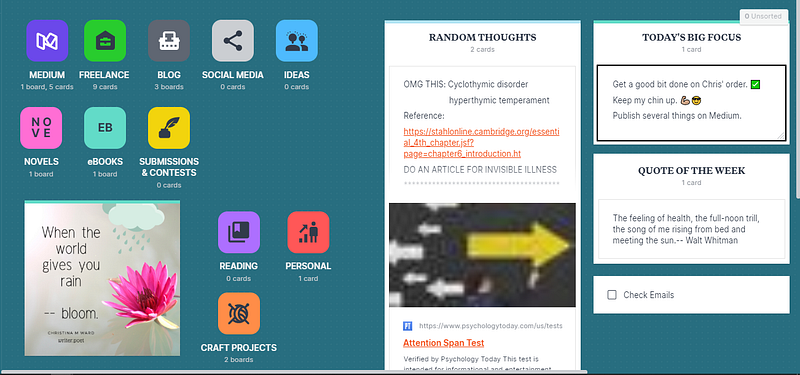
The screenshot above is the current look of my homepage or home “board.” Think of it like one of those big boards on the wall like when you are in school. Remember when your teacher would put up the wavy perforated paper border around the outside with polka dots or some exciting color. And then they would put materials relevant to your lessons or the focus of that week’s materials. It was all very exciting and spaced out perfectly and your teacher likely spent hours putting that board together.
Your home board is a bit like this, with a bit of an exception.
Imagine that your teacher puts one item on the board to represent every category that you will cover over the year or the week. Also, imagine that there is a spot for you to walk up and write your thoughts down so that you don’t forget them. There’s also a handy checklist for things so that you know when tasks are completed. Your home board on Milanote functions very much in this way.
Only with your virtual classroom board, you can drag-and-drop various items onto your board to make it personal. You can change the color of your background and the color of each item you place on your board. Some of the things that you can place are:
- Media
- Links
- To-do lists (You can check and uncheck items or set them to remove once-checked.)
- Notes
- Columns
- Comments
- Adjustable line graphs
- Other boards
Pay attention to that last item: other boards. This means on your home board you can create boards that look like little square icons for each of the things in your life you want to organize. For example, you can see in my picture that I have one for Medium, one for freelance, and even one for my craft activities. On the home board, I use my general thoughts that don’t particularly have a category to go in and inspirational or personal objectives that help me to stay on task and be productive.
Let’s take a look at one of the boards to see how you can set it up.
(Keep in mind — I am NOT a techy person — this site took me only minutes to figure out and begin USING.)
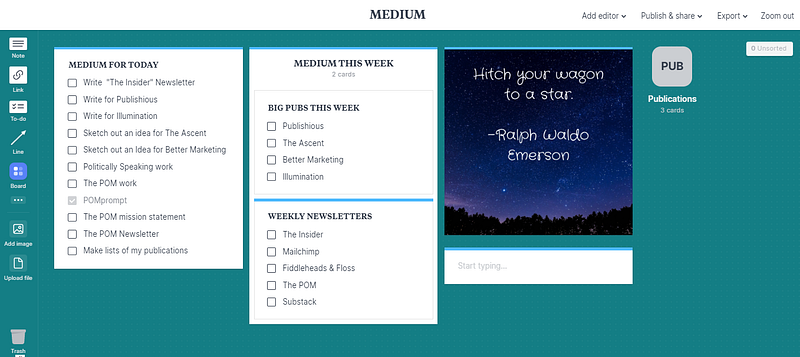
As you can see I put a lot of work into this board so far. You can see my daily task list, some key focus points for the week, and an inspirational poem graphic of a Ralph Waldo Emerson quote. I even have a checklist for all of the newsletters that I need to write for the week. Notice on the right-hand side there’s another little square that says publications. When you click that, you go to the Publications board — still under construction. (Pic below.)
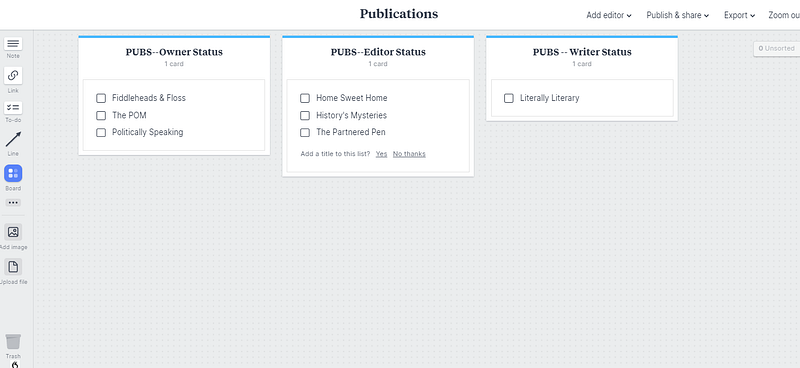
I just created this Publications board and I am working on it currently, as you can see by the plain background and the lists that I have begun but have not completely filled in. I write for over 50 publications so it will take me some time to upload them into my publications lists, but when I do I’ll be able to go in there and place a checkmark beside a publication when I have completed writing something for them that month. At the end of the month, it’ll be easy to see how many publications I put my work in for the month. It also lets me know who might need an article from me soon.
I’ll also add a place for pitching articles and list currently pitched work and the date of my pitch so I’ll know when to follow-up.
Or I can create notes for certain publications with article ideas, a link to a Google Sheet of all my curations, or even include a portfolio of work for me to offer for potential freelancing clients.
Speaking of freelancing, let’s get back to the home board and go into the Freelance board — another I have put a lot of work into so far.
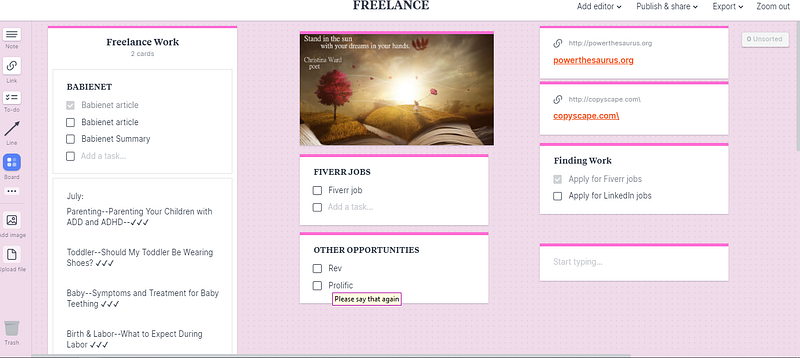
As you can see by this board I also have a color scheme and something inspirational. You can place a separate column for each client with a checklist and a to-do list or any helpful notes or links that you need to hold onto and have at the ready for that client.
As you can see I have a few references listed over to the right-hand side of the board. I also have some places to make notes or develop a to-do list for job hunting. You can also actually create a new board for each one of your clients if you have extensive information and need to keep them neatly categorized.
What I like about this platform over other organizational apps and sites
I have been using ToDoist for about a year and have been moderately satisfied with the program. I can create tasks to be done, organize them, and add them to my calendar, which is all very well and good. But there’s no personalization whatsoever and I really enjoy the personalization of Milanote.
I enjoy that other people could use the same boards that I create; for example, if I wanted to create a board of information for my coeditors for The POM publication, I can do that and then invite those folks to be editors on that board to use it for reference.
In a nutshell, Milanote pros and cons:
Pros:
- Very customizable and pleasant to look at! This is my favorite feature.
- Excellent notes app for creatives and visually motivated.
- Can do plenty with it to stay organized — links, mind maps, hierarchal nesting boards.
- A free plan is available.
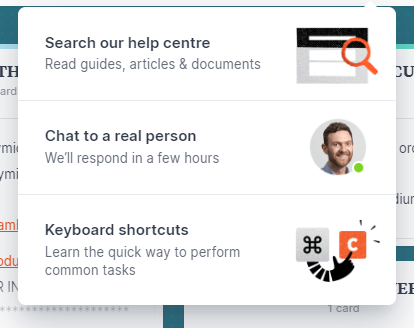
- Great help center:
- You can share boards and collaborate with other team members.
- The check-able to-do lists are SWEET!
- You can change the color and icons of your board — YES!
- They have excellent ratings everywhere I have looked online (4 1/2–5 stars). This means a lot to me when deciding between free and paid versions.
Cons:
- The paid version is 9.99 a month — hefty to me. But now I am addicted and organized — thanks to the folks at Milanote!
- There’s no calendar — but it’s not really a calendar, per se. It’s a vision board. A place to organize what is going on in your brain. (If you have a linkable calendar — put a link on the home board!)
- I see cons online mentioning integration. Apparently, this app is fairly new and still growing/improving so you need to check the versions available for your devices.
Here’s the link to check out Milanote for yourself — and NO it is not an affiliate link of any kind. I just want to share this exciting find with other creatives like me!
Here is a bit about the company, Milanote. Here is where you can find Milanote and try it out for yourself.
*UPDATE: I have since the writing of this article discovered this handy poll, where you can vote-up featured you’d like to see integrated into the app.
If you enjoyed this productivity and creativity article, you may enjoy some of my others. I enjoy sharing productive tricks and tips with my readers!
The Complete Guide to Uploading a Marketable Book on Amazon KDP 8 Easy Tips for Reviving Your Sleepy Blog Can You Change Directions With Your Branding Once It’s Established?
Thank you for reading,
Christina M. Ward of Fiddleheads & Floss Writing


