
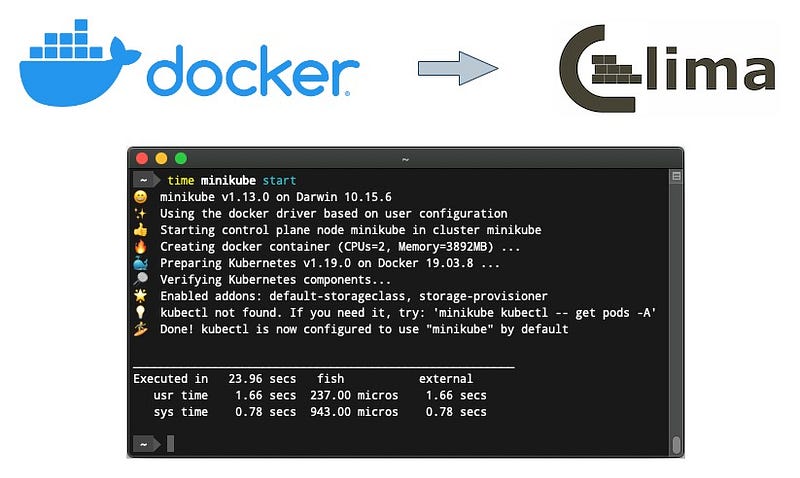
Migrating to Colima from Docker Desktop to run Minikube k8s cluster on macOS
Much faster alternative than Docker Desktop to have a local K8s cluster using Minikube
· Where did the problem begin? · Replace Colima with Docker Desktop ∘ Solve testcontainers problems with Colima ∘ UPDATE (2023–07–13): Solve Skaffold problem with Colima · Run Minikube using the docker driver and Colima ∘ Other alternatives · Final Word
For me, the story starts with the Lima project, I was searching for something similar to WSL2 in macOS and found the Lima project, Lima introduces itself as:
Lima launches Linux virtual machines with automatic file sharing and port forwarding (similar to WSL2), and containerd.
Lima can be considered as a some sort of unofficial “containerd for Mac”.
Lima is insanely fast, with a lot of handy features for developers.
Colima is container runtimes on macOS (and Linux) with a minimal setup based on Lima. Colima introduces its relation with Lima as:
Colima is basically a higher level usage of Lima and utilises Lima to provide Docker, Containerd and/or Kubernetes.
Where did the problem begin?
When I worked as a contractor on a big project based on Microservice architecture that has a lot of services, I had a lot of performance problems when I wanted to run end-to-end tests locally on my powerful laptop (MacBook Pro, Intel Core i9, 64GB RAM). We used these tools to create the required infrastructure and run services locally to run end-to-end tests over the k8s cluster locally:
- Docker Desktop
- Minikube with docker driver
Because of the performance problem, I changed the minikube driver from docker to hyperkit and gained slightly better performance. Still, I was suspected and thought that I could get better performance. So I decided to replace Docker Desktop with Colima and use the minikube docker driver again to see what happened to the performance.
Replace Colima with Docker Desktop
Replacing the Docker desktop with Colima is very straightforward:
1- Remove (delete) Docker Desktop from your macOS
2- Install Colima using the brew install colima or other approaches mentioned in the Colima installation guide.
3- Colima supports different runtime, but the default is docker, and we want to use it, so we need to install docker CLI using this command brew install docker (if you need docker-compose, you can install it by this command brew install docker-compose)
4- In the Final step, you need to start an instance, One of the benefits of Colima is that you can have multiple instances. You can start the Colima default instance with your desired configuration using this command colima start — cpu 8 — memory 20 — disk 60
Optional step: You can create a symlink for the docker-compose into the docker cli-plugins folder:
mkdir -p ~/.docker/cli-plugins

ln -sfn $(brew --prefix)/opt/docker-compose/bin/docker-compose ~/.docker/cli-plugins/docker-compose
Now everything is ready, and you can run all docker and docker-compose commands using Colima. And also, minikube can use colima as a docker runtime.
Solve testcontainers problems with Colima
As a side note, if you use testcontainers to write integration tests for your project, you will see these errors when you want to use Colima instead of Docker Desktop, I mentioned two of them that I encountered:
Could not find a valid Docker environment.
According to this issue in the testcontainers GitHub repository, you need to define these two environmental variables to fix this issue:
export TESTCONTAINERS_DOCKER_SOCKET_OVERRIDE=/var/run/docker.sock
export DOCKER_HOST="unix://${HOME}/.colima/docker.sock"
Another error you might encounter when you are using docker-compose with testcontainers is:
error getting credentials - err: exec: "docker-credential-desktop": executable file not found in $PATH
There is a workaround for this problem in this issue. You just need to remove this line from this file ~/.docker/config.json:
"credsStore": "desktop",UPDATE (2023–07–13): Solve Skaffold problem with Colima
I got this error when I wanted to run a project using Skaffold by running the skaffold dev command:
failed to fetch metadata: fork/exec /Users/saeed/.docker/cli-plugins/docker-buildx
In order to fix this issue, first, we need to install docker-Buildx
brew install docker-Buildx
and then create a symlink for the docker-Buildx into the docker cli-plugins folder:
mkdir -p ~/.docker/cli-plugins

ln -sfn $(brew --prefix)/opt/docker-buildx/bin/docker-buildx ~/.docker/cli-plugins/docker-buildx
Run Minikube using the docker driver and Colima
As I said, Colima supports different runtimes, one of those runtimes is Kubernetes, but because we used some specific features of minikube, I did not use Colima kubernetes runtime.
After installing and configuring Colima, we can run minikube using the docker driver, and it will use Colima automatically:
minikube start --cpus 8 --memory 16g --driver docker
In my case, the performance improved compared to the minikube with hyperkit driver or minikube docker driver with docker desktop. Now I can run all system tests much faster using this new setup.
Other alternatives
There are some other alternatives for the Docker Desktop out there which all support Kubernetes out of the box:
Final Word
I am happy with Colima for docker and docker-compose usage on my laptop, and also used it as a docker driver for minikube so far. I had some problems with testcontainers, and as I mentioned earlier in this article, there were workarounds for those.
I will continue with this setup for my other use cases and update this article if I encounter any other issues. You can follow me for upcoming articles and updates if you like.
You can follow me for upcoming stories:
Read my short technical posts on Twitter.


