Midjourney V6 Prompting Made Simple- Introducing the “4W1H” Method 🎨
Elevate Your Prompt Writing Structure & Skills
Hello, everyone! I recently returned from my holiday and I hope you all had a wonderful Christmas🎄🎅🏻❤️
As some of you may be aware, the latest Midjourney v6 has an improved method for understanding prompts, eliminating the need for random phrases and words. This will require a new approach to creating prompts.
I know it can be overwhelming to start or improve your art with so much information out there. That’s why I’m here to show you a simple technique to kickstart your Midjourney creation — The 4W1H Technique. ✨
It’s super beginner-friendly and will help you improve your Midjourney art over time.
Midjourney
Midjourney’s AI Art Generative Tool is a remarkable game-changer for unleashing your creative potential! This fantastic technology uses artificial intelligence and machine learning to help you easily create stunning visuals.
If you are just starting, I know it’s challenging to craft the perfect prompt. So, here is a beginner’s guide and list of prompts to get you started:
The 4W1H Technique
If you’re new to Midjourney art or simply looking to hone your skills, this method is perfect for you.
By breaking down the elements of your artwork into What, Who, When, Where, and How, you’ll gain a deeper understanding of the creative process.
Let’s explore how you can use this technique to bring your artistic visions to life!
- Part One: Breakdown of 4W1H
- Part Two: Use Case
- Part Three: Commercial Usage
Part One: Breakdown of 4W1H
The 4W1H refer to:
- What — Type/Art Style/Category of image
- Who — Main Subject/Theme
- Where — Scene/Settings
- When — Time/Lighting
- How — Style & Rendering & Details
Below is a breakdown of the 4W1H technique
🎨 What — Type of Image
Specify the overall type of image first to ensure consistent style. This can include providing a specific aesthetic or artistic direction, such as:
- Art Style: Baroque, Impressionist, Renaissance, Abstract, Surrealism
- Art Medium — Charcoal, Pencil, Pastel, Watercolor, Oil painting, etc
- Material texture — Metal, Fabric, Wood, Marble, Glass, etc
- Photography type — Candid, Black and White, Landscape, Portrait, Full Body, Wide angle etc
What can also be a category like:
- Category: Photographic Image, UI Design, Interior Design, Logo Design,
✨ Who — Main Subject/Theme
The main subject is what the image is focused on. It can be a person, animal, character, object, etc.
You can also add secondary subjects.
Examples:
- Main — A beautiful girl
- Secondary — With brown hair, in Christmas dress, luxurious attire
Subjects can also be landscapes, objects etc.
🌎 Where — Scene/Settings
Describe the setting or background. Generic terms like “epic scene” also work if you can’t decide.
Environment can also be indoors, outdoors, ocean landscape, outer space, in New York
🕰 When — Time/Lighting
Specify a time of day, season, year, historical period, etc.
- Time: 1980s, Jurassic period, springtime, Christmas, etc
- Lighting: Blue hours, Morning, golden hours, sunset, nighttime, natural light, studio light
🎨 How — Style/Rendering/ Extra Details
This covers the stylistic qualities of the image. Key elements:
- Art Style — Artists, studios, art movements, etc
- 3D Style — 3D, VFX, game engines, etc
- Color: vibrant, muted, bright, monochromatic, colorful, black and white, pastel, etc.
- Lighting: soft, ambient, overcast, cinematic, studio lights, etc
- Mood: happy, calm, energetic, etc.
- Rendering Style — Ray tracing, ambient occlusion, etc
Focus on the terms most relevant to your image type. For beginners, start simple without too many advanced terms.
Part Two: Putting It All Together
Now, let’s apply the 4W1H framework and explore how we can utilize it in prompt writing
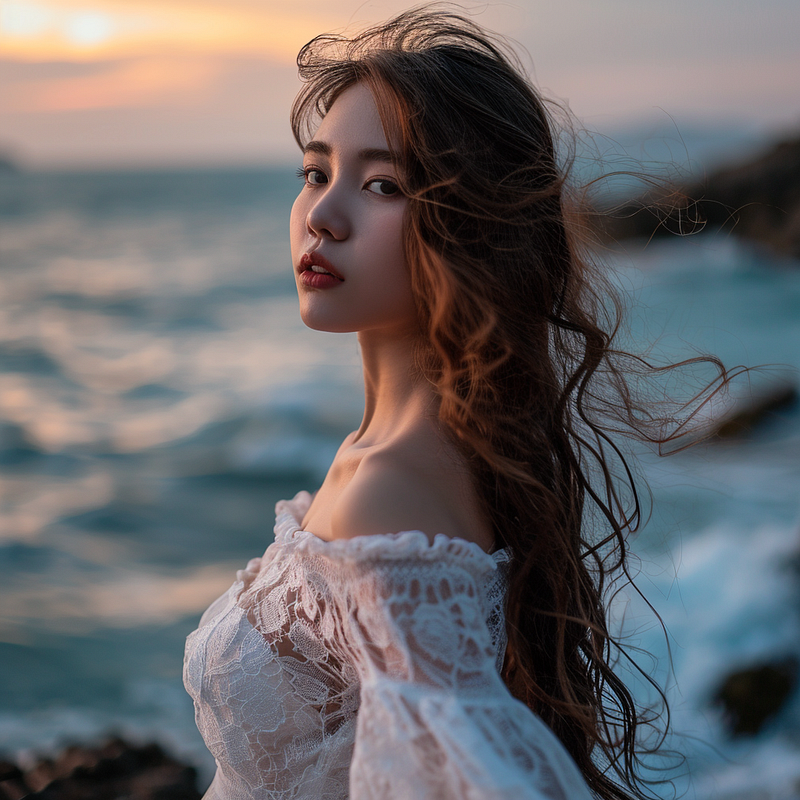
Example One: A Portrait
Prompt: A portrait of a beautiful lady with brown long hair and a white dress, standing in front of the sea, blue hour, soft color
Breaking this down:
- What — A portrait
- Who — A beautiful lady with brown long hair and a white dress
- Where — Standing in front of the sea
- When — Blue hour
- How — Soft color
Example Two: Wildlife Photography
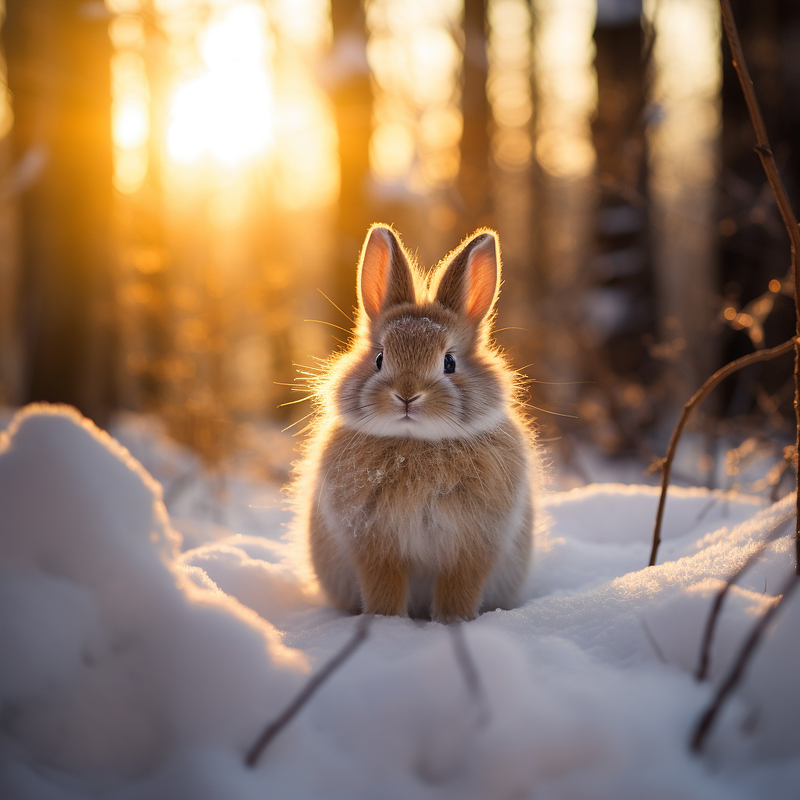
Prompt: Wildlife photography, a furry cute bunny in winter woods, sunset, cinematic lighting
Breaking this down:
- What — Wildlife photography
- Who — A cute furry bunny
- Where — In Winter Woods
- When — Sunset
- How — Cinematic Lighting
2W1H- Painting
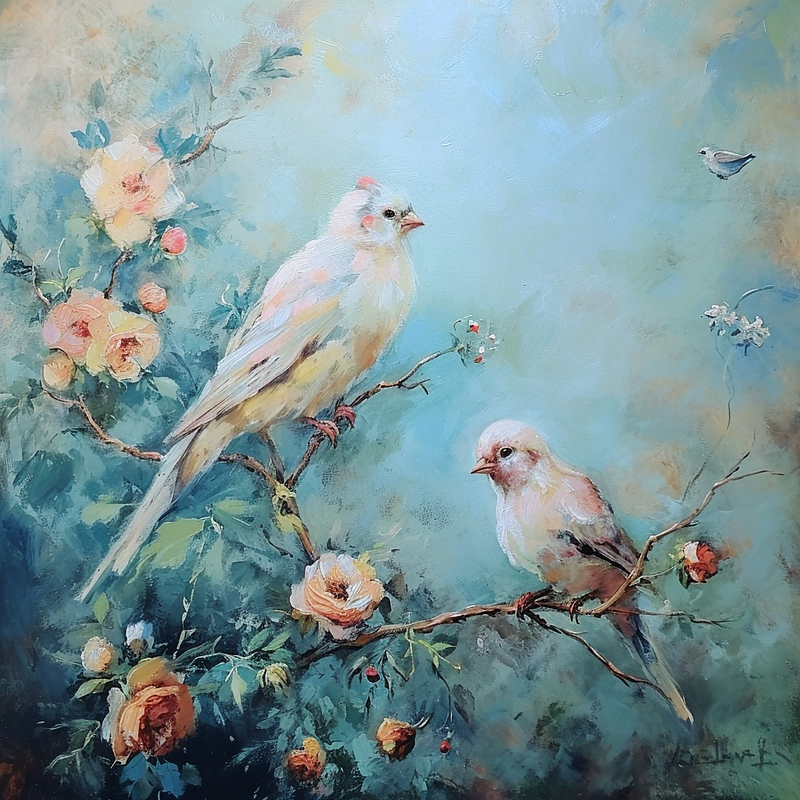
It is not necessary to use every “W”s. Alternatively, you can also omit “When” and “Where” like this example below
Prompt: Romanticism art style painting, birds and flowers, pastel color
Breaking this down:
- What — Romanticism art style painting
- Who — Birds and flowers
- How — Pastel color
Part Three: Commercial Usage- Category
Let’s look at how we can use the 4W1H technique for commercial
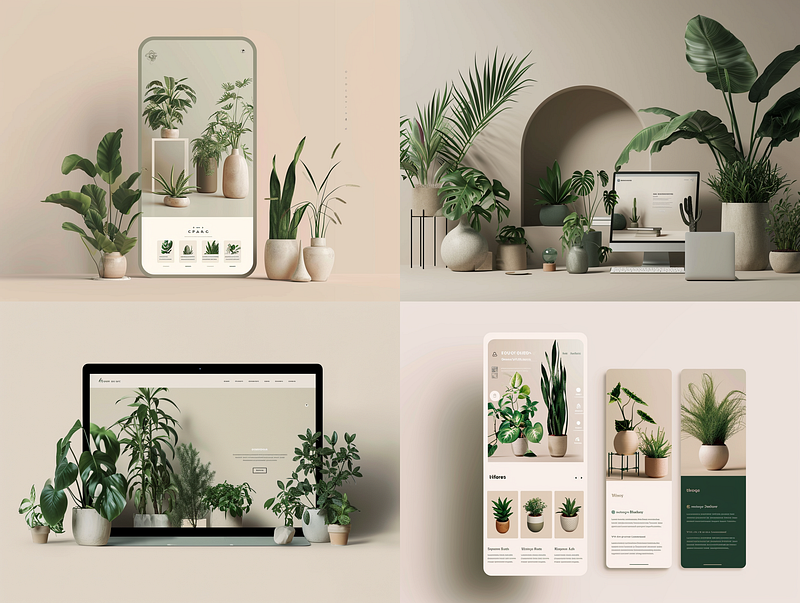
UI Design
Prompt: UI design of botanical plants shop, landing page, minimal, classy, beige and navy green
--ar 4:3
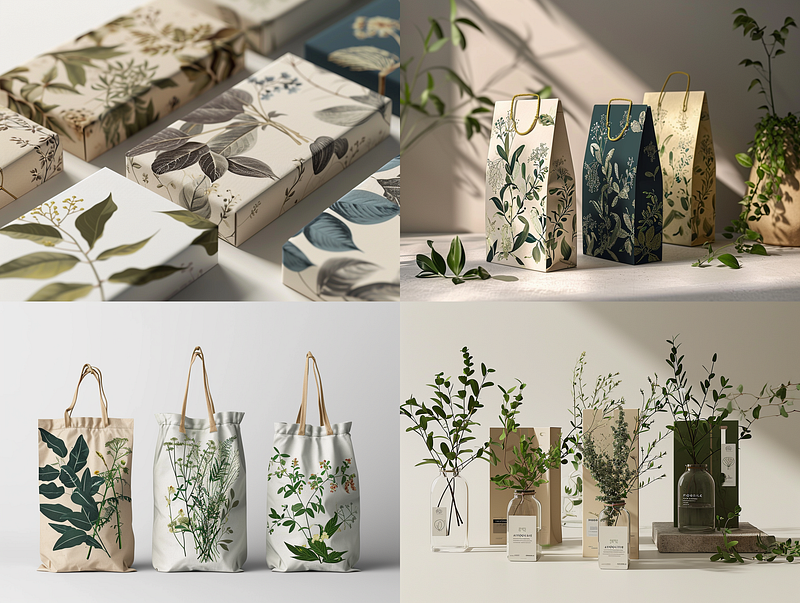
Package Design
Prompt: Package design of botanical plants shop, minimal, classy, beige and navy green
--ar 4:3
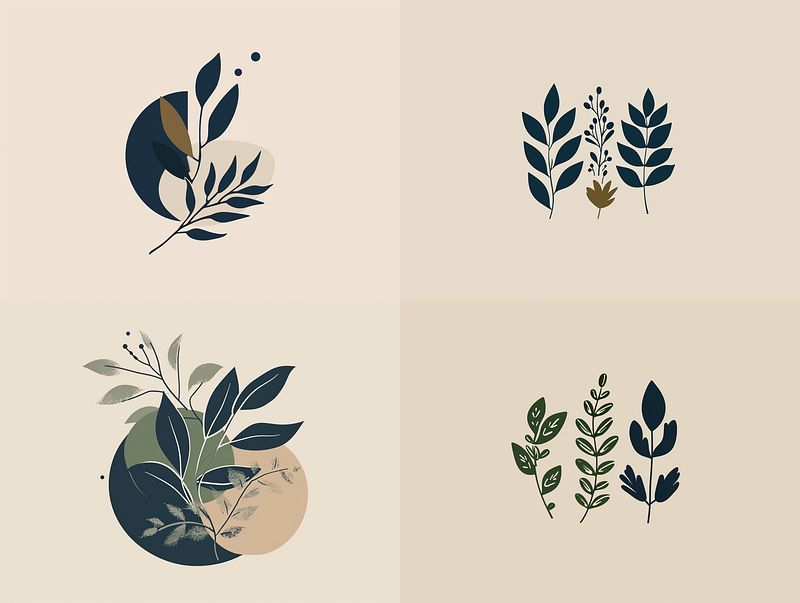
Logo Design
Prompt: Logo design of botanical plants shop, minimal, classy, beige and navy green
--ar 4:3
Breaking this down:
- What — UI Design/ Package Design/ Logo Design
- Who — Botanical plants shop
- How- Minimal, classy, beige and navy green
As you can see, basically, you just need to replace the first word in every prompt with the category
[ Industry / Category ] design of [ subject/ product ], [ How — description, style ]
Interior Design — Pantone 2024
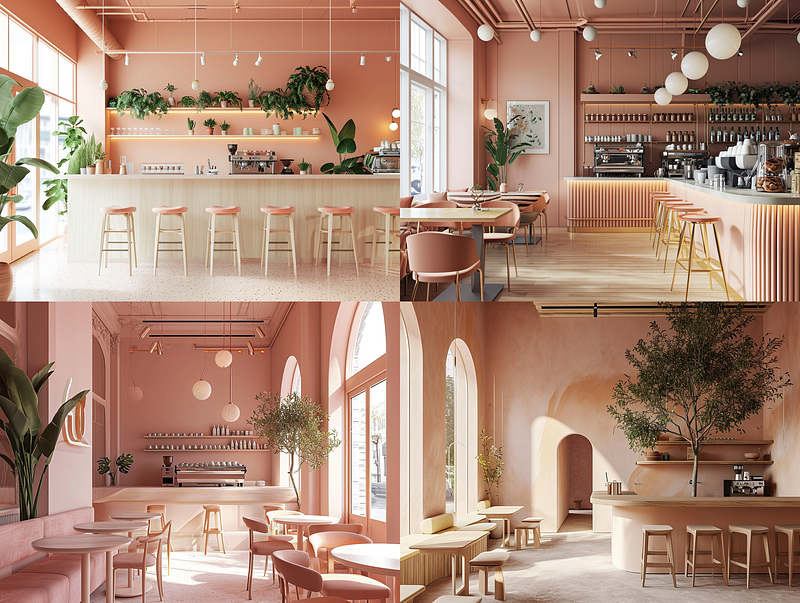
Let’s adopt this formula and create one more with 2024 Pantone Color- Peach Fuzz
Prompt: Interior design of coffee shop, minimal, soft peach pantone color
--ar 4:3
More Prompt Ideas with the 2024 Pantone Color can be found here:
Final Thoughts
The 4W1H technique is a method I developed specifically for Midjourney V6. It is suitable for beginners to get started and can help you master Midjourney over time.
By mastering this trick, you can easily tweak the components of prompts. Changing the main subject, material, style or era is simple once you know the framework.
The key is to start simple and gain experience through practice. As you create more images, your prompting skills will improve until you develop your intuitive style.
👉🏻Digital Guide: Master Midjourney 🎨🚀
If you want to enhance your skills and explore advanced techniques for creating captivating AI Art with Midjourney, I have created a “Master Midjourney: Beginner to Pro” digital guide.
It comes with:
- 🎨 1,000+ expert prompts to inspire your creativity
- 💡 Advanced Midjourney prompt writing, structure and core techniques
- 🖼 Specialized commercial guidance for graphic design, branding, logo, UI, photography, mockup and more
- 🚀 Pro tips to recreate styles, make avatars, generate anime artwork, and more
- 💰 AI Arts Monetisation Strategies
- 💼 Top AI tools to edit Midjourney creations

📚 Continuous education
This guide is designed for continuous education, new tutorials are added regularly so you stay ahead. With lifetime access for a single purchase, it’s the gift that keeps giving.
I’ve poured my heart into creating this guide. I hope you enjoy it ❤️
Hi👋 I am Christie — An AI Art Creator and Educator😊
I hope you found value in this article on tapping into AI or unlimited creativity. If you’re craving more insider tips, prompts and tricks for tools like Midjourney, I’d love for you to join me on this journey.
🎨 Hit that “Follow” button to stay in the loop for more AI wisdom 💌 Stay tuned for future updates
Let’s explore the limitless possibilities of AI together 🚀