
Midjourney V6 Essential- Transform Style with “Remix” 🎨
A Structure to follow with Visual Examples and Usage
Remixing in Midjourney V6 has improved in comparison to V5. It allows you to reimagine an image while preserving the overall structure and arrangement of the original.
This feature is amazing if you wish to change the subject or medium of your image. Previously, I introduced the “4W1H” Technique and “Text Generating Pro Tips” in structuring your prompt
Today, I will share some tricks to maximize the potential of REMIX!
Midjourney
Midjourney’s AI Art Generative Tool is a remarkable game-changer for unleashing your creative potential! This fantastic technology uses artificial intelligence and machine learning to help you easily create stunning visuals.
If you are just starting, I know it’s challenging to craft the perfect prompt. So, here is a beginner’s guide and list of prompts to get you started:
Today’s content will be broken down into three parts:
- Part One: What is Remix Mode
- Part Two: How to use Remix
- Part Three: Creative Usage- Creating Hidden Face in An Image
Part One: What is Remix Mode
Remix Mode allows you to modify prompts, parameters, model versions, and aspect ratios to create variations of an original image. It takes the main elements of your initial image and uses them in a new task.
It is helpful for:
- Changing the setting or lighting of an image
- Evolving a subject
- Creating more complex compositions.
- Experimenting with different aspects of the original image to achieve the desired result.
Part Two: How to use Remix
Step 1: Activate “Remix Mode
”Activate Remix mode with the /prefer remix command or by using the /settings command and toggling the 🎛️ Remix Mode button.
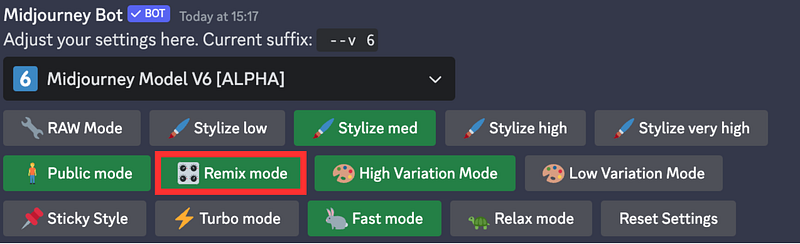
Remix changes the behavior of the variation buttons (V1, V2, V3, V4) under image grids. When Remix is enabled, it allows you to edit your prompt during each variation.
Step 2: Generate an image
Generate an image with /imagine
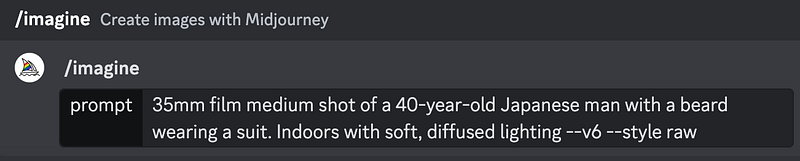
For Example: We want to transform a photograph into an illustration. Let’s see what we will need to do next
Step 3: Upscale a preferred image
Remix changes the behavior of the variation buttons (V1, V2, V3, V4) under image grids.
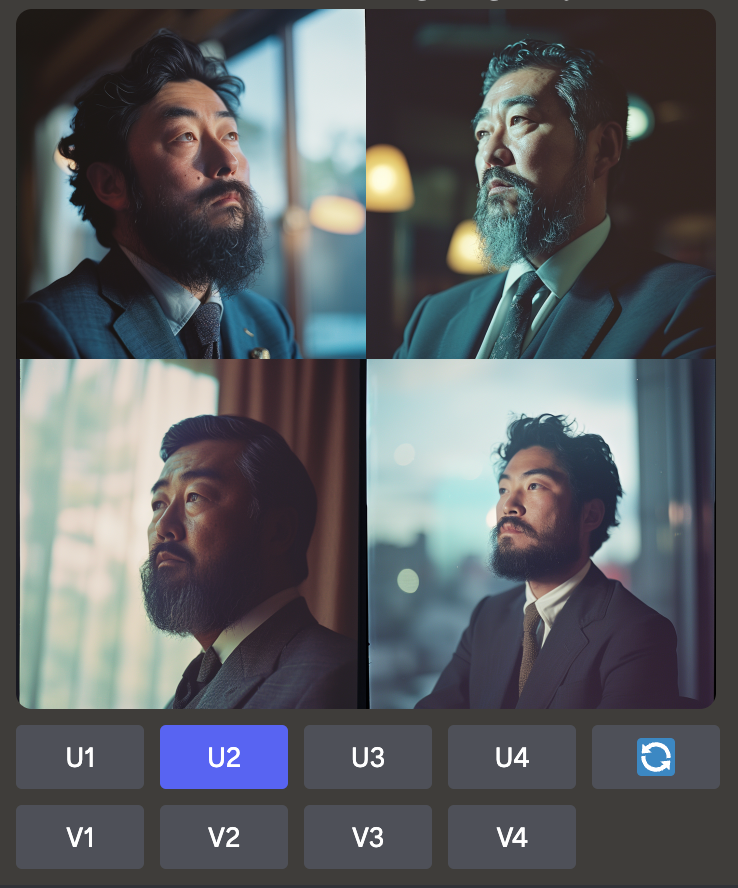
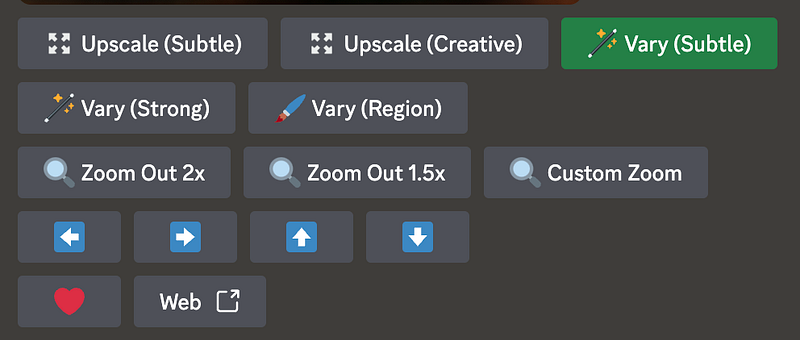
Step 4: Remix Prompt: (Vary Subtle)
When Remix is enabled, it allows you to edit your prompt during each variation.
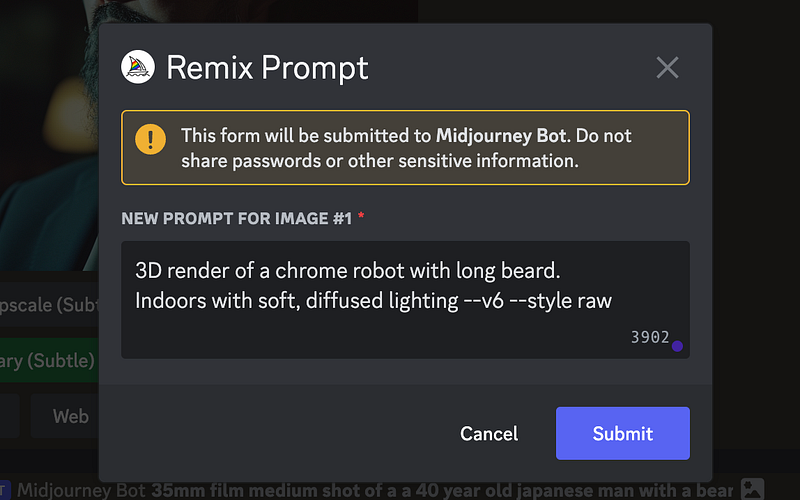
Choose “Vary Subtle” to access a pop-up that allows you to rewrite your prompt.
Step 5: Rewrite Your Prompt
Input the changes you want to make
For instance, you can transform a photograph into an illustration. As an example, we transformed a photo of a man into a 3D rendering of a robot.
Here is the result
Custom Prompt: 3D render of a chrome robot with long beard. Indoors with soft, diffused lighting
--v6 --style raw
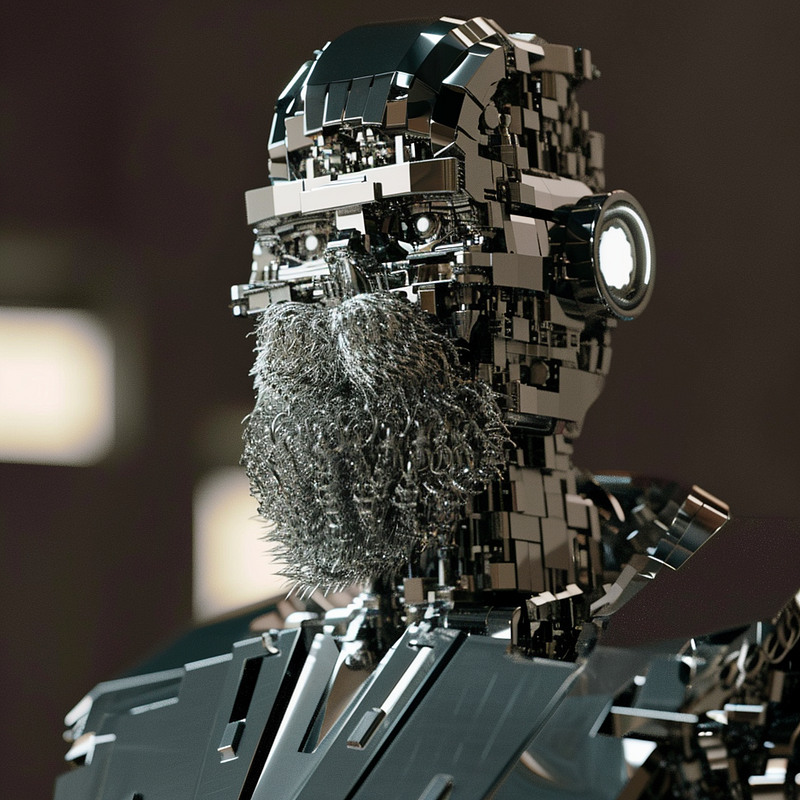
We have transformed a photograph into an illustration.
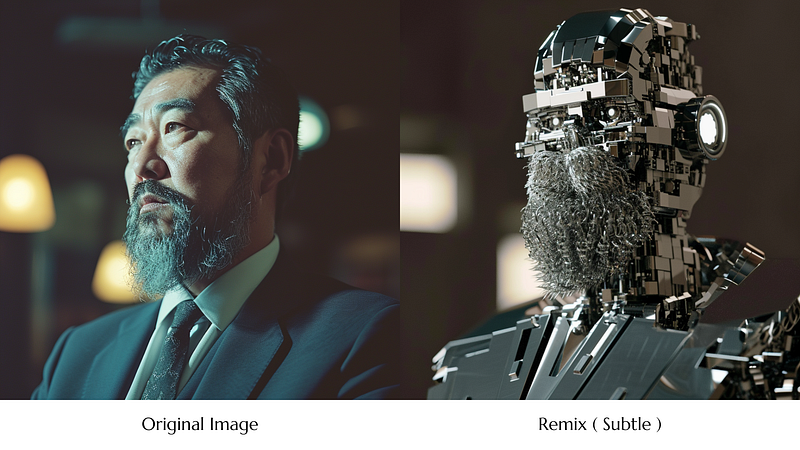
Breakdown
This example starts with a simple portrait photo of an older man and then remixes it into a completely different style and subject — a robot with long bears!
Original Prompt:
35mm film medium shot of a a 40-year-old Japanese man with a beard wearing a suit. Indoors with soft, diffused lighting
--v6 --style raw
✨ Remix Prompt: (Vary Subtle):
3D render of a chrome robot with long beard. Indoors with soft, diffused lighting
--v6 --style raw
The remixing allows you to take the basics like the face, beard, pose, etc. and reimagine them with a new creative spin.
Some key details that change in the remix:
- Photo to 3D render
- Business suit to robotic suit
- Longer grey beard
- Dramatic lighting instead of soft
You can transform an image in so many ways while still harnessing the core aspects.
Here is another example of a woman
Original Prompt:
Photo of a smiling young woman standing on a beach at sunset. She has long blonde hair and is wearing a red sundress. Warm golden hour lighting.
✨ Remix Prompt: (Vary subtle):
Remixed into A cartoon avatar pixar style girl wearing a red dress, soft lighting
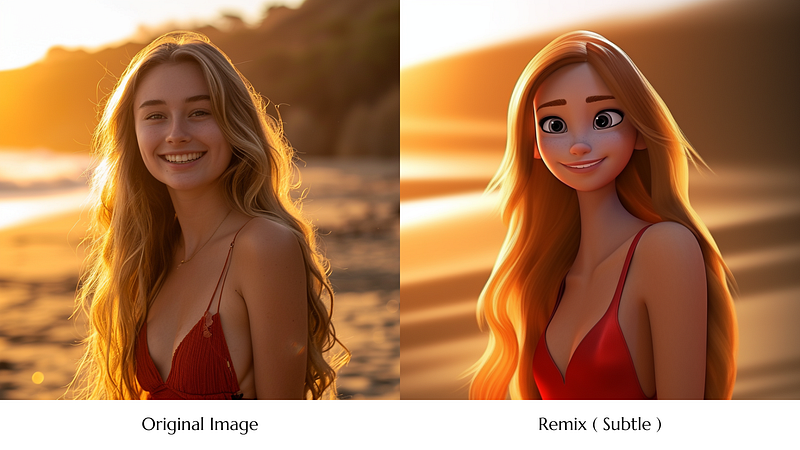
In this example, the original beach sunset photo is transformed into a completely different style and scene through remixing. Some key changes include:
- Photo to cartoon avatar
- Warm lighting to soft lighting
The subject stays the same but the style interpretation changed.
Part Three: Creative Usage- Creating Hidden Face in An Image
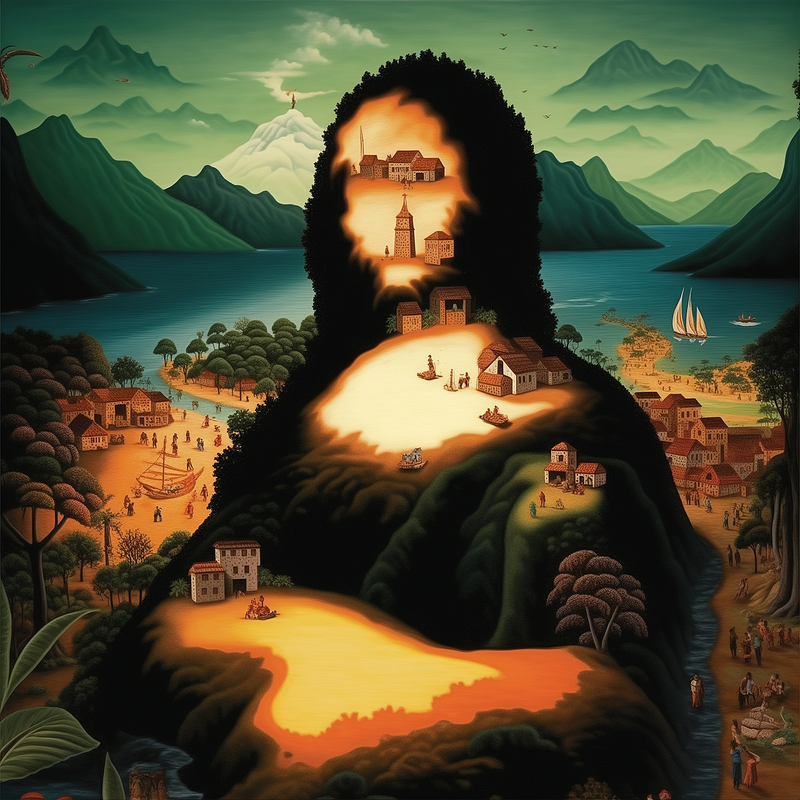
This idea is inspired by Jim the AI Whisperer from his article “ How to create hidden face portraits on MidJourney
Step 1: Create the Base Image
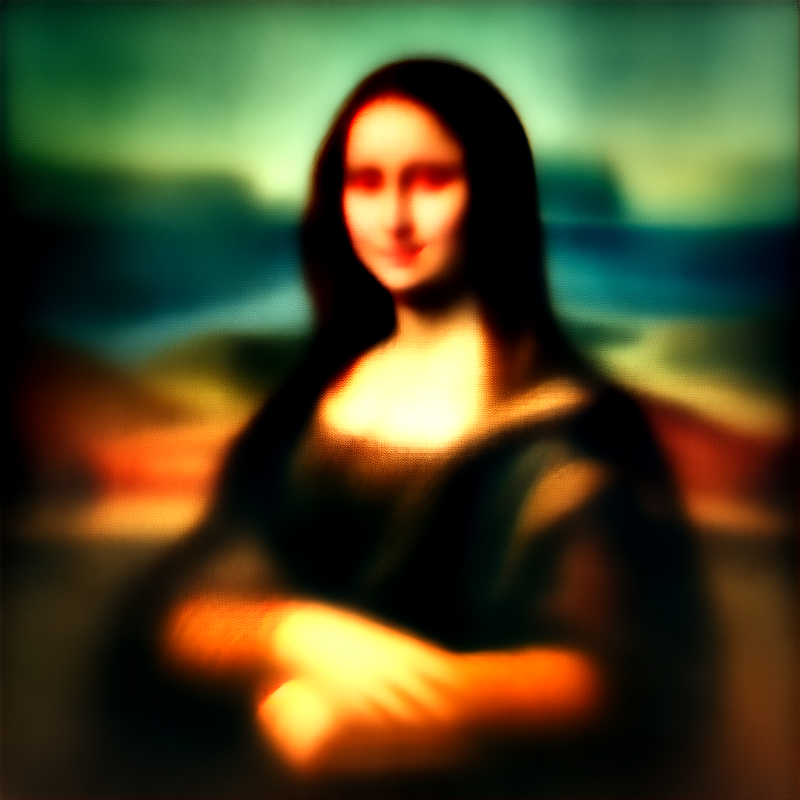
Use Midjourney to create a portrait and add the “ --stop 20” parameter to make it blurry.
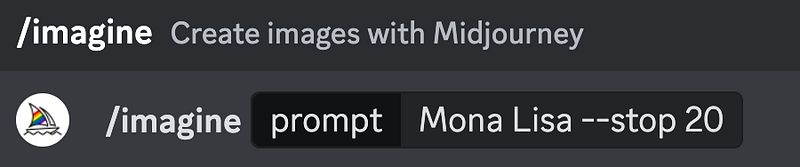
Tip by Jim: “You want to generate an image that’s washed out, sketchy, blurred, or outlined. Nothing too detailed. However, it still needs to be recognizable. Basically, reroll until you can see who it is if you squint at it.”
You will get a blurry image like this
Step 2: Upscale the Image
Then, upscale the image and hit “Vary (subtle)” to prompt the desired scene.
Step 3: Remix with Prompt
Remember to take away the
--stopparameter.
This should result in a finished masterpiece with small and sweeping details.
Here you go!
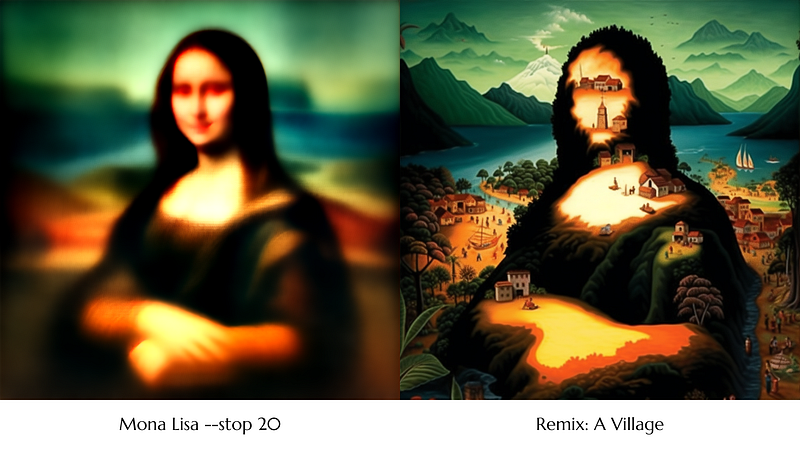
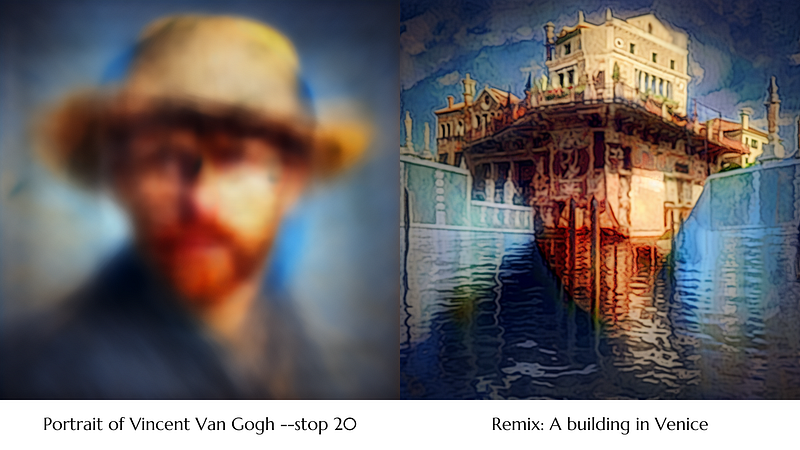
Here is an in-depth article by Jim the AI Whisperer where he breaks down the steps and ideas of creating hidden face portraits. Be sure to check it out!
Final Thoughts
As you can see, the remixing feature provides an efficient way to explore variations of an image while locking down the core composition and subject matter. This frees you up to get creative with the details!
Tips for Remixing Successfully
Here are some tips to help you get the most out of image remixing in Midjourney:
- Keep prompts clear and focused — highlight the key constant elements you want to retain.
- Start with minor stylistic changes before making dramatic shifts.
- Remixed elements should relate logically to the original image.
- Try remixing the same image in different ways.
Have fun and let your creativity run wild!
👉🏻Passive Income with AI art: Master Midjourney 🎨
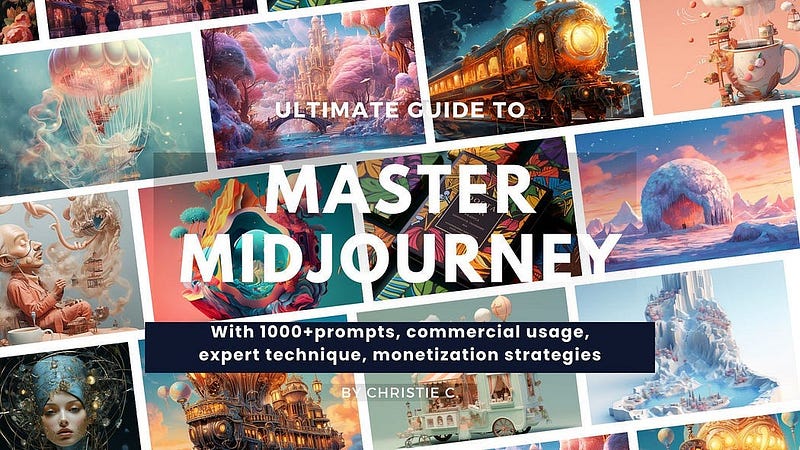
Don’t Get Left Behind in the AI Art Gold Rush of 2024! Midjourney is exploding. Early adopters are raking in big bucks selling AI art online.
This is your ticket to passive income with AI art.💰- “Master Midjourney 2024: Beginner to Pro” digital guide.
It comes with:
- 🎨 1,000+ money-making prompts for stunning, sellable art
- 💡 Advanced Midjourney prompt writing, structure and techniques
- 🖼 Specialized commercial guidance for graphic design, branding, logo, UI, photography, mockup and more
- 🚀 Insider tips to maximize profits
- 💰 AI Arts Monetisation Strategies
- 💼 Top AI tools to edit Midjourney creations
📚 Continuous education
This guide is designed for continuous education, new tutorials are added regularly so you stay ahead.
I’ve poured my heart into creating this guide. I hope you enjoy it ❤️
Hey, Friends 👋 I am Christie — An AI Art Educator & Creator 😊 Also a coffee lover❤️☕️
If you’re craving more Insider Tips, Prompts and Tricks for creating and generating income with AI art, join me on this journey.
🎨 Hit that “Follow” button to stay in the loop for more AI wisdom 💌 Stay tuned for more tutorials!
Let’s explore the limitless possibilities of AI and build passive income together! 🚀
✨Midjourney V6 Essentials: Insider Tips and Prompting Skills
Be sure to save this list and never miss any tips on Midjourney V6.


