
Midjourney V5 is Live
Let’s discover together the news of Midjourney Version 5.
When generating images with Midjourney version 5, you get a grid of 4 images with a higher resolution than what you would get with version 4. This means that when you click on U1 to enlarge the first image in the grid, the upscale will be almost immediate.
Face generation has gotten a lot better since freckles and other common skin problems were added. This makes the faces look more photorealistic.
One of the problems with Midjourney so far has been not having perfect images of hands and teeth. The photos that were obtained often had anomalies in both hands and teeth. With V5, this problem has been corrected.
There has been a fundamental improvement in the implementation of natural language understanding in the prompt. With Midjourney version 5, you won’t have to write a prompt like “girl laughing, red dress, white hat, right arm raised, forest background…” but instead, you can write exactly what you’re looking for, such as “a smiling girl in a red dress and a white hat running in the forest with her right arm raised”.
It’s mind-blowing!
With Midjourney V5, you can forget about using indications like 8k, unreal engine, and similar terms in the prompt, as they will make the result worse. Instead, try to be as descriptive as possible, indicating all the details in an extremely natural way, as if you were describing the image you want to create to a child.
As for the lighting of your images, you can continue to insert the type of lighting you would like to obtain in the image, such as “cinematic lighting”.
The remix function that left much to be desired in Midjourney version 4 now works very well in version 5, and you will be able to mix the images you want to the best of your ability.
The image editing function has also been greatly improved. For example, if you have a photo of a dog with mountains in the background, you can easily tell Midjourney V5 to represent the same dog with the sea in the background.
The “tile” function has also been greatly improved. When you add “ — tile” at the end of a prompt, the result is an image in a tile style, which, if placed side by side multiple times on all four sides, will have no disjunction line and will look like a single large image. This tool has been further improved in version 5.
As for inserting text into images, it seems that there will still be some problems in this version.
In conclusion, we can say that Midjourney V5 has greatly improved natural language understanding, so you will be able to obtain better images than with V4 only if you use a prompt rich in details described in a natural way.
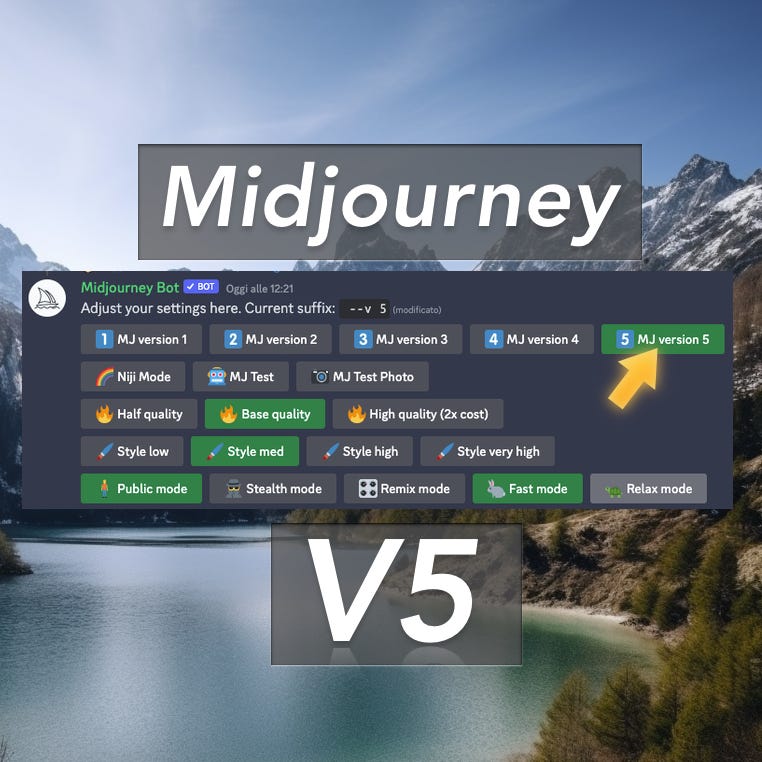
To tell Midjourney to generate images with version 5 simply type — v 5 at the end of the prompt, or type /setting and set V5 as the default version.
The V5 version of Midjourney is currently reserved for those who already have an active subscription plan with Midjourney.
Midjourney V6 is expected to be released in the next 2–3 months.
Thank you for reading ,my story!
Would you like to receive my articles directly to your inbox. Then sign up here! 👈
If you are intent instead on starting to create passive income for yourself through writing, then simply activate your membership on Medium with a membership costing $5 per month. Registering from the following link will support me at no additional cost to you. Register now! 🫵