avatarMarcell Nimfuehr

Free AI web copilot to create summaries, insights and extended knowledge, download it at here

4110

Abstract

e pimp. Three random drinks including long-drinks and a coffee with whipped cream is a typical sign of AI. No graphic artist would be that random.</figcaption></figure><figure id="d684"><img src="https://cdn-images-1.readmedium.com/v2/resize:fit:800/1*tFZPk1bs1XGEqdWZdbmkYA.png"><figcaption>In terms of unique style, the mix of hyper-real ape depiction but this being done through a unconventional material — looks like transparent plastic — is quite interesting.</figcaption></figure><figure id="0681"><img src="https://cdn-images-1.readmedium.com/v2/resize:fit:800/1*--uaMtNBN94cXdHpWzn1XA.png"><figcaption></figcaption></figure><figure id="2351"><img src="https://cdn-images-1.readmedium.com/v2/resize:fit:800/1*akeeYWV6kgfTex4-r8XV4A.png"><figcaption>a bit of a break of the 3D objective but still striking. Note that Midjourney still has troubles with hands and fingers.</figcaption></figure><figure id="e9f6"><img src="https://cdn-images-1.readmedium.com/v2/resize:fit:800/1*ATEXbDkhaiywHM6fRL5qsQ.png"><figcaption>More antropomorph problems…</figcaption></figure><p id="ac9c">All these images (we spare you the other 25 we collected) were done with the prompting attribute <i>— stylize 1000</i>; in Midjourney version 5.2, this creates very elaborate, more creative and richer renderings. But it also delivers more uncontrollable results as the human in the last image shows.</p><h1 id="65ae">What works not</h1><p id="606c">So, how do we get there? If we just prompt:</p><blockquote id="2548"><p>The Bored Ape NFT — ar 16:9 — v6.0</p></blockquote><p id="a81d">then we get this:</p><figure id="77ca"><img src="https://cdn-images-1.readmedium.com/v2/resize:fit:800/1*_2gepurkiEHKSQA7OpAJGA.png"><figcaption>The Bored Ape NFT — ar 16:9 — v6.0</figcaption></figure><p id="c442">These are not bad images. But they don’t do what we want. Three of them are too realistic ape renderings. And yet not real enough. The very first one doesn’t look like an ape, but more like Ceasar from the movie<i> Planet of the Apes</i>. We don’t want “real” images because we don’t want to lie. Compared to our gallery, these images are bland, boring, normal.</p><h1 id="0406">The solution: Artists as a Brush</h1><p id="d281">Midjourney allows to use artist’s styles to create our own. The use is fairly simple:</p><figure id="8ab6"><img src="https://cdn-images-1.readmedium.com/v2/resize:fit:800/1*tKNcUQF1MxoLn4wc9CqGQQ.jpeg"><figcaption></figcaption></figure><figure id="746a"><img src="https://cdn-images-1.readmedium.com/v2/resize:fit:800/1*pcrSmY61mS-J8MQofcUOVA.jpeg"><figcaption></figcaption></figure><p id="c342">The others are fashion photographer Miles Aldridge, photographer Nick Veasey, David Trubridge again, sculptor Wangechi Mutu and sculptor and installation artist Kader Attia.</p><p id="3da3">Not every artist’s name generates images that have a certain uniqueness and artistic “body”. The images I showed ​are a hybrid of hyper-realism and artificiality and thus come with some form of 3D quality.</p><p id="85b7">It is not likely to achieve that visual with a Van Gogh.</p><h1 id="b0ad">The first step in using Midjourney like a pro</h1><p id="f638">Let’s experiment wildly. Take the subjects of your interest and let Midjourney express it through the lense of artists. You can start with the artist we used in this article. It is notable that they are all contemporary. They either use contemporary visual styles or are photographed like this.</p><p id="2b0b">If you need artistic inspiration, then visit the fantastic site <a href="https://midlibrary.io">Midlibrary</a>.</p><div id="70d5" class="link-block"> <a href="https://midlibrary.io/"> <div> <div> <h2>Andrei Kovalev's Midlibrary: Midjourney AI Styles Library and Guide</h2> <div><h3>The most advanced Midjourney AI Styles Library on the web. 4000+ styles in V5, V4, V3, and niji + Midjourney Guide and…</h3></div> <div><p>midlibrary.ioC</p></div> </div> <div> <div style="background-image: url(https://miro.readmediu

Options

m.com/v2/resize:fit:320/0*bBIvSbGDOivmt1ag)"></div> </div> </div> </a> </div><p id="5ffa">The creator Andrei has collected over 4000 artist styles and tested them in Midjourney. This is an invaluable resource for Artist as a Brush. If you ever use it as much as I do, I’d suggest to do the same as me and support the project via Patreon.</p><p id="1911">A final note: When we want hyper-realistic images like those above, we still use version 5.2. The newest version, 6.0, creates too realistic as of January 2024.</p><p id="2c31">In the second part of the series, we look at a real-life example of how to create a cover image for an article in a magazine with the Artist as a Brush technique and what we can learn from it.</p><p id="1356">In the third part, we dive into the creative process of creating a truly unique style with Midjourney.</p><p id="fb2d">Stay tuned!</p><div id="6115" class="link-block"> <a href="https://bootcamp.uxdesign.cc/midjourney-artist-as-brush-2-in-real-life-59a19e89a835"> <div> <div> <h2>Midjourney — Artist as brush 2 — in real life</h2> <div><h3>Artist as a Brush — a technique of using creators with well-known bodies of work as a style in Midjourney is a great…</h3></div> <div><p>bootcamp.uxdesign.cc</p></div> </div> <div> <div style="background-image: url(https://miro.readmedium.com/v2/resize:fit:320/1*0pvY_CC26hb7LqmnfckK_w.png)"></div> </div> </div> </a> </div><div id="20d6" class="link-block"> <a href="https://bootcamp.uxdesign.cc/midjourney-artists-as-brush-3-find-your-style-1dfbd57914b6"> <div> <div> <h2>Midjourney — Artists as Brush 3 — Find Your Style</h2> <div><h3>While we looked at how to use artist’s styles to create striking images in Midjourney in the first part of this series…</h3></div> <div><p>bootcamp.uxdesign.cc</p></div> </div> <div> <div style="background-image: url(https://miro.readmedium.com/v2/resize:fit:320/1*2n6puIe2mh56X5K2eeE8tg.jpeg)"></div> </div> </div> </a> </div><p id="c13e">In case, you are interested in our previous Midjourney musings:</p><div id="eeeb" class="link-block"> <a href="https://bootcamp.uxdesign.cc/the-long-and-winding-road-to-logo-design-with-midjourney-47675e790a9d"> <div> <div> <h2>The long and winding road to logo design with Midjourney</h2> <div><h3>Many tutorials show how to create logos with Midjourney. Unfortunately, none of them seem to know what a logo actually…</h3></div> <div><p>bootcamp.uxdesign.cc</p></div> </div> <div> <div style="background-image: url(https://miro.readmedium.com/v2/resize:fit:320/1*IVy290rJNhy6nTuTUnMRgA.png)"></div> </div> </div> </a> </div><div id="c050" class="link-block"> <a href="https://generativeai.pub/how-illustrators-can-survive-midjourney-a8a2e992fb56"> <div> <div> <h2>How Illustrators can Survive Midjourney</h2> <div><h3>The quality of AI image generators like Midjourney, DALL-E or Adobe Firefly has become so high that it will threaten…</h3></div> <div><p>generativeai.pub</p></div> </div> <div> <div style="background-image: url(https://miro.readmedium.com/v2/resize:fit:320/1*kg7VJHpApcsIGdX3ZaNfUQ.png)"></div> </div> </div> </a> </div><p id="1a78">We leave this article with a quiz: which filmmaker is used as a brush in the prompt below?</p><figure id="4c8a"><img src="https://cdn-images-1.readmedium.com/v2/resize:fit:800/1*BJOAU6t_e4kypOfBXVhXlQ.png"><figcaption>Who are you?</figcaption></figure></article></body>

Midjourney for pros: artists as a brush 1 — what is possible
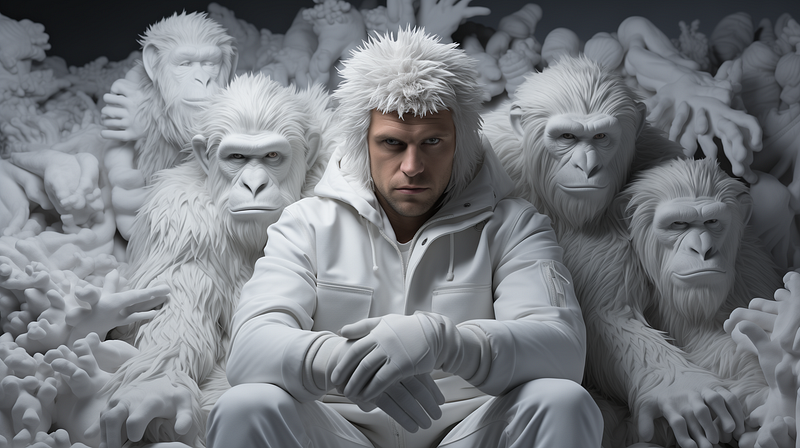
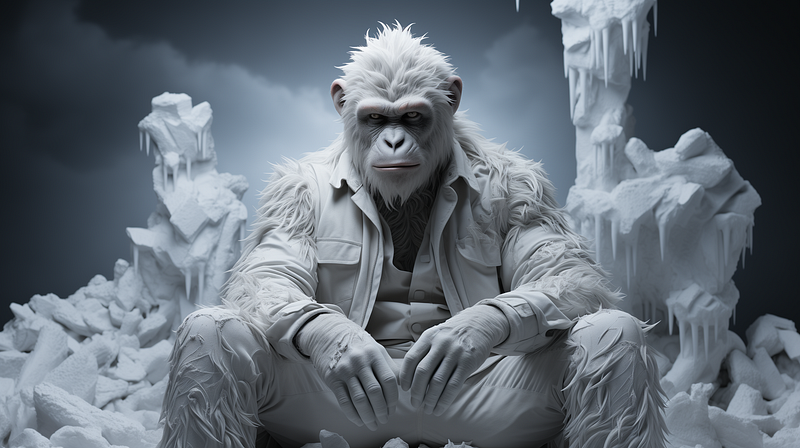
Midjourney Prompt: “the bored ape nft by Daniel Arsham”

In a series on Midjourney for Pros, we explore how far we can go in terms of style and quality (part 1), how to apply stylistic prompting in a real-world marketing setting (part 2) and how to create a unique style for your work (part 3).

Most Midjourney created images are publicly visible on the company’s Discord channel. Browsing reveals that nearly all images are middle of the road — we have seen this kind of images a lot, a mix of male fantasy dream and boring stock photography. If we take our artistic or professional work serious, then we have to explore left and right of that middle. We have to explore how to create a unique style with Midjourney.

In this series we introduce the concept of “Artist as a Brush”. Before we delve into the concept, let’s enjoy a gallery of images that show what is possible with Midjourney.

We take a single prompt:

“The Bored Ape NFT”

Then we experiment how different and artistic expressions we can coax out of Midjourney. To remind us, Bored Ape NFTs are serialized, handdrawn renditions of an ape with clothes and a bored facial expression. A few years back, NFTs with these images were objects of bubbly speculation in the somewhat shady crypto world.
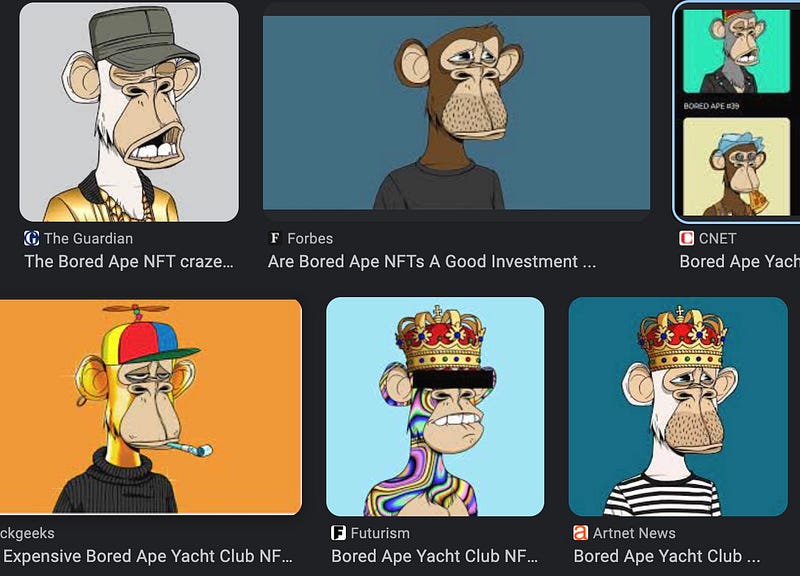
Screenshot of Google Search for Bored Ape NFTs

Let’s analyse our prompt. It shows something that doesn’t exist in real: an antropomorphized ape. What we don’t want is an ape or a monkey that looks like a real one. Given that Midjourney allows what is not possible or at least difficult to achieve, we won’t be satisfied with simple drawings. For this exercise we want hyper-real 3D renderings of bored apes. Let’s enjoy and then look at how to get there…

What is possible with Midjourney
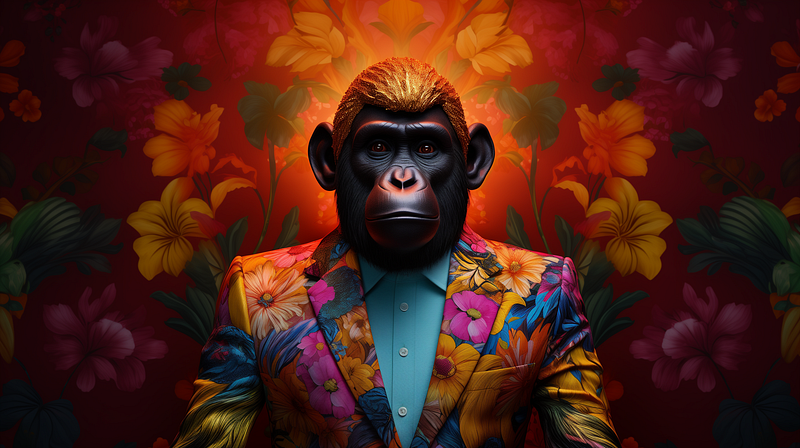
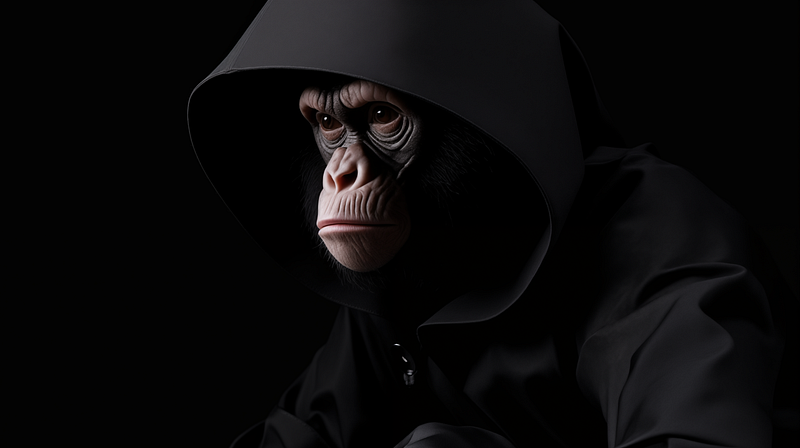
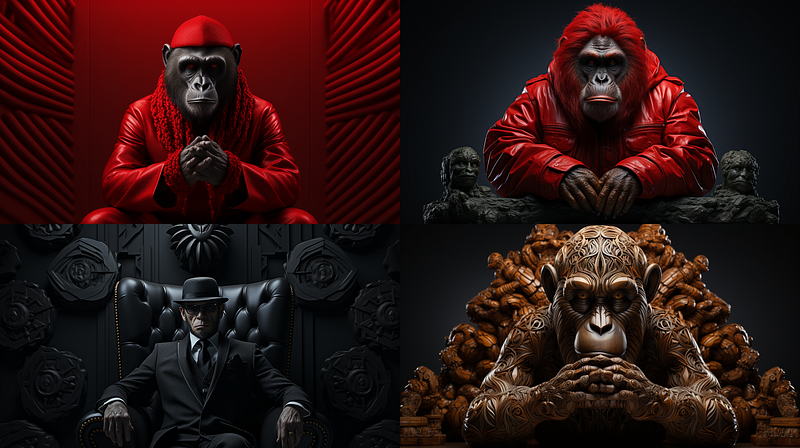
Bored Ape on Midjourney as a fashion model
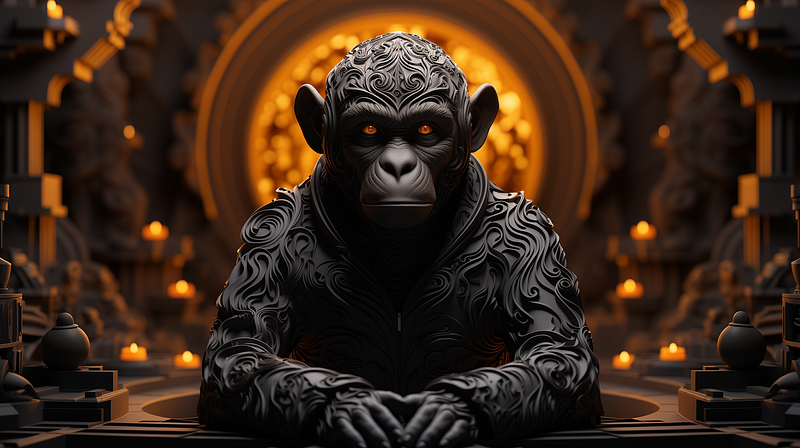
Bored Ape on Midjourney — the dark ape
Bored Ape on Midjourney
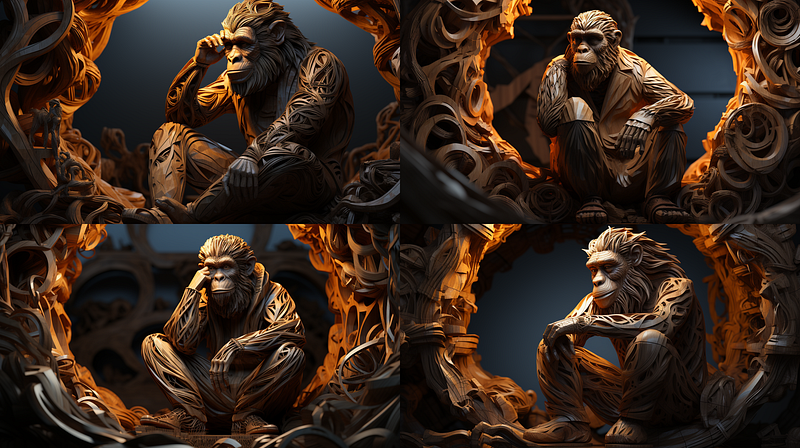
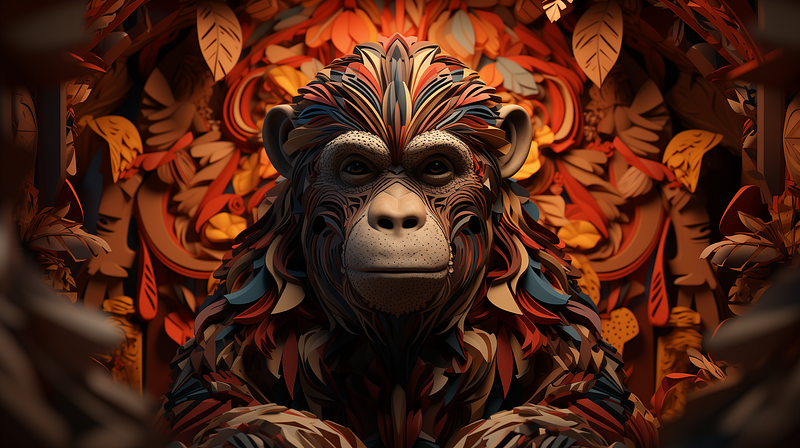
Wood carvings for ape
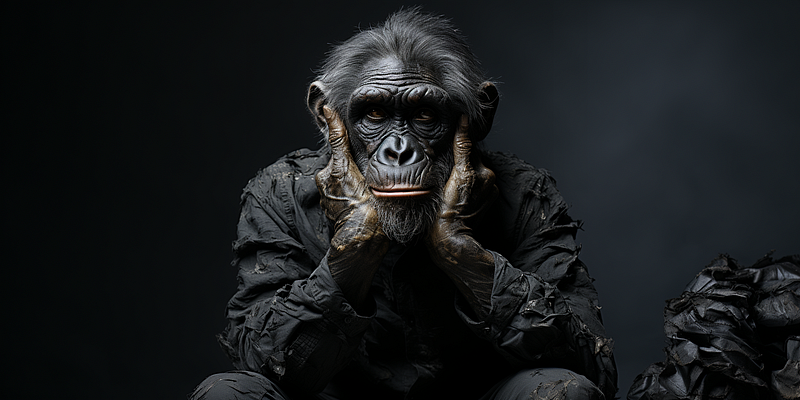
That’s like a weird fashion shoot
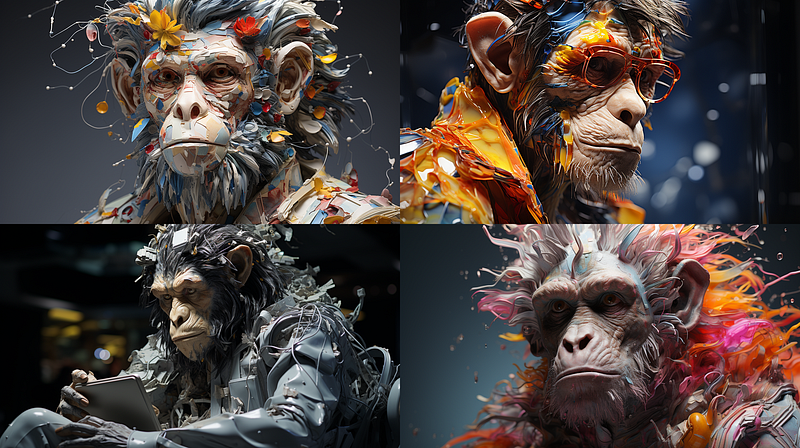
Bored Ape on Midjourney — note that sometimes the antropomorphization goes to far (2nd row, left)
Bored Ape on Midjourney
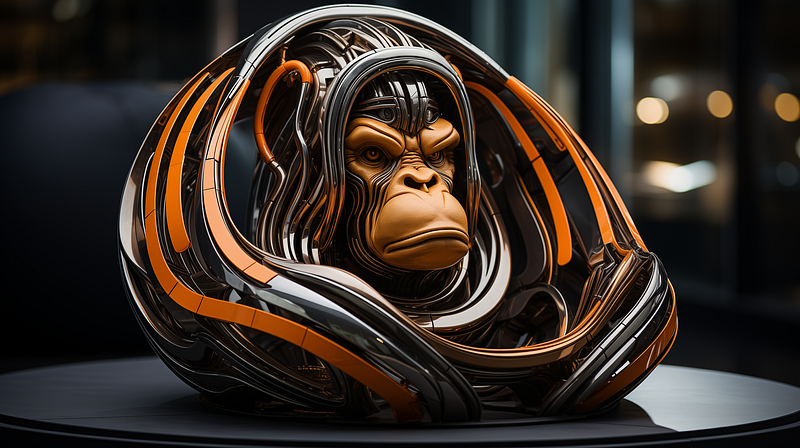
An interesting example: looks like a robo-ape mashed up with a high-tech sofa
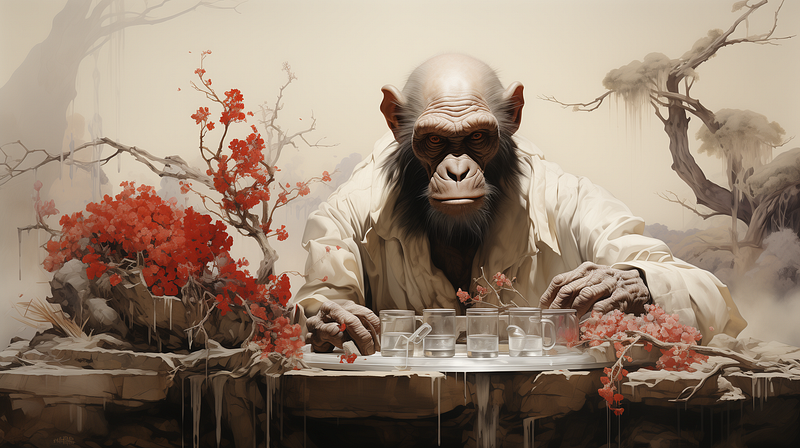
Here we get a painterly-sculptural touch
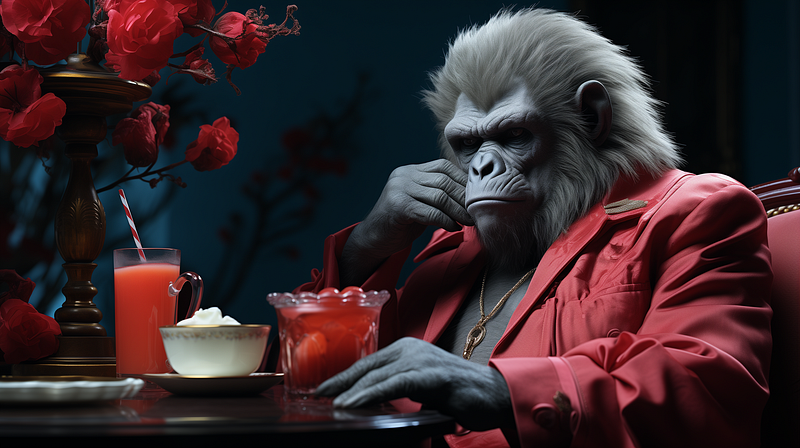
Ape pimp. Three random drinks including long-drinks and a coffee with whipped cream is a typical sign of AI. No graphic artist would be that random.
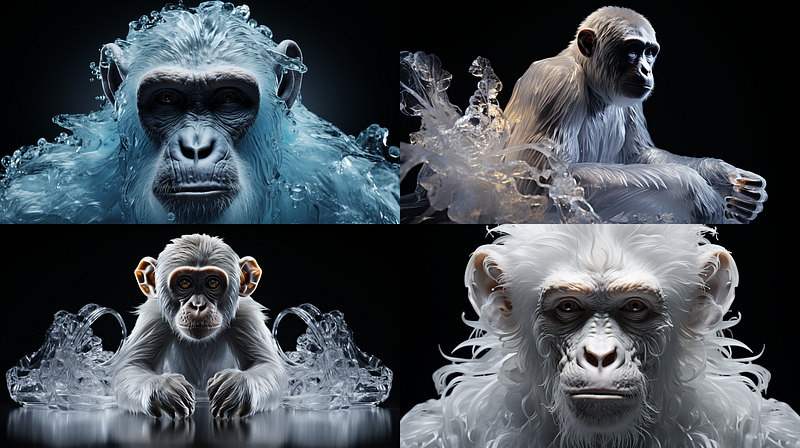
In terms of unique style, the mix of hyper-real ape depiction but this being done through a unconventional material — looks like transparent plastic — is quite interesting.
a bit of a break of the 3D objective but still striking. Note that Midjourney still has troubles with hands and fingers.
More antropomorph problems…

All these images (we spare you the other 25 we collected) were done with the prompting attribute — stylize 1000; in Midjourney version 5.2, this creates very elaborate, more creative and richer renderings. But it also delivers more uncontrollable results as the human in the last image shows.

What works not

So, how do we get there? If we just prompt:

The Bored Ape NFT — ar 16:9 — v6.0

then we get this:
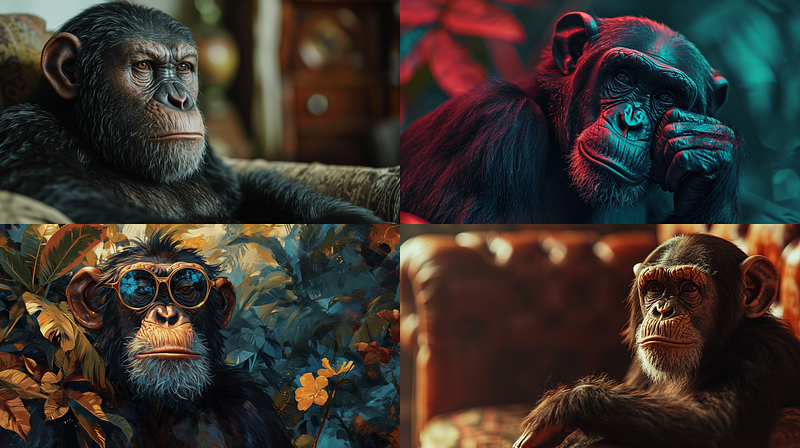
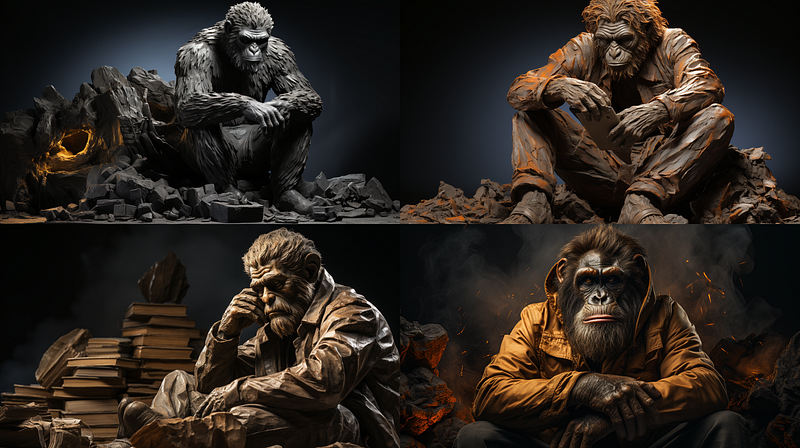
The Bored Ape NFT — ar 16:9 — v6.0

These are not bad images. But they don’t do what we want. Three of them are too realistic ape renderings. And yet not real enough. The very first one doesn’t look like an ape, but more like Ceasar from the movie Planet of the Apes. We don’t want “real” images because we don’t want to lie. Compared to our gallery, these images are bland, boring, normal.

The solution: Artists as a Brush

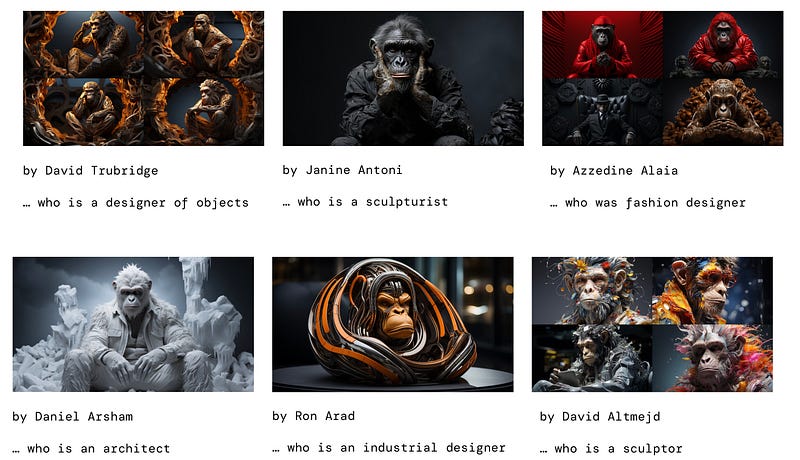
Midjourney allows to use artist’s styles to create our own. The use is fairly simple:
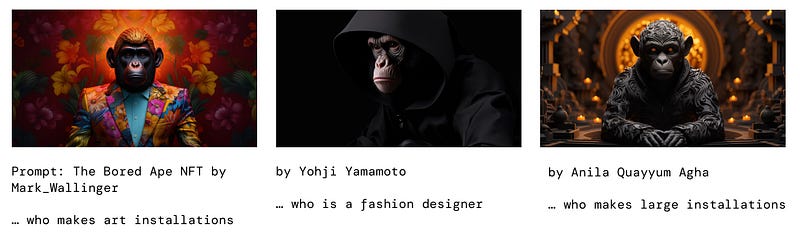
The others are fashion photographer Miles Aldridge, photographer Nick Veasey, David Trubridge again, sculptor Wangechi Mutu and sculptor and installation artist Kader Attia.

Not every artist’s name generates images that have a certain uniqueness and artistic “body”. The images I showed ​are a hybrid of hyper-realism and artificiality and thus come with some form of 3D quality.

It is not likely to achieve that visual with a Van Gogh.

The first step in using Midjourney like a pro

Let’s experiment wildly. Take the subjects of your interest and let Midjourney express it through the lense of artists. You can start with the artist we used in this article. It is notable that they are all contemporary. They either use contemporary visual styles or are photographed like this.

If you need artistic inspiration, then visit the fantastic site Midlibrary.

The creator Andrei has collected over 4000 artist styles and tested them in Midjourney. This is an invaluable resource for Artist as a Brush. If you ever use it as much as I do, I’d suggest to do the same as me and support the project via Patreon.

A final note: When we want hyper-realistic images like those above, we still use version 5.2. The newest version, 6.0, creates too realistic as of January 2024.

In the second part of the series, we look at a real-life example of how to create a cover image for an article in a magazine with the Artist as a Brush technique and what we can learn from it.

In the third part, we dive into the creative process of creating a truly unique style with Midjourney.

Stay tuned!

In case, you are interested in our previous Midjourney musings:

We leave this article with a quiz: which filmmaker is used as a brush in the prompt below?
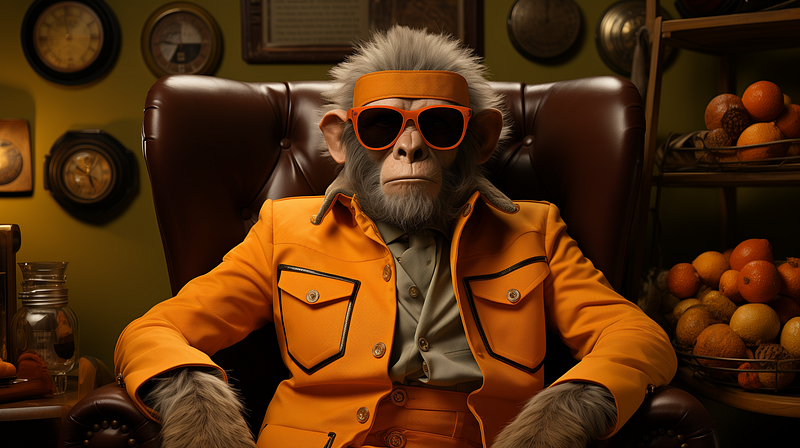
Who are you?
Midjourney
Art
Marketing
Llm
AI
Recommended from ReadMedium