
Midjourney: A gentle guide to Multi-Prompt
A simple explanation for a complicated topic
Multi-prompt is hard. There’s no doubt about it.
Multi-prompt is described in Midjourney’s official User Guide that says the following: (as of the date of this writing)
It is possible to have Midjourney Bot consider two or more separate concepts individually using :: as a separator. Separating prompts allows you to assign relative importance to parts of a prompt.
So what does that mean?
Some Midjourney fans have tried multi-prompt, which works well when the prompt is short. As they add more details, things will get more complicated and often produce images entirely different from what they’ve expected — usually in the wrong way.
Don’t believe me?
Just look around for content creators who offer free Midjourney prompts. How many of them giving away free multi-prompt? Not many, perhaps only a few for those hardcore and advanced users.
And what about those content creators who use ChatGPT to churn out 1,000 free prompts per minute? (I’m exaggerating.. .maybe 10K, to be exact? Just kidding). No multi-prompt either.
So, is multi-prompt better than “average prompt”?
No/yes. Maybe.
It all depends. You don’t have to use multi-prompt if all you want to do is create a simple image to use as the featured image for your Medium story. Simply prompting “as usual” is OK.
If you want more control and fine-tuning, multi-prompt offers many features that are difficult to achieve with the traditional prompting method.
Can I ignore multi-prompt and just prompt however I want?
You certainly can.
But listen up: multi-prompt isn’t that difficult.
It has many cool features and applications that can help you improve your image and level up your prompt crafting skill in Midjourney.
What is the killer feature of multi-prompt?
Depending on who you ask.
Multi-prompt has many features, such as blending multiple concepts/things, creating a scene, troubleshooting prompts, emphasizing a character, filtering out a long list of undesirable items, etc.
The ability to fine-tune and blend multiple artistic concepts into an image is what I like best about multi-prompt (so far).
What is a multi-prompt? What are promptlets?
/imagine prompt: first promptlet:: second promptlet:: third promptlet:: fourth promptlet:: --ar 3:2
- A multi-prompt is made up of several promptlets.
- A promptlet is a single prompt section within a multi-prompt separated by double colons (
::) (no space between the colons) - All promptlets of a multi-prompt will be blended to form an image.
- Think of multi-prompt as a blender. It combines or blends all the information in each promptlet and generates an image.
- The double colon for the last promptlet is optional.
- “Multi-prompting” or “multiprompting” refers to a prompting technique that uses multiple prompts.
- Promptlets are also known as baby prompts, prompt segments, and prompt fragments.
The functions of the double colon
- The double colon functions as a container, keeping and distinguishing one promptlet from others.
- It also creates a pause and separates the prompt’s various concepts.
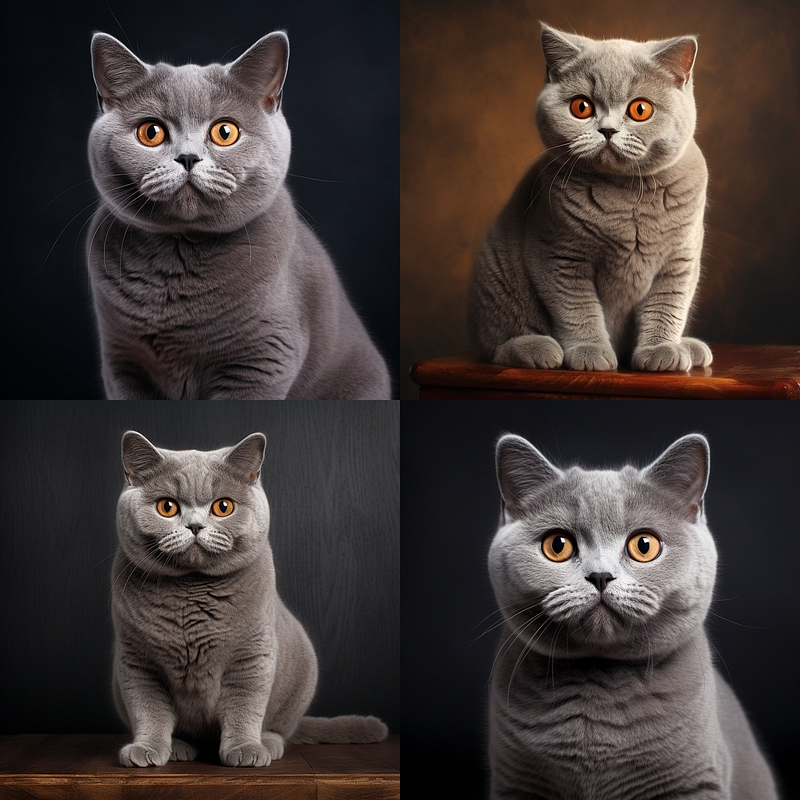
My relatives are the adorable cats shown above. Do you see the resemblance?
These cats were prompted in the “usual way” without using a multi-prompt.
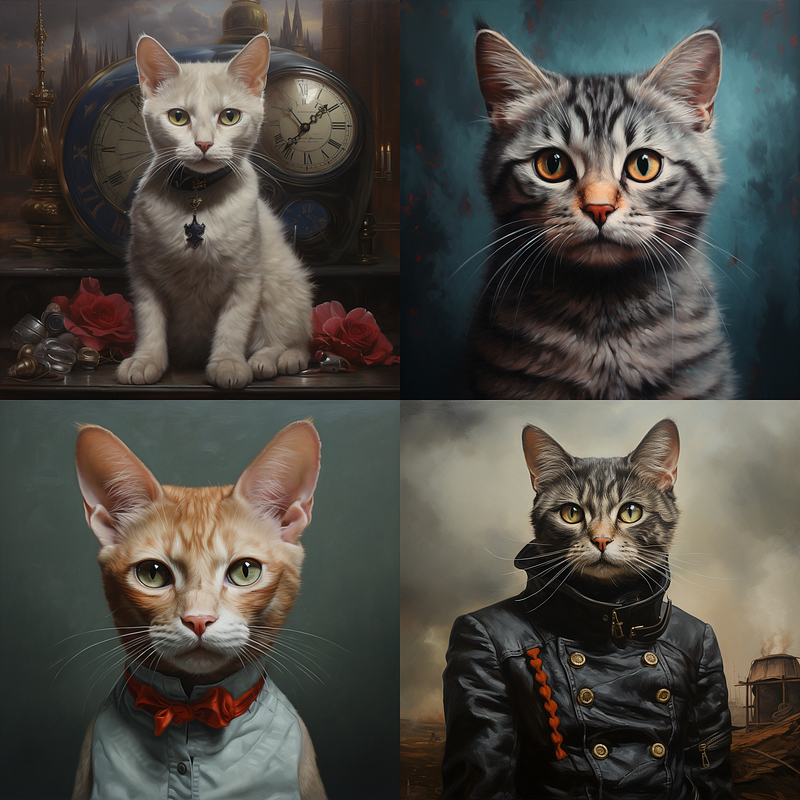
Making the same prompt into a multi-prompt allows you to separate the concepts of “British” and “Shorthair cat.”
Please see the images below. The cats are no longer British Shorthairs; they look “British” or are of another breed. The Midjourney bot combined the visual concepts of “British” and “Shorthair Cat,” and the generated images appear strange.
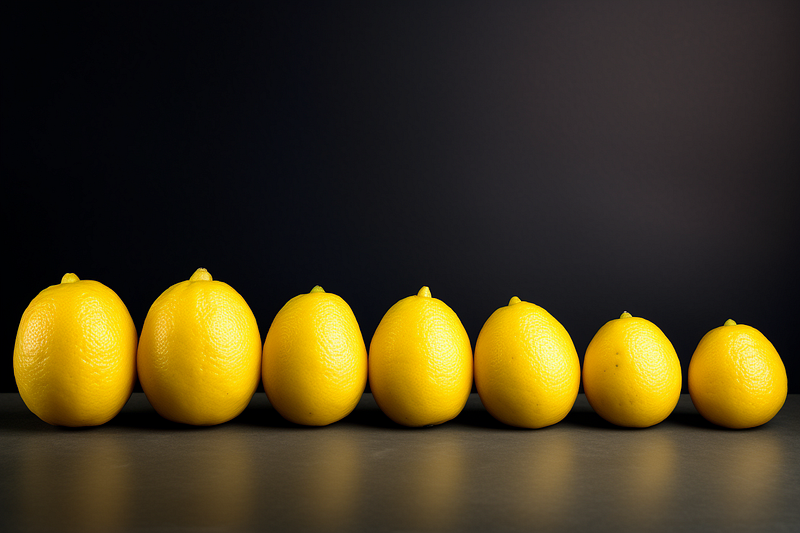
Tips for practical multiprompting
- The first promptlet should have everything you want in your image.
- Then, the rest of the promptlets build on the first by giving more information about the style, character details, etc.
- Your first promptlet is like the mothership, and the rest of the promptlets work together to support it.
- There are other methods for multiprompting: the Scene Method, which sets the first promptlet as the scene and then adds characters and details in other promptlets; the Slider Method, which allows the fine-tuning of elements; the quick blending method, which tests the blend result of multiple items/concepts based on weight assignment; the combination of multiprompting with
/remix, etc. These topics will be covered in future stories. - When there are fewer words in a promptlet, each word has more influence in that promptlet. The “influence” here means the ability of the word to be expressed or show up in the generated image.
- When a promptlet has more words or a longer description, each word has less influence in that promptlet.
- When there are many promptlets, the influence of each will diminish.
- Where the promptlet is placed is important. The most influential promptlet is the first one. The least influential promptlet is the last one.
- Each promptlet can have a weight put on it. For simplicity, I’ll talk about weight in another story.
OK, enough with the theories, or you’ll get bored.
Let’s see how it works, shall we?
Multiprompting demonstration
IMPORTANT:
This demonstration only works when combining a living subject (dog) and an inanimate/non-living object (ball). You will get strange results if you use the same technique to blend two living subjects (dog and cat).
The blending of living subjects will be covered in another story, so please Follow me and stay tuned if you’re interested.
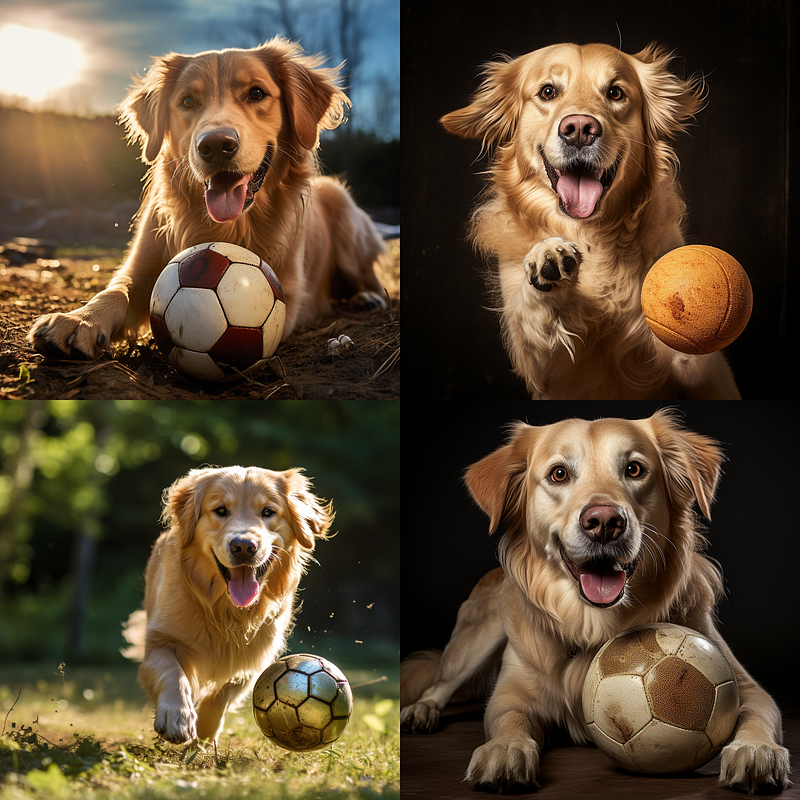
The image above was created using a simple prompt. It consists of only two main elements: a dog and a ball.
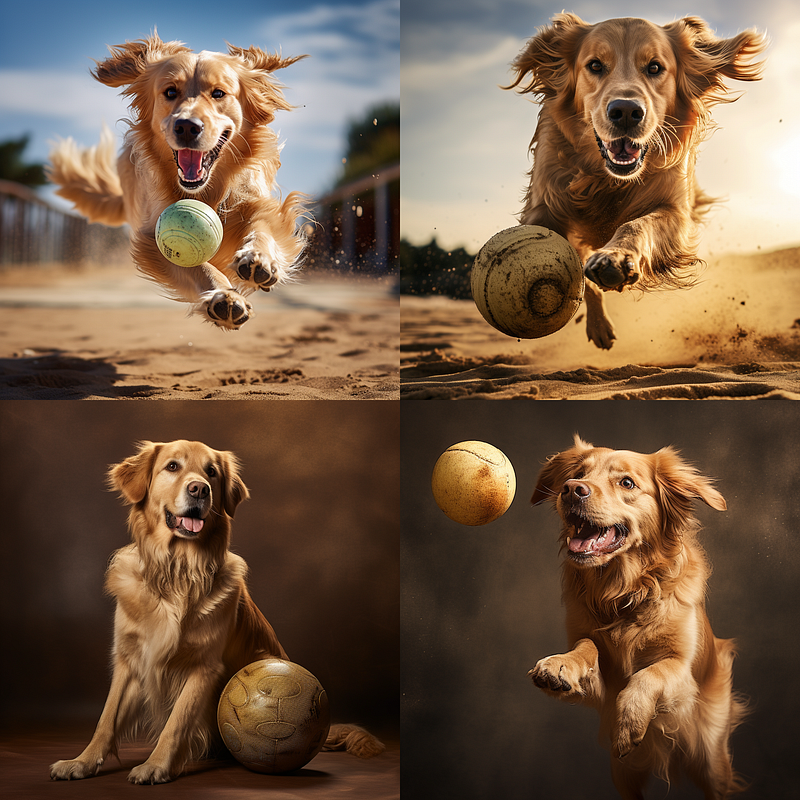
Begin by repeating the word “ball” as a promptlet. Nothing happens. These images are similar.
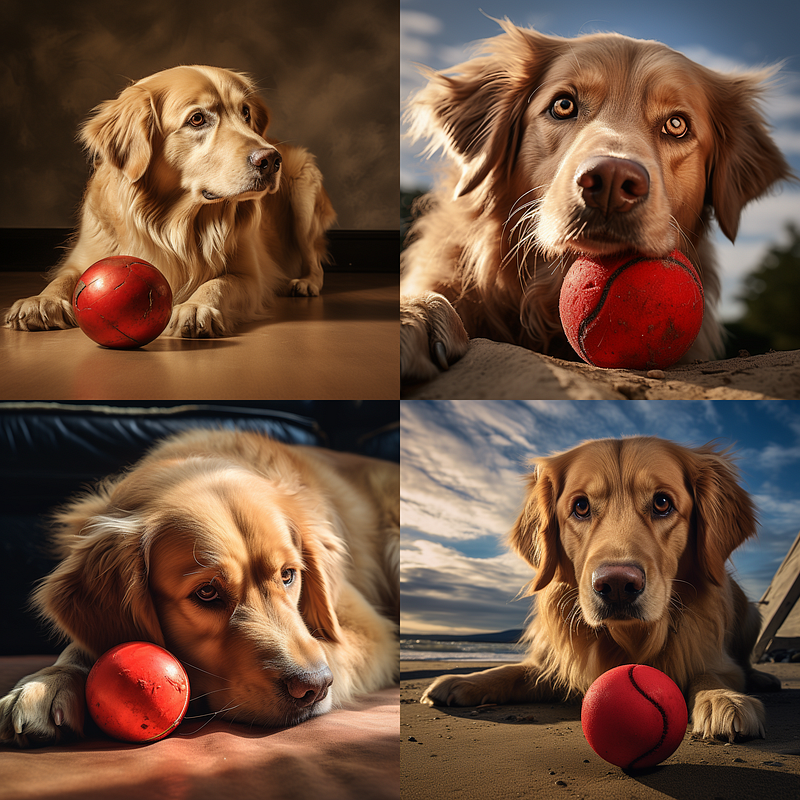
Let’s change the ball’s color by adding the word “red” to the “ball” promptlet. Because the Midjourney bot combined the visual concept of a dog (Golden Retriever) with a red ball, the ball is now red.
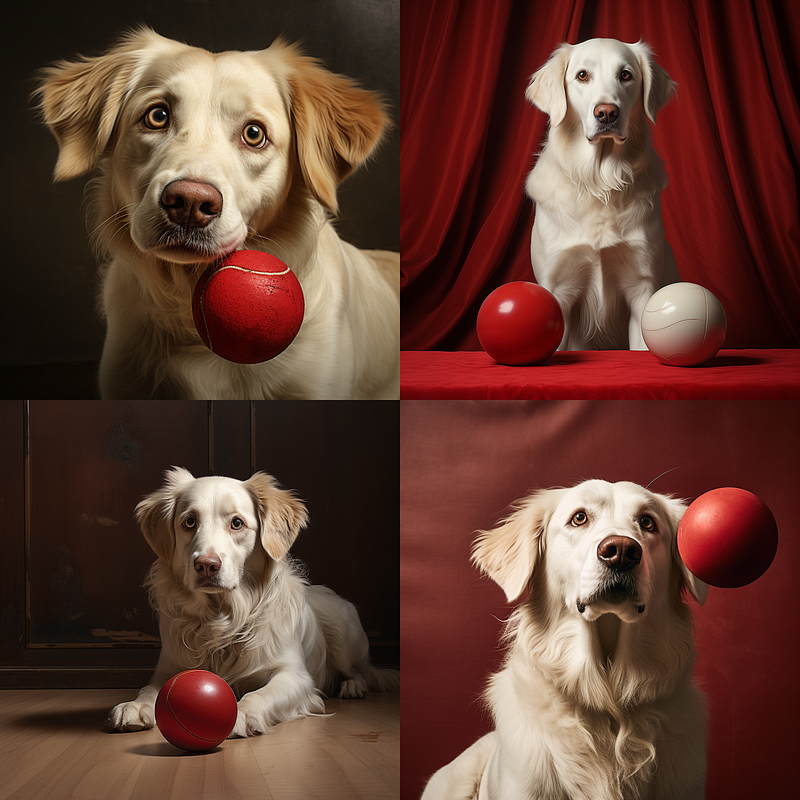
You can apply the same logic to the dog. Add “white dog” after the first promptlet to make a new promptlet.
The Golden Retriever turns white/ whitish.
There is only one ball in the first promptlet (the “mothership” promplet), but I intentionally misspelled the word “balls” (supposed to be “ball”). The bot guessed what I meant and generated two balls for me in Image 2.
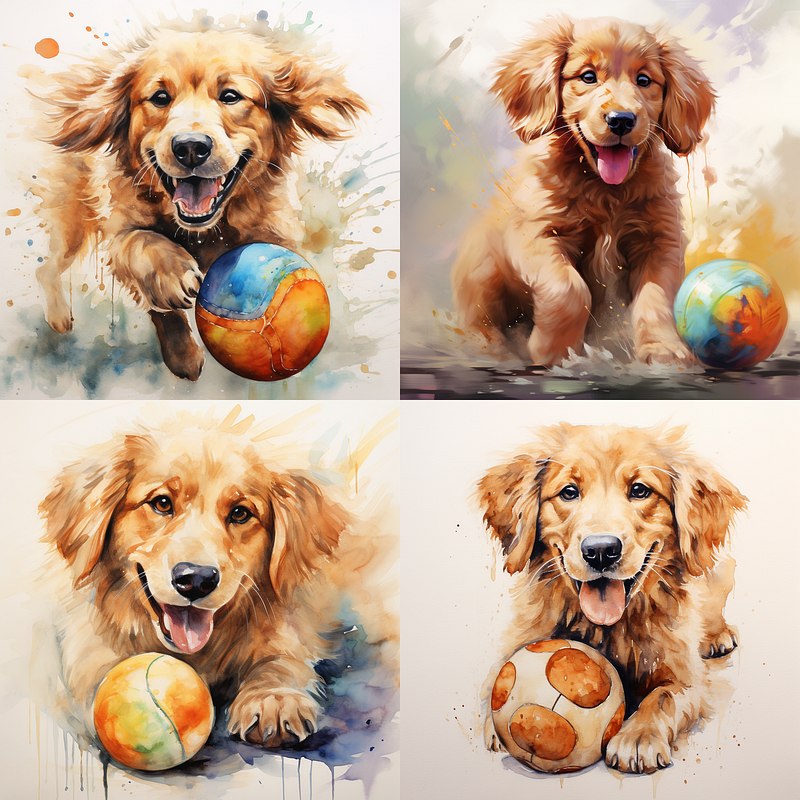
You can also use promplet to change the artistic style. The ball promptlet has been added “in the style of watercolor,” interestingly, the entire image grid has now become watercolor, despite the first promptlet containing the word “photo.”
Why? Because the first promptlet contains more words, each word has less influence. Whereas there are only a few words in the last promptlet, “watercolor” becomes more influential.
The effect of the promptlets’ position is less noticeable in a multi-prompt with only three promptlets. As a result, the “watercolor” is still expressed.
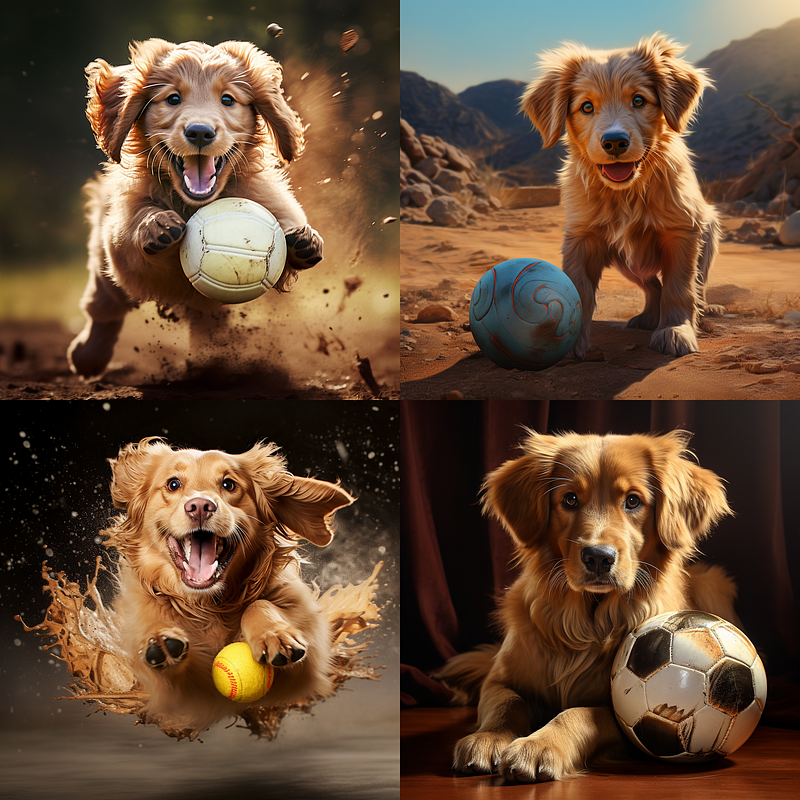
What if we want to force the bot to create an image that looks like a photograph? When you add the promptlet “photography” at the end, the generated images will look like a cross between a photograph and a watercolor illustration. They don’t appear “so real” like the first image in this demo.
- The word “photography” is not found in the first promptlet. But you can still add new elements to influence the image's final look.
Image 3 features the “watercolor splash” that is common in Midjourney’s watercolor artwork.
- Wait, oh, heck! I just discovered a way to create an image of a dog with explosive diarrhea!
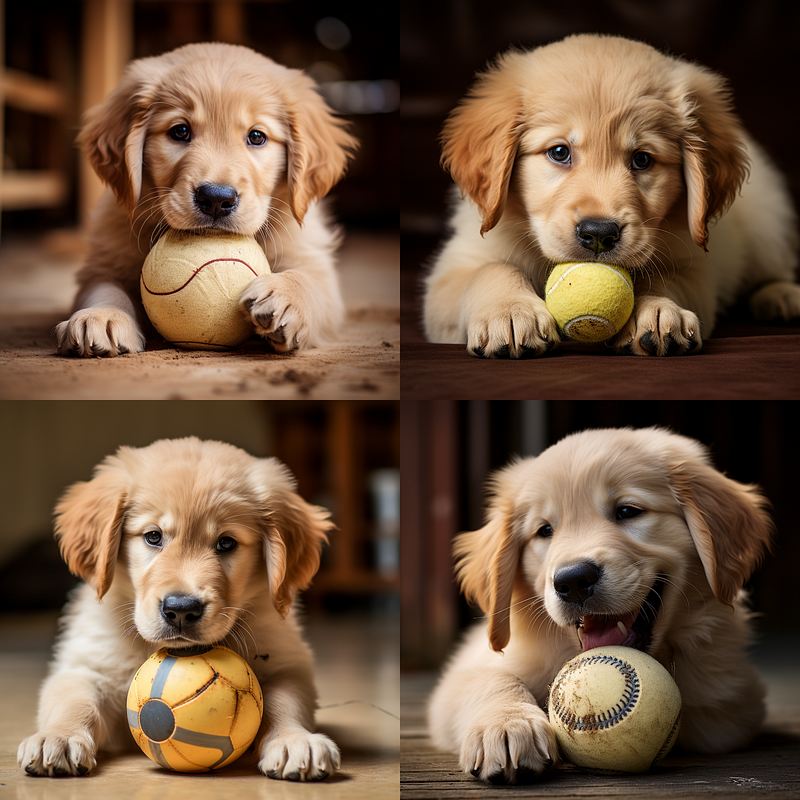
Of course, as I mentioned at the beginning of this article, if you don’t want to use multi-prompt, simply rewrite your prompt.
You can create a photo of a cute puppy without using a multi-prompt.
Multi-prompt isn’t that difficult, right?
Related stories
Conclusion
- Multi-prompt is a collection of promptlets.
- Consider multi-prompt to be a blender. It combines all of the data from the promptlets to create an image.
- The phrase “multi-prompting” or “multiprompting” refers to a prompting technique that uses multiple prompts.
- A multi-prompt is functional even if no weight is assigned to the promptlets.
- Multiprompting has many advanced prompting features that can help you to level up your prompting skill in Midjourney.
I hope you like this story!
Please give me a clap or leave a positive comment to let Medium’s algorithm know that this story is helpful and has contributed to its platform’s success.
Your support inspires me to create similar or higher-quality content in the future!
Never miss a story. Follow me on Medium for updates, stories, and tips about Midjourney.
Join Medium today and read all my stories:


