
Microsoft is ditching React
Here’s why Microsoft considers React a mistake for Edge.
Recently, the Microsoft Edge Team wrote an article on how Microsoft team is improving Edge to become faster.
However, Microsoft took shots at React and announced they will not use React for Edge anymore.
I will explain their entire article and how it affects React, JavaScript Developers, and what are the true intentions of the Microsoft Edge Team.
Before we dive in, I’ve got a little something for you. Stick around till the end of this article — I’ve got a special gift waiting for you. It’s designed to save you tons of time and a boatload of cash. Don’t miss it.
History
Microsoft Edge is built using Chromium, an Open-Source web browser project by Google. The default UI of Microsoft Edge is derived from Chromium.
Microsoft doesn’t want Edge to look like Chrome (obviously). Therefore, Edge has UI components and elements designed by Microsoft. However, these components are made using React.
Many small components throughout Edge are created using React which collectively builds the entire browser.
The entire Edge browser isn’t a React application. It combines multiple components using HTML pages with React. The menu, dropdown, and the favourites tab are mini React apps.
That’s not efficient, right? Especially for UI data that never changes dynamically. Its inefficiency has caused Microsoft to doubt React.
But this story is half-baked. We’ll soon unveil whether React was at fault or Microsoft had a manufactured flaw.
If you’re gearing up for an interview, I’ve got you covered. I’ve put together a killer list of must-know 102 JavaScript topics, 200+ JavaScript Interview questions, and 102 resources to learn them in a Notion Template. Grab it for just $1. Don’t miss out.
The Problems
Microsoft claims that React isn’t efficient, so they made improvements and announced it in an article published on May 28th, 2024.
Microsoft observed that the bundles of code shared between multiple components were too large and that caused the browser to slow down.
They weren’t supposed to share a bundle with different components, but as they claim it is a problem, here are their reasons:
- There was a modularity issue with the UI code. The teams working on different components shared common bundles, files, etc. It resulted in one part of the UI slowing down another part by sharing things that weren’t necessary.
- Microsoft used a framework that relied on JavaScript to render the UI using the client-side rendering technique. Microsoft claims this is the second reason to slow their browser down.
As I explained earlier, Edge shared multiple React applications.
They didn’t initiate multiple React projects but used a single JavaScript Bundle in various places and mounted the Bundle to multiple props in many components.
A JavaScript Bundle is an optimization technique that combines multiple JavaScript files into a single line to reduce and process the server requests efficiently.
And the second reason is why I am writing this article. Indirectly, Microsoft addressed React as the framework that caused the bundle problem for them.
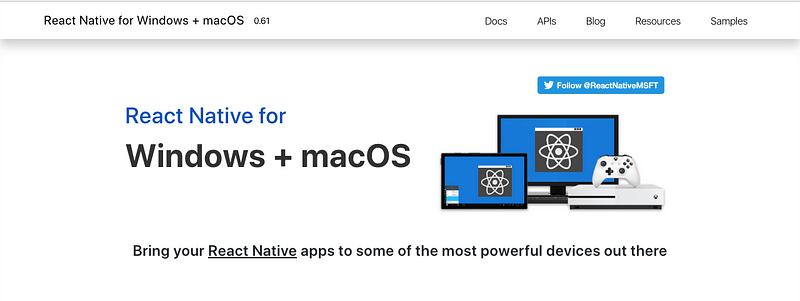
Microsoft addressed React indirectly because they are working on React-based projects, like React Native for Windows, MacOS, and Xbox. However, they still loathe it for Edge.
Even though Microsoft is building React Native, they still don’t use it for Edge. Edge is a native desktop application and React Native would be an ideal solution, but Microsoft begs to differ.
It is because using HTML, CSS, and JavaScript, or React for menus, dropdowns, etc., is a common pattern or technique, or it was in the olden days. There’s a reason why they are switching, right?
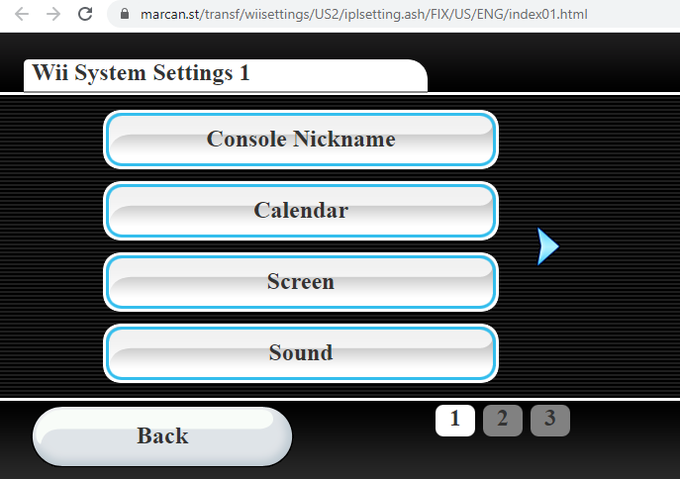
In the ancient days, Menus and their options were individual HTML files. Every button or link to perform a specific action would redirect to an HTML file.
However, that old pattern was only used for components like a Menu. But Microsoft clearly didn’t understand that.
They used an HTML file with React for every simple component. Every HTML file required JavaScript. And they shared this JavaScript code with every team as bundles of code.
Microsoft embedded multiple HTML pages (in React apps) into their browser to control their entire UI. And now, they are looking for a solution to both problems.
If you’re prepping for an interview, you know Leetcode is key for nailing those DSA rounds. You need a way to keep all your Leetcode, HackerRank, and DSA questions organized.
I’ve created a Notion Dashboard just for that. Store your solutions, track your progress, log problems, edge cases, success rates, and more — all in one place. It’s tailored for Leetcode prep and only $9. Grab it now.
The Solution
For starters, React wasn’t the problem. Microsoft implemented it incorrectly.

A bundle should work for a specific webpage and serve its purpose independently. Each page could have an individual bundle or collection.
However, when you share the same bundle or files across the work of different teams, you must expect chaos. Every team accesses and modifies the same bundles.
The outcome was expected. React wasn’t meant for what they were doing with it. React isn’t slow. But you cannot expect it to be blazing fast when you create dozens of instances.
Microsoft came up with a solution to a problem they created. They created a custom framework.

Microsoft announced WebUI 2.0 (not Web 2.0). A markup-first architecture. It solves the problem of large code bundles by minimizing their size and the amount of JavaScript that runs during the initialization path.
Microsoft has started using this new architecture to solve both problems I stated earlier. They used React for the wrong purpose, forgot that React Native exists, and solved a manufactured problem.
First, they used individual HTML files for each component with React inside them. Then, they offloaded the JavaScript code required by each HTML file into one bundle shared by ten other teams.
And now, they don’t use React anymore. What do you think about this?
I’ve got something for you that could be a game-changer. I’m giving you a free chapter from my upcoming eBook, no strings attached.
This chapter tackles the big question: is a college degree a joke or your golden ticket? It’s FREE. You’ve got nothing to lose and everything to gain. No excuses. Get it:
This eBook is about landing your dream job and achieving workplace happiness by building side hustles, businesses while in a job, etc. Join the waitlist.
If you want to contribute, comment with your opinion and if I should change anything. I am also available via E-mail at [email protected] (Afan Khan LLC). Otherwise, Twitter (X) is the easiest way to reach out — @whyafan.


