avatarChristianlauer

Free AI web copilot to create summaries, insights and extended knowledge, download it at here

1593

Abstract

v> </div> <div> <div style="background-image: url(https://miro.readmedium.com/v2/resize:fit:320/1*iTm3NoIXWjDRA5Y4oGnTfQ.jpeg)"></div> </div> </div> </a> </div><p id="71a6">Users can personalize the page using our established editing tools. Copilot further aids in understanding your semantic model and offers suggestions for report page topics. It’s a quick and user-friendly approach, especially beneficial for those less familiar with Power BI report creation[1][2].</p><figure id="ba5b"><img src="https://cdn-images-1.readmedium.com/v2/resize:fit:800/0*eGXGm7Kv_nBST9aB.gif"><figcaption>Copilot in Power BI — Image Source:Microsoft[1]</figcaption></figure><p id="b268">Beside these new functionalities, Copilot now offers distinctive features to summarize data through the Smart Narrative visual, now rebranded as the Narrative with Copilot visual. This visual compiles data insights across a page, your entire report, or a customized template, streamlining the communication of crucial data insights. Accessible in both the Power BI service and Power BI Desktop, the Narrative with Copilot visual offers a versatile tool for sharing insights effectively[1].</p><p id="1553">There is also a corresponding visual representation in Graphics Interchange Format that helps to display a user creating a Copilot-powered narrative summary within their Power BI report. The user requests a 5-bullet summary of the top insights and Copilot promptly generates a visualized narrative within the report. Furthermo

Options

re, in Power BI Desktop, Copilot serves as a valuable aid for model authors, optimizing models and reducing time invested[1][2].</p><div id="9bd5" class="link-block"> <a href="https://christianlauer90.medium.com/microsoft-azure-solution-summit-with-big-news-for-microsoft-fabric-data-analytics-28843ee3e3ef"> <div> <div> <h2>Microsoft Azure Solution Summit with Big News for Microsoft Fabric & Data Analytics</h2> <div><h3>How the topic of Data Analytics will be advanced in the Azure Cloud</h3></div> <div><p>christianlauer90.medium.com</p></div> </div> <div> <div style="background-image: url(https://miro.readmedium.com/v2/resize:fit:320/1*SA6mowAnSQutxtDygWM1NA.jpeg)"></div> </div> </div> </a> </div><p id="c8af">The rollout of Copilot in Microsoft Fabric will occur progressively, with the aim that all customers possessing Power BI Premium capacity (P1 or higher) or Fabric capacity (F64 or higher) will gain access to the Copilot preview by the end of March 2024 [1] — states Microsoft.</p><h2 id="0638">Sources and Further Readings</h2><p id="ce63">[1] Microsoft, <a href="https://powerbi.microsoft.com/en-us/blog/empower-power-bi-users-with-microsoft-fabric-and-copilot/">Empower Power BI users with Microsoft Fabric and Copilot</a> (2023)</p><p id="125e">[2] Youtube, <a href="https://www.youtube.com/watch?v=fz5fBgww0rE">Microsoft Fabric: Data mirroring and Copilot updates</a> (2023)</p></article></body>

Microsoft announced the Public Preview of Copilot in Fabric

How Data Engineering & Data Science will become more easy through AI

Photo by Ivana Cajina on Unsplash

Microsoft enforces their strategy to support Azure services, especially Data Engineering and Data Science tools with AI capabilities. Now, they have announced Copilot for Microsoft Fabric.

This should assist users in swiftly initiating their journey by aiding them in generating reports within the Power BI web environment. With a concise prompt, Copilot for Power BI in Fabric constructs an entire report page by identifying pertinent tables, fields, measures, and charts to kickstart your reporting process[1][2].

Users can personalize the page using our established editing tools. Copilot further aids in understanding your semantic model and offers suggestions for report page topics. It’s a quick and user-friendly approach, especially beneficial for those less familiar with Power BI report creation[1][2].
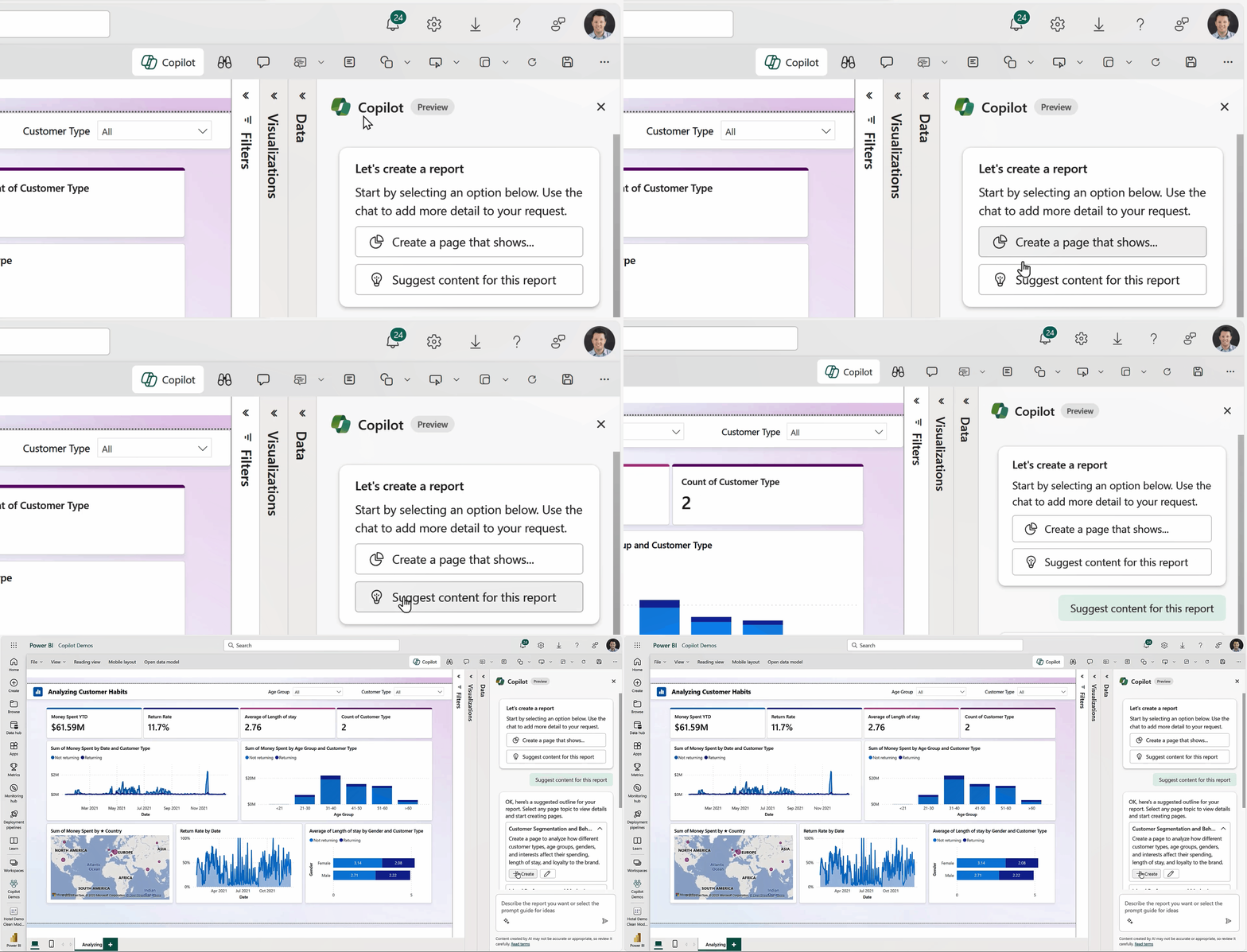
Copilot in Power BI — Image Source:Microsoft[1]

Beside these new functionalities, Copilot now offers distinctive features to summarize data through the Smart Narrative visual, now rebranded as the Narrative with Copilot visual. This visual compiles data insights across a page, your entire report, or a customized template, streamlining the communication of crucial data insights. Accessible in both the Power BI service and Power BI Desktop, the Narrative with Copilot visual offers a versatile tool for sharing insights effectively[1].

There is also a corresponding visual representation in Graphics Interchange Format that helps to display a user creating a Copilot-powered narrative summary within their Power BI report. The user requests a 5-bullet summary of the top insights and Copilot promptly generates a visualized narrative within the report. Furthermore, in Power BI Desktop, Copilot serves as a valuable aid for model authors, optimizing models and reducing time invested[1][2].

The rollout of Copilot in Microsoft Fabric will occur progressively, with the aim that all customers possessing Power BI Premium capacity (P1 or higher) or Fabric capacity (F64 or higher) will gain access to the Copilot preview by the end of March 2024 [1] — states Microsoft.

Sources and Further Readings

[1] Microsoft, Empower Power BI users with Microsoft Fabric and Copilot (2023)

[2] Youtube, Microsoft Fabric: Data mirroring and Copilot updates (2023)

Data Science
Microsoft
Artificial Intelligence
Technology
Programming
Recommended from ReadMedium