Components | Metanodes | KNIME Analytics Platform
Metanode or Component — What’s the Difference?
What is a metanode? What is a component? And when do you use what?
Let’s help clarify the differences between metanodes and components in KNIME Analytics Platform.
The common goal: make order in a messy workflow
Both metanodes and components are useful to clean up messy workflows. You can identify isolated blocks of logical operations in your workflows and include them inside either a metanode or a component. Your workflow will appear neat and tidy with less nodes than the original workflow.
And that is where the metanode goal in life ends.
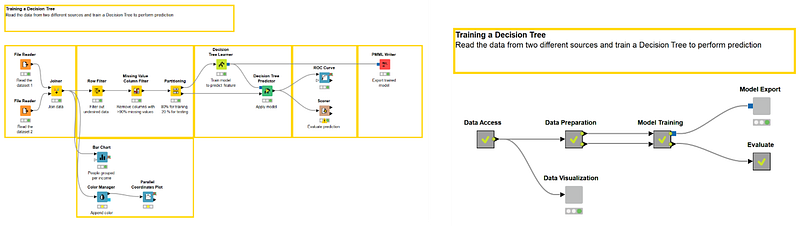
What can a component do that a metanode cannot?
Let’s see now what a component can do additionally in comparison with a metanode.
A component can encapsulate flow variables
“What happens in the component stays in the component.” This sentence describes the vacuum character of a component. Flow variables created within the component will not leave the component unless this is expressly set in the “Component Output” node. Note that flow variables created in the workflow but outside of the component will not enter the component, unless expressly set to do so in the “Component Input” node. The risk is to otherwise generate an overpopulation of flow variables.
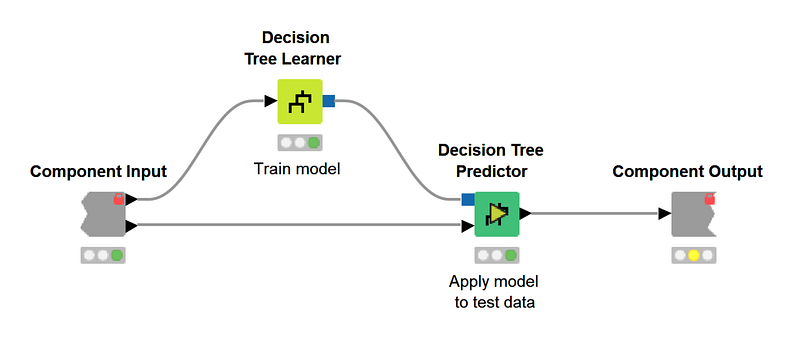
In a metanode, all flow variables come in from the parent workflow and all flow variables created within the component go out into the workflow. No barriers, no limits.
A component can have a configuration window
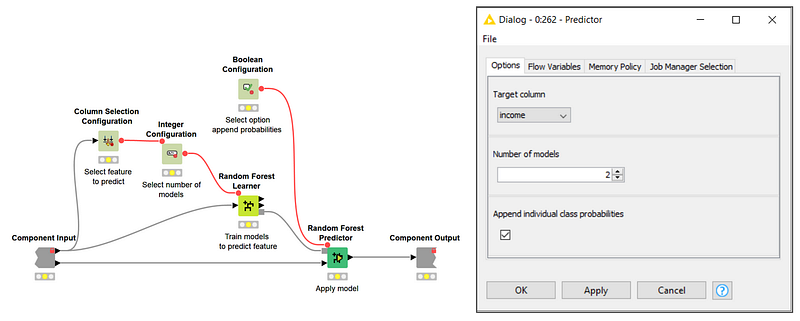
Components can have a configuration window, metanodes cannot.
Inserting one or more nodes from the folder “Workflow Abstraction / Configuration” provides one or more items for the configuration window of the component. The settings in the configuration window for these nodes are passed into the configuration window of the component. You can give a component a more or less complex configuration window, by inserting more or less of the configuration-type nodes.
Note. This is a way to create a new node without coding! All of the node templates in “EXAMPLES/00_Components” in the KNIME Explorer panel (or on the KNIME Hub) are actually components that have a configuration window.
A component can be given a view
Components can get a view, metanodes cannot.
Inserting one or more nodes from the folder “Workflow Abstraction / Widgets” means that you have one or more items for your component views. The interactive view of these nodes is passed into the interactive view of the component. Views with many items from many corresponding widget nodes are called composite views.
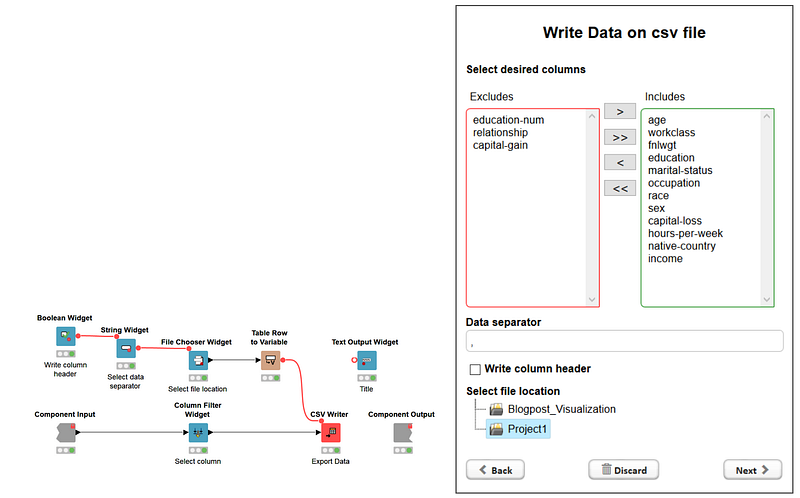
In addition, Widget node views inside the same component subscribe to the selection and visualization of the same data. This means that what is selected in the view of a plot, for example, is also selected (and can be visualized exclusively) in the view of another plot within the same view of the same component.
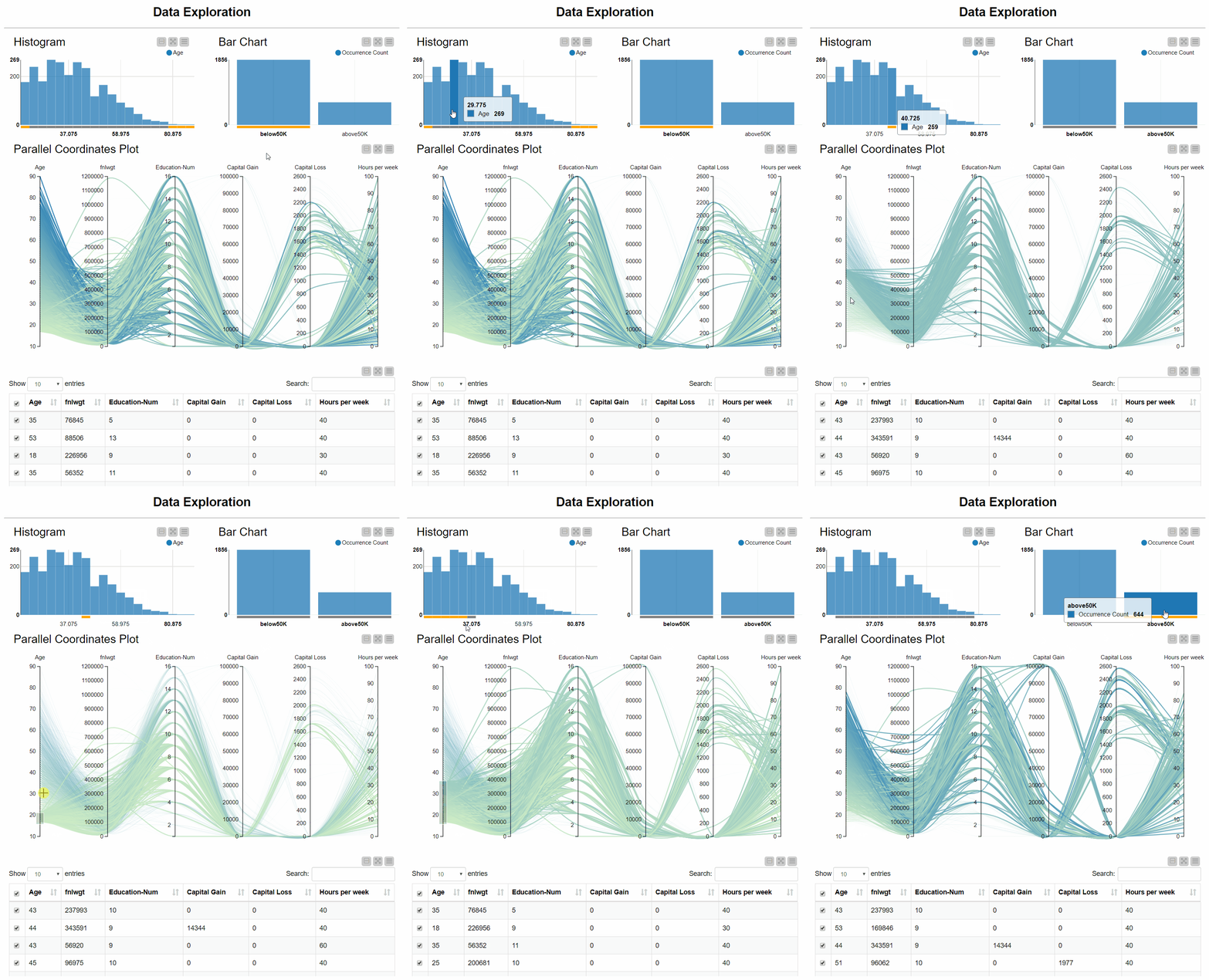
You can give a component a more or less complex composite view, by inserting more or less complex, interactive, connected Widget-type nodes.
How to make the choice
At this point the choice is easy. Try asking yourself these questions:
- Do you need a new node with configuration settings? -> a component
- Do you need a node producing a composite view? -> a component
- Do you have a huge workflow and you would like to remove some of the flow variables going around in the workflow? -> a component
- Do you just need to make space in an overcrowded workflow? -> a metanode
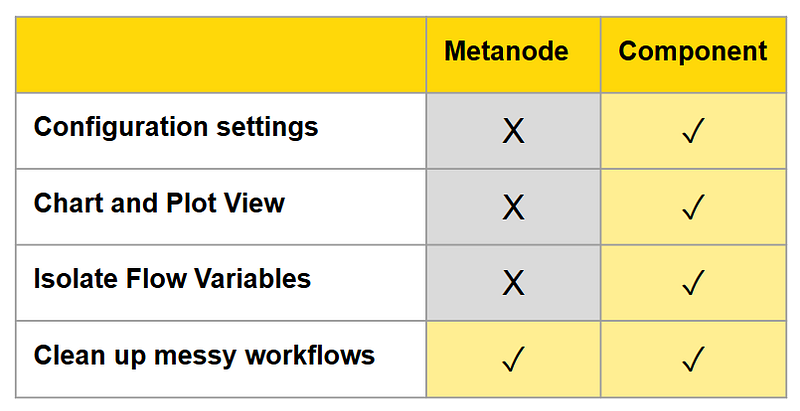
Refer to this table summary showing what a metanode can do and what a component can do.
Resources
- Components on the KNIME Hub
- Blog article: Declutter — four tips for an efficient fast workflow
- Component Documentation
- Series of videos on components
- What is a component
- Component configurations
- Sharing and linking components
As first published on the KNIME Blog https://www.knime.com/blog/metanode-or-component


