avatarVamsi Jakkula

Summary

The provided text outlines the process for configuring MetalLB in Minikube to enable the use of Kubernetes services of type "LoadBalancer" on bare metal environments.

Abstract

The article discusses the implementation of MetalLB in Minikube as a solution for the lack of a default network load-balancer. Minikube version 1.10.0-beta.2 includes MetalLB as a new addon, which is essential for allocating IP addresses to LoadBalancer services in non-cloud environments. The article guides through enabling the MetalLB addon with the minikube addons enable metallb command, configuring it with an appropriate IP address range, and verifying the setup by exposing a deployment with a LoadBalancer service. It demonstrates how the MetalLB controller and speaker components work together to assign and advertise layer-2 addresses, and how the configured IP range is stored in a config map. The article concludes with a successful access test to a deployed application using the allocated external IP address, emphasizing the role of ARP request and response in the process.

Opinions

  • The author implies that MetalLB fills a significant gap in Minikube's functionality by providing LoadBalancer support, which is crucial for emulating cloud provider functionalities in a local or bare metal Kubernetes environment.
  • The step-by-step guidance suggests that the author finds the MetalLB configuration process straightforward and within the reach of users familiar with Minikube and Kubernetes.
  • By showcasing the MetalLB components and their roles, the author highlights the robustness and effectiveness of MetalLB in managing network load-balancing tasks.
  • The inclusion of commands and screenshots indicates that the author believes visual aids and practical examples are valuable for readers to understand and follow the configuration process.
  • The mention of social media platforms and community groups at the end of the article suggests the author's opinion that community engagement and support are important for users exploring MetalLB and Kubernetes.

MetalLB Configuration in Minikube — To enable Kubernetes service of type “LoadBalancer”

Image by Alexandra_Koch from Pixabay

So far in minikube there is no default implementation of network load-balancer. Load-balancer will remain in the “pending” state indefinitely when created. Minikube Version 1.10.0-beta.2 has a new powerful addon i.e. MetalLB. MetalLB had addressed the gap and provides the network LoadBalancer implementation as an addon.

Public cloud providers will assign the IP for the load balancer, whereas on bare metal MetalLB is responsible for the allocation of the IP Address.

Let’s see as how we can enable the same in minikube and configure the same with an example.

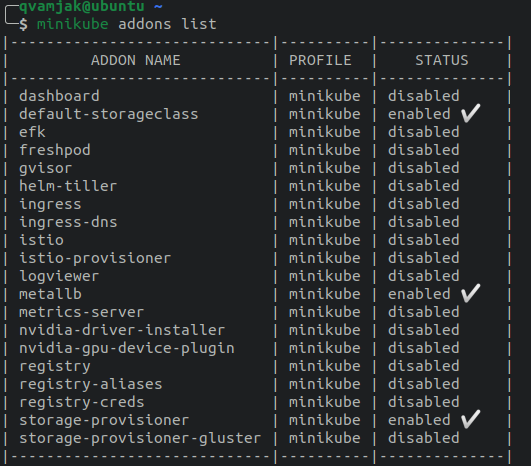
minikube addons list will show that metalLB is disabled.
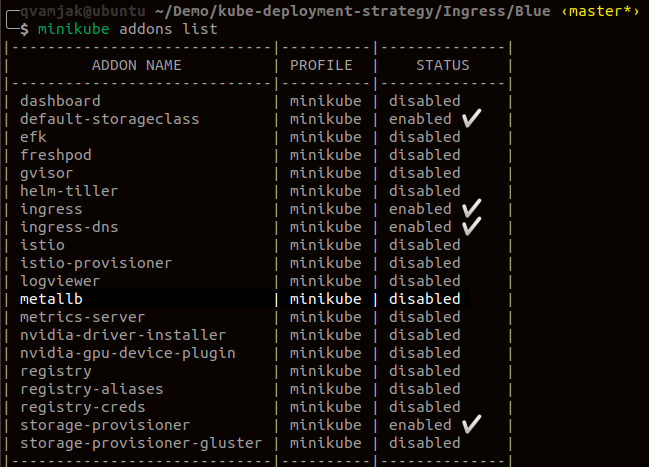
Enable the addon using the command minikube addons enable metallb

Once the addon is enabled, we can see that there are two components that are up and running in the cluster under metallb-system namespace. Controller and Speaker are those two components.

The controller helps in the IP address assignment, whereas the speaker advertises layer -2 address.

As we have enabled the addon, now we have to configure the same for the addon to come into effect. We have to configure using the following command minikube addons configure metallb .

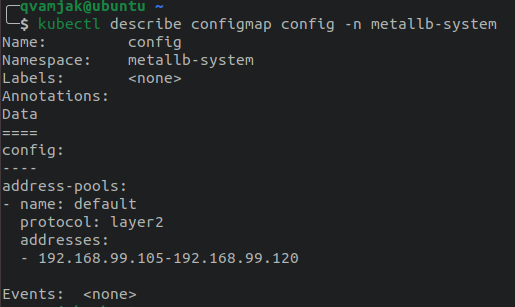
It will prompt for the IP Address range. As my minikube host IP is 192.168.99.100, I have given the range as below

Check the configuration which is stored in a config map, kubectl describe configmap config -n metallb-system
Now let’s try to create the deployment and expose the same using LoadBalancer. As we have got MetalLB configured, we can see the External IP address populated from the IP pool.

Access the service using External IP Address(192.168.99.105) over the port 80 and we can see the Blue Whale App. When the service is accessed, the ARP request is sent to find out the MAC Address of the external IP Address and the speaker will respond back with the MAC address.
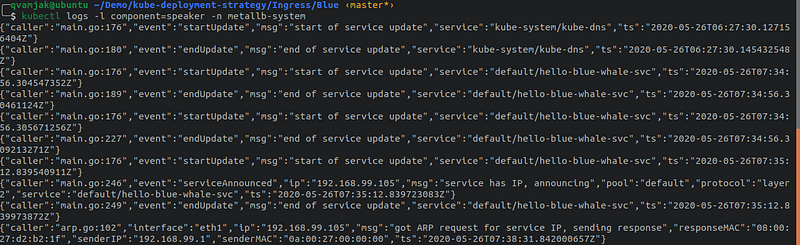
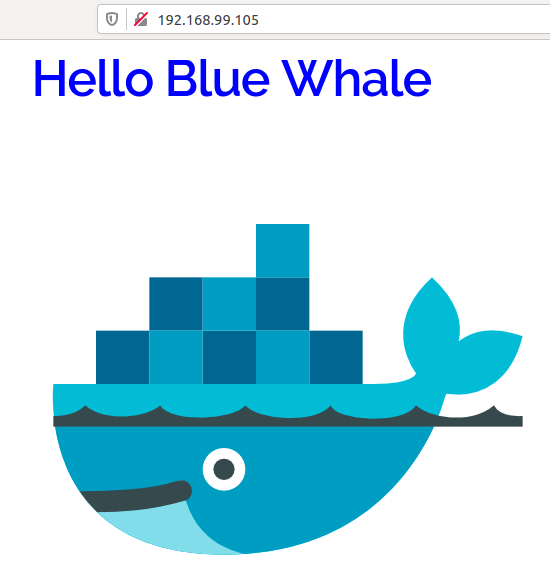
Check on ARP req/res

Follow us on Twitter 🐦 and Facebook 👥 and Instagram 📷 and join our Facebook and Linkedin Groups 💬.

To join our community Slack team chat 🗣️ read our weekly Faun topics 🗞️, and connect with the community 📣 click here⬇

If this post was helpful, please click the clap 👏 button below a few times to show your support for the author! ⬇

Metallb
Network Load Balancer
Load Balancer
Kubernetes
Minikube
Recommended from ReadMedium