
Medium Publications
Medium Publication Sections
The four section types available to Medium publication editors

Medium publication homepages are based on sections. You can add as many sections to your publication and customize how many stories they should contain and how they should behave.
Managing sections
Step 1
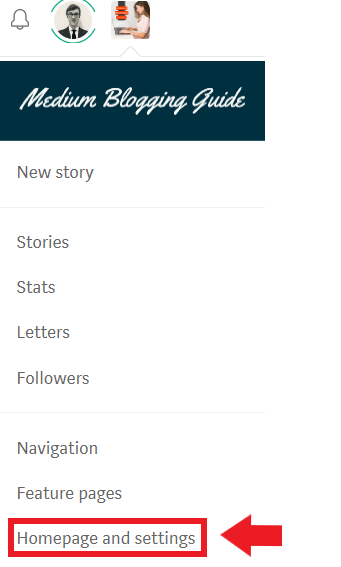
Go to your publication homepage and click your publication avatar in the top-right corner of the page.

Step 2
Click Homepage & settings.
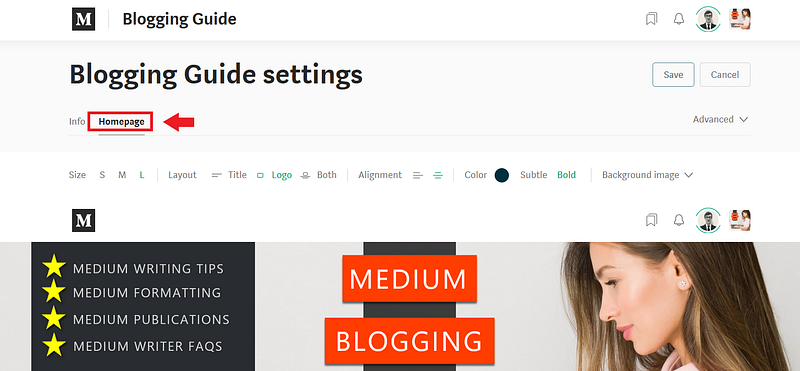
Click the Homepage tab.
Add new section
To create a new section, click the + on the toolbar:

Section titles
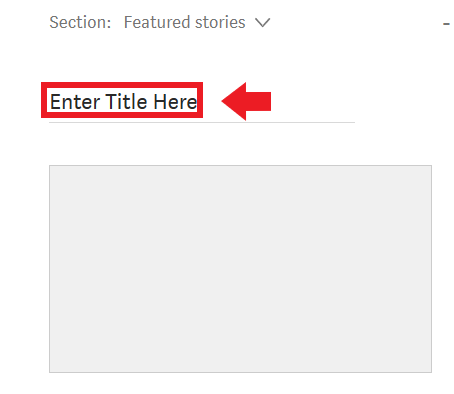
Add an optional title for the section.
Number of stories
To change how many stories appear in a section, click - or +.
Choose a source
To change which stories show up in a section, click the down arrow
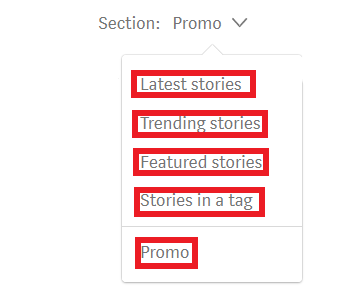
- Latest: the most recently published stories from your publication.
- Trending: the most engaged stories from your publication.
- Featured: choose specific articles to feature.
- Tagged: use stories with a specific tag for this section.
Display mode
To change the display mode, click one of the following from the toolbar.
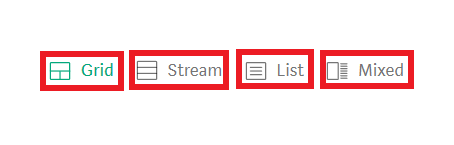
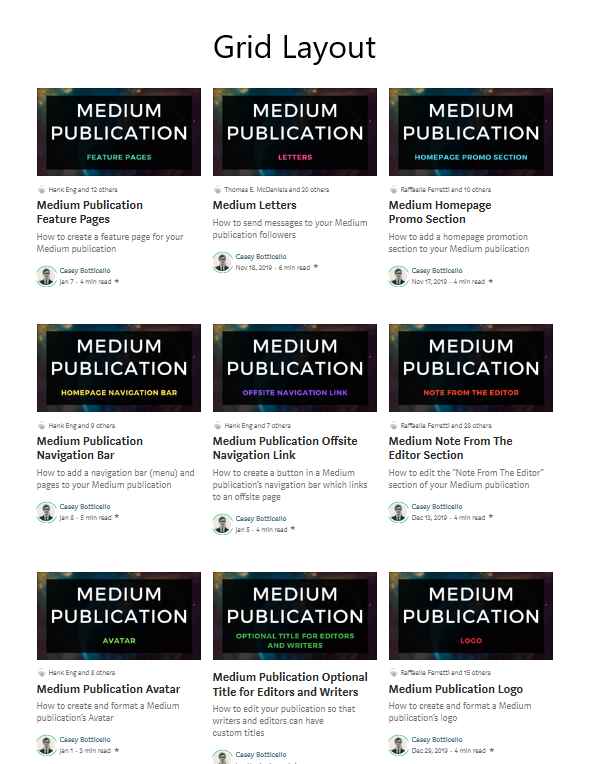
- Grid — post title and large image thumbnail appears in a block.
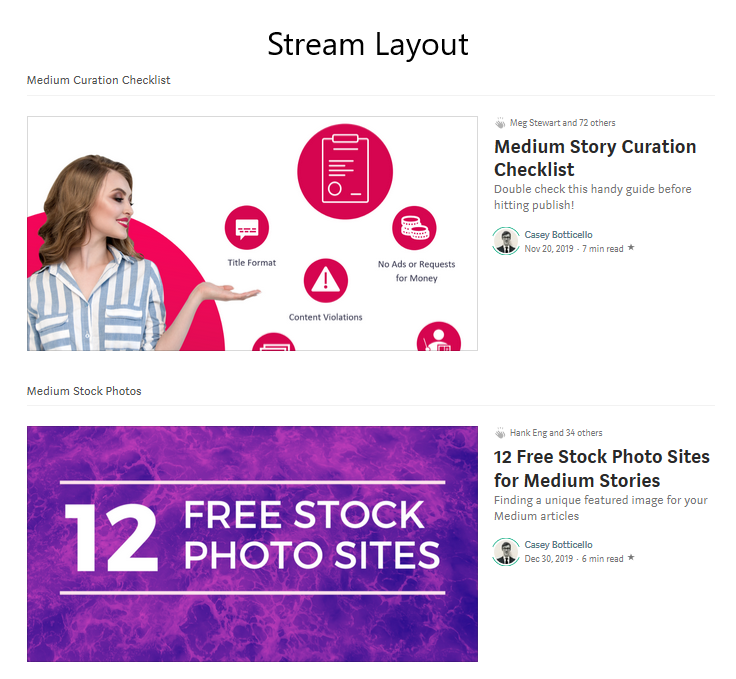
- Stream — post title only is displayed.
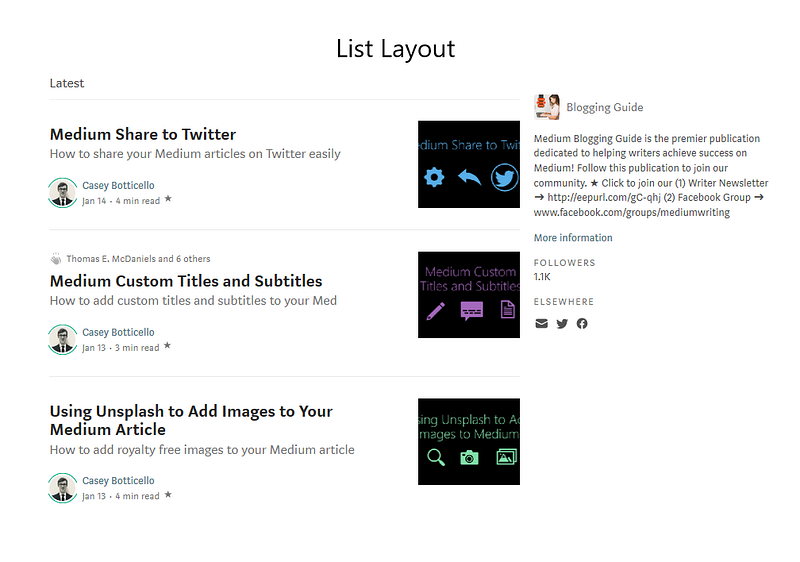
- List — post title displayed as in stream, with post image thumbnail.
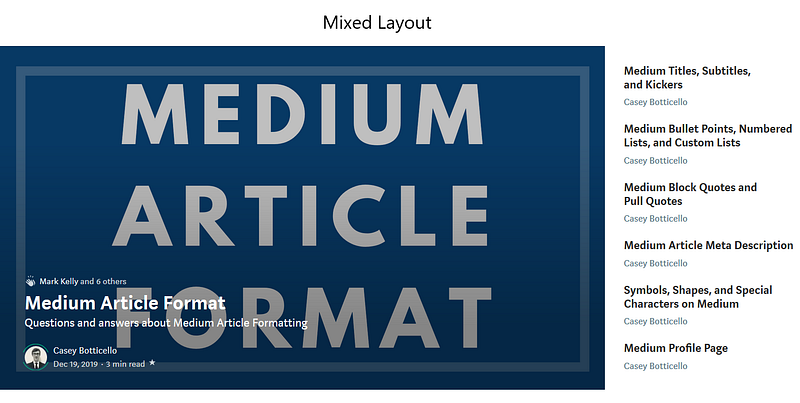
- Mixed — one large featured image/title block appears block at left, with a small title list at right.
Title placement
In grid mode only, you can set titles to appear on top of the image, or below it.

Margin
Also in grid mode only, you can choose to hide or show margins between post images.


Thanks for reading this article! Leave a comment below if you have any questions. Be sure to sign up for the Blogging Guide newsletter, to get the latest tips, tricks, and news about writing on Medium and to join our Facebook group, Medium Writing, to share your latest Medium posts and connect with other writers.
If you liked this article, here are some other articles you may enjoy:

Casey Botticello is a partner at Black Edge Consulting. Black Edge Consulting is a strategic communications firm, specializing in online reputation management, digital marketing, and crisis management. Prior to founding Black Edge Consulting, he worked for BGR Group, a bipartisan lobbying and strategic communications firm.
Casey is the founder of the Cryptocurrency Alliance, a Super PAC dedicated to cryptocurrency and blockchain advocacy. He is a graduate of The University of Pennsylvania, where he received his B.A. in Urban Studies.
You can connect with him on LinkedIn, Twitter, Facebook, or by visiting his website, Blogging Guide.


