
Medium Has an Option for Your Duplicate Content
Medium allows you to republish your article with them.

Everyone wants to expand their work in many places as possible, but some people having their own blogs, face some difficulties in re-uploading their original blog article on Medium because Medium has a high domain authority which help the re-uploaded article on Medium rank better than the original blog article, which they didn’t want.
But I think some people don’t know that Medium have an option for you to publish already uploaded article without de-ranking your original article on Google.
That option is “canonical link”.
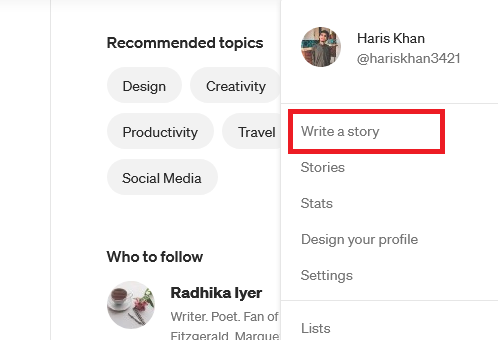
All you have to do is to open medium, click on your profile icon, and then “write a story”
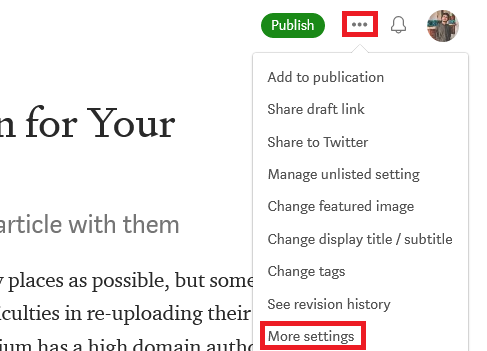
Then copy or import your story from your blog and when it is ready to upload, click on the 3 dots icon at the top and then click “more settings”
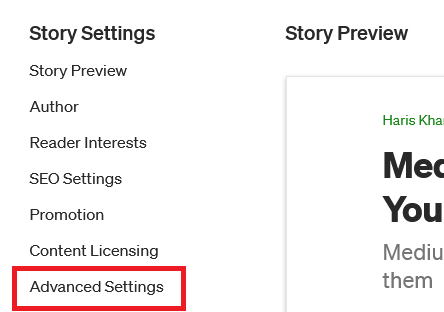
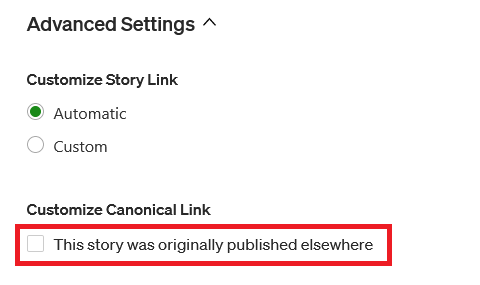
When you click on “more settings”, a new page will open, then click on “advanced settings” on the left after that open the “advanced settings” tab by clicking it.
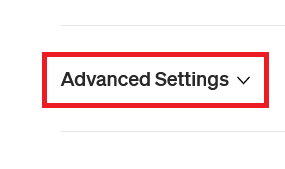
After opening the tab, you will find a check button “This story was originally published elsewhere”, check that button and then paste your original article url here and click “save canonical link” and you are fully ready to upload your article on Medium without any ranking problems.
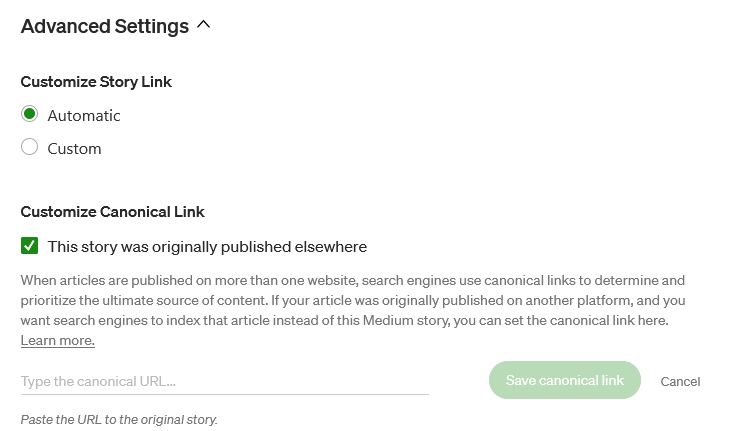
You can use this process to re-upload your blog article on Medium without any problem of Ranking and Duplicate content, It also give you some benefits like helping your original article rank better on Google because of the Medium’s high authority.
If you have any questions, feel free to ask me.
If you like my content, Follow Haris Khan for more and support so I can put more content on Medium.


