
MEDIUM PARTNER PROGRAM
Medium Enhanced Stats Will Help with Your Writing Goals
A better handle on your story views, reads, fans, and claps broken down by day can tell you which story types attract the most readers and engagement
As a Medium writer, the stats page is likely the most visited page in terms of consistency that you’ve been to on the platform, no doubt. I know as a new writer on Medium, it took some time for me to get to a point where I really understood the stats and how they work, and the stats page is important for helping us gauge our progress, develop strategies for our writing goals, and see how readers and fans are engaging with our stories.
Well, the Medium Enhanced Stats Chrome extension developed by Tomas Trajan (and other contributors because it’s an open source project) is a game-changer for the Medium stats page, as far as I’m concerned.
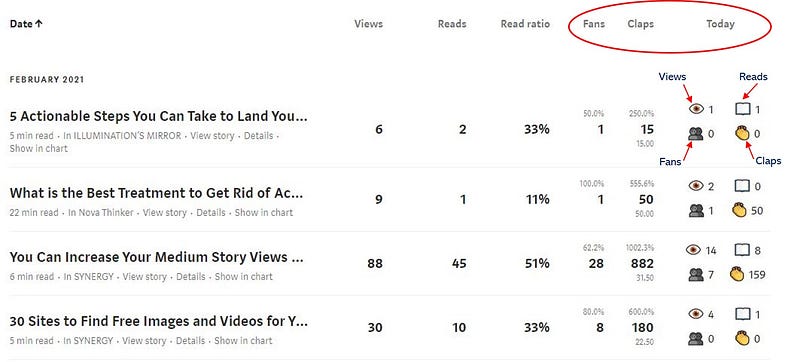
3 Added Stat Columns
The extension adds three extra columns to your stats (Fans, Claps, and Today). The Fans and Claps columns show you totals for each story, and the Today column breaks your stats down by the current day (just like you can see stats by the day in the bar chart). And it shows you extra percentage break downs in the Fans and Claps columns.
Overall Totals Feature
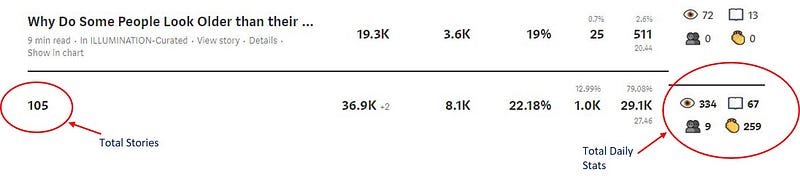
The Medium Enhanced Stats extension also shows totals at the bottom of your story list and totals for the day in the Today column, in the Summary Row.
Contributing Article Feature
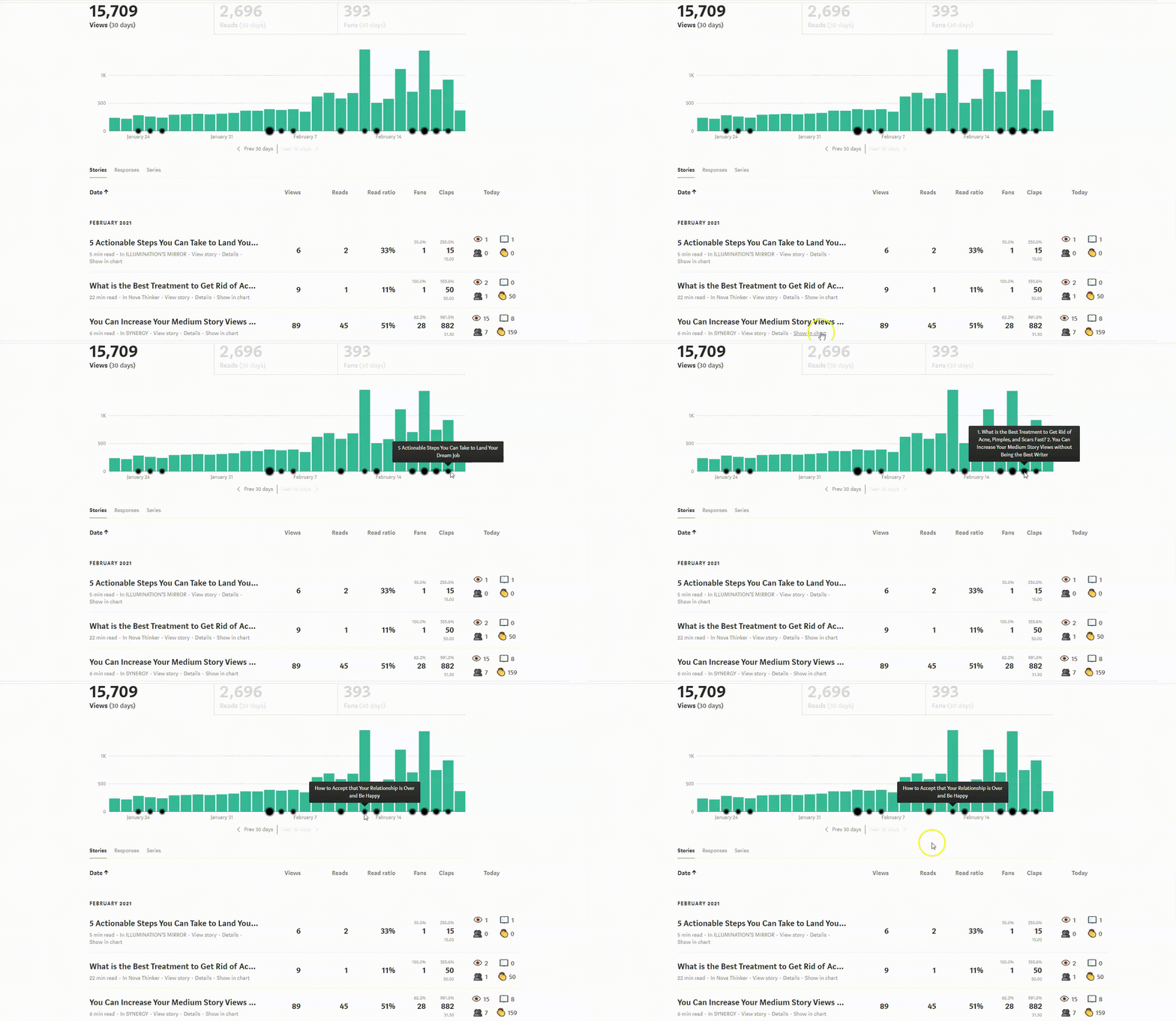
I really like this unique feature of the Medium Enhanced Stats extension because it gives you an idea of how well a new story does the day it’s published.
It’s the Contributing Article Popup and it shows when you hover your mouse over the black dots on the bar chart. This feature shows stories by the day they were published on a certain day that contributed to that day’s views.
That’s awesome, right?
The Dashboard
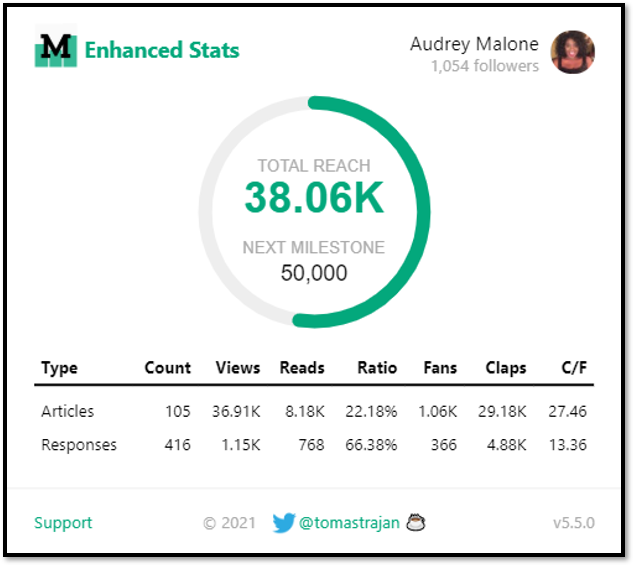
So, your Medium Enhanced Stats dashboard is what you see when you click the ‘M’ icon in the browser.
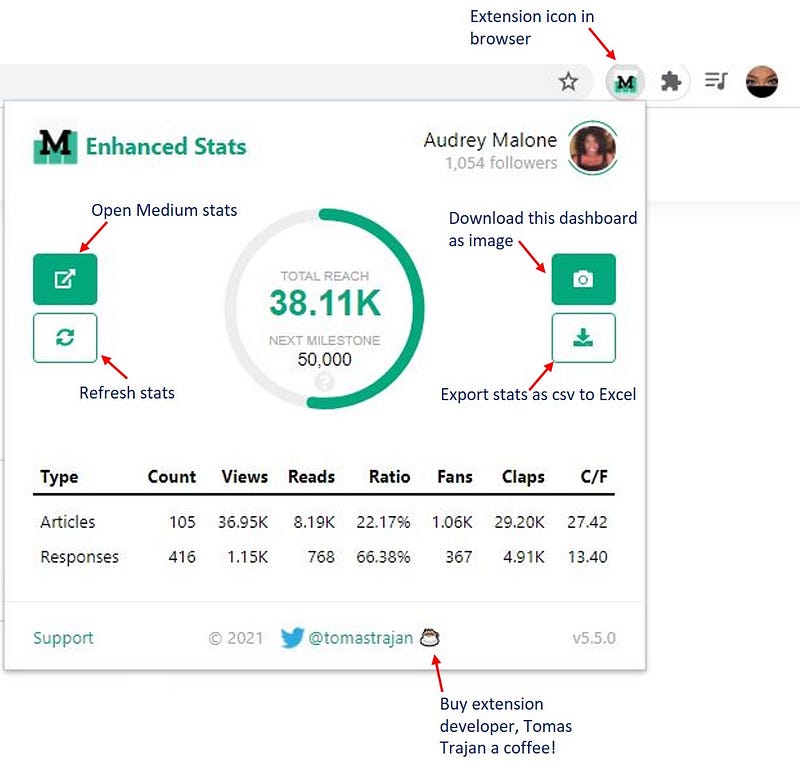
Here, you can see your total reach and your next milestone in the middle. As you can see, as of the time of this writing, my next milestone is 50,000 views. If I click on the question mark under that, it will show a summary of my milestone goal compared to my last milestone passed.
You can also open your Medium stats from the dashboard, refresh, save as an image to share, or with one click export your Medium stats to Excel as a .csv file, which you could then convert the .csv to an Excel spreadsheet.
How to Get the Medium Enhanced Stats Extension
- You need to have the Google Chrome browser installed on your computer, which you can find by searching for it on Google.
- Then search for Medium Enhanced Stats and select Add to Chrome to install it.
It’s that easy!
Concluding Thoughts
I think this Medium Enhanced Stats Chrome extension is just awesome. It has been extremely useful to me. I have been able to get a feel for what topics, titles, and stories are best for my writing style. And it’s cool being able to see all the detail that the extension offers.
This extension is an excellent tool for both new and established writers who want to have more control over the statistical data attached to their work on Medium.