Tools
Power-Charge Your Earnings
An easy way to see which of your stories are doing well
It’s always nice to check the Medium Partner Program page to know how much extra coffee money you get to spend next month. I figured it would be even nicer to know exactly how and when you have earned your cash. To support me (and you) in this, I have created a little tool to help you with that.

Medium Earnings Extension
I proudly present my newest Chrome extension: Medium Earnings! It allows you to dive a bit deeper into your earnings and know exactly which story has earned a few pennies and when!
The download-link is at the bottom of this story. First, let’s have a proper introduction, shall we?
If a picture says more than a thousand words, I’d like to offer you a million words to showcase the extension. I mean, ten seconds of movie pictures must account for something?
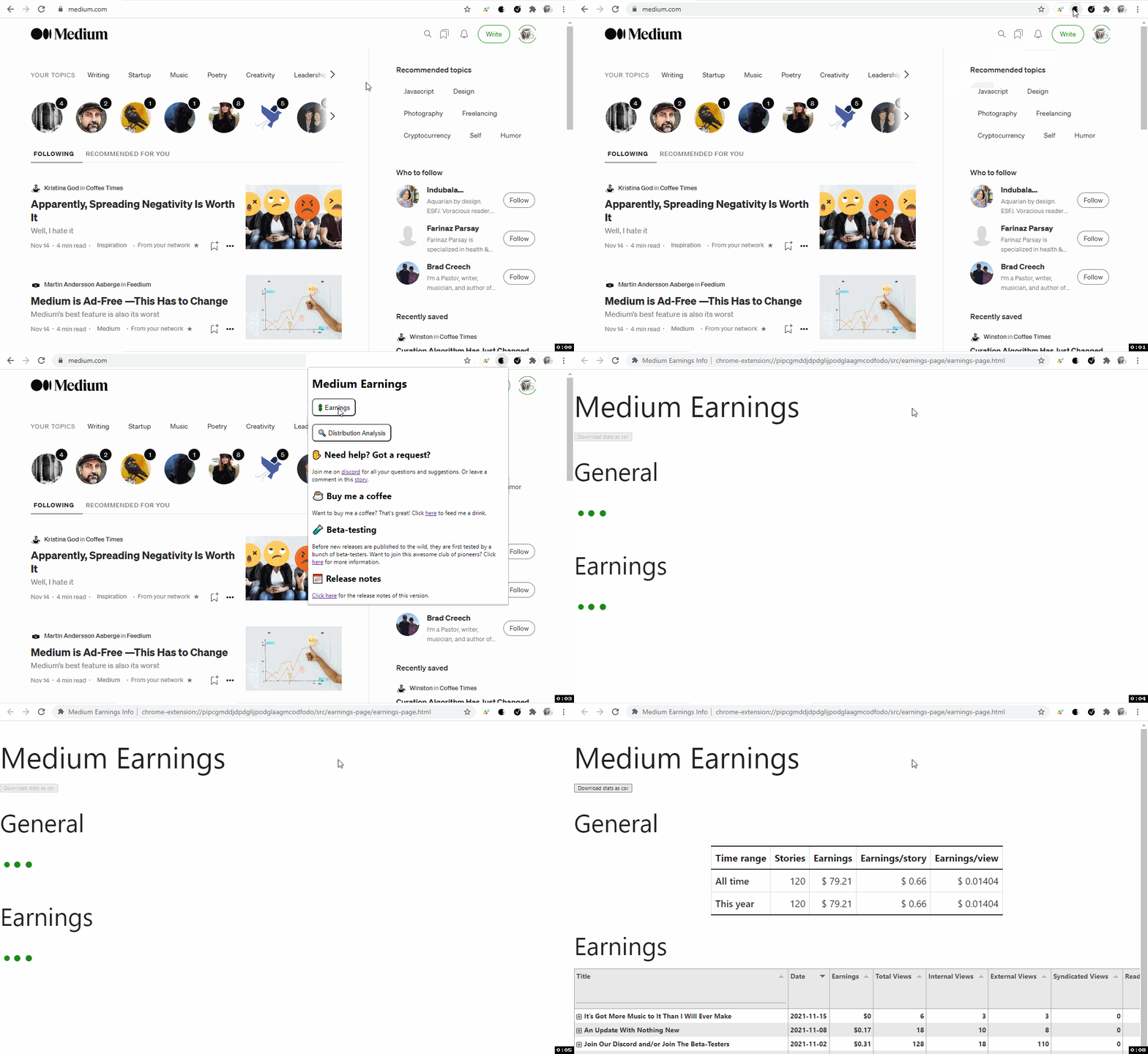
Sorry for the distracting animation while you’re reading this. Just think it beats reading a bunch of words.
Analyzing Earnings
As this is the first version of the extension, I realize some work is needed on the UX-front. There are just a few general statistics and I haven’t completed figured out how Medium calculates read time. Be sure to request something if you are in want of more.
Still, the output of the extension is rather satisfying:
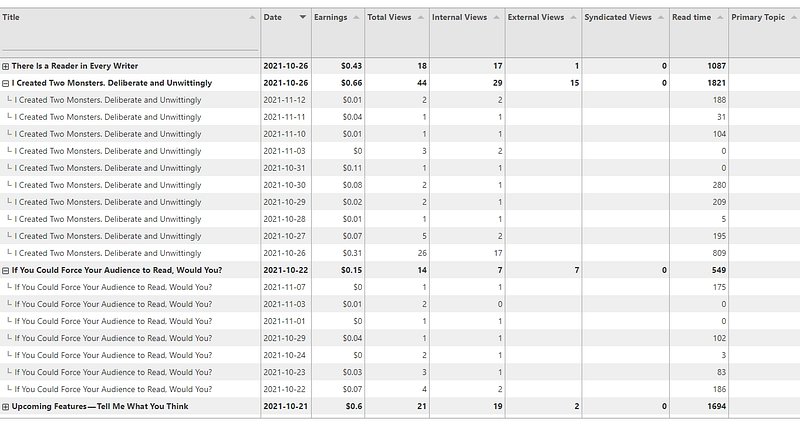
As you can see in the screenshot above, the extension provides you with detailed insights as to how a story has performed each day it’s been published.
For now I have included the earnings, read time and views per day. If you story has been Chosen for Further Distribution, the primary Topic is also shown.
The stats come straight out of Medium’s servers. I am unsure about what Syndicated Views are and how Medium calculates read time. With your help, that’ll be fixed in the next release.
One more thing…
As a bonus feature, I have made the extension compatible with Medium Distribution Info, my other extension. You can access its analyze-functionality from the popup. And vice-versa. You can also go to the earnings by using the Distribution Info popup.
Not familiar with that extension? Amongst other things, it allows you to see which of your stories (and those of other people) are Chosen for Further Distribution. Read more about it here.
Making the extension work
There are two ways to see your new Earnings-tab. Via the popup and via the stats-page.

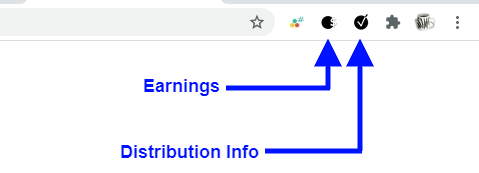
Click on the button, as shown in the screenshot, to open up a new page to display your earnings information. Alternatively, you can also access the earnings with the popup button:
Future updates
This is the first version of Medium Earnings. As such I would love to get your feedback about how the extension is working out for you. Also, I’d love to hear what you would like to see in the next version of the extension.
I have some things I’d like to work on for the next update, but I’d much rather process your input first. You know where that comment button is!
Downloading and installing
Installing is a piece of cake. Just head over to the Chrome Webstore and click on ‘Add to Chrome’. Any future updates will be downloaded automatically.
Download the extension here.
Speaking about earnings, I got numerous complaints (two actually) that you need a credit card to buy me a coffee. I’ve set up a Patreon page to battle this. It’s fine if you don’t, but it would be awesome if you donated something.
Please note that if you’re also interested in the Medium Distribition Info extension, you should download it separately here.
Acknowledgments
I went over the code Guilherme Brito used for his statistics extension. I base a large portion of the data-gathering on his work. Great stuff, Guilherme, thanks!
Thank you for joining this release party. I accept all manner of congratulations in the comments. For now: happy writing, reading and earning!


