
Medium Formatting
Medium Adds Alt-Text Function to Article Images
How you can add alt-text to the images in your Medium articles and boost your SEO
What Is Alt Text?
Also called “alt tags” and “alt descriptions,” alt text is the written copy that appears in place of an image on a webpage if the image fails to load on a user’s screen. This text helps screen-reading tools describe images to visually impaired readers and allows search engines to better crawl and rank your website.
Whether or not you perform SEO for your Medium articles, optimizing your article’s image alt text is your ticket to creating a better user experience for your visitors, no matter how they first found you.
More and more, the topics that writers create content on require images to accompany their words. If you’re writing about photography, for instance, photographic examples of your insight are crucial to your visitors’ reading experience. When explaining how to use a certain type of software, screenshots of that software are often the best way to demonstrate it.
If you’re creating content on a topic that requires the support of visuals, consider how your audience might prefer to find answers to their questions on that topic. In many cases, Google searchers don’t want the classic blue, hyperlinked search result — they want the image itself, embedded inside your webpage.
One of the most important things image alt text can do for you is turn your images into hyperlinked search results — giving your website yet another way to receive organic visitors.
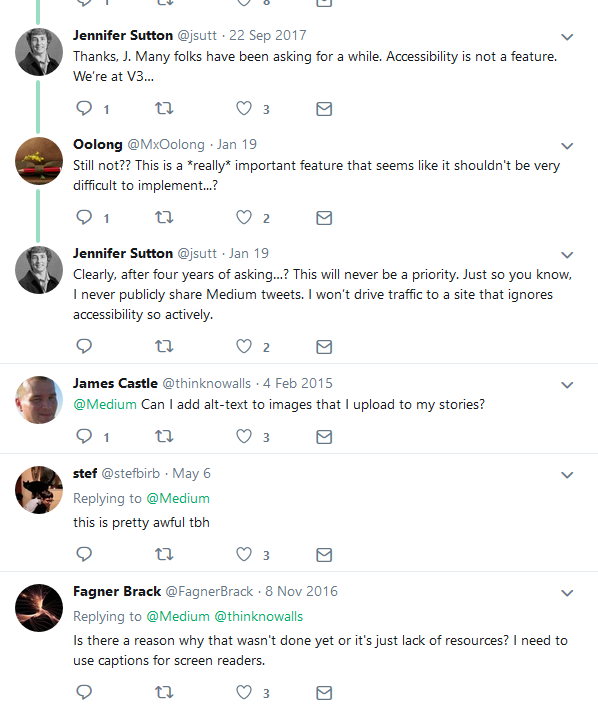
This has not been an option on Medium in the past:
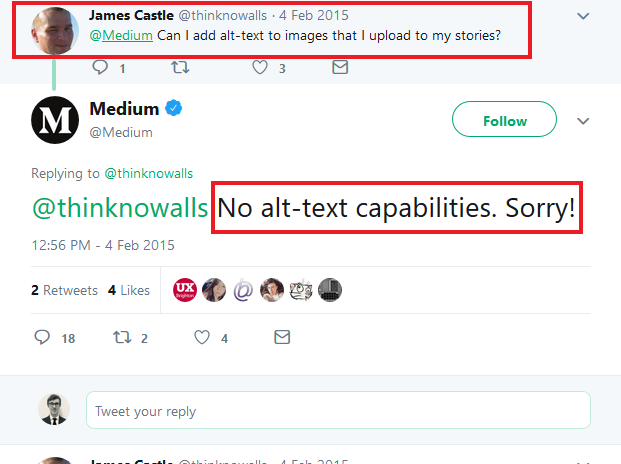
This has angered many, pointing out the relative ease adding alt-text functionality should be/the legal and moral dilemma of not making the content ADA compliant.
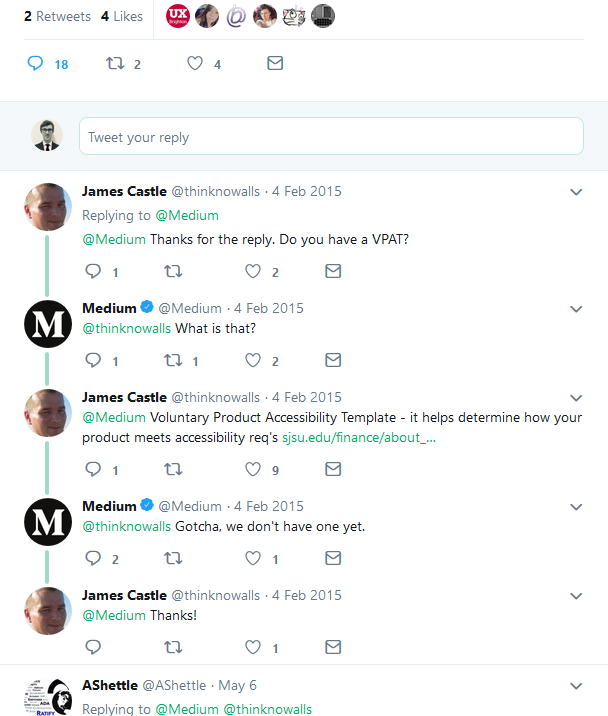
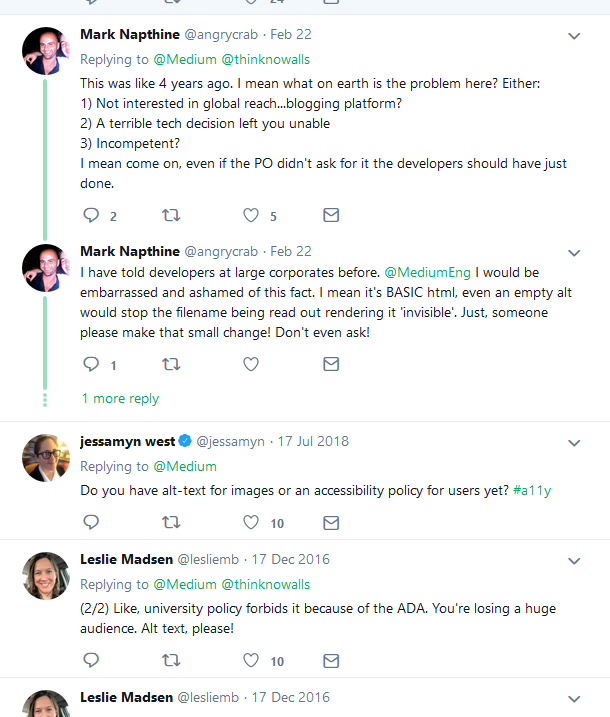
But it appears it is now a new feature.
How to Add Alt Text to Your Medium Article Images
- For an existing article, click the “edit story” tab in the upper right hand corner:

2. Click on the image you wish to add alt text to. Click on the new “Alt-text” button.

3. Write a brief description of this image for readers with visual impairments or to optimize SEO.

4. Click the “save” button and you are done.

Thanks for reading this article! Leave a comment below if you have any questions, and if you want to learn more about blogging, content marketing, or subscription newsletter strategy, be sure to sign up for the Blogging Guide Newsletter!
If you liked this article, here are some other articles you may enjoy:

Casey Botticello is an internet entrepreneur and the founder of Blogging Guide, an online community of writers with an award-winning newsletter. He is also the creator of the popular Medium Writing Course and the Substack Newsletter Course.
Casey previously worked at several tech startups, a lobbying & strategic communications firm, and has created several businesses of his own. He is a graduate of The University of Pennsylvania, where he received his B.A. in Urban Studies.
You can connect with him on LinkedIn, Twitter, Facebook, follow his Medium publications, Digital Marketing Lab and Medium Blogging Guide, or reach out to him directly on his personal website.


