avatarAddy Osmani

Free AI web copilot to create summaries, insights and extended knowledge, download it at here

1702

Abstract

800/1*fYNVx0qSzIeVsvwir4lvEQ.png"><figcaption></figcaption></figure><ul><li><b>Ensure tests measuring lab conditions collect the same (or similar) metrics from the real-world (RUM). Performance impact on metrics in the real-world can be highly variable due to differences in devices, networks and other conditions.</b></li><li><b>Measure optimizations had the intended effect (e.g A/B test). A “fix” may not be correct if it improves one metric at the cost of another.</b></li><li><b>Add regular proactive reporting on performance progress to highlight success (e.g emails, dashboards, alerts). This ensures performance is a regular part of the conversation and is conveyed in a way that can be digested by more people.</b></li></ul><p id="0d20">At <a href="https://developer.chrome.com/devsummit/">Chrome Dev Summit 2018</a>, we just released a number of tools to help web developers on their road to faster experiences:</p><ul><li>The <a href="https://webmasters.googleblog.com/2018/11/pagespeed-insights-now-powered-by.html">new PageSpeed Insights</a> powered by <a href="https://developers.google.com/web/tools/lighthouse/">Lighthouse</a> and the <a href="https://developers.google.com/web/tools/chrome-user-experience-report/">Chrome User Experience Report</a>, provide a convenient way to <b>measure</b> lab and field metrics for popular URLs.</li></ul><figure id="a472"><img src="https://cdn-images-1.readmedium.com/v2/resize:fit:800/1*dqEsOvhs2YqokMs9VeJLfg.png"><figcaption><a href="https://developers.google.com/speed/pagespeed/insights/">https://developers.google.com/speed/pagespeed/insights/</a></figcaption></figure><ul><li><a href="https://web.dev">web.dev</a> is a free new Lighthouse-po

Options

wered developer education platform. It enables <b>monitoring</b> your progress optimizing your site over time.</li></ul><figure id="f442"><img src="https://cdn-images-1.readmedium.com/v2/resize:fit:800/1*6cMsnJq0XMVfV6uE6GXgug.png"><figcaption></figcaption></figure><ul><li>web.dev includes codelab-driven guides to <b>optimize</b> <a href="https://web.dev/fast">JavaScript</a>, <a href="https://web.dev/fast">images</a> or set a <a href="https://web.dev/fast/performance-budgets-101">performance budget</a> for your experience.</li></ul><figure id="869b"><img src="https://cdn-images-1.readmedium.com/v2/resize:fit:800/1*xdgGfYfzfvUbfAh6Kjdluw.png"><figcaption><a href="https://web.dev">https://web.dev</a></figcaption></figure><ul><li><a href="https://github.com/ebidel/lighthouse-ci">lighthouse-ci</a> now supports setting a budget for the Lighthouse performance score (e.g. 80/100). Teams can <b>monitor </b>what causes regressions. web.dev includes a handy guide for getting started.</li></ul><figure id="bd24"><img src="https://cdn-images-1.readmedium.com/v2/resize:fit:800/1*[email protected]"><figcaption>There are of course a plethora of other great tools for helping you on your journey to measuring, optimizing and monitoring including <a href="https://speedcurve.com">SpeedCurve</a> and <a href="https://calibreapp.com">Calibre</a>.</figcaption></figure><p id="5391">Experiences have poor performance if they load slowly, have janky animations, freeze or consume a lot of memory. To avoid these performance problems, use the tools available to you to measure, optimize and monitor your performance. This is a good way to <b>get fast</b> and <b>stay fast</b>.</p></article></body>

Measure, Optimize & Monitor.

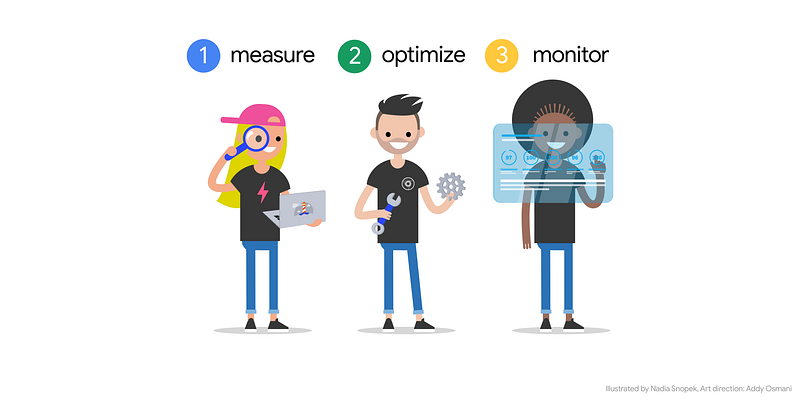
Performance is a constant process, not a one-time checklist. It requires continuous monitoring and work. A useful workflow when investing in performance is Measure, Optimize & Monitor.

A few tips:

  • Link performance to your business goals. Help stakeholders measure how performance impacts the core business metrics they care about. (e.g conversions, bounce rates, brand perception)
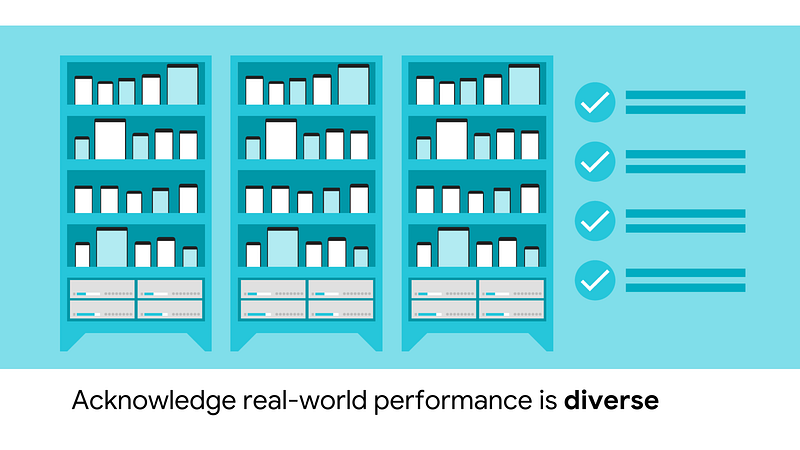
  • Real-world performance is diverse. Measure performance on mobile devices & network connections common to your actual users. Understand your bottlenecks and their impact on user-centric performance metrics.
  • When optimizing, load only what you need when you need it. Actively manage your payloads and keep start-up times short.
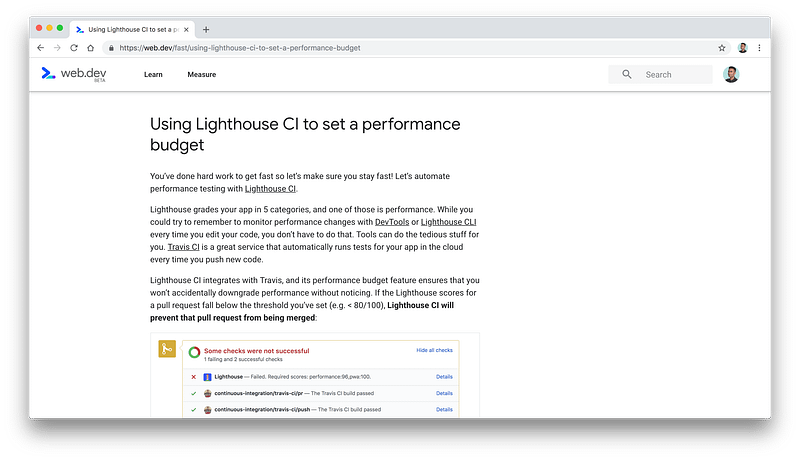
  • Add performance budgets to continuous integration. Enable engineers and PMs to visualize the “cost” of each new feature. Often businesses don’t understand what is “acceptable” performance or the user-impact to perf of introducing new features.

  • Ensure tests measuring lab conditions collect the same (or similar) metrics from the real-world (RUM). Performance impact on metrics in the real-world can be highly variable due to differences in devices, networks and other conditions.
  • Measure optimizations had the intended effect (e.g A/B test). A “fix” may not be correct if it improves one metric at the cost of another.
  • Add regular proactive reporting on performance progress to highlight success (e.g emails, dashboards, alerts). This ensures performance is a regular part of the conversation and is conveyed in a way that can be digested by more people.

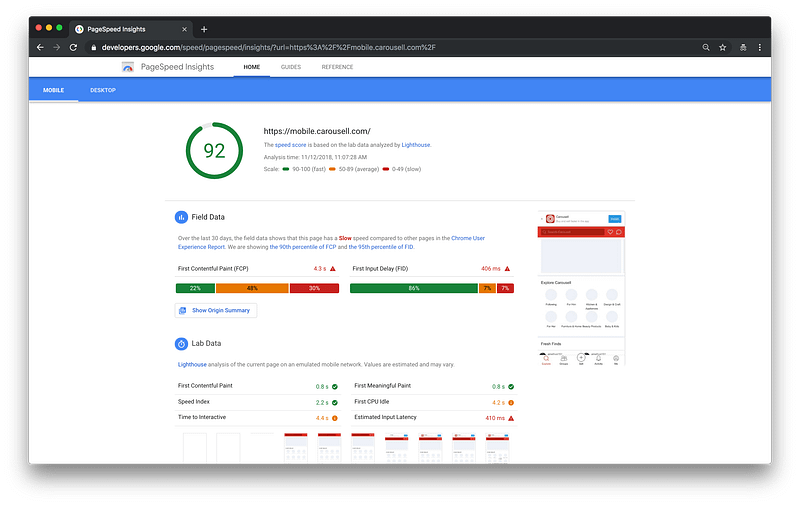
At Chrome Dev Summit 2018, we just released a number of tools to help web developers on their road to faster experiences:

https://developers.google.com/speed/pagespeed/insights/
  • web.dev is a free new Lighthouse-powered developer education platform. It enables monitoring your progress optimizing your site over time.
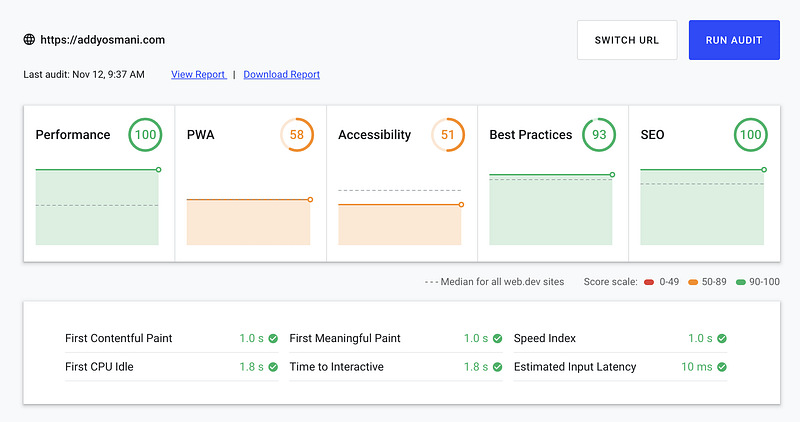
https://web.dev
  • lighthouse-ci now supports setting a budget for the Lighthouse performance score (e.g. 80/100). Teams can monitor what causes regressions. web.dev includes a handy guide for getting started.
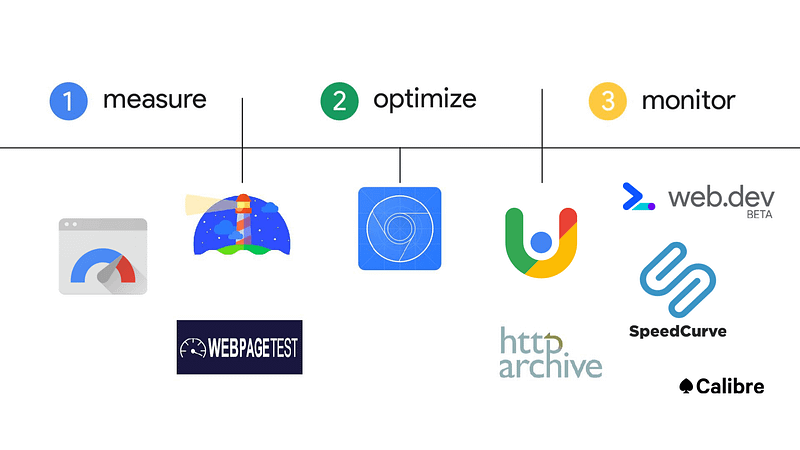
There are of course a plethora of other great tools for helping you on your journey to measuring, optimizing and monitoring including SpeedCurve and Calibre.

Experiences have poor performance if they load slowly, have janky animations, freeze or consume a lot of memory. To avoid these performance problems, use the tools available to you to measure, optimize and monitor your performance. This is a good way to get fast and stay fast.

Web Development
Front End Development
Devtools
Recommended from ReadMedium