
Mastering MapKit in SwiftUI & iOS 17 — Part 8

MapKit provides a mapControls modifier that can be used to display map controls such as map scale, compass, pitch toggle, etc. Let's incorporate map controls into the Map view of the "SF Top Attractions" app by adding the mapControls modifier.
struct MapExampleHome: View {
    let sfPlaces = SFPlace.topAttractions
    @State private var showMapView = false

    var body: some View {
        NavigationStack {
            Group {
                if showMapView {
                    mapView
                } else {
                    listView
                }
            }
            ...
        }
    }

    private var mapView: some View {
        Map() {
            ForEach(sfPlaces) { place in
                Annotation(place.title, coordinate: place.coordinates, anchor: .bottom) {
                    ZStack {
                        Circle()
                            .frame(width: 40, height: 40)
                            .foregroundStyle(place.color.gradient.opacity(0.4))

                        Image(place.image)
                            .resizable()
                            .frame(width: 35, height: 35)
                    }
                }
            }
        }
        .mapStyle(.standard(elevation: .realistic, showsTraffic: true))
        .mapControls {
            // <--- map controls here
        }
    }
    ...
We will add MapPitchToggle control first. The MapPitchToggle control sets the pitch of the associated map to a pleasing angle(3D) if flat, or returns the map to flat(2D) if pitched.
private var mapView: some View {
        Map() {
            ForEach(sfPlaces) { place in
                Annotation(place.title, coordinate: place.coordinates, anchor: .bottom) {
                    ZStack {
                        Circle()
                            .frame(width: 40, height: 40)
                            .foregroundStyle(place.color.gradient.opacity(0.4))

                        Image(place.image)
                            .resizable()
                            .frame(width: 35, height: 35)
                    }
                }
            }
        }
        .mapStyle(.standard(elevation: .realistic, showsTraffic: true))
        .mapControls {
            MapPitchToggle()
        }
    }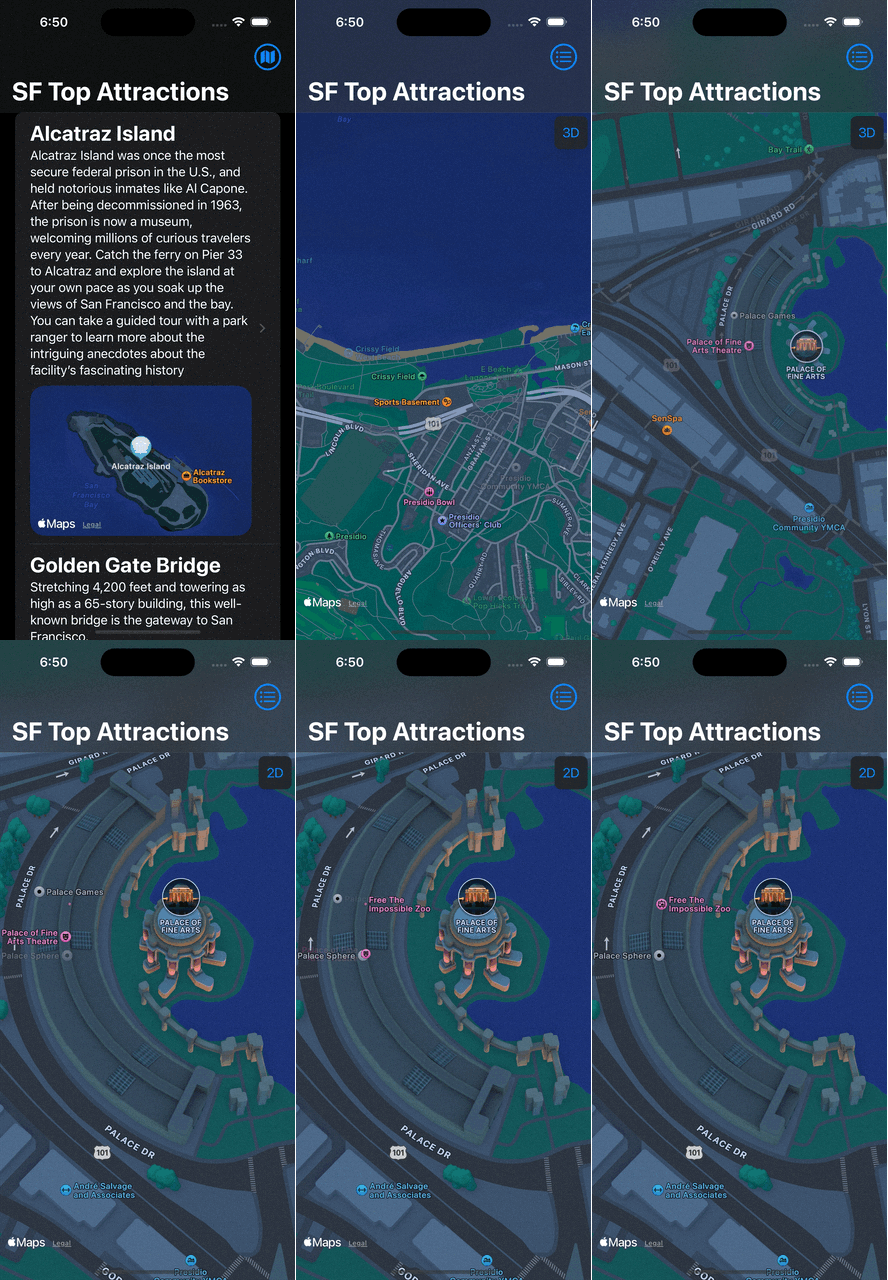
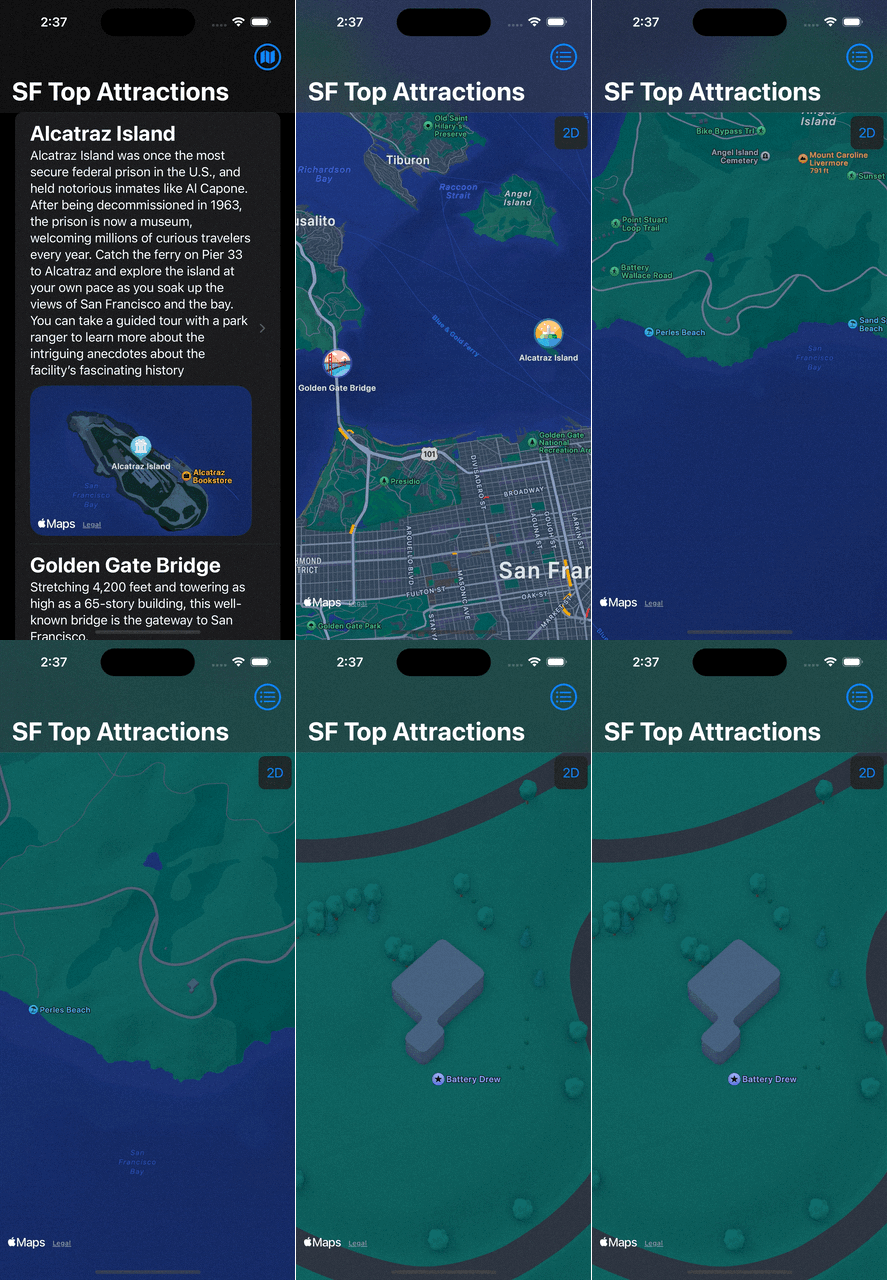
Note that the pitch control becomes visible only when the map is zoomed in enough to display the variation on the map. However, we can adjust the visibility settings for controls to make them always visible on the screen by using the mapControlVisibility modifier.
private var mapView: some View {
        Map() {
            ForEach(sfPlaces) { place in
                Annotation(place.title, coordinate: place.coordinates, anchor: .bottom) {
                    ZStack {
                        Circle()
                            .frame(width: 40, height: 40)
                            .foregroundStyle(place.color.gradient.opacity(0.4))

                        Image(place.image)
                            .resizable()
                            .frame(width: 35, height: 35)
                    }
                }
            }
        }
        .mapStyle(.standard(elevation: .realistic, showsTraffic: true))
        .mapControls {
            MapPitchToggle()
        }
        .mapControlVisibility(.visible)
    }
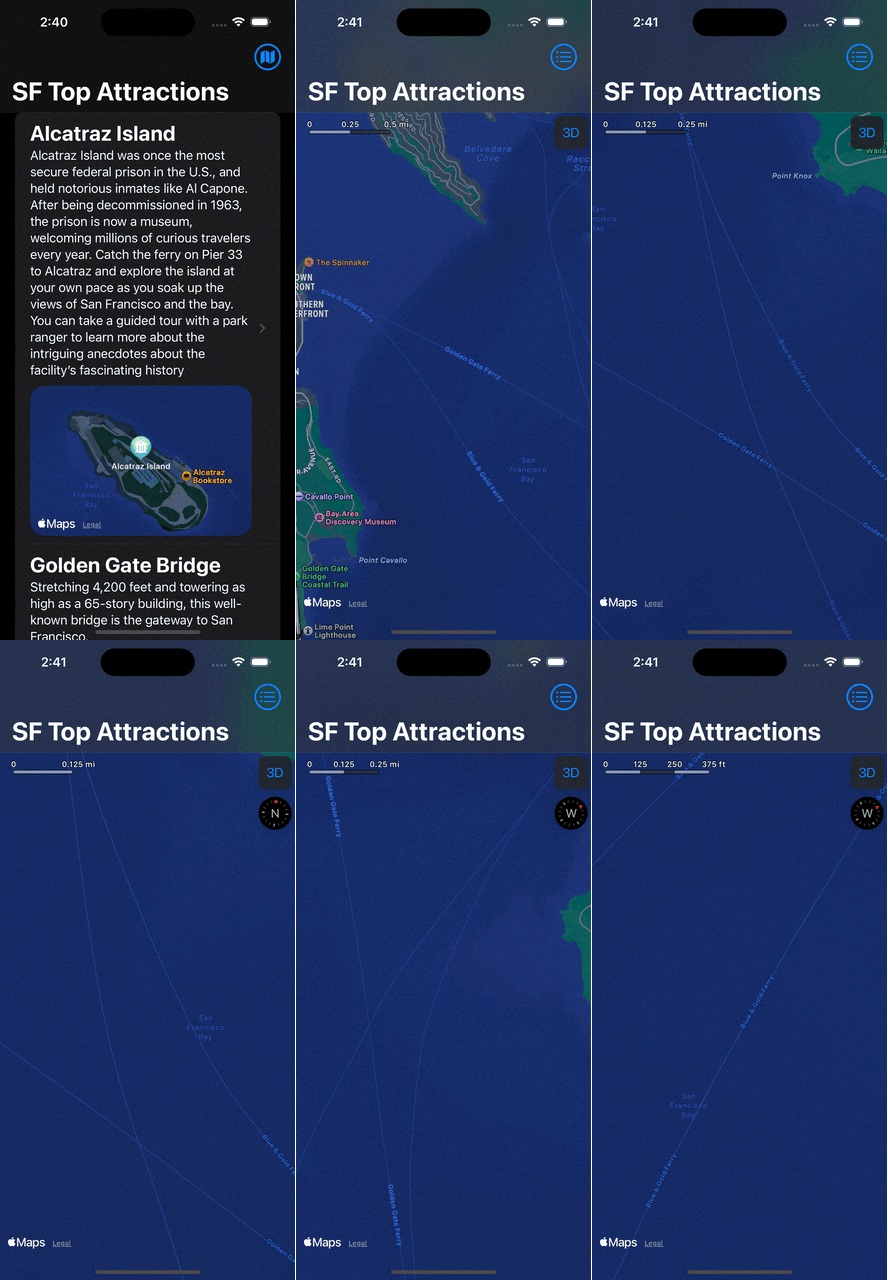
Let’s include additional map controls such as the compass and map scale view. Please be aware that the compass may not become visible until the map is rotated.
private var mapView: some View {
        Map() {
            ForEach(sfPlaces) { place in
                Annotation(place.title, coordinate: place.coordinates, anchor: .bottom) {
                    ZStack {
                        Circle()
                            .frame(width: 40, height: 40)
                            .foregroundStyle(place.color.gradient.opacity(0.4))

                        Image(place.image)
                            .resizable()
                            .frame(width: 35, height: 35)
                    }
                }
            }
        }
        .mapStyle(.standard(elevation: .realistic, showsTraffic: true))
        .mapControls {
            MapPitchToggle()
            MapCompass()
            MapScaleView()
        }
        .mapControlVisibility(.visible)
    }
With that we have reached the end of this article. Thank you once again for reading. If you liked this, don’t forget to 👏 and follow 😍. Also visit us at https://www.devtechie.com


