
Mastering ChatGPT+User Journey Map in Design Thinking: A Comprehensive Guide for the Digital Era
Boost your UX Design Process by Harnessing the Power of AI in User Journey Mapping
Design thinking is all about understanding your users, their needs, and how they interact with your products or services. One of the most powerful tools in the arsenal of a UX design thinker is the User Journey Map. This guide will break down the process of creating a user journey map, provide practical information and tips, and even show you how to integrate ChatGPT to enhance your design thinking activities.
Key Components of a User Journey Map
- Goal: Empathise with users/clients to understand their experiences when interacting with your organisation, products, or services.
- Group Size: 3–8 core design team members, and optionally, 1–2 stakeholders or senior managers.
- Duration: 30–120 minutes, which can be broken into shorter sessions if necessary.
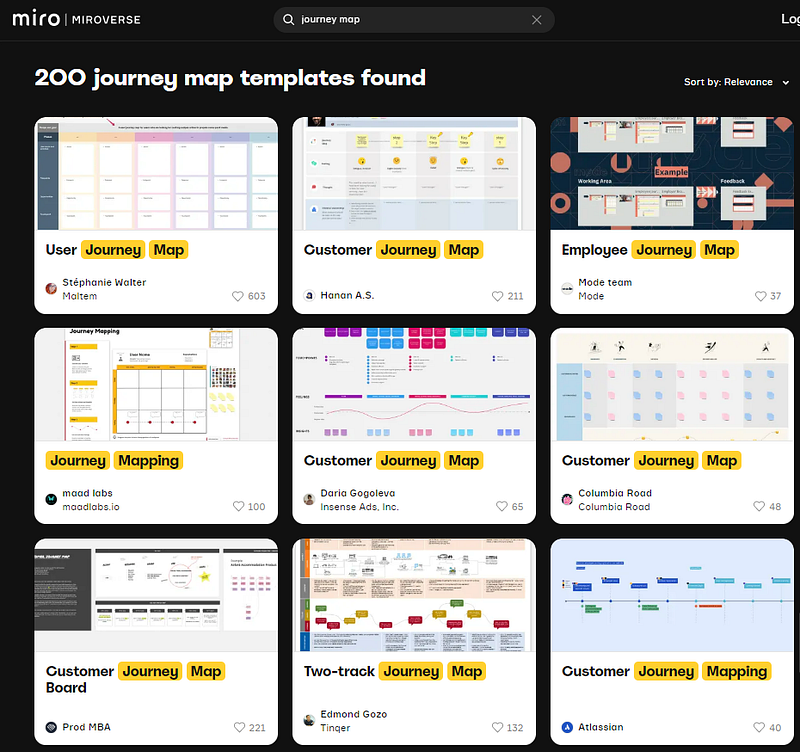
- Materials: User Story Mapping Template and Customer Journey Mapping Tool (both available on Miro).
Why Use a User Journey Map?
User journey maps can help your team:
- Establish a shared understanding of user experiences.
- Identify and address pain points.
- Gain insights into all user touch-points.
- Close gaps in customer interactions and create a unique experience.
- Design improved customer experiences.
- Continuously develop customer-oriented products and services.
A Step-by-Step Guide to Creating a User Journey Map
- Choose a persona: Select a persona to focus on and share their story with the team.
- Select a scenario or job: Determine what the persona does and the context, which could be an end-to-end experience or a portion of it.
- Define the journey: Map out the experience steps before, during, and after the interaction.
- Assign interactions: Use the template to organise journey stages and corresponding actions.
- Identify thoughts: Add what the persona thinks during each step.
- Pinpoint emotions: Capture the emotions felt by the persona, using icons or emoticons.
- Determine areas of improvement: Identify potential enhancements and assign responsibility for action or processes within the organisation.
How ChatGPT Can Enhance Your User Journey Mapping Activity
Leverage the power of ChatGPT to improve your design thinking activities. Here are a few examples of prompts and their intended outcomes:
- Prompt: “ChatGPT, help us brainstorm user pain points for [specific scenario].”
- Outcome: Generate a list of potential pain points to address in the user journey map.
- Prompt: “ChatGPT, suggest ways to improve user experience in [specific touchpoint].”
- Outcome: Receive suggestions for enhancing the user experience at a particular touch-point.
- Prompt: “ChatGPT, help us create a persona for a [specific target audience].”
- Outcome: Develop a well-rounded persona to use in the user journey mapping process.
Additional Tips and Tricks
- Approach the activity like an investigative journalist, asking questions to dig deeper into the user journey.
- Consider the context and user profile, as different users will have different experiences.
- Use the journey map to design future experiences, address failures, and identify opportunities to exceed user expectations.
- Test initial contacts of customer interactions as a first prototype.
- Improve the customer journey by removing negative emotions, offering solutions earlier, designing seamless interfaces between the physical and digital world, and optimising the sequence of interactions.
With this comprehensive guide, you’ll be well on your way to mastering the art of user journey mapping, empowering your UX design thinking efforts, and transforming your products and services for the better.
Leveraging User Journey Maps in Different Design Phases
User journey maps are versatile tools that can be employed in various stages of the design process:
- Understand Phase: Use journey maps to gain insights into user behaviour, needs, and expectations, setting the foundation for problem-solving and ideation.
- Observe Phase: Analyse real-life user interactions to identify patterns, preferences, and pain points that can inform your design strategy.
- Prototype Phase: Iterate on your designs using user journey maps to pinpoint areas of improvement and create better user experiences.
Creating a Service Blueprint from Your User Journey Map
A service blueprint is a visual representation of the components, interactions, and touch-points involved in delivering a service. By building on your user journey map, you can create a service blueprint that identifies the relationships between user actions, front-end interactions, back-end processes, and support systems.
Remember
User journey maps are powerful tools that enable UX design thinkers to empathise with their users, understand their experiences, and design better products and services. By following this step-by-step guide and incorporating the power of ChatGPT, your design thinking activities will be elevated to new heights. Remember to iterate, test, and learn from your user journey maps to continuously improve and deliver exceptional user experiences.


