
Making a Telegram Bot to Download MP3 from Youtube
Step by step creating telegram bot
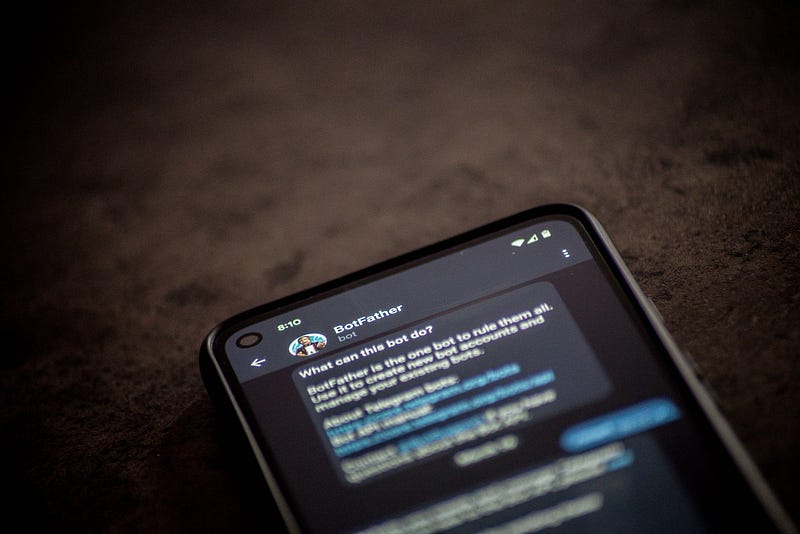
Here are the outlines of steps to make a telegram bot for downloading MP3s from YouTube videos.
- Make a new bot from BotFather on Telegram
- Set up Python Environment
- Install Required Libraries
- Code the Telegram Bot
- Run Bot
These are the details of each step.
1. Make a new bot from BotFather on Telegram
First, you have to go to Telegram and search @BotFather. Then make a new bot with the command “/newbot”. Then follow the steps in the picture below.
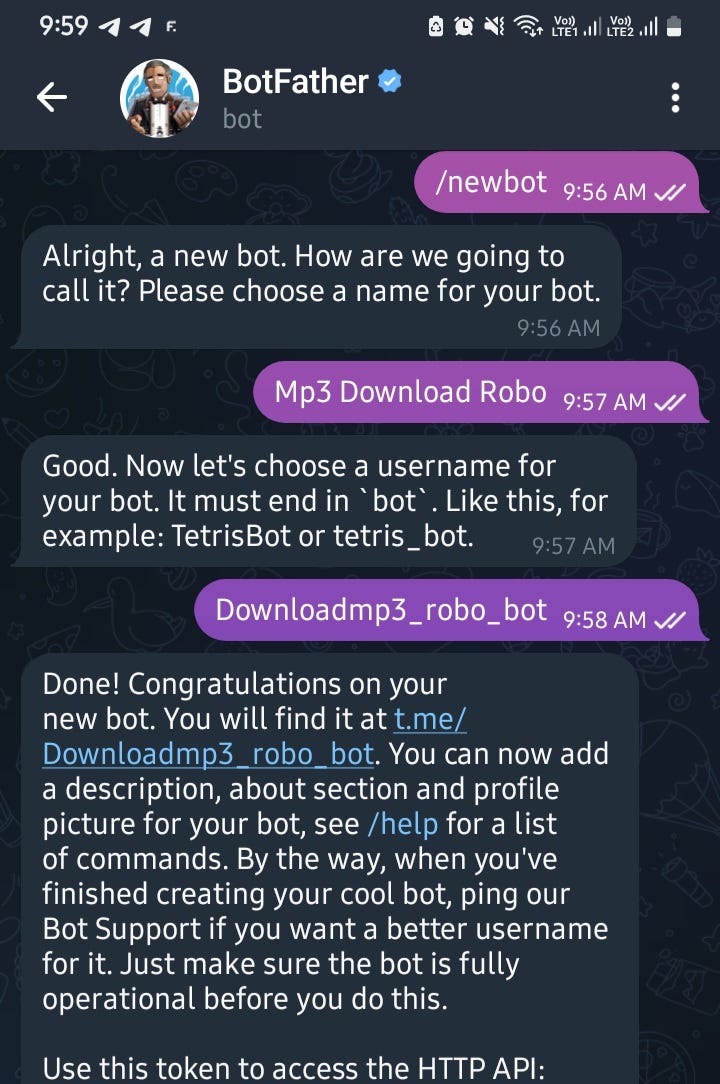
Next, our bot name was registered into @FatherBot. We have HTTP API to insert our program. Here, we are inserting our program through Python. But, We have to make a new Python environment.
2. Set up Python Environment
To set up a Python environment you can follow this article.
3. Install Requirement Library
The libraries that we need are:
- Python-telegram-bot version 13.7: This module is for integrating Python and Telegram bot.
- Pytube: This module is for downloading YouTube Videos.
- Pydub: This module is for playing, splitting, merging, and editing our WAV audio file format.
here is the code for installing those libraries:
pip install python-telegram-bot==13.7
pip install pydub
pip install pytube
4. Code for telegram bot YouTube downloader to mp3
Here is the script to make a bot downloader mp3 from YouTube. follow this code:
import os
import logging
from telegram import Update
from telegram.ext import Updater, CommandHandler, MessageHandler, Filters, CallbackContext
from pytube import YouTube
from moviepy.editor import VideoFileClip

# Set up logging
logging.basicConfig(format='%(asctime)s - %(name)s - %(levelname)s - %(message)s', level=logging.INFO)

# Your Telegram Bot Token
TOKEN=''

# Function to handle the /start command
def start(update: Update, context: CallbackContext):
    update.message.reply_text("Welcome to the YouTube to MP3 downloader bot! Send me a YouTube link, and I'll convert it to MP3 for you.")

# Function to handle YouTube links and convert to MP3
def convert_to_mp3(update: Update, context: CallbackContext):
    url = update.message.text
    try:
        yt = YouTube(url)
        stream = yt.streams.filter(only_audio=True).first()

        # Download the video as MP4
        mp4_file = stream.download(output_path='downloads')

        # Convert MP4 to MP3 using moviepy
        video = VideoFileClip(mp4_file)
        audio = video.audio
        mp3_file = 'downloads/output.mp3'
        audio.write_audiofile(mp3_file)

        # Send the MP3 file to the user
        context.bot.send_audio(update.message.chat_id, audio=open(mp3_file, 'rb'))

        # Remove the downloaded files
        os.remove(mp4_file)
        os.remove(mp3_file)
    except Exception as e:
        update.message.reply_text(f"An error occurred: {str(e)}")

def main():
    updater = Updater(token=TOKEN, use_context=True)
    dispatcher = updater.dispatcher

    # Command handlers
    dispatcher.add_handler(CommandHandler("start", start))

    # Message handler for YouTube links
    dispatcher.add_handler(MessageHandler(Filters.regex(r'^(https?\:\/\/)?(www\.youtube\.com|youtu\.?be)\/.+$'), convert_to_mp3))

    updater.start_polling()
    updater.idle()

if __name__ == '__main__':
    main()
5. Run Python code and start your telegram bot
If you have done follow that script. Next, you can run your Python script. Then open the telegram bot. Then the result will be like this:
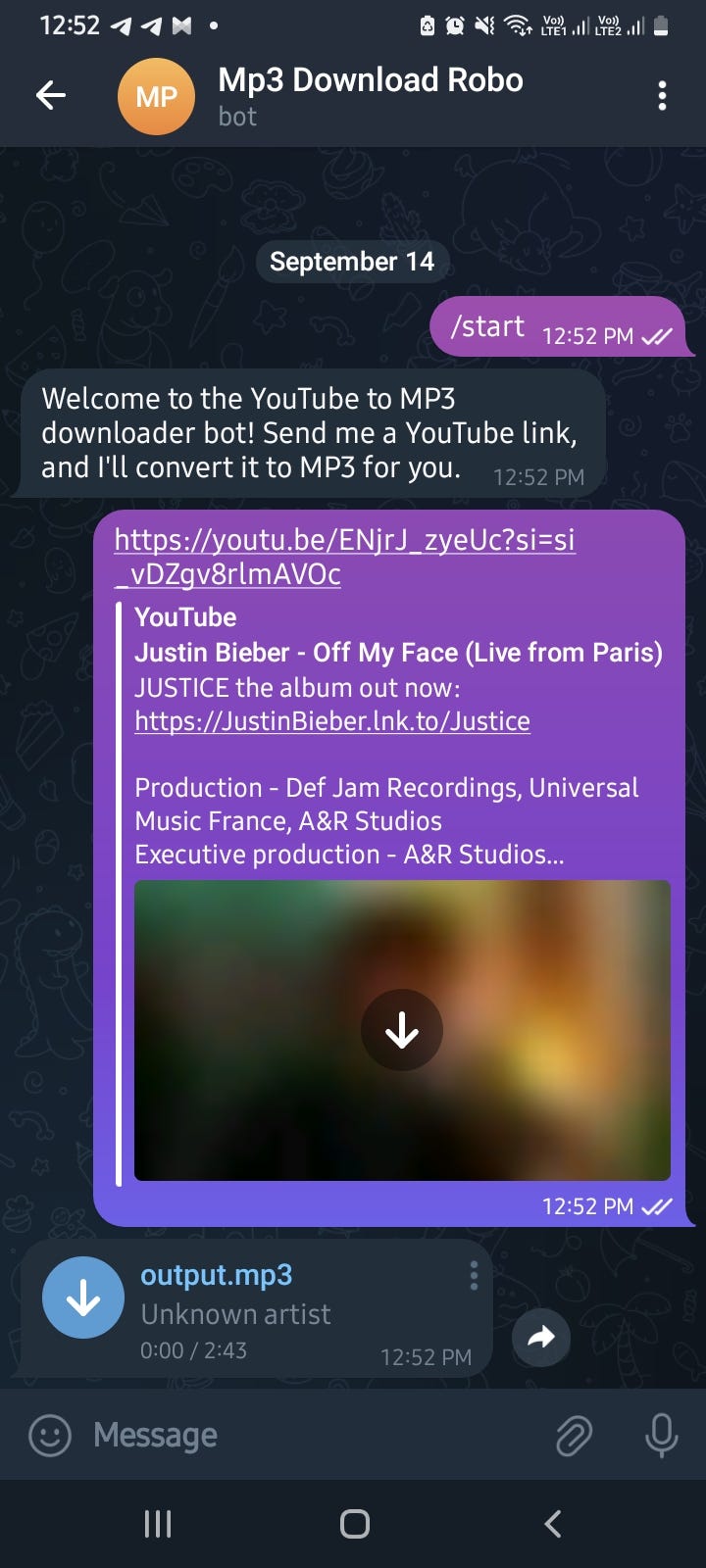
Now, You can download YouTube videos into MP3 only.
Thanks. Let me know if you have a problem…