
Make a mock “real-time” data stream with Python and Kafka
A Dockerized tutorial with everything you need to turn a .csv file of timestamped data into a Kafka stream
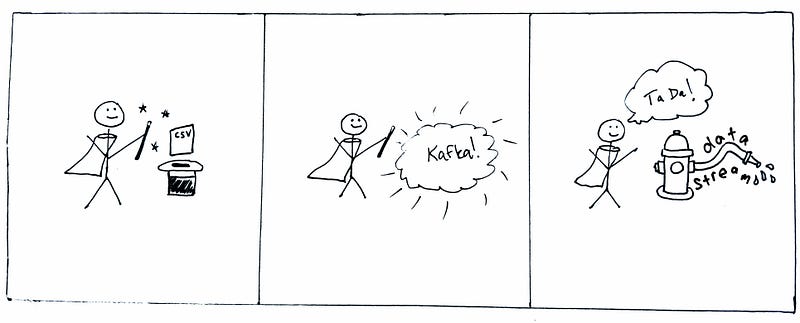
With more and more data science work moving towards real-time pipelines, data scientists are in need of learning to write streaming analytics. While some great, user-friendly, streaming data pipeline tools exist (my obvious favorite being Apache Kafka.) It’s hard to develop the code for a streaming analytic without having a friendly dev environment that actually produces a data stream you can test your analytics on.
A simple recipe for a real-time data stream
This post will walk through deploying a simple Python-based Kafka producer that reads from a .csv file of timestamped data, turns the data into a real-time (or, really, “back-in-time”) Kafka stream, and allows you to write your own consumer for applying functions/transformations/machine learning models/whatever you want to the data stream.
Ingredients
All materials are available in my GitHub time-series-kafka-demo repo. To follow along, clone the repo to your local environment. You can run the example with only Docker and Docker Compose on your system.
The repo has a few different components:
- A Dockerfile that can be used to build a Docker image for this tutorial (optionally, if you don’t want to install the requirements locally)
- A Docker Compose file to run Kafka and Zookeeper (Kafka’s friend)
- An example csv data file showing the format for input timestamped data
- The Python script for producing the data file
- The Python script that reads the data and produces the messages to Kafka
- An example Kafka consumer in Python that prints the data to screen
Directions
Clone the repo and cd into directory.
git clone https://github.com/mtpatter/time-series-kafka-demo.git
cd time-series-kafka-demo
Start the Kafka broker and Zookeeper
The Compose file pulls Docker images for Kafka and Zookeeper version 6.2.0 from Confluent’s Docker Hub repository. (Gotta pin your versions!)
docker compose upThis starts both Kafka and Zookeeper on the same Docker network for talking to each other. The Kafka broker will be accessible on port 9092 locally, since the Compose file binds the local port to the internal image port.
Build a Docker image (optionally, for the producer and consumer)
If you’re not wanting to install the Python modules in the requirements.txt file, you can use a Docker image for the producer and consumer scripts.
From the main root directory:
docker build -t "kafkacsv" .This command should now work:
docker run -it --rm kafkacsv python bin/sendStream.py -hStart a consumer
We’ll start a consumer first for printing all messages in mock “real time” from the stream “my-stream”. The reason why we’re starting the consumer before the producer is that the producer will reproduce all the “pauses” in time between each of the timestamped data points. If you start the consumer after the producer, the consumer will process all the messages that are already in the queue immediately. But go ahead and do that if you like. ¯\_(ツ)_/¯
python bin/processStream.py my-streamor with Docker:
docker run -it --rm \
      -v $PWD:/home \
      --network=host \
      kafkacsv python bin/processStream.py my-stream
The relevant code for the main function of the consumer is below. Note that I catch the unknown topic error message and let the consumer create the new topic. Note also that the keyboard interrupt will help you shut down the consumer for this example.
Produce the time series to a data stream
If you check out the data file, it’s got two columns: a timestamp and a (randomly produced) value for data.
timestamp,value
2021-01-01 00:00:00,51
2021-01-01 00:00:04,60
2021-01-01 00:00:06,82
2021-01-01 00:00:07,86
2021-01-01 00:00:11,99
2021-01-01 00:00:12,23
2021-01-01 00:00:21,63
2021-01-01 00:00:23,20
2021-01-01 00:00:24,32
Now (in another terminal shell window) we’ll send the time series from data/data.csv to topic “my-stream.” By default, the second message will be sent 4 seconds after the first, the third message will sent 2 seconds later, and so on. It’s like we’re going back in time! (Cue Huey Lewis and the News.)
python bin/sendStream.py data/data.csv my-streamor with Docker:
docker run -it --rm \
      -v $PWD:/home \
      --network=host \
      kafkacsv python bin/sendStream.py data/data.csv my-stream
You could also speed up the stream because why not. Here’s the command for a factor of 10 increase in speed:
python bin/sendStream.py data/data.csv my-stream --speed 10The relevant code from the main function that shows the conversion of the time series data to json is below. We do this because it will preserve the types, and, in this case, the floats in the data values will stay floats.
If you watch the output of the consumer, it will look something like this:
python bin/processStream.py my-stream
2021-08-27 15:54:44 {'2021-01-01 00:00:00': 51.0}
2021-08-27 15:54:48 {'2021-01-01 00:00:04': 60.0}
2021-08-27 15:54:50 {'2021-01-01 00:00:06': 82.0}
2021-08-27 15:54:51 {'2021-01-01 00:00:07': 86.0}
2021-08-27 15:54:55 {'2021-01-01 00:00:11': 99.0}
2021-08-27 15:54:56 {'2021-01-01 00:00:12': 23.0}
2021-08-27 15:55:05 {'2021-01-01 00:00:21': 63.0}
2021-08-27 15:55:07 {'2021-01-01 00:00:23': 20.0}
2021-08-27 15:55:08 {'2021-01-01 00:00:24': 32.0}
Check it out! This output is the result of the msg_process() function, which just prints the current time and the json data with key of timestamp and value of the numeric value. Note that the messages were received with those pauses preserved. Here’s what the msg_process() function looks like:
The actual data input (the json with key of timestamp and value of value, probably should have named that differently) is accessible in each Kafka message by calling .value().
The consumer I’ve provided here is obviously very simple since all it’s doing is printing to the screen, but you can easily swap out the msg_process() function for whatever you want to apply to each data point. I recommend using json (or Apache Avro, if you want to get fancy with schemas, etc.) for message values since, like I said, it will preserve types.
Shut down and clean up
Stop the consumer / producer with Return and Ctrl+C.
Shut down the Kafka broker system:
docker compose downAnd that’s it! Hopefully, that’s all you need to get started with writing your own streaming data analytics in Python.


