
macOS 13 Ventura Includes Lockdown Mode — And You Probably Shouldn’t Use It
It might actually ruin the Mac experience
With iOS 16, Apple introduced a new security feature known as Lockdown Mode. Now it’s available for the Mac in macOS Ventura. But it’s a feature that the vast majority of Mac users don’t need — and most likely shouldn’t use.
What is Lockdown Mode?
Lockdown Mode is an overkill, super-secure mode that can be turned on for those who are more likely to be the target of extreme digital threats. It makes a computer more secure by disabling key features and services, thereby reducing its attack surface.
If you think of your computer like a house with lots of doors, Lockdown Mode works by making sure only the doors that absolutely have to be unlocked are unlocked and blocks off all the rest.
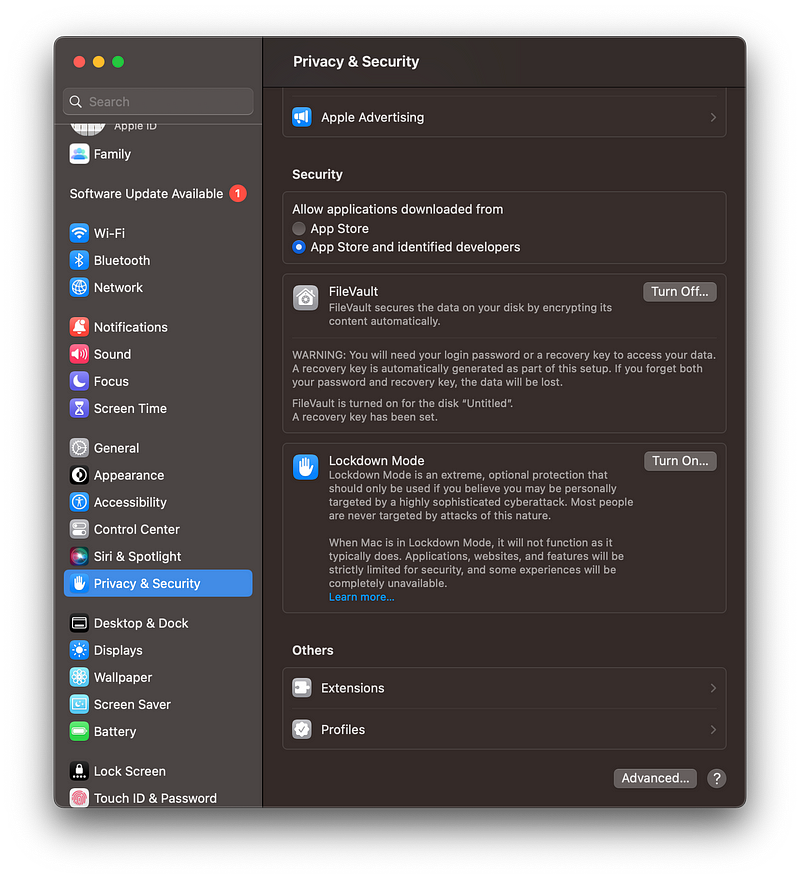
The plus side is that this does technically make a system more secure, but it also changes how your device works.
On both macOS and iOS/iPad OS, Lockdown Mode affects how lots of system services and apps behave.
For example, in Messages, most types of message attachments will no longer work. Other features, like links and link previews don’t work. If you receive a lot of message spam, this might actually be a good thing as some message links and attachments can be malicious. But not all are, and personally I would miss that functionality.
Certain websites will no longer load correctly because the web technologies upon which they depend are disabled.
USB devices will no longer work before the Mac is unlocked. (And this is, actually, is a great security feature for those who use their machines in environments where other people could conceivably get physical access to the machine.)
Mobile Device Management or configuration profiles cannot be installed while in Lockdown Mode.
How to enable Lockdown Mode in Ventura
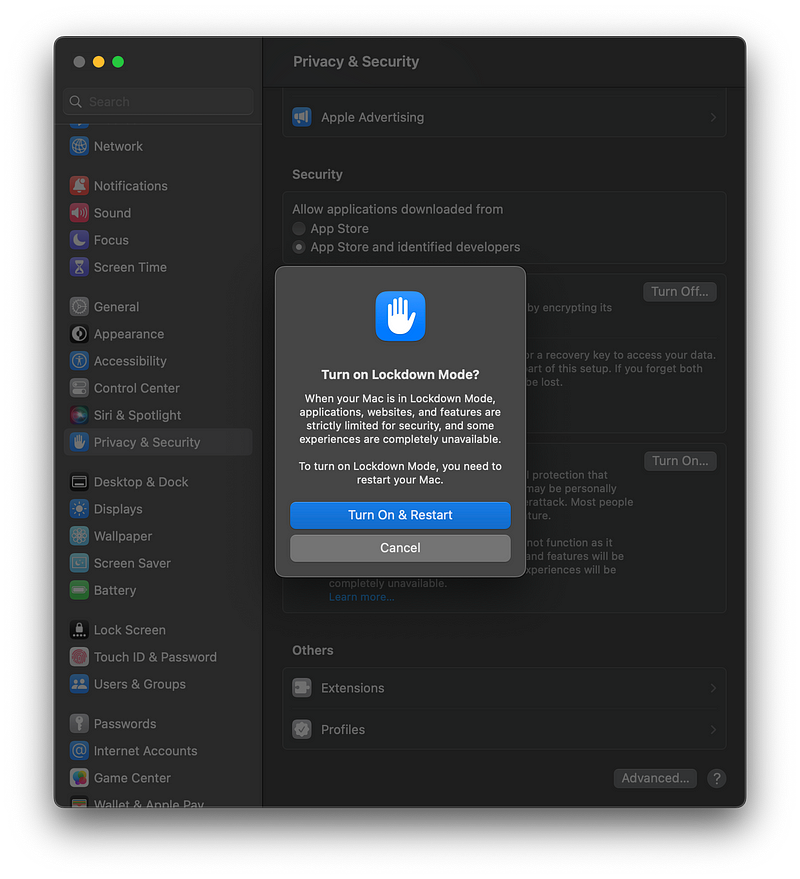
To enable this extreme security setting in macOS Ventura, head over to System Settings (formerly System Preferences), click on Privacy & Security, and click “Turn On…” in the section that for Lockdown Mode. In the window that appears, click “Turn On & Restart.”
Who is Lockdown Mode for?
Apple describes Lockdown Mode as an option for those who, because of what they do or who they are, are more likely to be the target of sophisticate digital threats.
Thankfully, that’s not likely to be you or me.
As Apple says in its own documentation, “most people are never targeted by attacks of this nature.”
That’s good.
In other words, Lockdown Mode really isn’t designed with people like you and me in mind.
Why you shouldn’t use it
Lockdown Mode is a great security option for those who actually need it, but you, dear reader, probably don’t. Going back to the house example, it makes sense to make sure to lock all the doors to your house that you don’t need to be actively using.
But does it make sense to seal off all the doors to your house, leaving only a window open as the only way in and out? Probably not.
As an IT guy, I’m big on security. I don’t even like to install apps on my phone that I don’t trust. But Lockdown Mode is overkill for 99.99% of users.
Lockdown Mode does, indisputably, make your system more secure. But at what cost? Are you willing to cripple the Mac experience in the interest of some added security? Are you willing to deal with limitations in Messages, web browsing, FaceTime, shared albums, configuration profiles and invitations to some Apple services?
For the vast majority of people, I would imagine that answer is no.
For most of us, using Lockdown Mode would be like buying a fancy new car and permanently sealing the windows and disabling the radio. Could you still drive the car? Sure. But you’d have lost some important functionality.
Lockdown Mode is more secure, but probably not worth the hassle.
If you’re someone who is always super security conscious, you could certainly give Lockdown Mode a try. But it works by turning off features that many of us have come to know and appreciate.
But if you don’t really care about any of the features that Lockdown Mode disables and don’t mind possibly not being able to use some of your favorite websites and services without manually excluding them, then maybe it would be worth it to experiment with Lockdown Mode.
Personally, I don’t think the added security is worth the hassle since this mode isn’t really meant for people like me (or, most likely you) in the first place.


