
Love Is Blind but Let the Blind See Your Facebook Photos
How Facebook alt text will help the visually impaired be more connected during the COVID-19 pandemic

Facebook wants to know, What’s on your mind?
I’m back on Facebook after being away from the social media platform for more than three years. It is all because of the pandemic. It was my way of reconnecting with family and friends, acquaintances, and with all consequential strangers in my life.
I post a lot of updates. I post messages of hope, memes, jokes, and share a lot of photos.
With the pandemic, our new normal consists more of connecting online. Most of us are at home, aside from doing work, we have more time to be on social media. It is a coping mechanism, personally, it helped ease my anxiety.
Today, while I was reading a post on a social media group I belong to on Facebook. It mentioned a long-forgotten feature on Facebook, the use of alt text.
What is alt text?
Also called “alt tags” and “alt descriptions,” alt text is the written copy that appears in place of an image on a webpage if the image fails to load on a user’s screen. This text helps screen-reading tools describe images to visually impaired readers creating a better user experience for your visitors, no matter how they first found you.
On Medium it is a feature added in 2019, and everyone is encouraged to use it and even edit old photos on previously published articles — Read it here Medium Blogging Guide by Casey Botticello.
Who has been affected the most by the pandemic?
We are all affected by the pandemic, but there are vulnerable sectors we should be looking after. I can only imagine how the 40 million blind and the 285 million visually impaired around the globe are coping during these uncertain times. The new normal of social distancing can be life-altering to most of the blind who rely on touch, as a way to be connected. All of us can feel isolated and that is why it is important to reach out, even on social media.

There are many things that can be done in order to make social media more accessible for people with a visual impairment, including adding image descriptions, capitalising each letter in a new word within a hashtag and describing memes/gifs, all of these make using social media that bit more accessible and easier to use. — @lifeofablindgirl
Making Facebook accessible to as many people as possible
Social media platforms have long introduced the use of alt text, and it has never been more important as it is today. Facebook has in fact making the platform more user friendly to the visually impaired, one of the new features you can find on Facebook is the scaleable font size for ease of readability.
While it has been a feature since 2016, the automated alt text which uses object recognition technology or artificial intelligence to add a description to photos, it is far from perfect but in the last four years, it is how Facebook is helping blind people ‘see’ photos on their newsfeed.
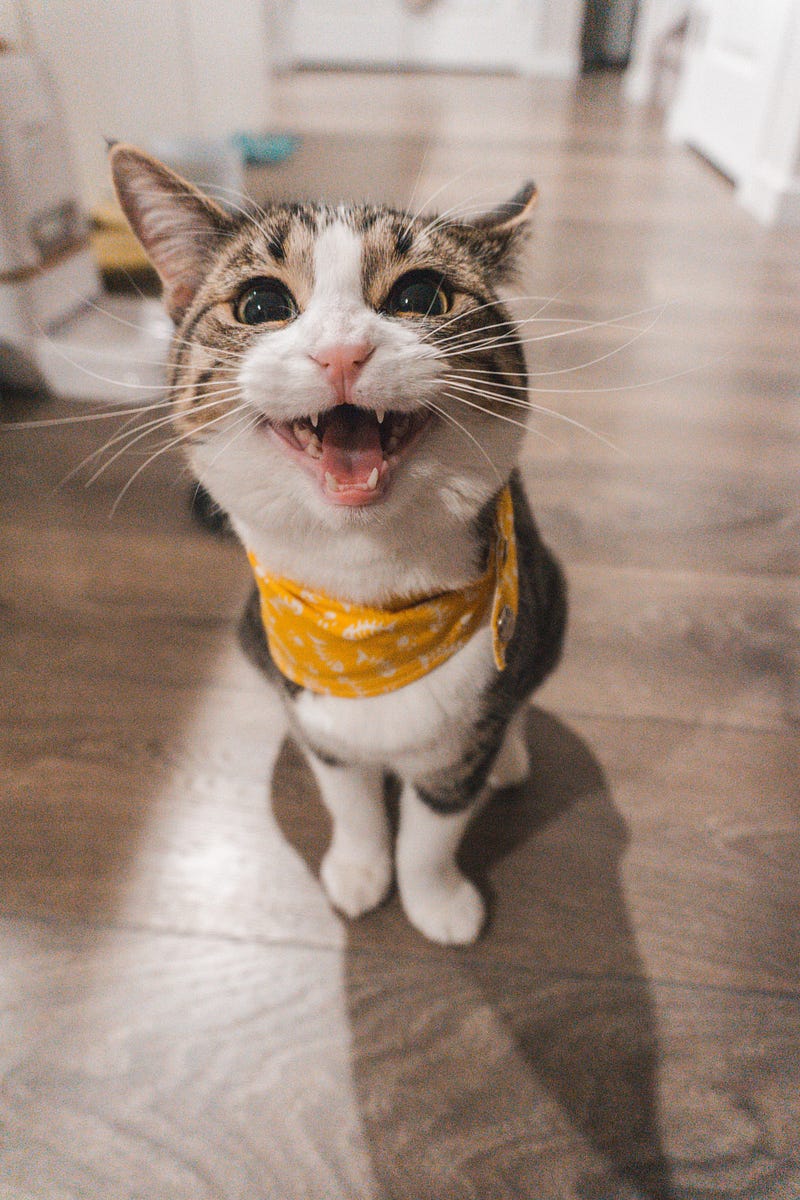
Today, you can edit the automated alt text and make it your own, in 100 characters or less, you can add a more relevant description to a photo and that can make it a more meaningful experience for the visually impaired. Imagine instead of ‘seeing’ a cat photo, the visually impaired person can ‘see’ a very happy cat photo. You are not only sharing a photo but sharing the experience of joy in seeing a happy cat with someone who is visually impaired.
How do I edit the alternative text for a photo on Facebook?
Automatic alt text uses object recognition technology to provide a visual description of a photo for the blind and vision-loss community. You can replace this text to provide a better description of a photo. Keep in mind that this description will only be read if someone is using a screen reader to access Facebook.
To see and edit alt text for a photo before you post it:
- Click Photo/Video at the top of your News Feed.
- Select the photo you want to add.
- Hover over the photo and click Edit.
- The automatically generated text will be shown on the left side of your photo. Click Override generated alt text to edit it.
- Write your alt text in the box. To change back to the automatically generated text, click Clear.
- To save your alt text, click Save in the bottom left.
To change the alt text of a photo after you’ve posted it:
- Click the photo to open it.
- Click *** in the top right and select Change Alt Text.
- Click Override generated alt text or change the alt text in the text box. You can also click Clear to change your edited alt text back to the automatically generated text.
- Click Save.
The world we live in today shares a common experience that is unique to all of us. The pandemic has made the world smaller, no one is spared. The coronavirus has spread fear and we can counter the fear by staying connected. While we have seen sadness because of the deaths, we have also seen kindness in real life. The sacrifices by our health frontliners, the kindness of strangers, all stories shared on social media, are messages of hope.
By editing the photos you share on Facebook, the simple gesture of taking time to edit the alt text can be a simple way to show kindness to the visually impaired. We are all connected, as they say, love is blind but the blind need to ‘see’ the way we see photos on social media.


