
Logseq vs Roam Research vs Obsidian: which one should you choose?
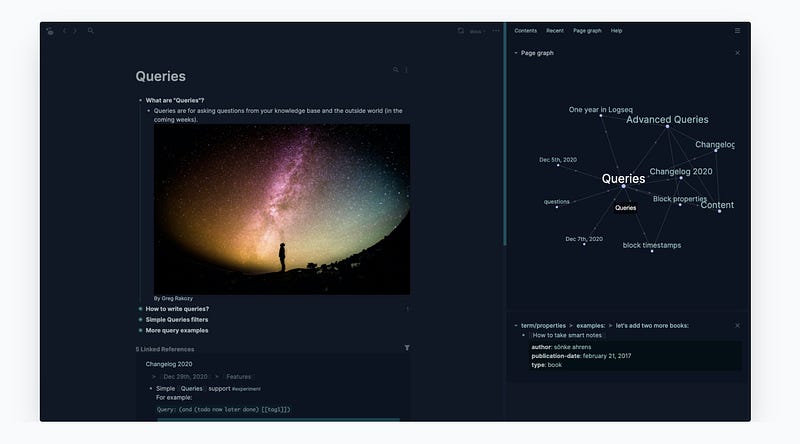
If you are already using a PKM app like Roam Research or Obsidian and thinking of switching to Logseq, this article is for you. Here are the main points that can help you make your decision.
Logseq vs Roam Research
Recommending Logseq over Roam Research is easy if you are someone who is searching for a free alternative to Roam Research. You get almost feature-parity between both services and are not missing out on anything essential. But if the price is not a factor, and you just want to select the best note-taking app between the two, here are some reasons why you should select Logseq over Roam Research.
- Open file system: Logseq saves all your notes in simple text file format, which can be read by any text reader. So, even if the app ceases to exist, you will be able to import your notes into another note-taking app like Obsidian with ease.
- Better offline support: While Roam Research lets you save your notes offline, Logseq takes an offline-first approach and has a better experience.
- Mobile apps: Logseq offers native apps for both iOS and Android platforms. On the other hand, Roam Research mobile app (only on iOS) is more of a web-wrapper app and slow to load.
- Plugin support: Roam Research doesn’t have a plugin library. While you can extend its functionality using extensions, it’s not as intuitive and easy to use as the plugin library on Logseq.
- Graph view: While this might be construed as an opinion, I find the Logseq graph view much better and more useful than Roam Research. Moreover, there are no filters on Roam graph view, so you cannot filter and view a subset of the graph view. What’s even more surprising is that Roam’s per-page graph view is static and doesn’t update as you navigate through your notes.
Logseq vs Obsidian
The story between Logseq and Obsidian is more complex. Both these apps are free, come with an offline-first approach, are focused on privacy, and save your files in open text format. So, the decision of choosing between the two is not as straightforward. That being said, Logseq offers several features that can tip the scale in its favor for you.
- Outliner view: Logseq gives you an outliner view for taking notes. While you can hide the bullets while writing long-form content, it’s still an outliner app at its heart. If you love this approach, Logseq is for you. – However, if you don’t like outline view and want a normal note-taking experience, Obsidian is a better option. It’s also more suited to wring long-form content, in my opinion.
- Refined user interface: Logseq offers a refined user interface that is easy to understand and pleasing to the eyes. On the other hand, Obsidian looks like a jumble of various UI elements which are hard to figure out and look daunting. Logseq wins this round for me, hands down. – The only reason to choose Obsidian’s user interface over Logseq’s is that the former is far more customizable.
- Backlinks and unliked mentions: Logseq shows you backlinks and unlinked mentions at the bottom of each page, which feels more natural than Obsidian’s sidebar implementation. Furthermore, backlinks are far easier to miss in Obsidian if you don’t keep the sidebar open all the time.
- Block Reference and block embeds: Adding block reference and block embeds in Logseq is simple. You use double-open parentheses (( and type to search the block you want to link. In Obsidian, you have to first add the link to the note and then use # to embed headers and ^ to embed blocks. – Obsidian also makes it hard to see the origin of block references, as they are only visible in the sidebar. In Logseq, every reference block has a number next to it which shows that it has been referenced before, and you can click on the number to see the referenced page.
Obsidian has many things going for it as well. Here are some reasons to choose it over Logseq.
- Better graph view: While Logseq offers a good enough graph view, it stands nowhere near to the graph view on Obsidian. Obsidian’s graph view looks better, gives you more filtering options, and is overall more useful.
- Larger plugin directory: Obsidian has a far larger plugin directory that helps with the expandability of the app.
- Publishing: If you want to publish your notes online to share your knowledge graph, Obsidian is the better choice for you as it comes with Obsidian publish option that lets you publish your notes with one click.
To learn more about Logseq and its features, check out our Logseq review.


