avatarkrishankant singhal

Free AI web copilot to create summaries, insights and extended knowledge, download it at here

1480

Abstract

ption>Local Storage</figcaption></figure><p id="f9b9">So we see , we have key value storage, where we have key and value as an serialized object.</p><p id="1777">We can try localstorage api from console</p><figure id="03f0"><img src="https://cdn-images-1.readmedium.com/v2/resize:fit:800/1*BvoYTQ2CRKp7QVY8XaE2hg.png"><figcaption></figcaption></figure><p id="7770">and it will create a key value pair in localstorage store.</p><figure id="7381"><img src="https://cdn-images-1.readmedium.com/v2/resize:fit:800/1*B3ga4cEWHjXf8VNwj_Necg.png"><figcaption></figcaption></figure><h2 id="50a0">Session storage</h2><ul><li>stores data only for a session, meaning that the data is stored until the browser (or tab) is closed</li><li>data is never transferred to the server</li><li>can only be read on client-side</li><li>storage limit is about 5-10MB</li><li>opening multiple tabs/windows with the same URL creates <code>sessionStorage</code> for each tab/window</li></ul><figure id="c67d"><img src="https://cdn-images-1.readmedium.com/v2/resize:fit:800/1*W4FwtdJDR6bgwr9OoGOg7A.png"><figcaption></figcaption></figure><p id="a728">Same as localstorage , we can write key-value pair in session storage as well.</p><figure id="dec2"><img src="https://cdn-images-1.readmedium.com/v2/resize:fit:800/1*ncQaoqDD5AND6UhCAP4YIA.png"><figcaption></figcaption></figure><figure id="97f7"><img src="https://cdn-images-1.readmedium.com/v2/resize:fit:800/1*lfoLRY1RCxQz3D00yuyfHw.png"><figcaption></figc

Options

aption></figure><p id="5fe8"><b>Cookie</b></p><ul><li>Stores data that has to be sent back to the server with subsequent XHR requests. Its expiration varies based on the type and the expiration duration can be set from either server-side or client-side .</li><li>Cookies are primarily for server-side reading (can also be read on client-side), localStorage and sessionStorage can only be read on client-side.</li><li>Size must be less than 4KB.</li><li>Cookies can be made secure by setting the httpOnly flag as true for that cookie. This prevents client-side access to that cookie.</li></ul><figure id="2216"><img src="https://cdn-images-1.readmedium.com/v2/resize:fit:800/1*yWo1Hx03-gRJUSjHgxYlXg.png"><figcaption></figcaption></figure><p id="96f5">Cookies can be updated , set using document.cookie object from browser window object.</p><figure id="10b0"><img src="https://cdn-images-1.readmedium.com/v2/resize:fit:800/1*7poCXxcY4X2_bD7xBoGDow.png"><figcaption></figcaption></figure><figure id="4a33"><img src="https://cdn-images-1.readmedium.com/v2/resize:fit:800/1*nfHxHxF1BJG-yM0XQG9oUQ.png"><figcaption></figcaption></figure><p id="aa65">In chrome browser, by inspect element, we can go to application tab and see values which are in localStorage, Session Storage and Cookies.</p><p id="ee3e">So in nutshell</p><figure id="8bc2"><img src="https://cdn-images-1.readmedium.com/v2/resize:fit:800/1*dMoXCZgsdlQoSITo5BdXoA.png"><figcaption></figcaption></figure></article></body>

Local Storage vs Session Storage vs Cookie
Various Storage provided by browser now

With Advent of Html5 , we have got various option to cache or store info on client browser. Previously we were having only cookies , which were very restrictive and size of cookies was very small. but now we local storage and session storage as well. and cookies has been talk of past , though it is getting used for various purposes. let's talk about all these

LocalStorage

localStorage is a way to store data on the client’s computer. It allows the saving of key/value pairs in a web browser and it stores data with no expiration date. localStorage can only be accessed via JavaScript, and HTML5. However, the user has the ability to clear the browser data/cache to erase all localStorage data.

Pros:

  • stores data with no expiration date
  • storage limit is about 5MB
  • data is never transferred to the server

Cons:

  • plaintext, hence not secure by design
  • limited to string data, hence need to be serialized
  • can only be read on client-side
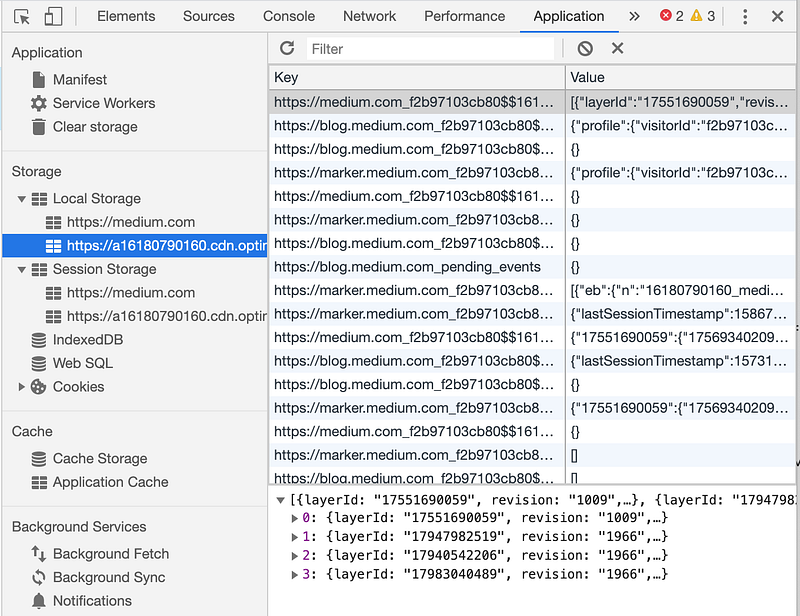
Local Storage

So we see , we have key value storage, where we have key and value as an serialized object.

We can try localstorage api from console

and it will create a key value pair in localstorage store.

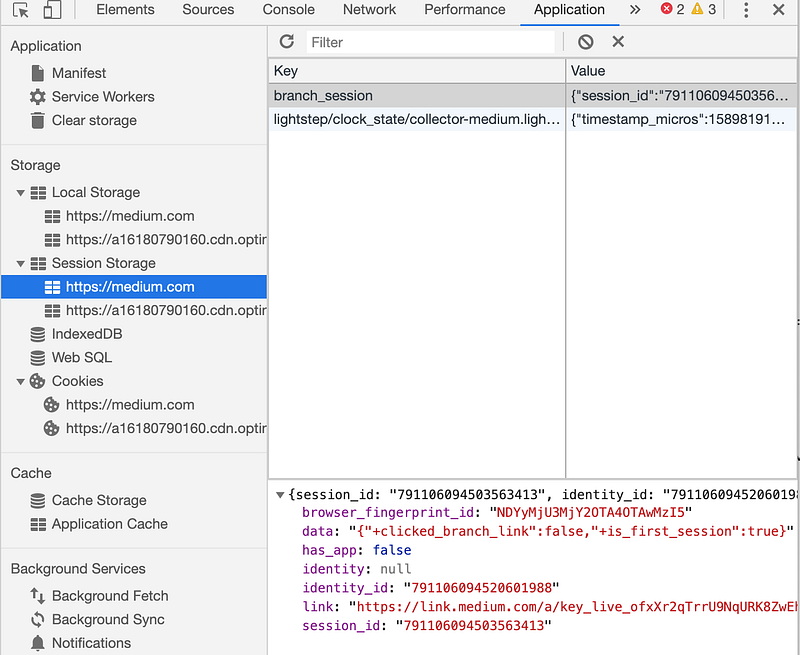
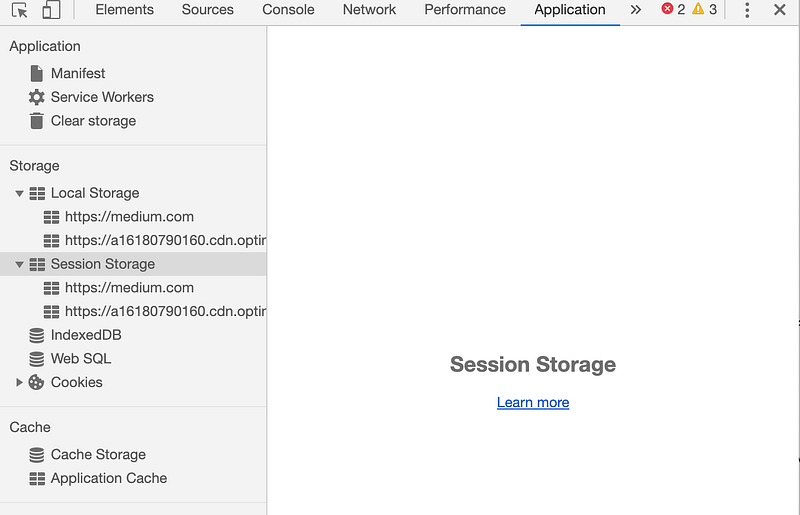
Session storage

  • stores data only for a session, meaning that the data is stored until the browser (or tab) is closed
  • data is never transferred to the server
  • can only be read on client-side
  • storage limit is about 5-10MB
  • opening multiple tabs/windows with the same URL creates sessionStorage for each tab/window

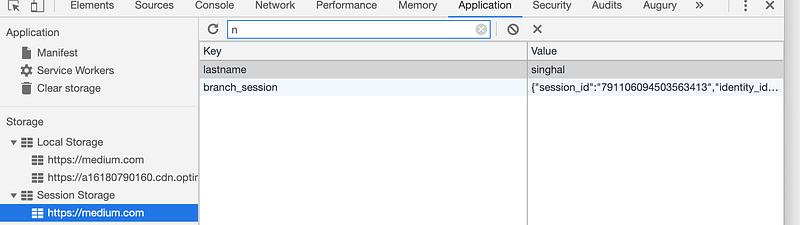
Same as localstorage , we can write key-value pair in session storage as well.

Cookie

  • Stores data that has to be sent back to the server with subsequent XHR requests. Its expiration varies based on the type and the expiration duration can be set from either server-side or client-side .
  • Cookies are primarily for server-side reading (can also be read on client-side), localStorage and sessionStorage can only be read on client-side.
  • Size must be less than 4KB.
  • Cookies can be made secure by setting the httpOnly flag as true for that cookie. This prevents client-side access to that cookie.
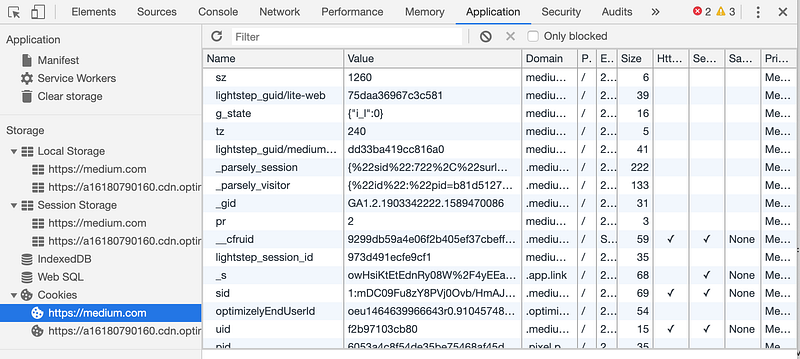
Cookies can be updated , set using document.cookie object from browser window object.

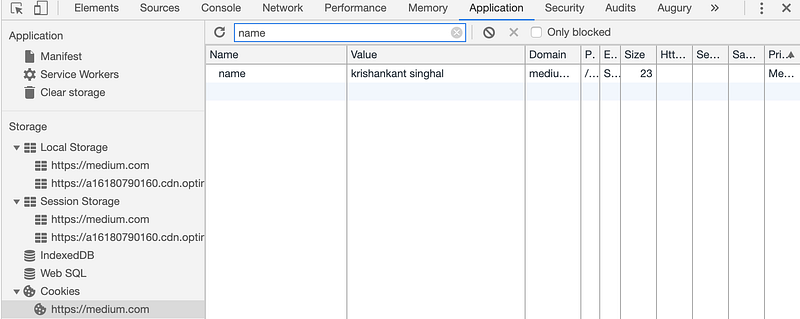
In chrome browser, by inspect element, we can go to application tab and see values which are in localStorage, Session Storage and Cookies.

So in nutshell
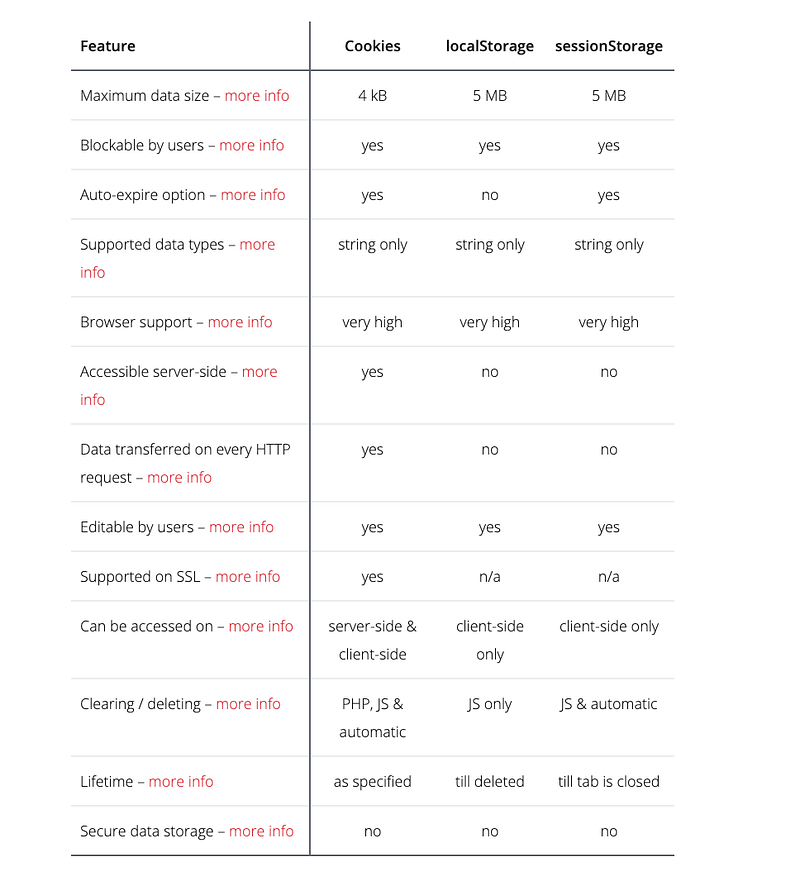
Localsto
Cookies
Sessionstorage
JavaScript
Browser Storage
Recommended from ReadMedium