
Local LLM helper for Obsidian
I want to share that I recently migrated all my notes to Obsidian. Additionally, I have been exploring the latest LLM models, such as GPT-3/3.5/4, Gemini Pro and Ultra, Mistral, DeepSeek Coder, etc. I prefer a local note-taking solution that is secure and private, so I did not want to connect my notes to a cloud-based AI. I considered different options like lmstudio.ai, jan.ai, ollama.ai, etc., and finally, I chose LMStudio because of its better UX and availability of models. In the next couple of weeks, I will add the capability to use Ollama since it was my second favorite option.
Most of my notes don’t require real-time information from the Internet, and I was also unwilling to pay extra for the AI features that some note-taking applications provide.
Understanding the basics of Obsidian and LLM Server
I recently switched to Obsidian for my note-taking needs after trying out various other options like Notion and Bear. I finally settled on Obsidian due to the following reasons:
- Graph view of notes/topics — handy for ideation
- Local storage — a big plus for data privacy
- Markdown support
- Extensibility — the ability to build plugins for specific needs. For example, creating a Local LLM server plugin.
- Active community support
Running a Local LLM server
Go to https://lmstudio.ai/ and install LMStudio on your machine. I have tried installing it on a Mac and Windows PC, and they both work without real issues.
Once you have installed LM Studio, you can download the models you wish to use. I downloaded Llama3, Llama2, and Mistral Instruct v0.2 for my testing purposes. These models can be used locally in different ways — you can chat with the model using the LMStudio UI or start a local server and interact with the model from an external source. However, if you plan to run a server locally and access it from another machine, you must check your firewall and CORS settings. Please ensure that you take the necessary measures to secure your network while making any changes.
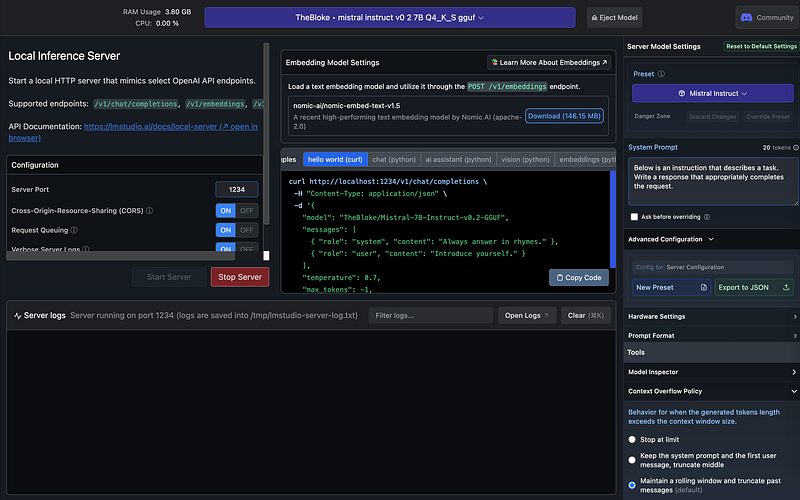
The above picture shows Mistral instruct v0.2 running on my local server. Once you have this running, you can use it within Obsidian.
Installing the plugin and updating the Settings
There are two ways to try the plugin right now:
- Use the BRAT plugin used for beta plugins, and use the following Github repo for testing:
- https://github.com/manimohans/obsidian-local-llm-helper
- After review, the plugin will be added to the community plugin repository within the next two weeks. I will update the link here when it’s available.
Once you download it, go to the Settings page to enter the server information.
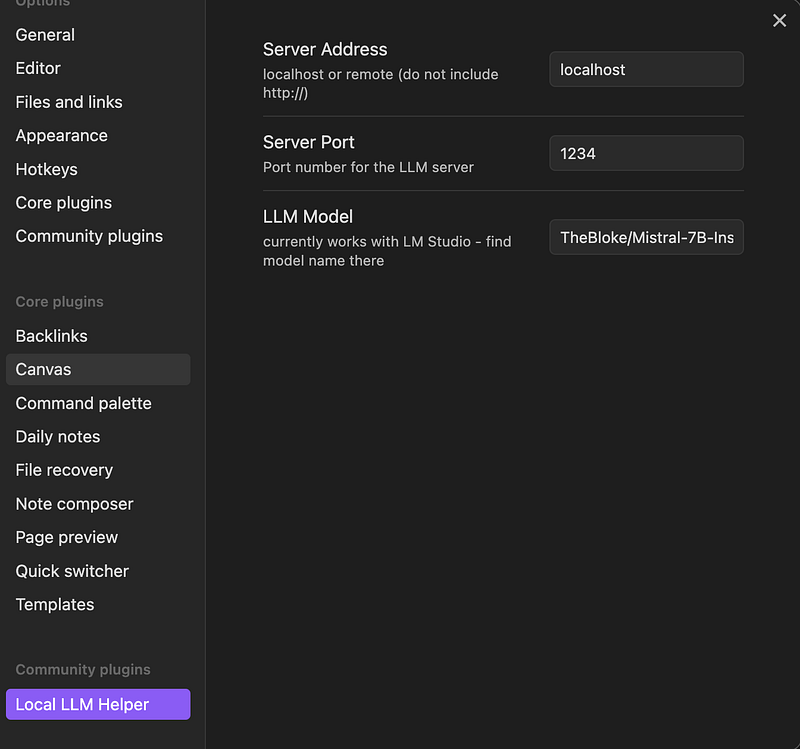
Please provide the server address where the LLM model is being hosted. This can be either ‘localhost’ or another machine on your local network. The server port can be found in the LMStudio app. Ensure you copy and paste the LLM model string accurately from the LMStudio app. Once you have entered all the information, save the settings and head to your editor window.
If you are interested in creating your own plugin for Obsidian, I highly recommend reading through their extensive developer documentation. Additionally, the community is very active and willing to offer any assistance you may need. If you have any questions or comments, please don’t hesitate to contact me on Farcaster (not active on other socials).
Using AI with your text
After installing the plugin and entering server information, click the ribbon icon (brain) in the main text editor window to access several options.
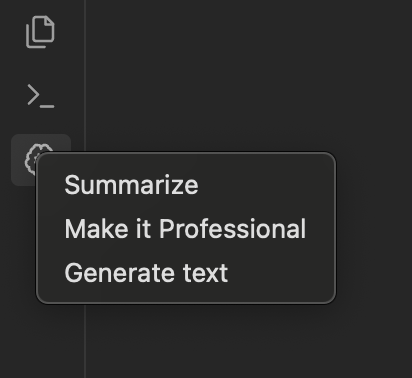
All of these options take the ‘selected text’ as input and replace it with the corresponding output. Let’s generate some text now. Below, I select ‘History of Ethereum’ and click Generate Text.
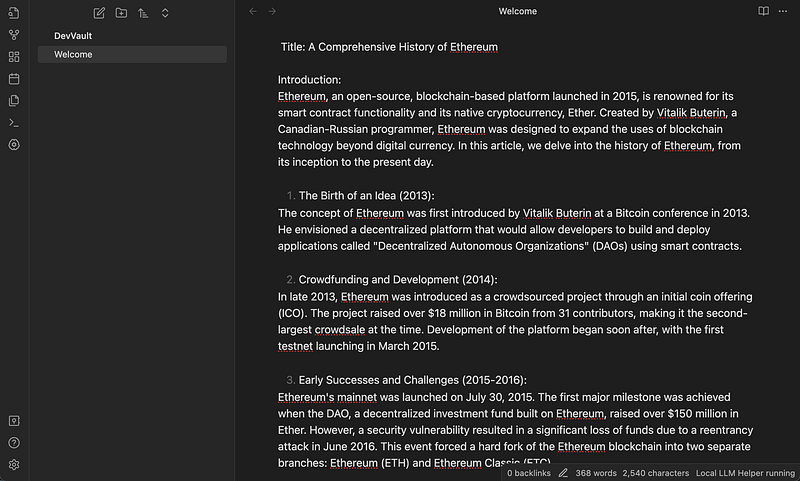
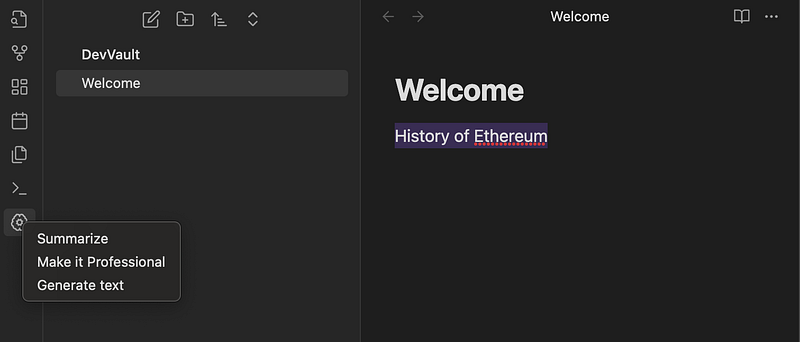
Similarly, you can use the other options for summarizing texts, or rephrase the selected text to make it sound professional.
Future additions in the pipeline
- ability to use other local LLM server applications like Ollama.
- Other AI functionalities that are useful for note-taking
- Ability to scan notes and implement better search and retrieval
- creation of automatic backlinks based on selected text/topic
- custom prompt by users
- Extract to-dos/action items
Takeaway
Combining a local LLM server with Obsidian is a powerful tool for note-taking, text summarization, and generation. This integration blends the power of AI with the privacy of local storage, making it a great combination. I look forward to adding more functionality over time, and documenting my progress will motivate me to continue working on it. In the past, I tend to abandon projects once they reach a usable/prototype stage, but I hope not to do that this time.
Originally published at https://paragraph.xyz on April 28, 2024.


