
LLMs Tutorial — How To Use LangChain with Zapier
👨🏾💻 GitHub ⭐️| 🐦 Twitter | 📹 Linkedin |🕸️Website | 😃UpWork
What is LangChain?
Langchain is an open source library that gives developers the ability to create applications powered by large module languages (LLMs). LangChain can be used to develop advanced chatbots, generative questions-answers from custom data sources, summarization, and so much more.
In this tutorial, the main concepts we will focus on are Agents and Chains.
Chain
A chain is simply a string of LLM calls that connect their inputs to their outputs. This allows the LLM’s to essentially communicate with each other. For simplicities sake, we can think of each time an LLM runs as an “execution”. A great example is provided in the LangChain documentation where they use 2 LLM executions in sequence to perform two tasks:
- Generate a prompt from a template
- Pass this completed prompt to another LLM to generate a response
Agent
What happens if you have multiple tasks lined up, but you want the LLM to “decide” and dynamically select a task to complete based on the input? This is where the agent comes in.
An agent is given a set of “choices” of executions it can perform. The simplest use case would be fetching a dataset and performing a mathematical calculation. The MRKL system was first discovered by a bunch of really smart people and is a great foundation for understanding agents.
LangChain + Zapier Natural Language Actions (NLA)
LangChain announced a custom integration for Zapier, which will empower agents and chains with over 5,000+ apps and 20,000+ actions native to the Zapier platform.
Zapier is a tried and true automation SAAS tool that is known for:
- Automating messages in Discord/Slack when an event occurs
- Adding rows to Google Sheet from Facebook Ad Leads
- Assigning new tasks based on meeting notes
- … and thousands more, with one universal natural language API
Zapier NLA API Key
Please fill out the form below with the necessary details to apply for access to Zapier NLA API for your application.
Once your Application is approved, you will receive an email
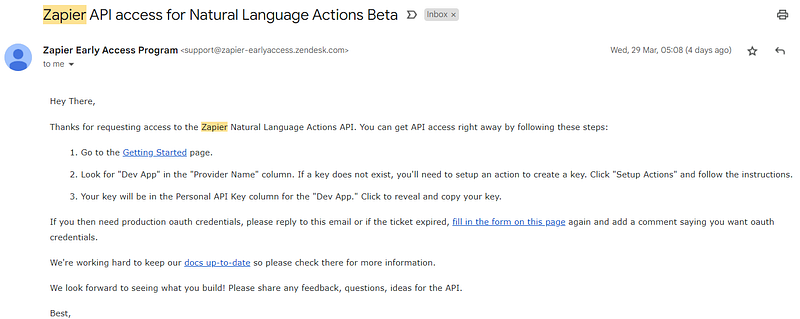
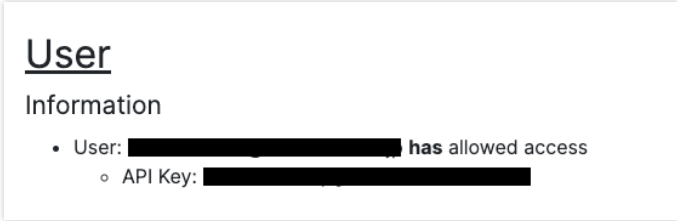
Follow the instructions in your email to complete setup and fetch your API key. You can find the API key under “user information”.
You can verify if your API works using the command below in Postman, Swag Inspector, or any other API testing tool.
$ curl -v \
-H "Content-Type: application/json" \
-H "x-api-key: <API_KEY>" \
'https://nla.zapier.com/api/v1/check/'
..snip..
{"success": true, "email": "<>", "user_id": <>}
Zapier Setup
Connect via email, Discord, Slack or whatever app you like. Click on “Action Setups” in the Provider information and Set app actions.
Give your app a name like “LangChain Automation”
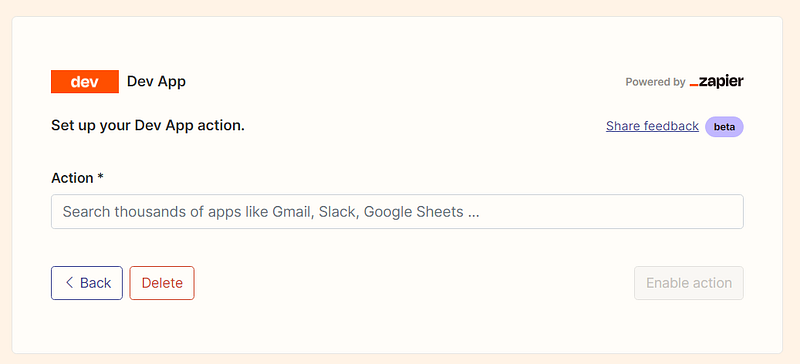
Specifically, set them as shown in the figure below if you want to connect to Discord.
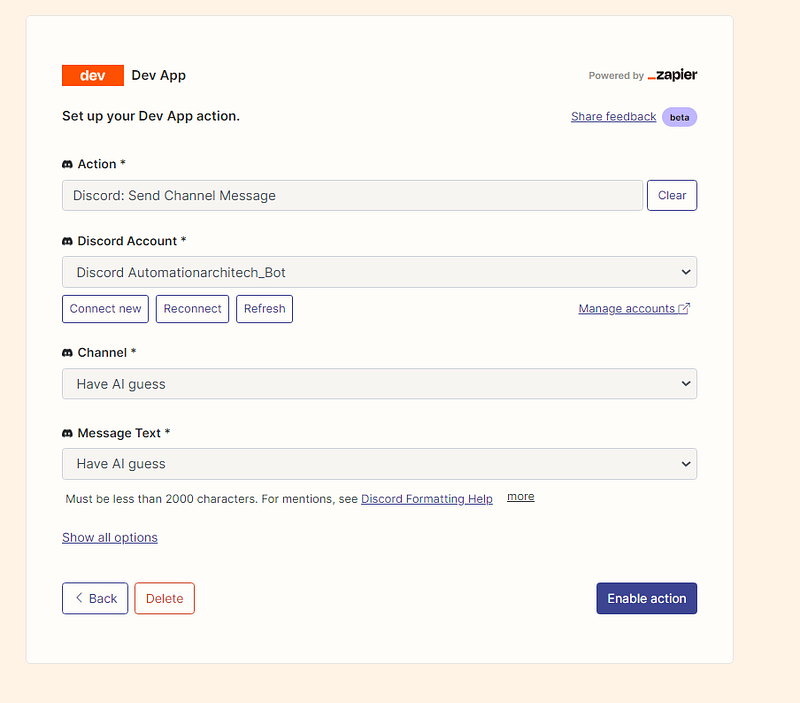
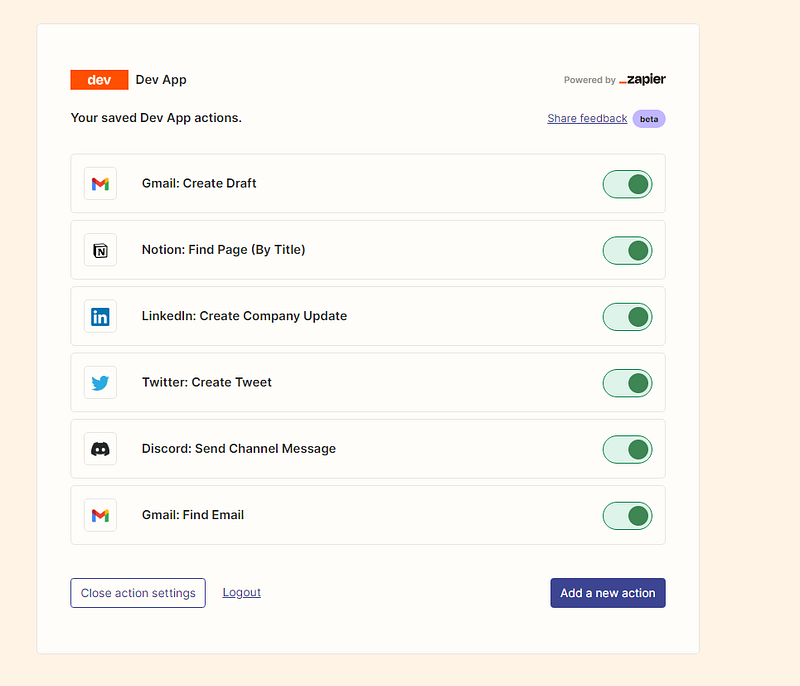
It’s important to select the “Have AI guess” option enabled for each field.
We have set up an action to compose a Gmail email and an action to post a message to a Discord channel or Slack. The setup for Zapier is finished.
Integrate Zapier NLA API with LangChain
If you want to test this right away, you can grab this code snippet from below and paste it over in your Python IDE.
Make sure that you have an OPENAI_API_KEY and a ZAPIER_NLA_API_KEY set.
from langchain.llms import OpenAI
from langchain.agents import initialize_agent
from langchain.agents.agent_toolkits import ZapierToolkit
from langchain.utilities.zapier import ZapierNLAWrapper
import os
from dotenv import load_dotenv

load_dotenv()
os.getenv('ZAPIER_NLA_API_KEY')
os.getenv('OPENAI_API_KEY')
llm = OpenAI(temperature=.3)
zapier = ZapierNLAWrapper()
toolkit = ZapierToolkit.from_zapier_nla_wrapper(zapier)
agent = initialize_agent(toolkit.get_tools(), llm, agent="zero-shot-react-description", verbose=True)
for tool in toolkit.get_tools():
    print (tool.name)
    print (tool.description)
    print ("\n\n")

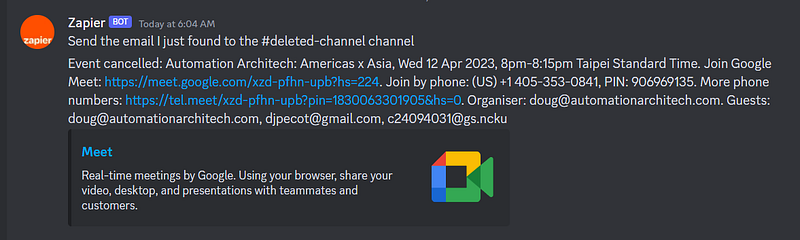
agent.run('get the last email I recieved from {email_name} and send to Discord Automationarchitech_Bot')agent.run()is the task that takes {email_name}as a variable for the chat input. You can see how I integrate the function into Discord below:
Conclusion
🚀 You are now well positioned to begin experimenting with the massive potential that the collaboration of Zapier and LangChain will bring to the industry!
📻 Stay tuned for more details on trending AI-related implementations and discussions on my personal blog and Automation Architech.
🧙♂️ We are AI application experts! If you want to collaborate on a project, drop an inquiry here, stop by our website, or shoot us a direct email.
📚Feel free to check out my other articles:


