How to Download a File from AWS S3 Using Node.js
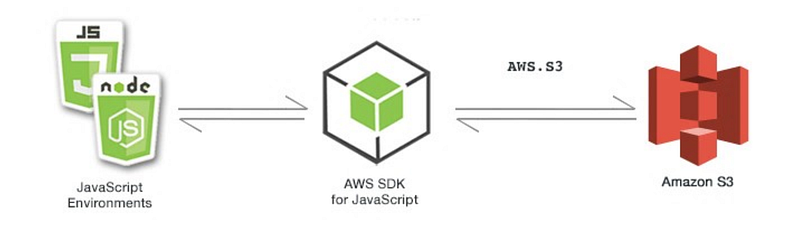
Introduction
Amazon Simple Storage Service (S3) is an essential component of the AWS ecosystem, widely used for storing and retrieving vast amounts of data. One of the fundamental operations when working with S3 is downloading files. Whether for processing data, backups, or other purposes, the ability to programmatically download files is crucial. This article will guide you through downloading a file from S3 using Node.js, a common task that forms the backbone of many cloud-based applications.
Prerequisites
Before diving into the examples, ensure you have the following prerequisites in place:
- Node.js: Install the latest version of Node.js from here.
- AWS Account: Create an account on AWS if you don’t already have one. Sign up here.
- IAM User: Set up an IAM user in your AWS account with the necessary permissions to access S3 services.
- AWS Credentials: Configure your AWS credentials using the AWS CLI or by setting environment variables.
- Project Setup: Initialize a Node.js project and install the AWS SDK package:
npm init -y
npm install @aws-sdk/client-s3
Testing Environment: Set up a testing environment with Jest:
npm install --save-dev jestNode.js Script
const { S3Client, GetObjectCommand } = require('@aws-sdk/client-s3');
const fs = require('fs');

async function downloadFile(bucketName, fileKey, downloadPath) {
    const client = new S3Client({ region: "eu-west-1" });

    const downloadParams = {
        Bucket: bucketName,
        Key: fileKey
    };

    try {
        const data = await client.send(new GetObjectCommand(downloadParams));
        const fileStream = fs.createWriteStream(downloadPath);
        data.Body.pipe(fileStream);
        console.log('File downloaded:', fileKey);
    } catch (err) {
        console.error("Error", err);
    }
}
module.exports = {
    downloadFile
}
The `downloadFile` function in the provided code is an asynchronous JavaScript function designed to download a file from an Amazon Web Services (AWS) Simple Storage Service (S3) bucket to a local file system. It uses the AWS SDK for JavaScript v3 (`@aws-sdk/client-s3`) along with Node.js’s native File System (`fs`) module. Here’s a breakdown of its functionality:
1. Importing AWS SDK Components and File System Module: — `const { S3Client, GetObjectCommand } = require(‘@aws-sdk/client-s3’);`: Imports the `S3Client` and `GetObjectCommand` classes from the AWS SDK’s S3 client package. `S3Client` is used to interact with AWS S3, and `GetObjectCommand` is a command to retrieve an object (file) from an S3 bucket. — `const fs = require(‘fs’);`: Imports Node.js’s native File System module, which provides functionalities to work with the file system, such as creating a writable stream.
2. Function Definition: — `async function downloadFile(bucketName, fileKey, downloadPath) { … }`: Defines an asynchronous function named `downloadFile` with three parameters: — `bucketName`: The name of the S3 bucket from which the file will be downloaded. — `fileKey`: The key (file name and path) of the file in the S3 bucket. — `downloadPath`: The local file system path where the downloaded file will be saved.
3. Creating an S3 Client Instance: — `const client = new S3Client({ region: “eu-west-1” });`: Instantiates a new `S3Client` object with the specified AWS region (in this case, `eu-west-1`).
4. Defining Download Parameters: — `const downloadParams = { Bucket: bucketName, Key: fileKey };`: Defines the parameters for the `GetObjectCommand`, including the target bucket (`Bucket`) and the key (`Key`) of the file to be downloaded.
5. Downloading the File: — The function uses a `try-catch` block for error handling. — `const data = await client.send(new GetObjectCommand(downloadParams));`: Asynchronously sends a `GetObjectCommand` with the defined parameters to the S3 client. The `await` keyword is used to wait for the promise to resolve. — `const fileStream = fs.createWriteStream(downloadPath);`: Creates a writable stream to the specified download path. — `data.Body.pipe(fileStream);`: Pipes the data from the response body (`data.Body`, which is a readable stream) to the writable file stream. This streams the content of the file to the local file system. — `console.log(‘File downloaded:’, fileKey);`: Logs a message indicating the file has been downloaded.
6. Error Handling: — If an exception occurs during the download process (e.g., network issues, permission errors, or the object doesn’t exist), it is caught in the `catch` block. — The error is logged to the console. The function does not return anything in case of an error.
The `downloadFile` function provides a way to programmatically download files from an AWS S3 bucket to the local file system using Node.js and the AWS SDK for JavaScript. It’s suitable for applications that require downloading files from cloud storage, such as backup utilities, data processing tools, or media download services. The function demonstrates how to retrieve an object from S3 and stream its contents to a file on the local file system. It includes basic error handling but does not return a value indicating the success or failure of the download operation.
Unit Test
const { downloadFile } = require('./downloadFile')
jest.mock('@aws-sdk/client-s3', () => {
    const mockStream = {
        pipe: jest.fn()
    };
    return {
        S3Client: jest.fn(() => ({
            send: jest.fn().mockResolvedValue({ Body: mockStream })
        })),
        GetObjectCommand: jest.fn()
    };
});
const mockFs = require('mock-fs');

describe("downloadFile", () => {
    beforeAll(() => {
        mockFs({
            '/path/to': {}
        });
    });

    afterAll(() => {
        mockFs.restore();
    });

    it("downloads a file successfully", async () => {
        await downloadFile('bucket-name', 'file-key', '/path/to/downloaded-file');
    });
})
The provided code is a Jest unit test for the `downloadFile` function, which is designed to download a file from an Amazon Web Services (AWS) Simple Storage Service (S3) bucket to a local file system. The test uses Jest’s mocking capabilities to simulate interactions with both the AWS S3 SDK and the file system. Here’s a breakdown of the test:
1. Mocking the AWS S3 SDK: — `jest.mock(‘@aws-sdk/client-s3’, () => { … });`: Mocks the `@aws-sdk/client-s3` module, simulating the AWS S3 SDK’s behavior. This mock setup includes: — A mock `S3Client` that returns an object with a `send` method. — The `send` method is mocked to resolve with an object containing a `Body` property. `Body` is a mock stream (represented by `mockStream`), which includes a mocked `pipe` method to simulate the streaming behavior of S3 object data.
2. Mocking the File System using `mock-fs`: — `const mockFs = require(‘mock-fs’);`: Imports the `mock-fs` module, which allows for mocking the Node.js file system. — `mockFs({ ‘/path/to’: {} });`: Sets up a mock file system structure before the test runs. It creates a directory at `/path/to` that is used as the destination for the downloaded file. — `mockFs.restore();`: Restores the real file system after all tests in the suite have run.
3. Test Suite: — `describe(“downloadFile”, () => { … });`: Defines a test suite for the `downloadFile` function.
4. Test Case: — `it(“downloads a file successfully”, async () => { … });`: Defines a test case within the suite. This test case is asynchronous and checks if the `downloadFile` function successfully downloads a file. — `await downloadFile(‘bucket-name’, ‘file-key’, ‘/path/to/downloaded-file’);`: Calls the `downloadFile` function with mock parameters for the bucket name, file key, and download path. The test doesn’t include an assertion (`expect` statement) to check the output, but it ensures that no errors are thrown during the execution.
This unit test validates that the `downloadFile` function behaves as expected when downloading a file from an AWS S3 bucket to a local file system. By mocking the AWS S3 SDK and the file system, the test simulates the file download process and the interaction with S3, allowing for an isolated and efficient test of the function’s logic. The test confirms that `downloadFile` can be executed successfully without errors under the simulated conditions provided by the mocked AWS SDK and file system. However, it’s worth noting that the test lacks an assertion to explicitly verify the result of the `downloadFile` function, which would typically be included to confirm the file download’s success more rigorously.
Conclusion
Downloading files from AWS S3 using Node.js is an essential capability for a wide range of applications. This functionality enables efficient management and utilization of data stored in S3. By following best practices in using the AWS SDK, handling streams, and writing comprehensive tests, developers can ensure a reliable and effective file download process in their cloud-based solutions, making the most out of AWS’s robust storage services.


