avatarRakia Ben Sassi

Free AI web copilot to create summaries, insights and extended knowledge, download it at here

3254

Abstract

<figure id="bb6e">
        <div>
          <div>
            <img class="ratio" src="http://placehold.it/16x9">
            <iframe class="" src="https://cdn.embedly.com/widgets/media.html?src=https%3A%2F%2Fwww.youtube.com%2Fembed%2FNtPdEsY05zw%3Ffeature%3Doembed&amp;display_name=YouTube&amp;url=https%3A%2F%2Fwww.youtube.com%2Fwatch%3Fv%3DNtPdEsY05zw&amp;image=https%3A%2F%2Fi.ytimg.com%2Fvi%2FNtPdEsY05zw%2Fhqdefault.jpg&amp;key=a19fcc184b9711e1b4764040d3dc5c07&amp;type=text%2Fhtml&amp;schema=youtube" allowfullscreen="" frameborder="0" height="480" width="854">
          </div>
        </div>
    </figure></iframe></div></div></figure><h1 id="357b">Layout Thrashing</h1><p id="6013">Layout thrashing, also known as re-flow, is a performance anti-pattern that occurs when JavaScript repeatedly makes changes to the Document Object Model (DOM) and forces the browser to recalculate element positions and dimensions before it gets a chance to paint or render it.</p><p id="9418">This process can significantly degrade performance, especially in complex or large DOM structures.</p><p id="1a4e">The term “<b>thrashing</b>” refers to the rapid back-and-forth between reading and writing layout properties. Here’s an example:</p><div id="35eb"><pre>element1.<span class="hljs-property">style</span>.<span class="hljs-property">height</span> = <span class="hljs-string">'100px'</span>; <span class="hljs-comment">// Write</span>

<span class="hljs-keyword">let</span> height = element2.<span class="hljs-property">offsetHeight</span>; <span class="hljs-comment">// Read</span> element1.<span class="hljs-property">style</span>.<span class="hljs-property">width</span> = <span class="hljs-string">'200px'</span>; <span class="hljs-comment">// Write</span> <span class="hljs-keyword">let</span> width = element2.<span class="hljs-property">offsetWidth</span>; <span class="hljs-comment">// Read</span></pre></div><p id="5ed8">Here, the browser has to recalculate the layout after each write operation because it can affect the next read operation. Every time a layout is triggered, the browser needs to check all other elements and re-flow the page, making it an expensive operation.</p><p id="abcc">These multiple layout calculations can cause:</p><ul><li>slower rendering,</li><li>choppy animations, and</li><li>a stuttering user experience.</li></ul><p id="d4d2">Now you may wonder, what requirements could lead to implementing a code in a way that can cause such a scenario?</p><p id="454b">That’s a great question!</p><p id="74b3">Suppose you’re working on a web application for a news outlet. The requirement is that the website needs to display breaking news headlines in a banner at the top of the page. These headlines are fetched from an API and updated every minute.</p><p id="70d9">To implement this, you might have written code that updates each headline one by one in the banner as soon as it is fetched. Here’s a simplified version of what the code might look like:</p><div id="388d"><pre><span class="hljs-keyword">let</span> headlines = <span class="hljs-title function_">fetchHeadlinesFromAPI</span>(); <span class="hljs-comment">// Fetch the headlines from an API</span> headlines.<span class="hljs-title f

Options

unction_">forEach</span>(<span class="hljs-function">(<span class="hljs-params">headline, index</span>) =></span> { <span class="hljs-built_in">setTimeout</span>(<span class="hljs-function">() =></span> { headlineElement.<span class="hljs-property">innerHTML</span> = headline; <span class="hljs-comment">// Update the headline</span> }, index * <span class="hljs-number">60000</span>); });</pre></div><p id="a18c">In this code, <code>headlineElement</code> is a DOM element displaying the headline. Every minute, the innerHTML of this element is updated with a new headline.</p><p id="6bd7">This seems fine at first glance, but it can lead to layout thrashing. Here’s why:</p><ol><li>Each time you update <code>headlineElement.innerHTML</code>, the browser has to recalculate the layout, because the content of an element can affect its size and position, and the size and position of any elements around it.</li><li>If the headlines are fetched while the browser is in the middle of this recalculation, the browser has to throw away its current progress and start over. This is wasteful and can lead to a noticeable degradation in performance, especially on lower-end devices or in browsers with many tabs open.</li></ol><p id="96f7">So, while the requirement of displaying updated headlines every minute is valid, the way the code is implemented can lead to layout thrashing.</p><p id="3b2f">This emphasizes the need for careful management of DOM manipulation and the importance of:</p><ul><li><b>Batching read/write operations:</b> Do all your reads together first, then do all your writes where possible. This way, the browser can batch the operations and avoid unnecessary re-flows.</li><li>If you’re working with a framework that provides <b>lifecycle hooks</b> like <a href="https://readmedium.com/778e09647651">Angular</a>, leverage these to manage when you make your reads and writes.</li><li>Some libraries, like <a href="https://github.com/wilsonpage/fastdom"><b>FastDOM</b></a>, also provide an approach to avoid layout thrashing by batching DOM DOM read and write operations and mutation tasks</li></ul><h1 id="ddde">Final Thought</h1><p id="217a">To sum it up, remember that the main difference between these two facets of rendering performance is that:</p><ul><li><b>Layout shifts</b> refer to elements on the page changing position after the page has been painted, while</li><li><b>Layout thrashing</b> refers to inefficient rendering due to repeated layout calculations before the page is painted.</li></ul><p id="c28c">I cross my fingers to all of you and hope you’ll get great rendering performance results!</p><h1 id="49a9">Want more?</h1><p id="9ad6">I write about engineering, technology, and leadership for a community of smart, curious people 🧠💡. <a href="https://rakiabensassi.substack.com/"><b>Join my free email newsletter for exclusive access</b></a><b> </b>or sign up for Medium <a href="https://rakiabensassi.medium.com/membership">here</a> if you haven’t done it yet.</p><p id="cc2a">Join 22K+ students and get my online video course: <a href="https://www.udemy.com/course/identify-and-fix-javascript-memory-leaks"><b>How to Identify, Diagnose, and Fix Memory Leaks in Web Apps</b></a></p></article></body>

Web Development

Unmasking Performance Villains: A Deep Dive into Layout Shifts and Layout Thrashing

Exploring the intricacies of web rendering, one shift and thrash at a time
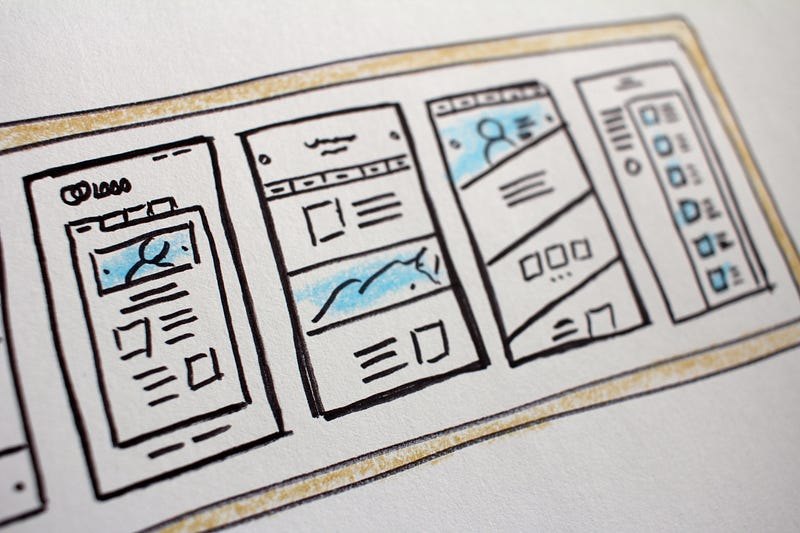
Photo by Hal Gatewood on Unsplash

Last Wednesday, I had the pleasure of standing on the stage at the enterJS conference in Darmstadt (Germany), delving into the captivating world of web performance. Amid the hum of engaged minds, I gave a talk about techniques to optimize Angular rendering performance.

Among the symptoms and causes of poor rendering performance I presented, there were Layout Shifts and Layout Thrashing. Though known to some, these two terms, which refer to different phenomena, remain enigmatic to many.

But fear not, because today, I’m going to unravel the mysteries surrounding them. In this post, I’ll be dissecting their core attributes and understanding their impact.

Whether you’re a seasoned developer or a curious newbie, this exploration will offer something for everyone.

So, grab your snorkeling gear and get ready to delve into the mesmerizing underwater and intriguing coral reefs of these two UX key players.

Layout Shifts

Layout shifts are changes in the layout of a webpage after it has already been rendered/painted. These shifts can occur due to various reasons, such as:

  • images or ads being loaded,
  • web fonts that render late,
  • or dynamic content changes due to JavaScript operations.

This results in a poor user experience because content can move unexpectedly, leading to mis-clicks or disorientation.

A good webpage design will aim to minimize these unexpected layout shifts.

Layout shifts are measured using the Cumulative Layout Shift (CLS) metric in web performance analysis.

In the following video, you can see how to measure them with Chrome DevTools:

Layout Thrashing

Layout thrashing, also known as re-flow, is a performance anti-pattern that occurs when JavaScript repeatedly makes changes to the Document Object Model (DOM) and forces the browser to recalculate element positions and dimensions before it gets a chance to paint or render it.

This process can significantly degrade performance, especially in complex or large DOM structures.

The term “thrashing” refers to the rapid back-and-forth between reading and writing layout properties. Here’s an example:

element1.style.height = '100px'; // Write
let height = element2.offsetHeight; // Read
element1.style.width = '200px'; // Write
let width = element2.offsetWidth; // Read

Here, the browser has to recalculate the layout after each write operation because it can affect the next read operation. Every time a layout is triggered, the browser needs to check all other elements and re-flow the page, making it an expensive operation.

These multiple layout calculations can cause:

  • slower rendering,
  • choppy animations, and
  • a stuttering user experience.

Now you may wonder, what requirements could lead to implementing a code in a way that can cause such a scenario?

That’s a great question!

Suppose you’re working on a web application for a news outlet. The requirement is that the website needs to display breaking news headlines in a banner at the top of the page. These headlines are fetched from an API and updated every minute.

To implement this, you might have written code that updates each headline one by one in the banner as soon as it is fetched. Here’s a simplified version of what the code might look like:

let headlines = fetchHeadlinesFromAPI(); // Fetch the headlines from an API
headlines.forEach((headline, index) => {
  setTimeout(() => {
    headlineElement.innerHTML = headline; // Update the headline
  }, index * 60000);
});

In this code, headlineElement is a DOM element displaying the headline. Every minute, the innerHTML of this element is updated with a new headline.

This seems fine at first glance, but it can lead to layout thrashing. Here’s why:

  1. Each time you update headlineElement.innerHTML, the browser has to recalculate the layout, because the content of an element can affect its size and position, and the size and position of any elements around it.
  2. If the headlines are fetched while the browser is in the middle of this recalculation, the browser has to throw away its current progress and start over. This is wasteful and can lead to a noticeable degradation in performance, especially on lower-end devices or in browsers with many tabs open.

So, while the requirement of displaying updated headlines every minute is valid, the way the code is implemented can lead to layout thrashing.

This emphasizes the need for careful management of DOM manipulation and the importance of:

  • Batching read/write operations: Do all your reads together first, then do all your writes where possible. This way, the browser can batch the operations and avoid unnecessary re-flows.
  • If you’re working with a framework that provides lifecycle hooks like Angular, leverage these to manage when you make your reads and writes.
  • Some libraries, like FastDOM, also provide an approach to avoid layout thrashing by batching DOM DOM read and write operations and mutation tasks

Final Thought

To sum it up, remember that the main difference between these two facets of rendering performance is that:

  • Layout shifts refer to elements on the page changing position after the page has been painted, while
  • Layout thrashing refers to inefficient rendering due to repeated layout calculations before the page is painted.

I cross my fingers to all of you and hope you’ll get great rendering performance results!

Want more?

I write about engineering, technology, and leadership for a community of smart, curious people 🧠💡. Join my free email newsletter for exclusive access or sign up for Medium here if you haven’t done it yet.

Join 22K+ students and get my online video course: How to Identify, Diagnose, and Fix Memory Leaks in Web Apps

Programming
JavaScript
Web Development
Technology
Software Development
Recommended from ReadMedium