
Data Annotation Object Detection (YOLO)?
Object detection is a very famous task these days. Also, it’s the backbone for many computer vision tasks, which include object segmentation, object tracking, object classification, object counting, etc.
If we want to train our algorithm for detecting some objects (i.e. cars), we need to first tell the algorithm about every car present inside training data in the form of a label file.
There are many object detection algorithms, but the most used algorithms include,
- SSD (Single-shot detector)
- YOLO (you only look once)
- Fast R-CNN
In this article, we will focus on Yolo labeling, which accepts a label in the txt file. Other object detectors need a label file but their label files are in different formats.
we will use a labeling tool for labeling data. You need to download the full GitHub repository from the link.
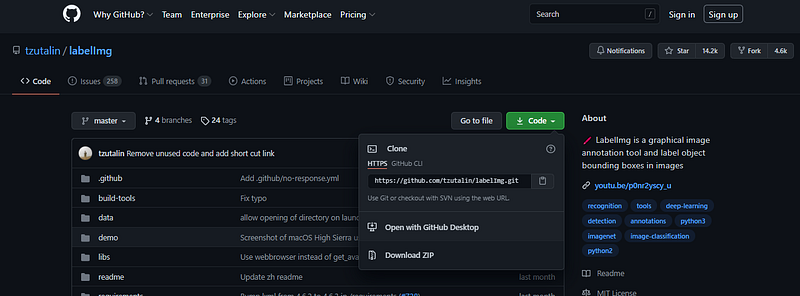
Once downloaded, then extract it in the same folder.

Note: If you have an anaconda installed then you can continue, otherwise, you first need to install an anaconda from the link.
Now, open the extracted folder. Open an anaconda command prompt and then move to the extracted folder with (cd command).
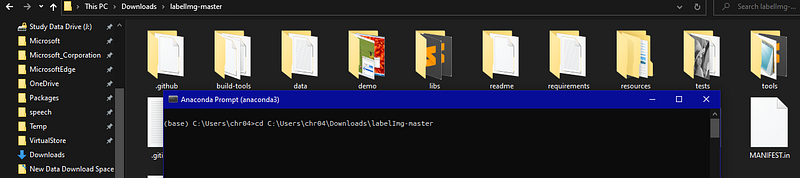
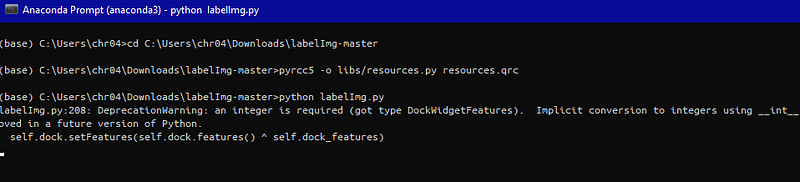
Window Users (commands to build labeling tool)
For pyrcc4 use this command,
pyrcc4 -o libs/resources.py resources.qrc
For pyrcc5 use this command,
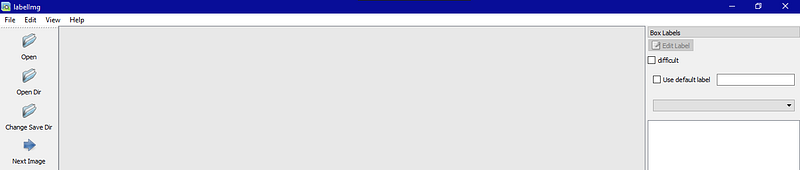
pyrcc5 -o libs/resources.py resources.qrcpython labelImg.pyIf all the above commands run successfully, you will be able to see the GUI of the labeling tool.
Linux Users (commands to build labeling tool)
sudo apt-get install pyqt5-dev-tools
sudo pip3 install -r requirements/requirements-linux-python3.txt
make qt5py3
python3 labelImg.py
If all the above commands run successfully, you will be able to see the GUI of the labeling tool.
Mac Users (commands to build labeling tool)
brew install qt  # Install qt-5.x.x by Homebrew
brew install libxml2

or using pip

pip3 install pyqt5 lxml # Install qt and lxml by pip

make qt5py3
python3 labelImg.py
If all the above commands run successfully, you will be able to see the GUI of the labeling tool.
Our labeling tool installed successfully, let’s start labeling on images.
Step-1
Download some images from Google and store them in some folder.
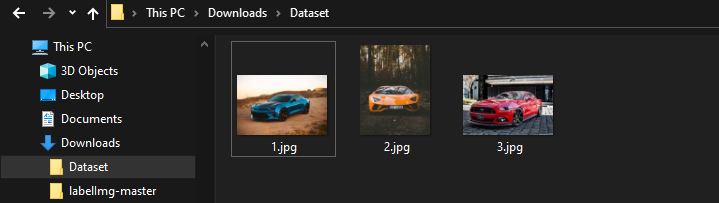
Step-2
Now, open the stored images folder in the labeling tool. for this to be done, you need to open the GUI of the labeling tool and then select the open dir option.
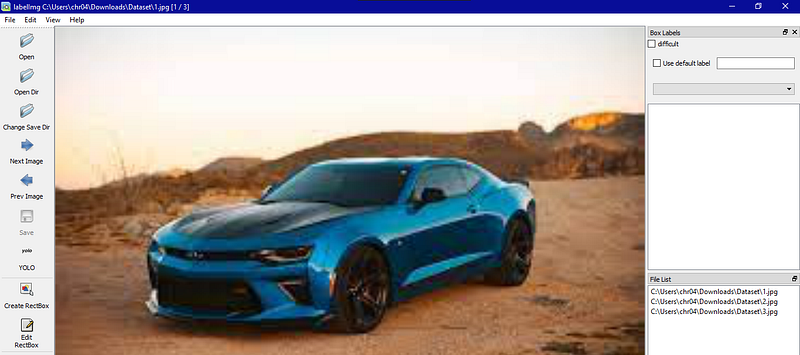
Step-3
Now, we need to label the image by selecting the Create RectBox option, dragging on the car area, and then selecting the label car.
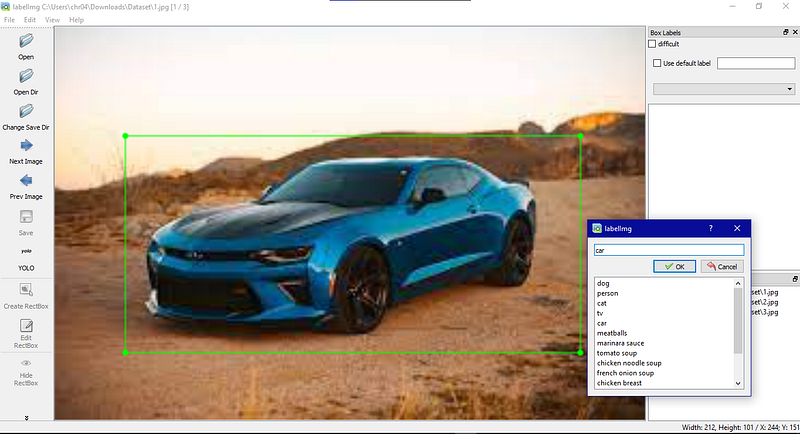
Step-4
Now, that we labeled our image successfully, we can save it with (CTRL+S). and it will create a text file of the same name as the image name in the same folder.
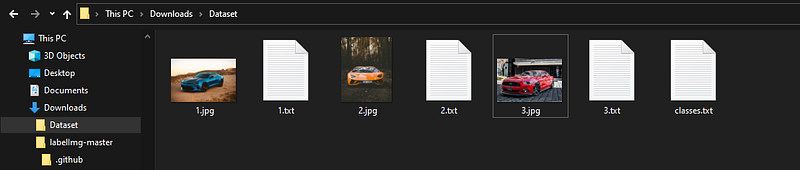
Now, we can check any text file for verification.
Yolo Format:
<object-class> <x> <y> <width> <height>
In the above picture,
- 4 is class_id
- 0.494545 is the x-axis value
- 0.521858 is the y-axis value
- 0.770909 is the width of an object
- 0.551913 is the height of an object.
That all regarding annotation of data in Yolo format. you can try on your own data.
Dataset creation from videos: Article Link
About Me
- Muhammad Rizwan Munawar is a highly experienced professional with more than three years of work experience in Computer Vision and Software Development. He is working as a Computer Vision Engineer and has knowledge and expertise in different computer vision techniques including Object Detection, Object Tracking, Pose Estimation, Object Segmentation, Segment Anything, Python, and Sofware Development, Embedded Systems, Nvidia Embedded Devices. In his free time, he likes to play online games and enjoys his time sharing knowledge with the community through writing articles on Medium.
Please feel free to comment if you have any questions 🙂, If you like the article, Let’s connect on LinkedIn :) 👇


