
Kotlin Functions: Guide with Real-Life Android Examples (Part 1 of 6)
🌟Have you ever wondered how mobile apps on your Android device work seamlessly? Behind the scenes, there’s a lot of complex coding involved, but today, we’re going to demystify a small part of it — Kotlin functions.
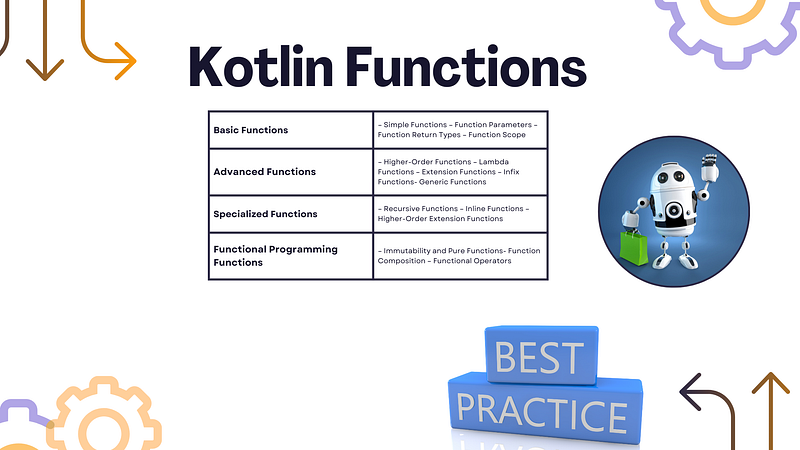
What are Kotlin Functions?
A Kotlin function is like a recipe in a cookbook. It’s a set of instructions that tell your app what to do when a specific task needs to be performed. Just like a recipe, a function takes some ingredients (called parameters) and returns a result (output).
Real-Life Scenario: Sending a Text Message
Imagine you want to send a text message using your favorite messaging app. Behind the “Send” button, there’s a function responsible for sending your message. Let’s call it sendMessage.
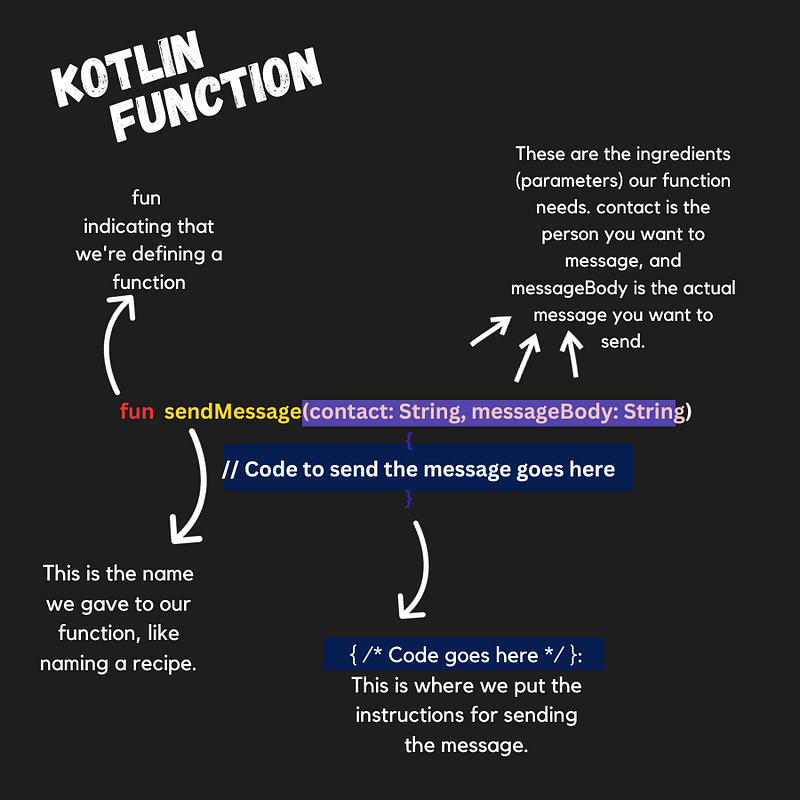
Function Definition
In the Android app’s code, sendMessage might look something like this
fun sendMessage(contact: String, messageBody: String) {
    // Code to send the message goes here
}fun: It's short for "function," indicating that we're defining a function.sendMessage: This is the name we gave to our function, like naming a recipe.(contact: String, messageBody: String): These are the ingredients (parameters) our function needs.contactis the person you want to message, andmessageBodyis the actual message you want to send.{ /* Code goes here */ }: This is where we put the instructions for sending the message.
Using the Function
Now, let’s use our sendMessage function to send a text to your friend, Sarah:
val friend = "Sarah"
val text = "Hey Sarah, how's it going?"
sendMessage(friend, text)
Here, we’ve provided Sarah as the contact and our message as Hey Sarah, how's it going?. When you tap "Send," the sendMessage function springs into action, using the provided ingredients to send the text.
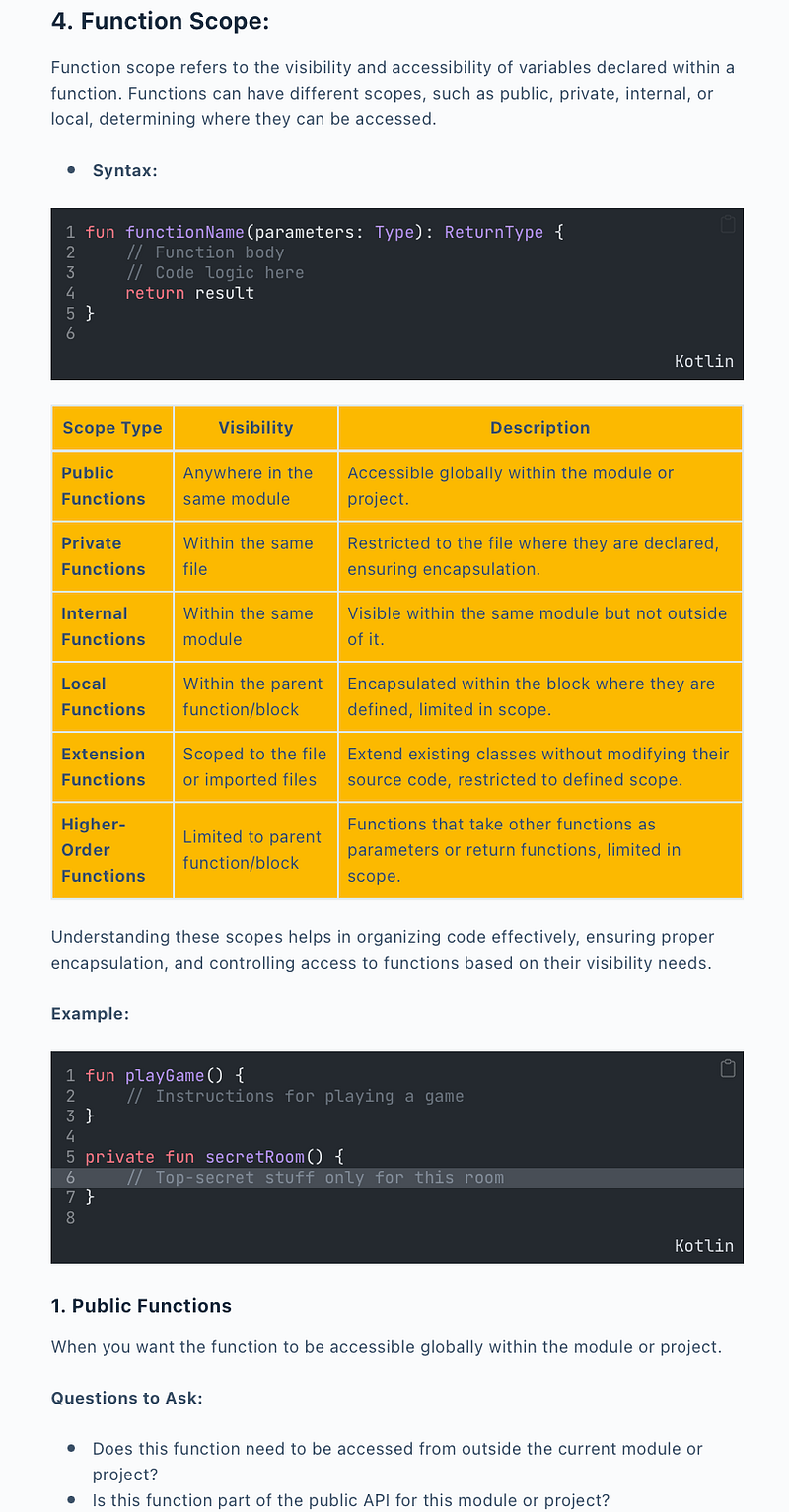
Function Scope
In Kotlin, function scope refers to the visibility and accessibility of variables within a function. Kotlin provides several ways to define and use variables within the scope of a function, and understanding these scopes is crucial for writing clean and maintainable code.
Let’s explore the different function scopes in Kotlin, including public, private, internal, local, extension, and higher-order functions. We’ll provide code examples and detailed explanations for each.
1. Public Functions
- When you want the function to be accessible globally within the module or project.
Questions to Ask:
- Does this function need to be accessed from outside the current module or project?
- Is this function part of the public API for this module or project?
Example:
// Public function accessible anywhere in the same module
fun publicFunction() {
    println("I am a public function")
}

// Entry point of the program
fun main() {
    // Call the public function from another file in the same module
    publicFunction()
}
2. Private Functions:
Private functions are restricted to the file where they are declared, ensuring encapsulation.
Private functions in Android projects, or any software development, serve a crucial role in enhancing code organization, readability, and maintainability.
By encapsulating specific functionalities within private functions, developers create a modular and well-structured codebase.
Consider an Android project where an Activity needs to handle complex initialization steps. Using private functions allows breaking down this process into manageable units, making the code more readable and focused. For instance, private functions can be employed to separately handle UI setup, event listener configuration, and data fetching. This encapsulation not only makes the onCreate method cleaner but also facilitates easier testing and future modifications. By limiting the visibility of these functions to the file, encapsulation is enforced, preventing unintended access and contributing to a more maintainable and scalable codebase.
// Private function restricted to this file
private fun privateFunction() {
    println("I am a private function")
}

// Entry point of the program
fun main() {
    // Uncommenting the line below will result in a compilation error
    // privateFunction()
}- The
privateFunctionis only accessible within the same file where it is declared. - Attempting to call
privateFunctionfrom another file in the same module would result in a compilation error
3. Internal Functions
When the function should be visible within the same module but not outside of it.
Consider an Android project with multiple features or components implemented as modules. Each module may have its own set of functionalities, and some of these functionalities might need to be shared among different classes within the same module but not exposed to other modules. In such cases, internal functions can be employed.
Questions to Ask:
- Is this function meant to be used within the current module?
- Should it not be accessible from other modules for module-level encapsulation?
// Internal function visible within the same module
internal fun connectToDatabase() {
    // Implementation details
}
4. Local Functions
Local functions in Kotlin are functions that are defined inside another function. They have limited visibility and are only accessible within the block or scope in which they are defined.
When a function is needed only within a specific block or function, providing local encapsulation.
Questions to Ask:
- Is this function only relevant within the scope of another function?
- Should this function not be accessible outside of the enclosing block?
fun performCalculation(a: Int, b: Int): Int {
    // Local function for addition
    fun add(x: Int, y: Int): Int {
        return x + y
    }

    // Local function for subtraction
    fun subtract(x: Int, y: Int): Int {
        return x - y
    }

    // Perform the calculation using local functions
    val result = add(a, b) + subtract(a, b)
    return result
}

fun main() {
    println(performCalculation(5, 3)) // Output: 15 (5 + 3 + (5 - 3))
}
Real-World Android Example
In a real Android app, the sendMessage function would contain more complex code to handle things like network requests, formatting the message, and displaying the sent message on the screen. But at its core, it's still a function - taking inputs, performing actions, and potentially returning a result.
In this example, the sendMessage function will simulate sending a text message to a recipient. This function will take a message body and recipient's phone number as inputs, perform some basic validation, and simulate sending the message. Keep in mind that in a real Android app, you would handle permissions, network requests, and error handling more comprehensively.
class MessageSender {

    // Function to send a text message
    fun sendMessage(messageBody: String, recipientNumber: String): String {
        // Basic validation: Check if the message body and recipient number are not empty
        if (messageBody.isNotEmpty() && recipientNumber.isNotEmpty()) {
            // Simulate sending the message (in a real app, this would involve network requests)
            return "Message '$messageBody' sent to $recipientNumber"
        } else {
            // Handle empty message or recipient number
            return "Failed to send message. Please provide message content and recipient number."
        }
    }
}
the sendMessage function takes two parameters: messageBody (the content of the message) and recipientNumber (the recipient's phone number).
It checks if both the message body and recipient number are not empty. If they are not empty, it simulates sending the message and returns a success message. If either the message body or recipient number is empty, it returns an error message indicating that the message couldn't be sent due to missing information.
In a real Android app, the sendMessage function might include additional logic to handle network requests, permissions, and displaying the sent message on the screen. This example demonstrates the core concept of a function taking inputs, performing actions, and returning a result, as mentioned in the description.
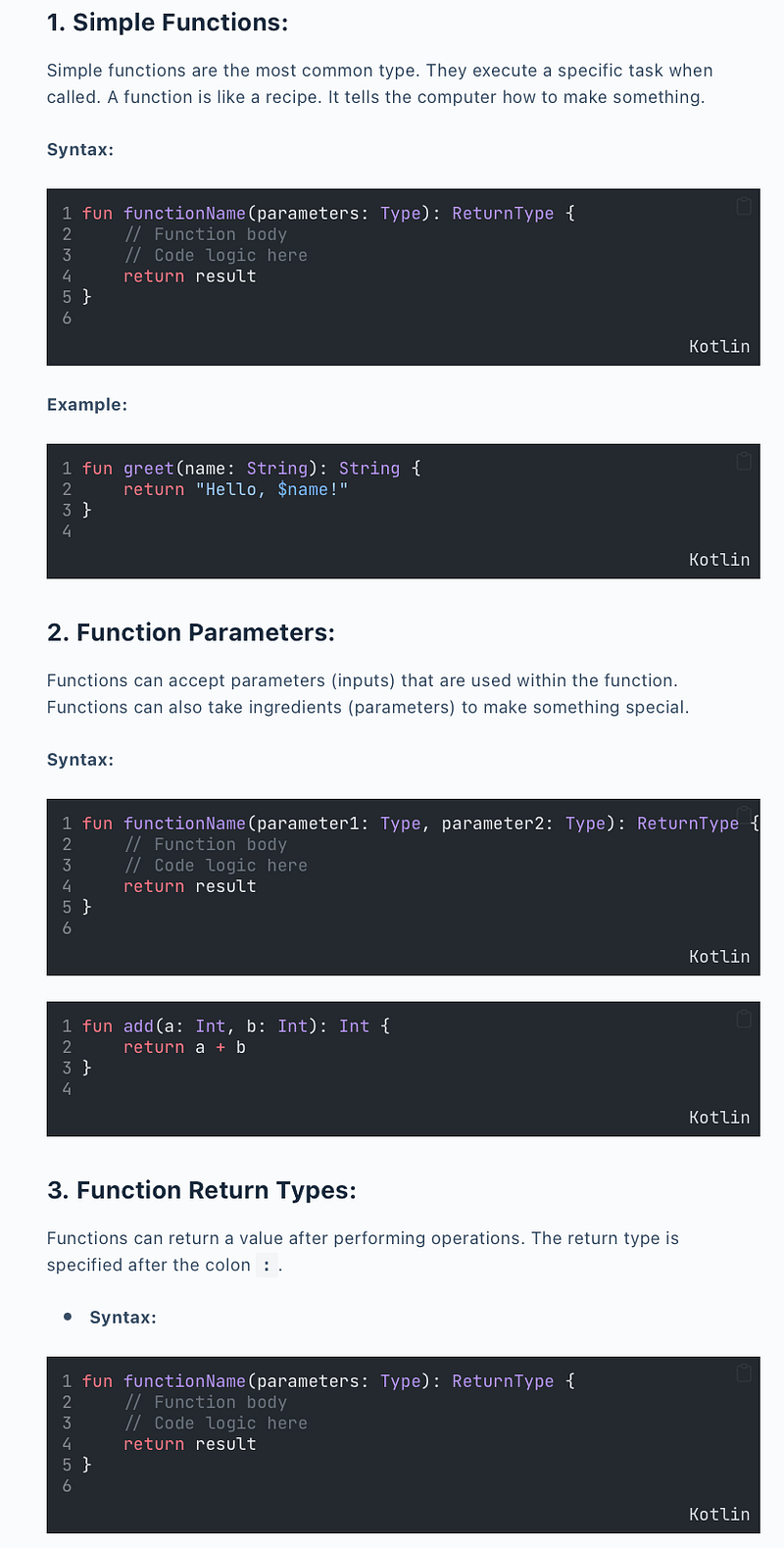
Lambda Functions —
Extension Functions —
Infix Functions-
Generic Functions-
Recursive Functions —
Inline Functions —


