
Kosmo — The ‘New Best’ Freelancing Software of 2022
Spoiler alert: it's free

While hunting for a job, I've found myself dabbling in the world of freelancing.
Once you decide to build a portfolio and host a few web pages, there's little stopping you from capturing leads and charging clients however you'd like with different tools and software.
One of those I'm going to show you today.
It's called Kosmo. Woo hoo!
No, they aren't paying me to shill this writing.
After initially using it, the software had some glitches that I dutifully reported back to the founder. (being the excellent product tester that I am)
Now that a few weeks have gone by, I decided to give it a try again, and everything seems to be working great, with updates taking place regularly.
To be clear, I found this software from the founder messaging me on LinkedIn. I wish I could remember his name. (presumably, because he found my website but saw that I was charging for any services)
This worked out well for the very reasons just mentioned — I was about to be in the market for software that could help me:
- Add new clients
- Create new projects
- Track my time worked
- Create contacts for hire
- Create proposals
- Send invoices
This sounded cool, so after clicking the link he gave me, I started poking around. You can treat this as a small tutorial.
I was happy with the site's simplicity for someone who hasn't started freelancing until recently. It's uncluttered and user-friendly. It displays your most basic needs on the left side of the dashboard.
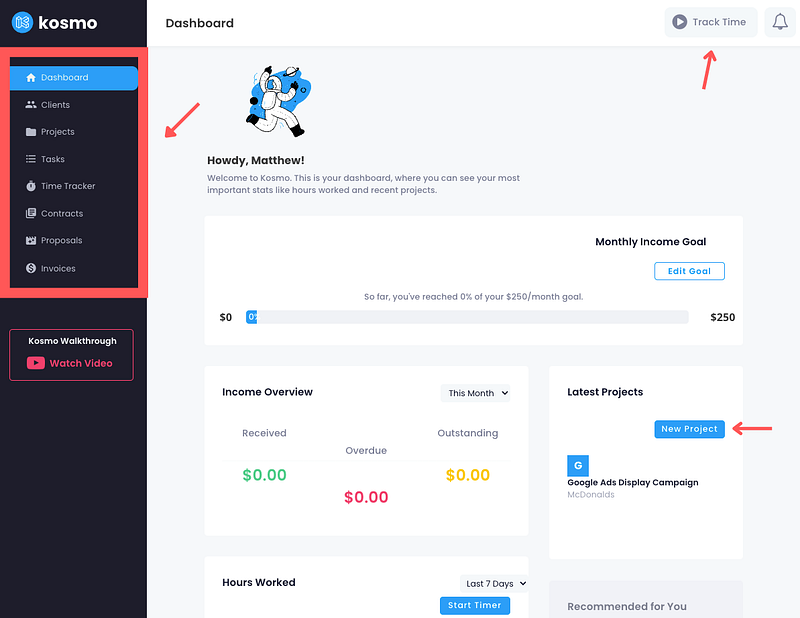
What I like about it, especially after making some recent improvements, is your ability to intuitively do the same thing from multiple places.
Track your time worked
You have to select at least one project that you've created previously. For example, in the upper right-hand corner, you can click "Track time," which will open a little window asking which project time is. You can click start, and the timer will begin at your predetermined rate.
You also can add specific tasks that you've previously created or create a task from the same window.
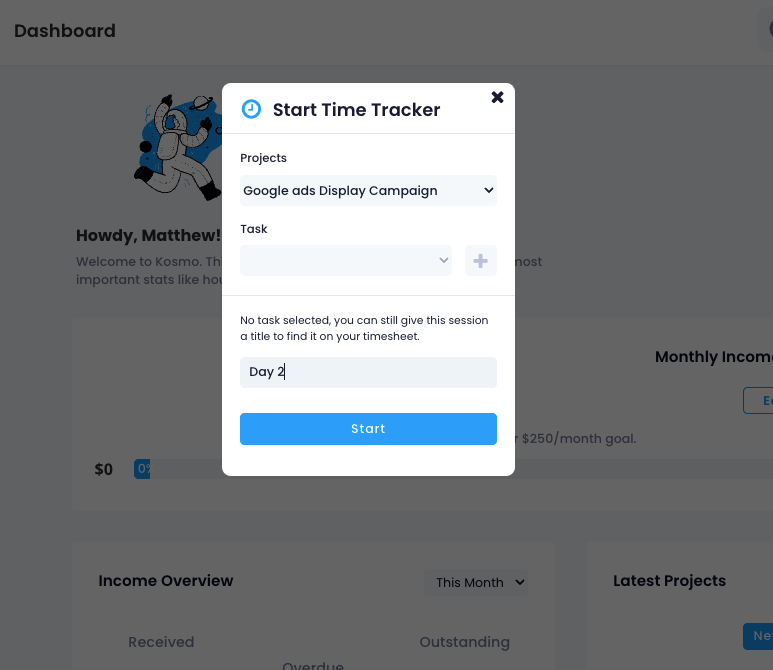
As you can see, pretty simple stuff. I like simple.
If you had clicked "Start timer," as seen on the initial screenshot — the same window would have appeared.
You could have also clicked "Time tracker" on the left-hand menu, and a more comprehensive breakdown of all your time worked for each project will appear.
Adding New Clients
Onboarding new clients are just as simple, click "Clients" and then add a new client. From there, just fill in the necessary information.
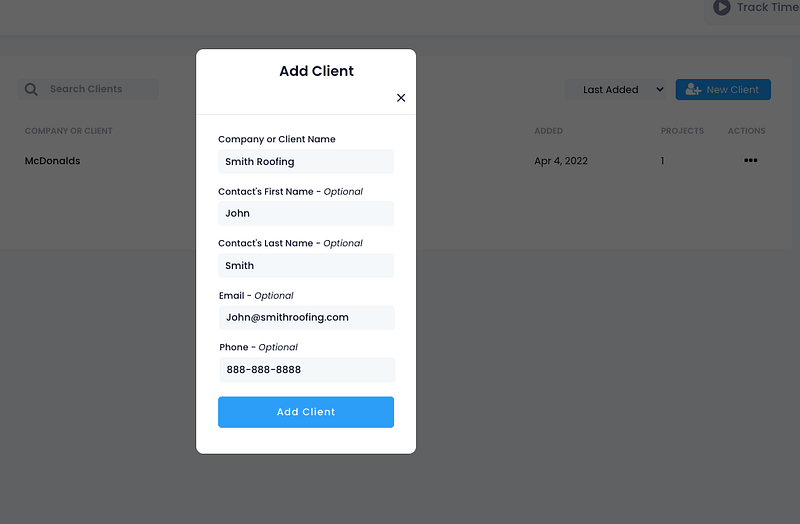
Easy. Simple. Done.
Creating or adding one-off tasks or specific ones that correlate with different projects is just as simple.
Freelance contracts made easy.
Once you've onboarded your new client, you may want to make an official contract outlining the work's scope and details.
Kosmo makes this a breeze.
All you do is fill in the necessary client/freelancer info, your pay rate, the deliverables, due dates, etc. — and Kosmo automatically formats it into a downloadable PDF that can be sent and signed by your client immediately.
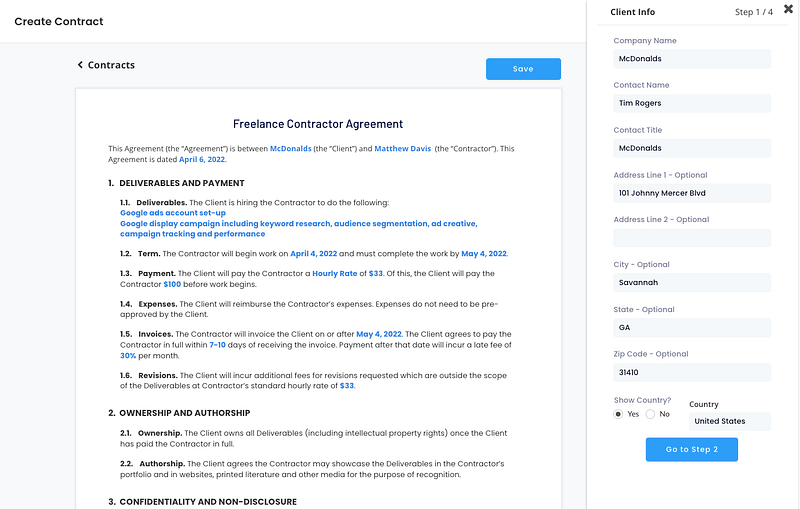
Sending Invoices made easy.
Any freelancing CRM needs to have a way of sending invoices.
This is arguably the most important feature out of all of them. Send invoices is how you bill your client for the work you've done for you to get paid.
Kosmo makes it simple to edit and send invoices directly to clients. You can add hours from the time you've tracked or projects and different tasks you've previously created.
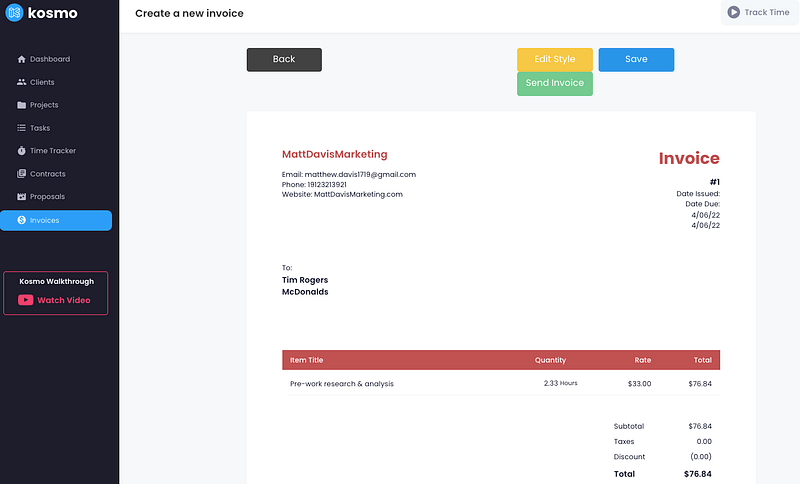
When you send invoices, they will appear with a customizable message from you in your customers' inbox.
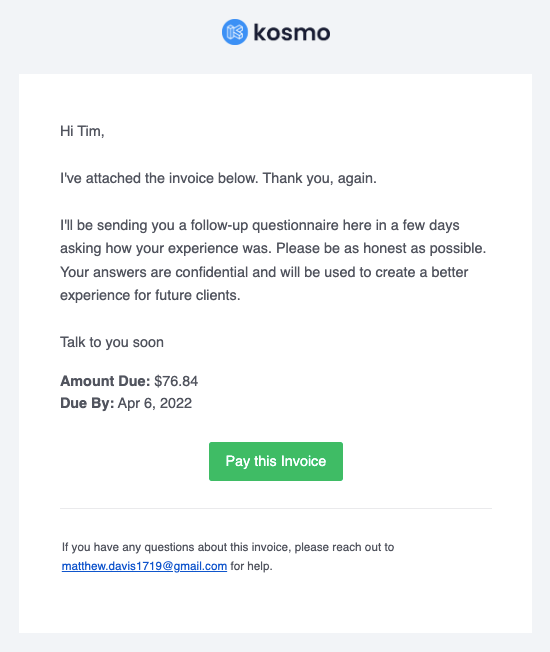
Of course, when they click "Pay this invoice," they'll be taken to the PDF where they can pay and/or download the PDF.
Speaking of payment
What're the methods of getting paid with Kosmo?
When you create an account, you'll want to connect to your bank or some form of payment gateway.
Just click the little robot icon on the upper right-hand corner, go to settings, then payments on the horizontal menu bar. From there, you'll have three different options for connecting.
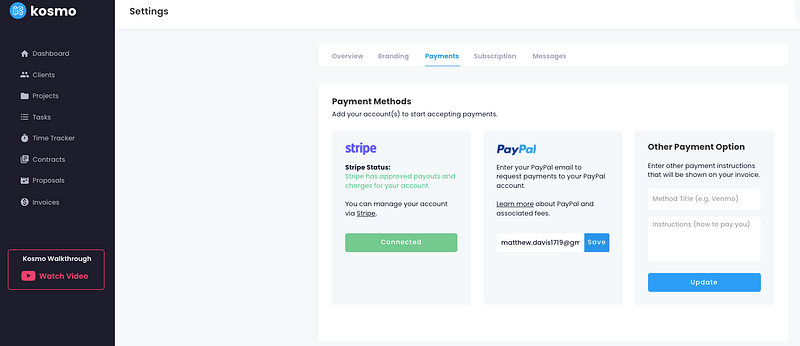
I'm using both Stripe and PayPal. I also appreciate the convenient option of adding your own payment instructions for your client to follow. i.e., Apple Pay, Venmo, CashApp — if that's what you prefer. This obviously works well if you don't have a traditional bank or the previous two options.
Pricing
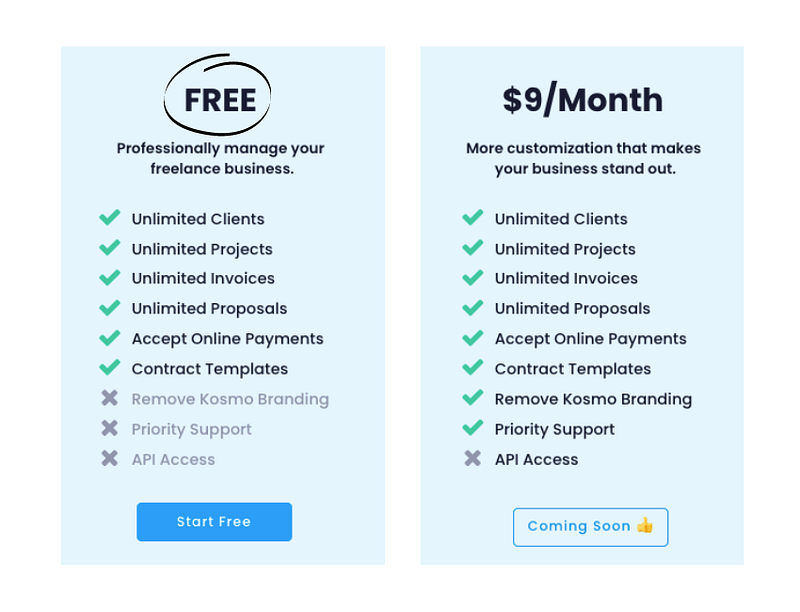
The pricing is the best part — free. They have a paid version for $9/month coming soon that allows you to remove Kosmo branding and gives you API access and priority support.
So yeah, that's about it. I just had a client reach out to me for a potential project today, so I may be testing soon. I won't go into proposals necessarily because I haven't created one yet, but if it's like the rest of the features, I'm sure that it's seamless to do.
That's all for now.
Do your own research before going all-in on different products or tools. There are many out there, and some are designed better than others to meet the scope and scale of your business.
Hopefully, this modest review helps you out or even gives you a starting point to start your own freelancing business.
I may be writing a post soon outlining all of the tools that I use as of now, so stay tuned for that — and have an excellent day!
By the way, if this is your first time reading one of my posts — thanks for stopping by.
I like to write about tools, tricks or straight-up motivation on ways you can improve your work, life, or mindset in general.
If that sounds good to you, hit the follow button and I’ll catch ya soon.
Matthew


