
Kindle Vella Promotion Part 1
How to promote stories on Kindle Vella

I needed to find out how to promote stories on Kindle Vella. The answer would involve research.
The Facebook groups Kindle Vella Authors Promotion and Advices Amazon KDP, Kindle Vella Storytellers and Readers, and Hella Vella seemed like good places to start.
Also, there is a topic under Kindle Vella help titled ways to promote your book that should also be looked at early on.
When looking through the first Kindle Vella Facebook group I mentioned above, many posts were asking for links to Kindle Vella stories and promising to read them. I dropped several links to my story.
The use of Kindle Vella Facebook groups seems similar to the way medium and vocal use Facebook groups for story promotion. An issue that may hinder this kind of promotion with Kindle Vella is the fact that only three episodes for each story are free.
Many posts claim to have extra tokens to spend. This seems to be the follow-for-follow method used on medium.
There were also posts containing direct links to Kindle Vella stories. A few of the posts were informative, they repeated information I read on Kindle about story promotion. I found some story promotion suggestions.
The first suggestion I will try is to create an Author Page on Amazon. They also have a program devoted to story promotion called KDP select.
The first thing in creating an Author page on Amazon is creating your Author Central account: Where you enter information to find your books.
Kindle also suggests creating an Author page. Both an Author page and membership in KDP select require an Author Central account.
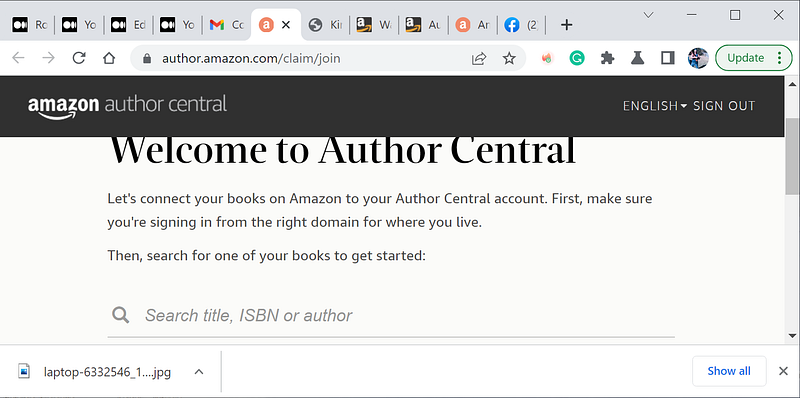
None of my stories published on Kindle Vella could be found this was the first dead end I ran into. My Kindle Vella stories could not be found either by title, ISDN or Author's name It turns out you must have an e-book on Kindle.
Electronic stories published on Kindle Vella don’t count as e-books.
The following Kindle help explains how to create an e-book from a Kindle vella story. After reading much confusing information and watching countless bad YouTube videos on creating an e-book from a Kindle Vella story, I finally figured out a way it is done.
For example, the YouTube videos I watched show the process of creating a table of contents, something Kindle requires. It shows how to create the TOC step by step in an editor. The problem is that they don’t explain what or which editor they are using. Likewise, the Kindle documentation explains creating an HTML file that can be used as a table of contents for an e-book, but they say nothing about what editor to use.
Some rules for converting a Kindle vella story to a book,
A book or other long-form format containing republished Kindle Vella content must contain a minimum of 10 episodes.
My best story, Old Alton Bridge is only 7 episodes. I may have to fill in the other 3 episodes with supplemental or non-related stories. I would state that in the book description.
To publish a completed Kindle Vella story or group of episodes as a book or other long-form format, the last episode must have been available to readers in the Kindle Vella store for at least 30 days.
Kindle Vella content guidelines.
The following is a direct quote from Kindle.
If you publish an e-book, or other long-form versions, of your Kindle Vella story, we suggest you let readers know that the story was previously published in Kindle Vella, in your book’s product description. This will help avoid misunderstandings for readers who may have already used Tokens to read the same story. Additionally, update the story description to let readers know if the story or some episodes are available in another format.
For example: e-book Description: Previously published as [Story Title] [Episodes 1–10] on Kindle Vella. Story description: Also available as an e-book [e-book title].
Create a Table of Contents with a Navigation Document
Downloadable tool Kindle Create
YouTube video that explains how to make toc
Special instructions for collections
My procedure for creating an e-book from a Kindle Vella story is as follows.
Combine all of your episodes into one file separating each episode by the word chapter followed by a number followed by a colon for example “Chapter 3: Title” Save the file with either a .doc or a .docx extension. Download and install the free tool from Amazon called “Kindle Creates”, I’ve provided the link to it above.
Enter the file you have created into “Kindle Create”. Kindle create will look at the keyword chapter and create a table of contents for you. Use the Kindle Create function to generate a file with a .kdp extension. You use that file to load it into the content creation web tool that creates e-books provided by Amazon.
You can also use the same cover image is used with Kindle Vella for a cover image with the KDP e-books
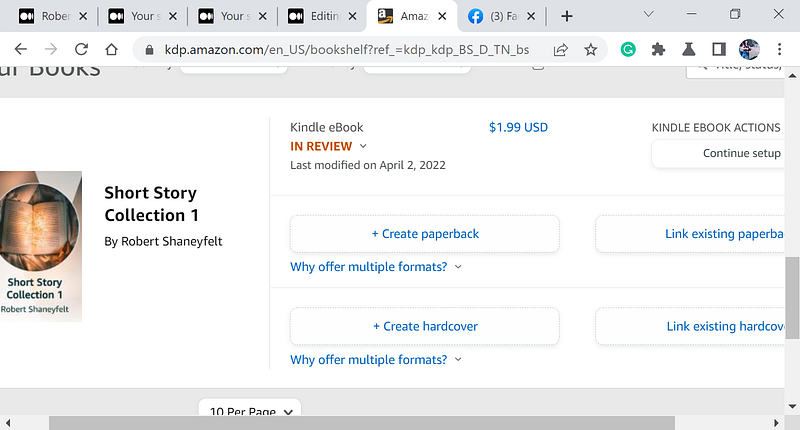
Stay tuned, I’ll let you know how things turn out in part two,
Links to my stories at Kindle Vella. Old Alton Bridge, West Coast Beach
Sort Story Collection 1, and Short Story Collection 2


