
Just Delete Me: A Powerful Tool For Scrubbing You Off The Internet
Link: backgroundchecks.org/justdeleteme/

Just delete me is a great directory of links and tips on how to remove any account you use on popular websites. This is just one useful tool produced by backgroundcheck.org.
Trying to delete an account you have with a certain website can sometimes be difficult due to a concept called dark pattern or deceptive patterns. These are usually tricks played by sites that manipulate you into doing something you didn’t want to do. In the context of account deletion this is more on obstruction of this service. Many people will give up on trying to delete their account if it is not readily available, and many sites are banking on this. To see more on this concept see the following link:
Just Delete me circumvents dark patterns by providing you a readily available list of links and tips on how to delete your accounts. They also have a tiered list on how difficult an account will be to delete:
- Easy: simple deletion process (e.g. eBay)
- Medium: few extra steps in the process (e.g. Facebook)
- Hard: Can’t be fully deleted without contacting the sites customer services (e.g. Craisglist)
- Impossible: You guessed it, cannot be deleted (e.g. Wikipedia)
Quick demo
Let’s try with facebook. Either scroll down, ctrl/cmd + F, or use the search bar to find the Facebook option.
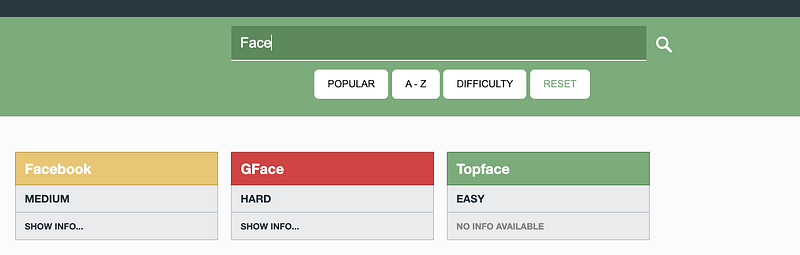
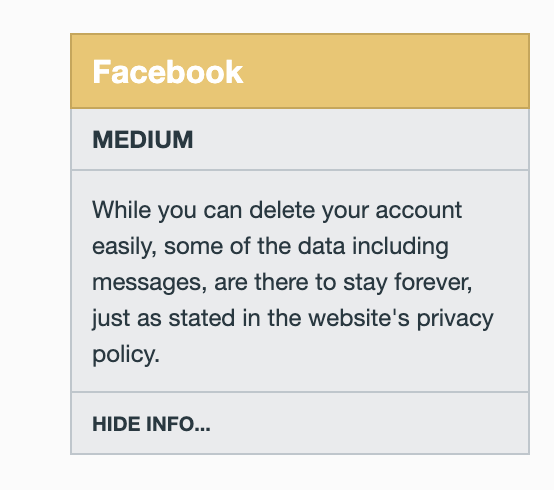
As you can see it’s a Medium level of account deletion difficulty. Click “SHOW INFO…” to see notes if there are any additional description on how to delete the account. For Facebook it looks like they store a lot of activity you may have done whilst your account was still active.
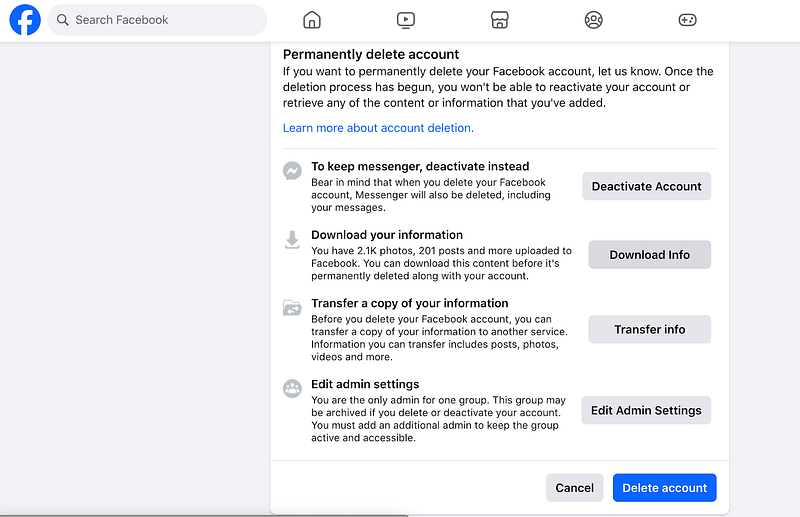
Click where it says Facebook for a hyperlink to the account removal page on the site.
Additional
Just Delete me has a Chrome extension (here) which will just display the colour associated with the above difficulty level listed above for the site when you are on it. You can then click on the extension to be taken to the site to get information on how to delete.
If a website is not there and you want to add it, here is the link to the GitHub page to allow you to do so:
Conclusion
This is a great repository that everyone should be aware of. I know the helpless feeling when you can’t find what you want and spending ages on a site only to find out that they’re using obstruction methods to stop you. Add this to your bookmarks or download the extension. You’ll no wonder need it in the future.
Thanks
I hope you enjoyed this article, I did writing it. I aim to write further about cybersecurity and IT related topics, so please consider following me and giving this article a 👏


