
Jupyter Notebooks Can Be a Pain, but I ❤️ Pluto
Julia’s Pluto.jl will change education for the better

As a data scientist, I read and sometimes — almost always against my will — wrote notebooks. Jupyter notebooks allow you to store all your analysis and commentary in one place so that your results can be shared easily with others. At least that’s the promise…
For full access to all Medium articles — including mine — consider subscribing here.
I personally found notebooks to be error-prone, scrolling is a pain in long notebooks and IntelliJ works only when it feels like to. VSCode is trying to change this by integrating better with notebooks, but it still feels tedious to write notebooks and I much prefer writing scripts instead first and then adding commentary in a presentation or something similar.
But I do agree, the idea of having all your analysis and commentary in one place is a very good one. Imagine a world where sharing research is not done by sharing a long piece of boring text but rather by sharing a well-written notebook with actual freaking code that has access to all the data, installs the correct packages, and allows you to re-run the results, investigate them and even make changes to explore “what-if” scenarios. Now, sign me up for that!
For full reproducibility, you need: environment (packages, OS, etc), code, and data
The problem is that accessing data and compute is really difficult. How many papers have you read where they included a link to the data? Or when the data is available you might have found something like: “we ran this on 5000 GPUs in our data center on our custom OS”. Good luck reproducing that… So I think, for now, notebooks are most suited for short analyses or — drumroll please — for education.

Practice not only makes perfect, but it is also essential!
People — and yes, we are all students — learn better if they can explore and tinker with things. How many engineers learned to put together a car by only reading textbooks? Practice not only makes perfect, but it is also essential! Jupyter notebooks are ok for this, but Pluto.jl is better! Hear me out.
If you think this is a fad, think again! Pluto is used to teach this awesome course at MIT.
What is Pluto?
Pluto is essentially a Jupyter notebook designed from the ground up for Julia. Utilizing the speed and flexibility of Julia it parses your code and understands which cells of code depend on which other cells. Then when you change the code inside one block, it automagically re-runs all cells that depended on that block, displaying results and figures instantly with the new inputs. It really takes reactive computation to a next level.
The basics:
- It runs in your browser
- Saves files — including metadata — in a
.jlfile, so your source control and everything still works. No need to convert between notebook files and scripts. - Uses reactivity to figure out which cells to re-compute automatically.
- Has auto-complete and all the basics.
- Can be shared as a
.jlfile,htmlorpdf.
Where’s the start button?
Installing Pluto couldn’t really be easier. You need a Julia REPL, type ] to access the package manager and then run add Pluto.
To start your first notebook, you will need to do this:
import Pluto
Pluto.run()
This will give you a browser window with a Pluto session:
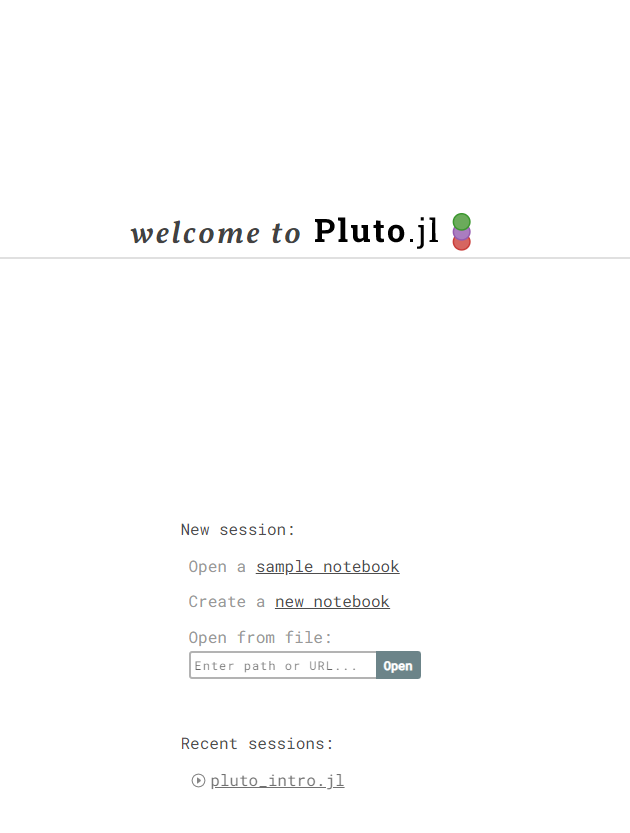
After clicking on new notebook you’ll be greeted with a familiar interface that resembles Jupyter notebooks:

Ready for the magic? Let’s do packages!

Do you remember when I said that in order to reproduce your code you will need to include all your packages? You can do this in Jupyter by including a virtual environment and poetry has come a long way to solve exact package versions in Python — Julia’s built-in package manager is still a lot nicer to use — but if you only want a single notebook to share wouldn’t it be better if all that package info would be included and everything installed magically?
Pluto knows if you’re installing packages and stores the package metadata straight in your .jl file so that everyone who takes your notebook will have exactly the same packages as you. Here’s an excerpt of a Pluto file with package manifest included:

To add packages, just simply type using or import in one of your cells, until a little ☁️ appears. Hover over it, and it will tell you that this package will be installed if you run this cell.
You can disable creating the virtual package environment per notebook and use the current directory or the global environment.
Reactivity
Now that we have Plots, we can make… plots!
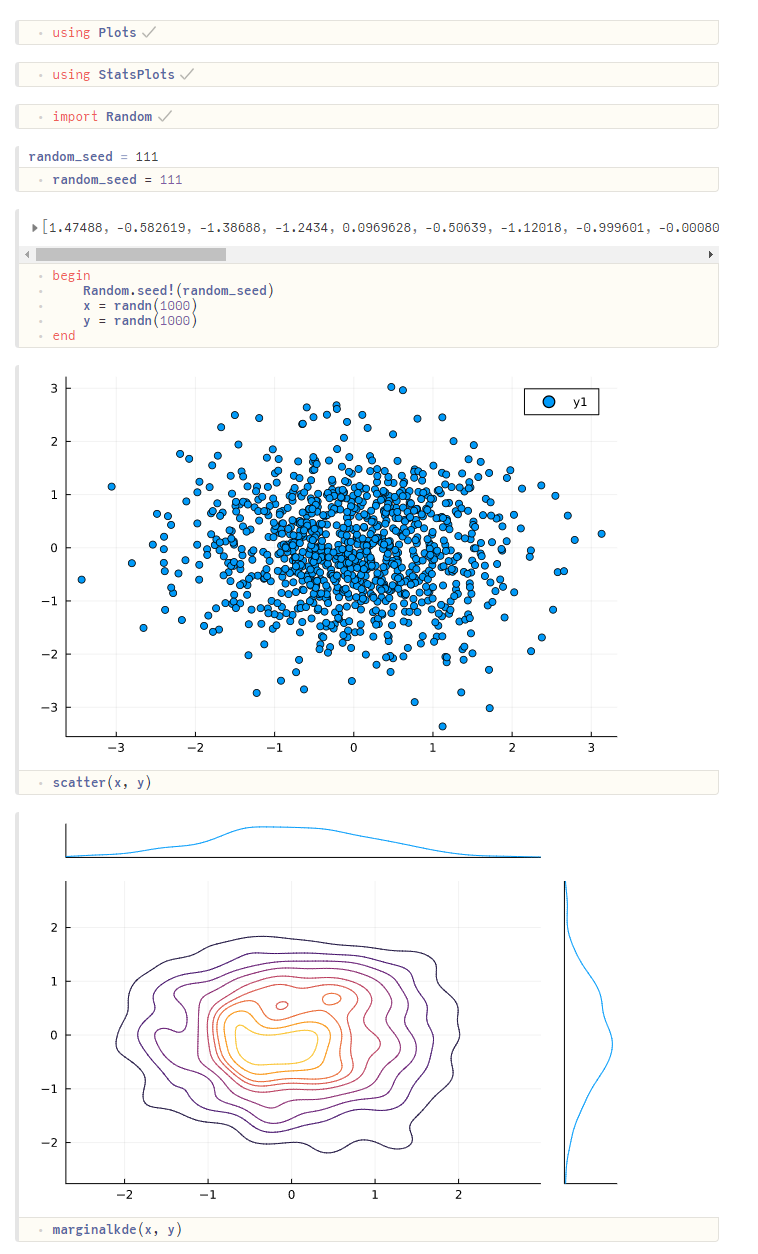
If you looked at the screenshot carefully you probably have noticed some interesting things. Mainly, that each cell does only 1 thing. This is by design. This is to build the dependency of the cells and make reactivity possible. The begin .. end wrapper still allows you to run multiple things as a single step if you really need it. What I really appreciate is that, should you try to run multiple assignments in a single cell, Pluto will automatically offer you a solution and refactor the code for you. How nice!
Secondly, the output is on top of the code cell. To me, this makes more sense. As a reader, I want to see the results first and then dive into the code behind to make sure it does what it’s supposed to do.
To prove that it’s all reactive, check out what happens when I change the cell where random_seed is defined:
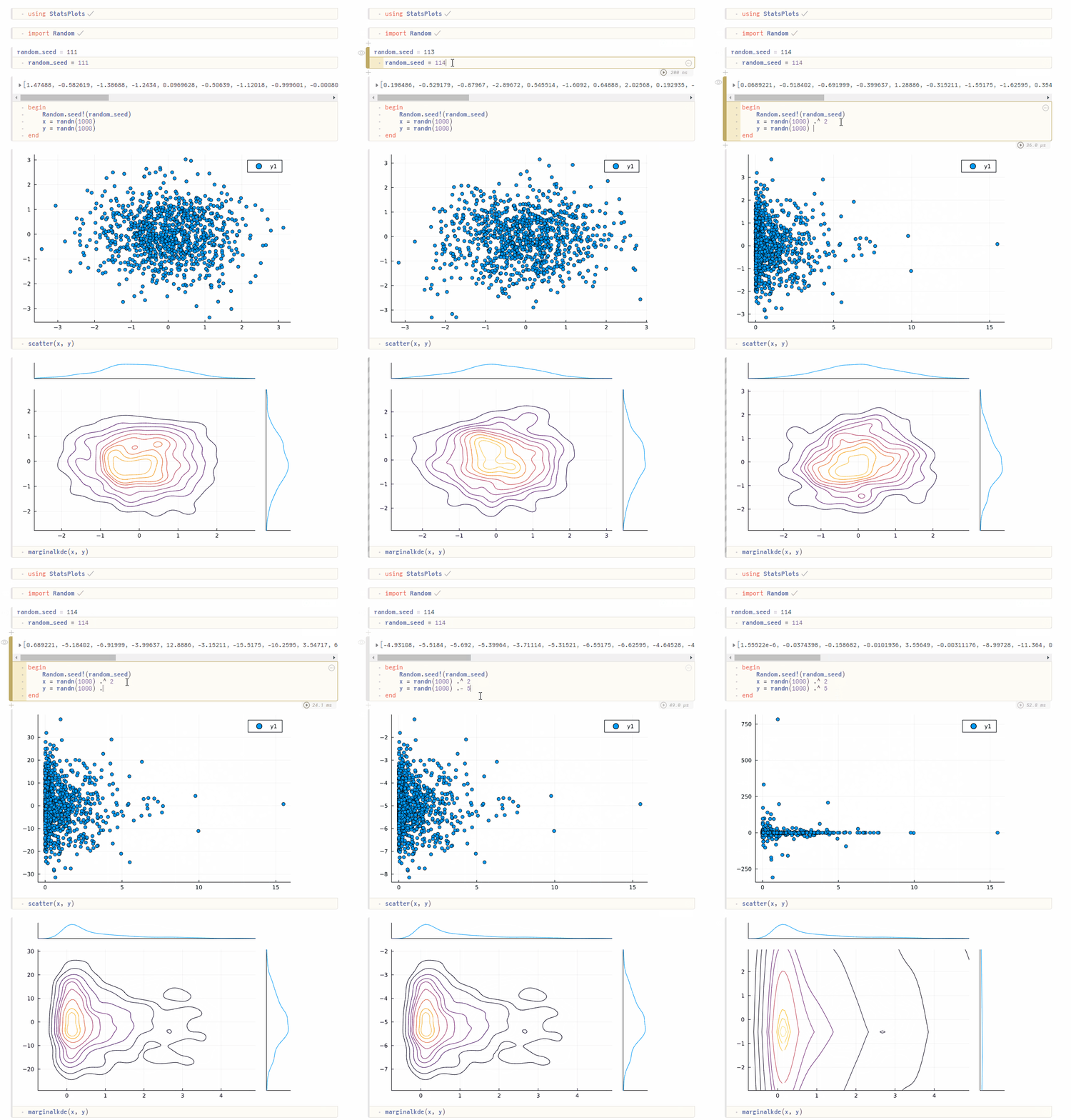
If you have long-running computes that you don’t want to rerun every time, you can disable cells by clicking on their options menu (…).
Sliders, sliders everywhere
The above is nice and I think makes coding and learning a lot more fun. But when you add HTML sliders, things just become a lot more fun.
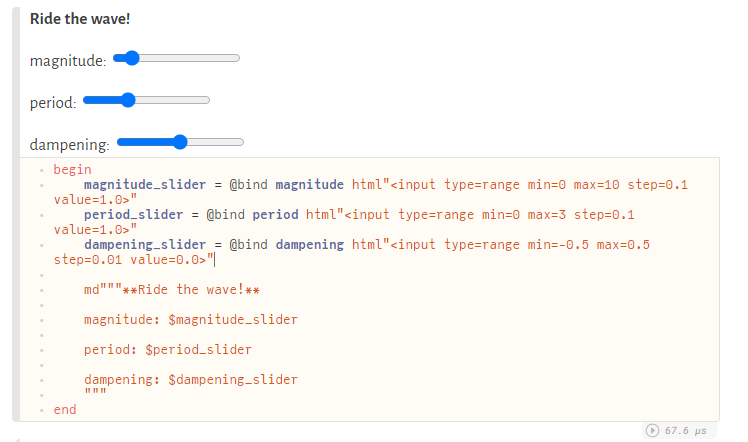
Using a combination of InteractiveUtils and Markdown packages you can add sliders to your notebooks and bind the results to a variable:
The @bind macro will bind the results of that HTML code — the slider value to the variable right after the macro call and return an HTML element that the md can then render. I forgot everything that I learn about HTML when I was in primary school, but the above code is so simple even I could do it 😅.
Here are the sliders:
Now that we have sliders, let’s ride the wave:
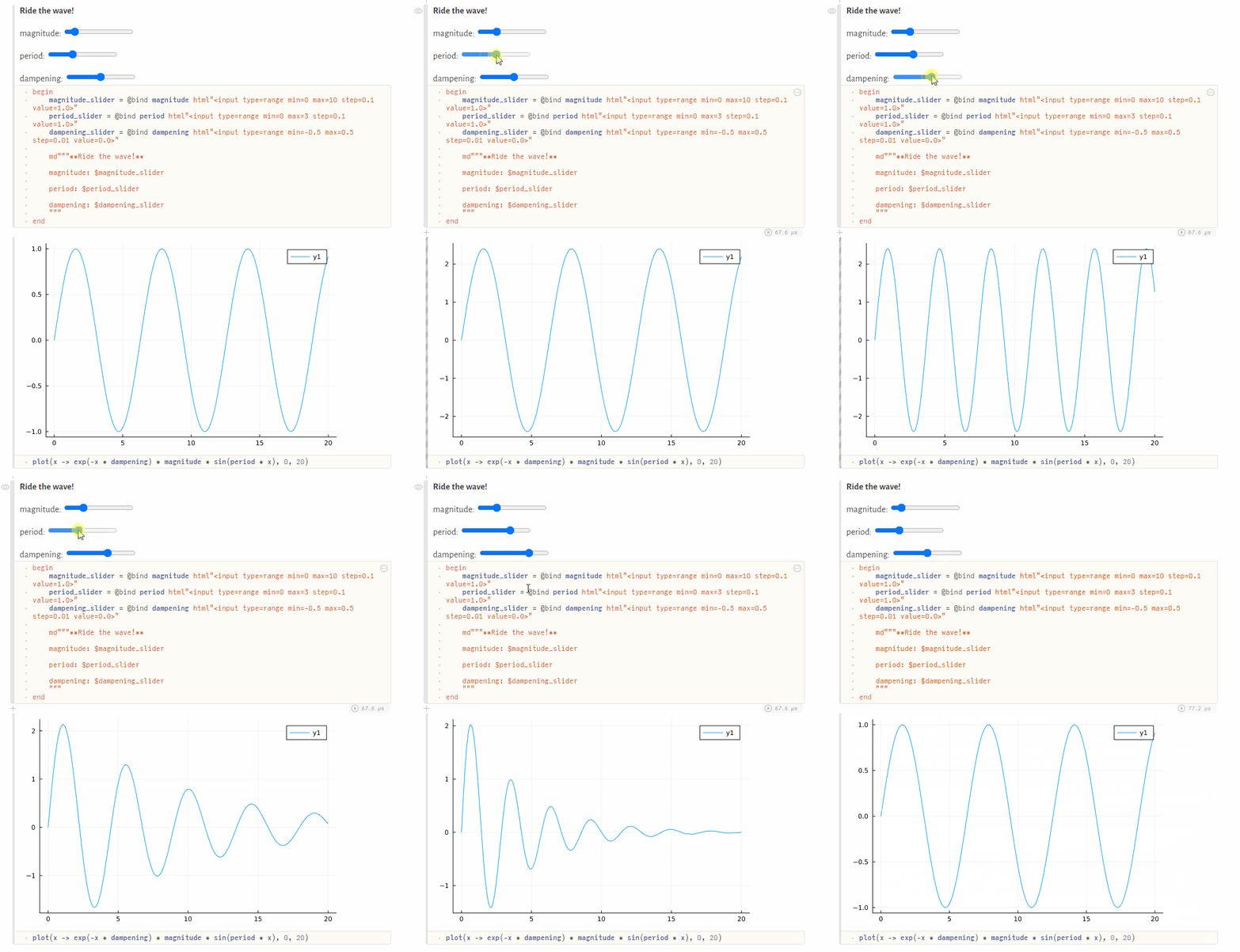
If this interactive plotting doesn’t drive the point forward, then I’m not sure what will. I think Pluto is such an awesome tool for education that I really hope that someday my kids will learn maths like this.
All the code used here can be found on GitHub under https://github.com/niczky12/medium
Give it a go!

All of the above was fairly simple child’s play but I tried to demonstrate how useful this could be in an educational setting.
You can grab the notebook from here and try the sliders yourself.
Imagine learning about probability density functions this way where you can play around with parameters and see the results instantly…
If you want to take this further, you could even include some machine learning or statistical analysis and let your readers play around with the hyperparameters. The applications are endless and I really hope this will catch on in the wider data science community. Pluto is already making waves in the Julia community but this needs to be seen by more people!
Huge thanks to the creators of Pluto! You guys rock!
I write about Julia and other cool stuff. If you enjoy articles such as this please consider following me.


