
Jitsi Meet — The Anonymus, Free and Open Source Alternative to Zoom Video Conferencing
Video Communication Software Trends World-Wide
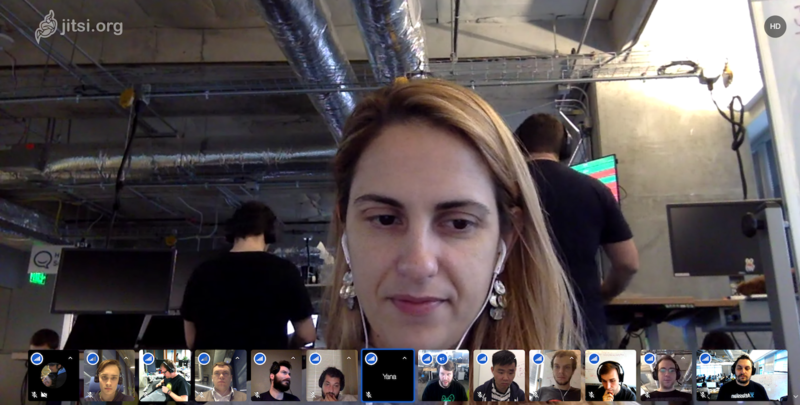
Here is what the world is doing, according to google
Who has not already made a video call on Zoom the last 3 weeks, unless they have been living under a rock. Skype and Zoom are about the top key words I started to hear on a daily basis over the past couple of weeks, paralleled only by keywords “COVID-19” and “Lockdown”.
A quick look into google trends told me that I am not alone. Take a look at the interest on google over the past 90 days in the following search terms on Google Trends:
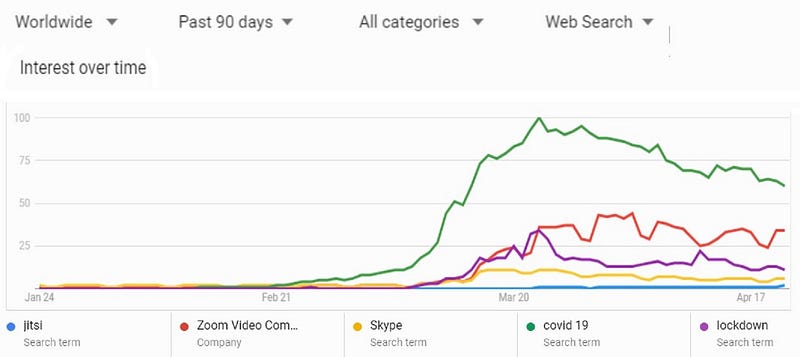
The Correlation between the Video communication search and Covid-19 search terms is uncanny! It is not difficult to guess why. Now, look at the region-wise break-down for the same search terms.
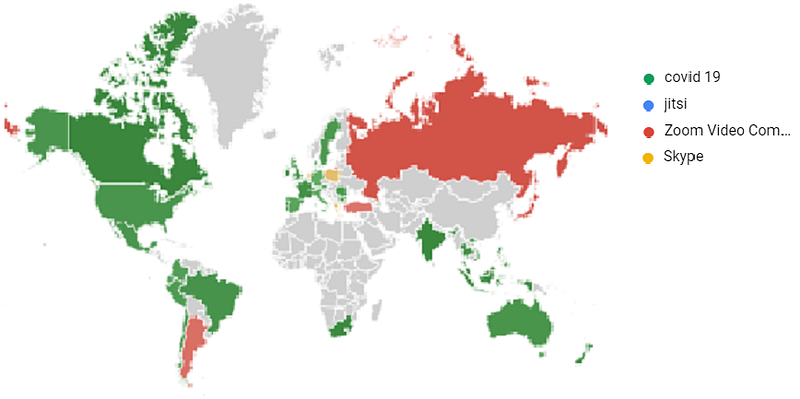
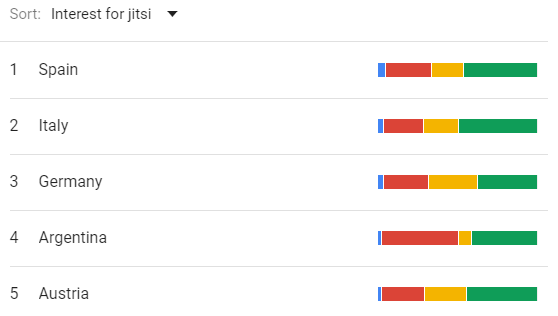
The searches on communications software by no means pale against those for the pandemic itself. Turns out Europeans (and Argentinians) are much more social than one thinks! (Or hard working? Alternatively, tech savvy.)

The relatively small but fast-growing blue-dot on the above bar is Jitsi-Meet, A completely free, open-source alternative to Zoom that I loved using. If you are looking for an unlimited, quality alternative video communication form, Jitsi is the way to go.
I Tried Jitsi Meet and Here is How It Went
Most of you reading this have already been on a zoom call and are familiar with the 40-minute limit on free meetings. Jitsi Meet is a completely free, open-source solution to this, with a promise of new features added every day. (May be we will see a zoom equivalent with End to End encryption soon!). Here is how it went :
The basics
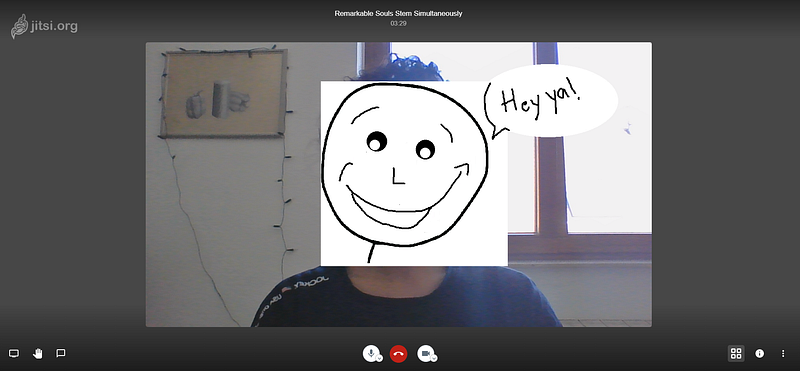
First things first, I like the video quality. If you happen to find yourself in a place starved of high internet speeds, Jitsi has an option to lower the video quality to suit your needs. Thoughtful touch. Options for screen-sharing, audio and video options, toggle menu, and others are handy.
No Registration, No download.
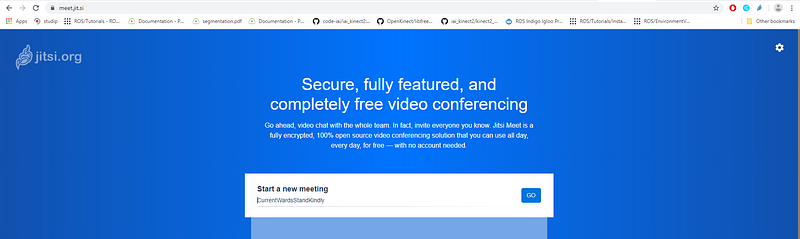
I DID NOT HAVE TO REGISTER! How great is that! No need to register, install or go through any other process where you are not comfortable giving out your email or set another password. This was for me, the best part. Open your browser, type jitsi.org, and dive in.
Signing in
You can join a meeting on Jitsi with a unique handle that you choose. I strongly recommend that you make this handle as unique as possible and set a password at the beginning so as to avoid “intruders”. A generic meeting name like “hello” not protected with a password might welcome some members that you were not expecting. This is done in Zoom at the start by default, but Jitsi leaves you the option of choosing your meeting name and password.
User Interface and options palette
The user interface of Jitsi is similar to that of zoom. It offers a far wider range of options to make your life easier.
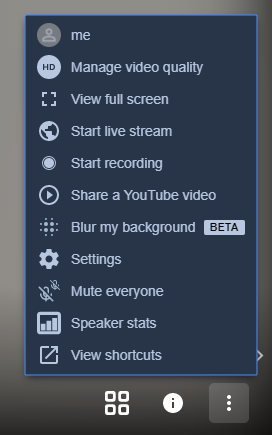
It also offers cool features such as Live streaming your group calls to your youtube channel, share a youtube video with your co-jitsers, look up speaker stats at the end of the meeting to get a picture of how much you spoke, and a whole bunch of keyboard shortcuts that are in-built so that you don’t have to fumble with the mouse each time you want to mute or unmute yourself.
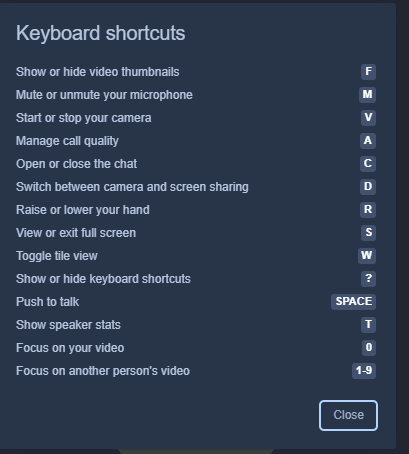
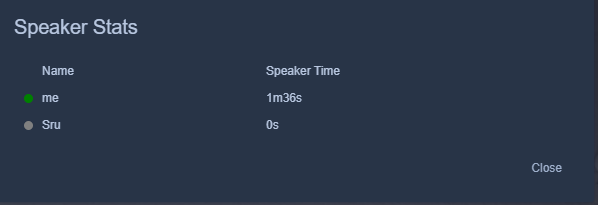
Number of participants, Video Recording and Meeting Stats
Jitsi Offers good conferencing experience for up to 75 users. For a bigger audience, Jitsi advises the use of its Live streaming option on YouTube, which in-turn supports millions at a time. In my opinion, that is a cool option to have on a video calling service. Although that is not an optimal “conference”, I cannot imagine a situation with about 300 audience members where everyone needs to speak on an ad-hoc basis.
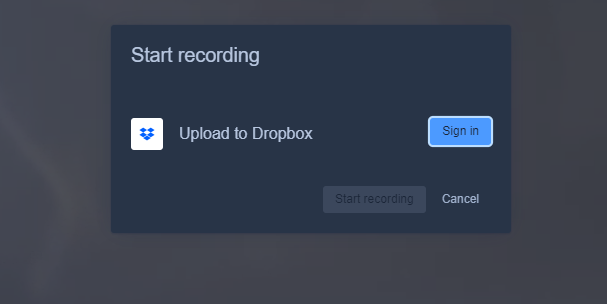
While Zoom’s Video Recording feature is limited to it’s paid members, Jitsi Allows you to record all your conferences while still being free. The recording is then backed-up to your dropbox or a location on your computer if you choose. Congenial!
Privacy
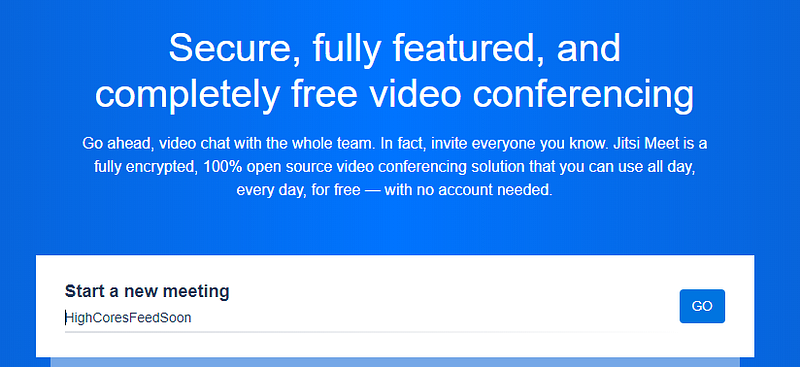
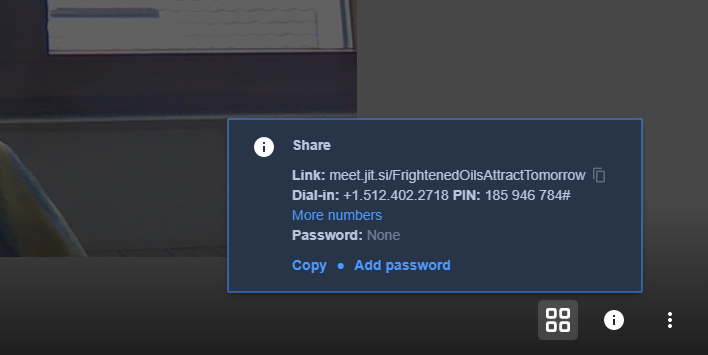
Jitsi-Meet, like zoom, is not yet end-to-end Encrypted. Each of its meeting instances is created and destroyed as and when members enter or leave the meeting. I cannot stress here enough, how important it is to set a strong password and a unique meeting name on Jitsi. Jitsi also provides a random name generator for this purpose. Here is an example :
What else is awesome
With Jitsi, Any user could mute/unmute a participant. While this might be considered a nuisance, I have been insufficient meetings where a caller was frantically moving his lips and arms unaware that his microphone is muted, If someone didn’t awkwardly scream into the micro and interrupt him. I welcome the change.
You can create your own video conferencing solutions!
With Jitsi It is possible to create your own meeting instance on your own server. You can integrate Jitsi service in your own mobile applications and cloud services and scale it as desired. An active open-source developer community provides support for these applications.
Instructions and docker images for self-deployment here:
That was my experience with Jitsi. If you try it out and/or use it in your mobile application or website, let me know in the comments. I hope this resolves your time limit restrictions and keeps you connecting. Happy conferencing!