
VOICE. CHEER. MAGIC.
Jingle All the Way: Building Your First Alexa Skill
Surprise your loved ones this Christmas by doing this…

In the era of voice-activated technology, where more than half a billion Alexa-enabled devices are present, creating your own Alexa Skill can be an exciting and rewarding experience. Imagine talking to your Alexa device and having it respond with a custom text or sound you provided.
Good news! You don't need to be from a tech background to make it happen. Just a little enthusiasm and passion for creating something new is enough here.
As the holiday season approaches, what if you could spread some festive cheer with a custom Alexa Skill for your loved ones?
By the end of this article, we will have a functioning alexa skill that you can share with friends and family. So, are you excited? Let the jingle bells ring!
Step 1: Unwrapping the Basics
Start by creating a free Amazon Alexa Developer platform account — your ticket to creating holiday magic. Once logged in, visit the same developer console to unwrap a new skill.
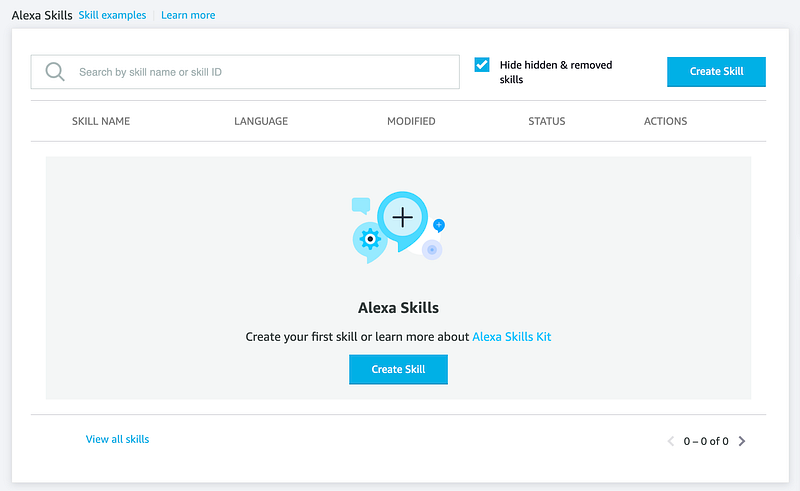
- Head over to the "Create Skill" button and give your skill a festive name, like "Christmas Message from [Your Name]."
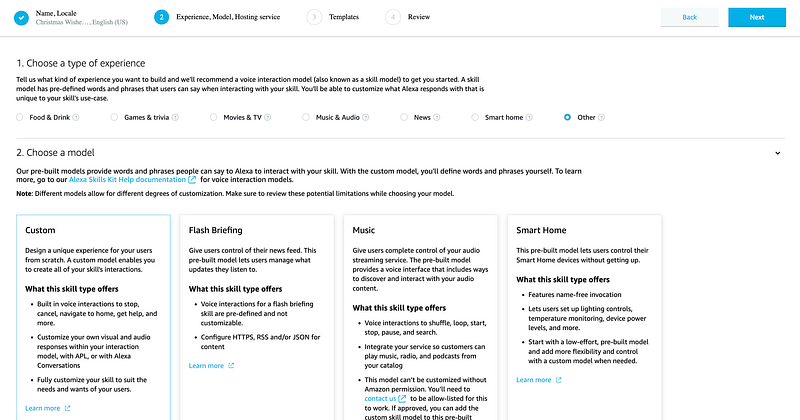
- From the type of experience, select "Other," model it as "Custom," and hit the next button.
- Then hit Next on the next page and then "Create Skill".
It will take about a minute to get it ready.
Step 2: Connecting through Phrases
Think about how your loved ones might interact with Alexa to activate your alexa skill. Perhaps "Alexa, open my Christmas Message".
And these will be the enchanting words that kickstart your skill.
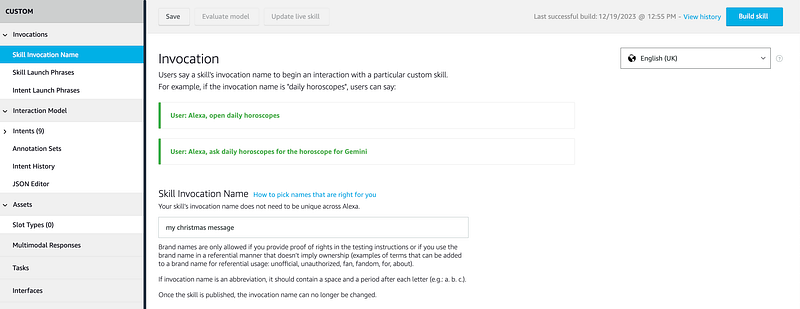
- Head over to the "Skill Invocation Name" — these magical words invoke your skill.
- Give it a name like "my christmas message" — it should be in all small caps. That's it: hit the glowing "Build Skill" button from the top right.
Step 3: Crafting Your Seasonal Greeting
We have created a basic skill and given it a desired name. Now, it's time to craft your seasonal greeting. Craft a message that captures the season's essence, and envision the smiles it will bring.
- Switch to the "Code" tab, and you will find a screen like this below.
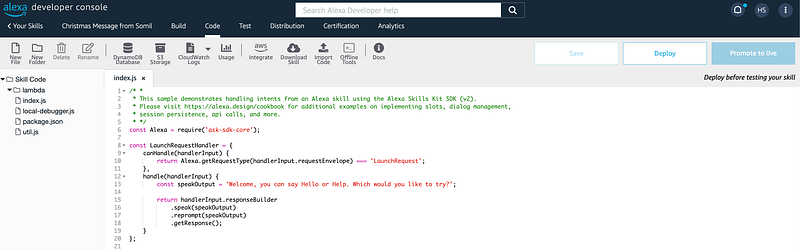
- In this screen, you need to edit line 13, where we will put our message.
const speakOutput = `Hey Mom and Dad, it's [Your Name]. Just wanted to take a moment to let you know how much you mean to me, especially during this magical time of year. Your love and support have shaped who I am, and I'm endlessly grateful for the warmth you bring to our family. Wishing you both a holiday season filled with joy, laughter, and the company of loved ones. Merry Christmas and Happy New Year! Love you always.`;- After editing the message, hit the "Deploy" button on the top right.
Step 4: Testing the Festive Connection
That's it; we are almost 90% done here. With your message crafted, use the Alexa Simulator in the Developer Console to ensure your skill responds seamlessly. This step ensures that your skill is ready to enchant users with your festive wishes.
- Switch to the "Test" tab now, and say the magical words.
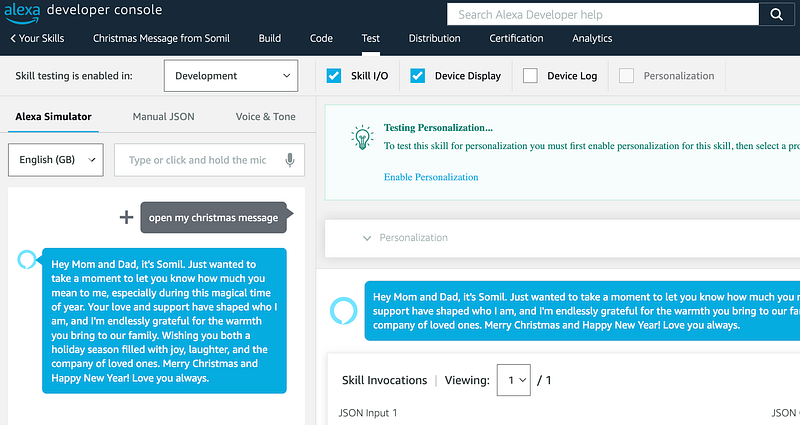
Step 5: Give the Final Touch to your Gift
As we have tested our skill successfully, it's time to polish it a bit to prepare it for the festive delivery.
- In the "Distribution" section, provide a basic description of your skill.
- Write some sample phrases that will invoke skill, and choose a category suitable for your skill.
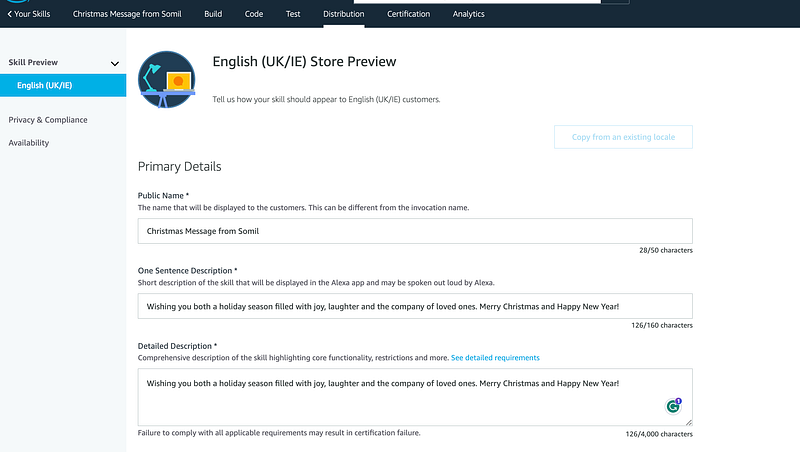
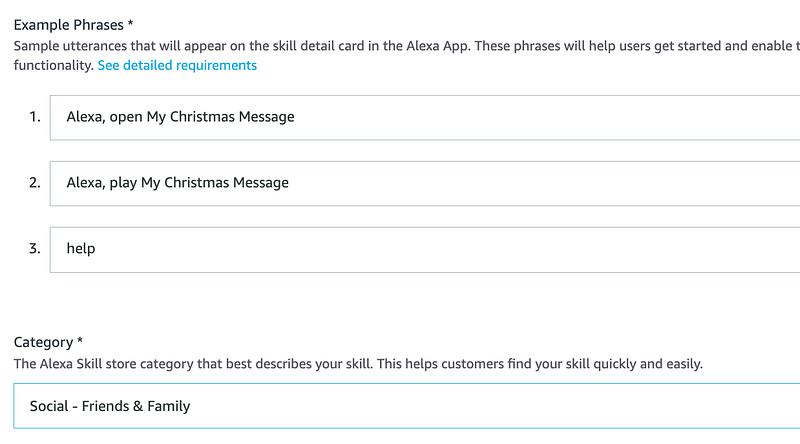
Step 6: Spreading Joy
It's time to spread the word!!!
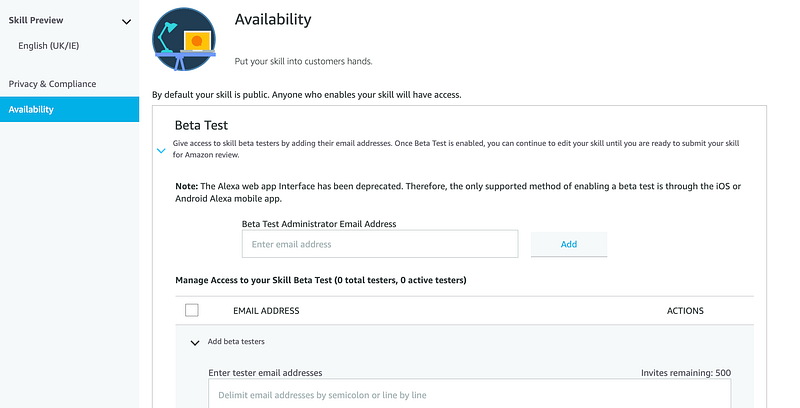
- Within the same "Distribution" section, switch to the Availability tab and invite people to try the skill using their emails.
Now, your personalized wishes are just a voice command away.

Congratulations! You've successfully launched the 'Christmas Message from [Your Name]' Alexa Skill, bringing festive magic to your loved ones with a simple voice command. As your warm wishes are delivered through Alexa, may the holiday season be filled with shared moments, laughter, and the joy of connecting with those who matter most.
Merry Christmas, and may your skill continue to spread cheer far and wide!
If you enjoyed this story, you might also check out my recent travel story:
Thanks for reading my story. If you like to read more stories like this, I invite you to follow me. Till then, Sayonara! I wish you the best in your journey.
I am a software engineer who enjoys travelling and writing — About Me.


