
JavaScript’s forEach and Async Code: With Great Power Comes… Well You know
Asynchronous programming, a cornerstone of modern web development, empowers you to build dynamic and responsive applications. However, it can introduce unexpected twists and turns, especially when paired with JavaScript’s forEach loop. Here's why this seemingly innocent duo can lead to trouble:
The Misconception
Many developers assume that forEach inherently handles asynchronous operations within its iterations. Unfortunately, it does not handle it as you may expect. forEach is designed for synchronous tasks, meaning it executes its callback function for each element in an array sequentially and without waiting for any asynchronous operations within that callback.
The Culprit: Callback Blindness
Imagine forEach as a dance instructor, calling each array element to the floor one by one. It tells them to perform a move (the callback function), but it's oblivious to whether that move involves complex acrobatics (asynchronous operations). While one element is busy with its flips and tumbles, the instructor moves on to the next, completely unaware of the ongoing performance.
The Resulting Chaos
This lack of awareness can lead to several issues:
- Unpredictable Order: Asynchronous operations within the callback might not complete in the same order as the loop iterates. This can cause unexpected results, especially when dealing with dependencies between elements.
- Race Conditions: If multiple asynchronous operations access shared resources, race conditions can occur, leading to unpredictable behavior and potential data corruption.
- Callback Hell: Nesting callbacks to handle the results of asynchronous operations within
forEachcan quickly create spaghetti code, making it difficult to read, debug, and maintain.
Avoiding the Pitfalls:
Here’s how you can sidestep the forEach-async mismatch:
- Embrace
async/await: This syntactic sugar simplifies asynchronous code, making it easier to manage the flow and avoid callback hell. - Use Promises: Chain promises together to control the execution order of asynchronous operations.
- Leverage
for...ofloop: This loop provides a cleaner way to iterate over arrays and is more compatible withasync/await. - Consider Alternatives: Libraries like
asyncandbluebirdoffer powerful tools for managing asynchronous operations effectively.
A Few Examples of issues and alternative approaches(TypeScript):
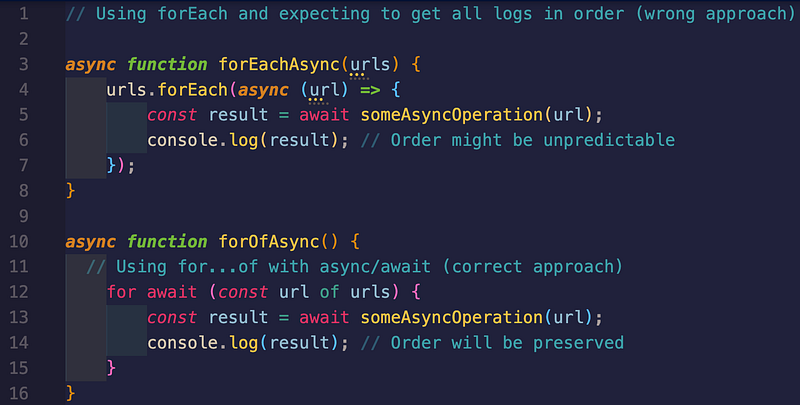
// Using forEach and expecting to get all logs in order (wrong approach)
const urls =[
    'https://api.example.com/data1',
    'https://api.example.com/data2',
    'https://api.example.com/data3',
  ];

async function forEachAsync(urls) {
    urls.forEach(async (url) => {
        const result = await someAsyncOperation(url);
        console.log(result); // Order might be unpredictable
    });
}

async function forOfAsync() {
  // Using for...of with async/await (correct approach)
    for await (const url of urls) {
        const result = await someAsyncOperation(url);
        console.log(result); // Order will be preserved
    }
}
Below is example where we may want to send many requests as fast as possible while we wait for the responses to come back in their own. Here we’ll use a map(TypeScript):
sync function makeManyRequests() {
  const requests = [
    { url: 'https://api.example.com/data1' },
    { url: 'https://api.example.com/data2' },
    { url: 'https://api.example.com/data3' },
  ];

  // Create an array of promises using map
  const promises = requests.map(async (request) => {
    const response = await fetch(request.url);
    const data = await response.json();
    return data;
  });

  // Use Promise.all to wait for all promises to resolve
  try {
    const results = await Promise.all(promises);
    console.log(results); // Array of fetched data
  } catch (error) {
    console.error('Error fetching data:', error);
  }
}

makeManyRequests();
The Key Benefits of this second example are:
- Asynchronous Execution:
forEachisn't used directly for asynchronous operations here. It's employed withinmapto create the array of promises, which are then coordinated usingPromise.all. - Order Preservation:
Promise.allwaits for all promises to settle before resolving, maintaining the order of results as they were initiated. - Error Handling: The
try...catchblock ensures graceful handling of potential errors during the asynchronous processes.
We can continue to improve on this approach by using a Promise.allSettled and still sticking with the map:
async function makeManyRequests() {
  const requests = [
    { url: 'https://api.example.com/data1' },
    { url: 'https://api.example.com/data2' },
    { url: 'https://api.example.com/data3' },
  ];

  const promiseResults = requests.map(async (request) => {
    try {
      const response = await fetch(request.url);
      const data = await response.json();
      return { status: 'fulfilled', value: data };
    } catch (error) {
      return { status: 'rejected', reason: error };
    }
  });

  const results = await Promise.allSettled(promiseResults);

  console.log(results); // Array of objects with 'status' and 'value' or 'reason'
}

makeManyRequests();
Benefits of Promise.allSettled:
- Provides information about every request, even if some fail.
- Useful for scenarios where knowing the outcome of all requests is essential, regardless of success or failure.
Remember: Choose Promise.all for scenarios where all requests must succeed for further processing. Use Promise.allSettled when understanding individual request outcomes is crucial, even if some fail.
We’ll leave with this... forEach is a valuable tool, but it's not designed for asynchronous waltzes. Embrace the appropriate tools and approaches to keep your asynchronous code clear, predictable, and bug-free!


