
JavaScript: Event Loop & Callback Queue Explained
When JavaScript is run on a browser, the following components come into play:
- The JavaScript Engine with its Call stack and its Memory heap
- The Event Loop
- The Callback Queue
- The Web API
JavaScript Engine
To read about this, check out the article here.
Event Loop
Remember that:
JavaScript is a single-threaded language.
The Event-loop is the secret sauce that helps give JavaScript its multi-tasking abilities (almost!).
This loop constantly checks whether the call stack is empty or not and if it is, the functions waiting to be executed in the callback queue get pushed to the call stack.
Finding it tough to understand? Don’t worry! It will be much easier to understand with the example below.
Let’s move on to the next component before that.
Callback Queue
The Callback queue is a data structure that operates on the FIFO (first-in-first-out) principle.
Callback functions that need to be asynchronously executed, are pushed onto the callback queue.
These are later pushed to the Call stack to be executed (when the event loop finds an empty call stack).
Web API
These are different APIs provided by the web browser that helps you build web applications.
A few that you might be familiar with are:
setTimeout()setInterval()clearTimeout()clearInterval()fetch()
Remember that these are not in-built into the JavaScript engine.
Read more about Web APIs here: https://developer.mozilla.org/en-US/docs/Web/API
How Do These Components Work Together?
We will write 3 functions to understand this.
function print_first_statement(){
    console.log("First statement");
};
function print_second_statement(){
setTimeout(() => {
console.log("Second statement");
}, 3000);
};function print_third_statement(){
console.log("Third statement");
};These can be executed as follows:
print_first_statement();print_second_statement();print_third_statement();This outputs to:
Output:First statement
Third statement
Second statementDid you notice the delay in printing Second statement?
Let’s see how this works in the background:
1
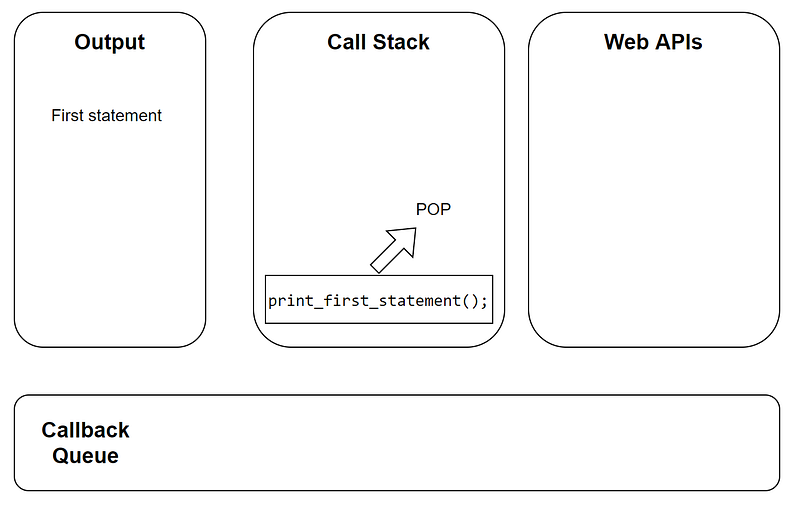
print_first_statement()is called, its function execution context is placed in the call stack and the function is executed- This outputs to printing
First statementon the screen
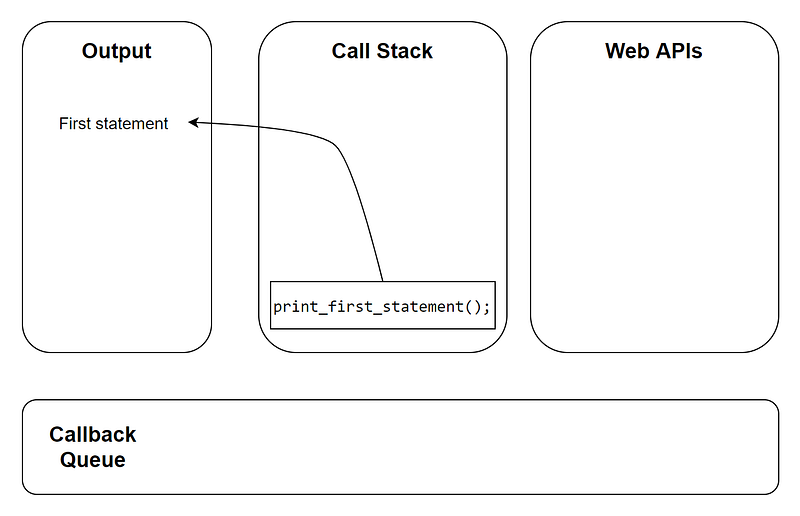
print_first_statement()function execution context is popped off the call stack
2
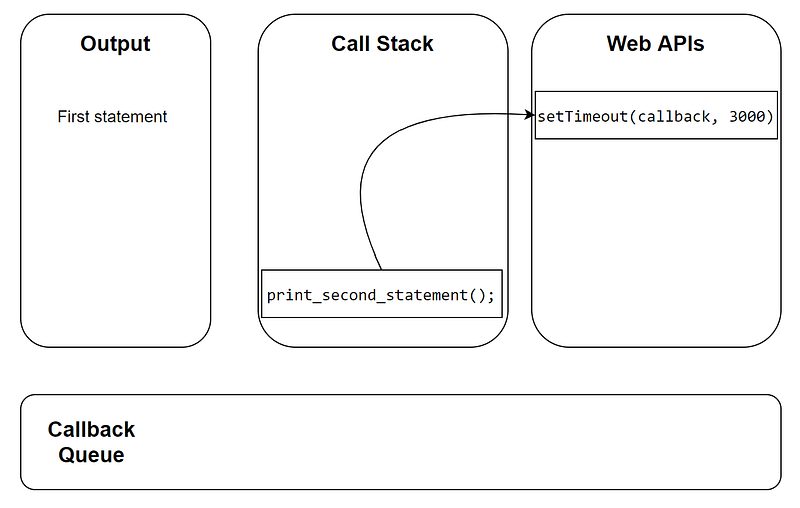
print_second_statement()is called, its function execution context is placed in the call stack and the function is executed- This creates a call to the WebAPI (due to the
setTimeout()function)
- Once WebAPI is done executing this (for 3000ms), it places the anonymous callback function in the Callback queue.
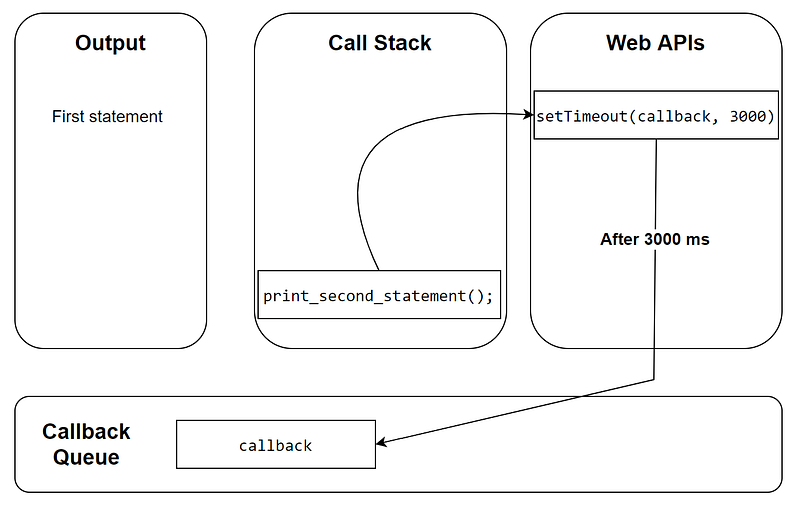
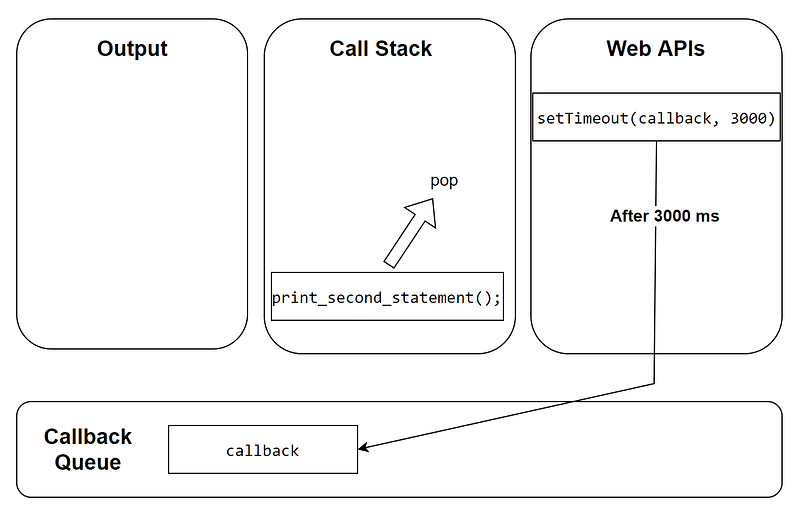
- This will be pushed to the call stack once it is found to be empty by the Event loop
print_second_statement()function execution context is popped off the call stack
3
print_third_statement()is called, its function execution context is placed in the call stack and the function is executed- This outputs to printing
Third statementon the screen
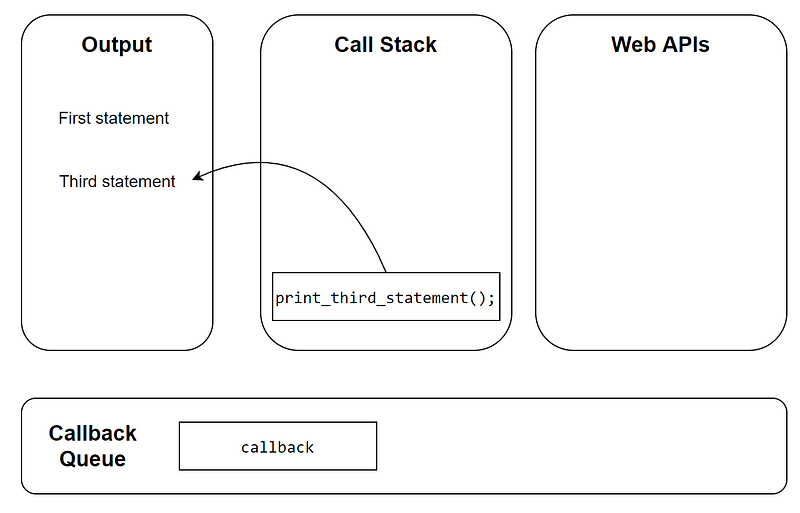
print_third_statement()function execution context is popped off the call stack
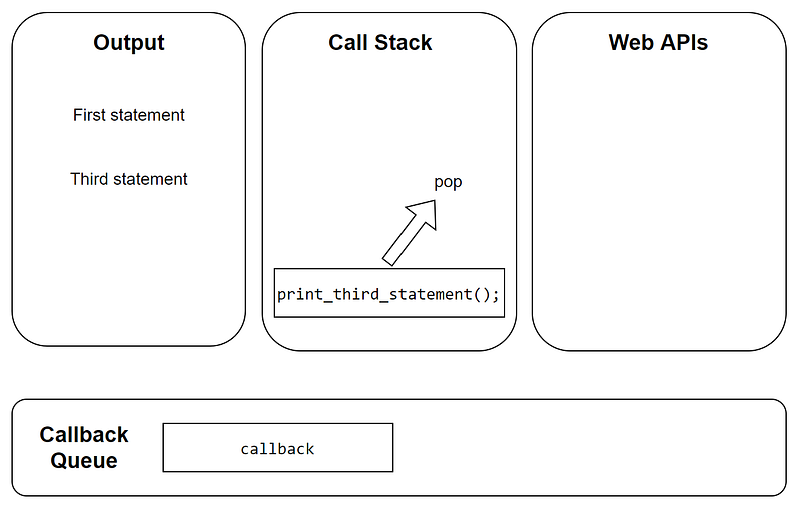
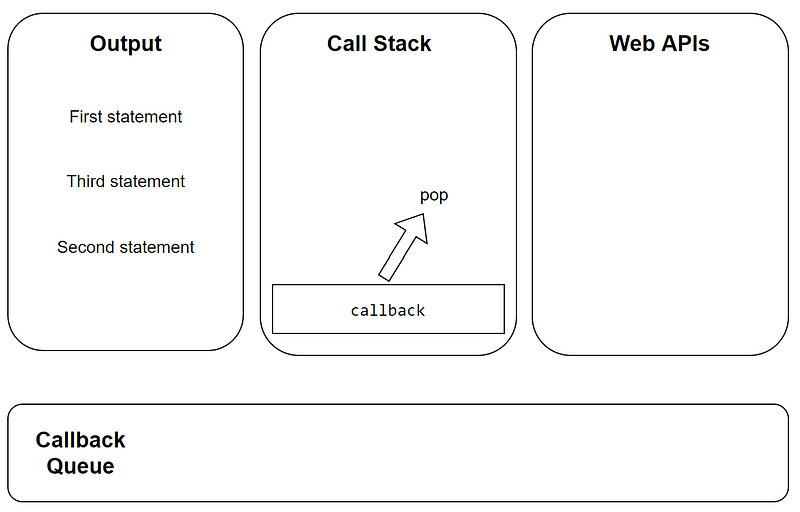
- When the call stack becomes empty, the anonymous callback function in the callback queue will be pushed into this empty call stack by the Event loop
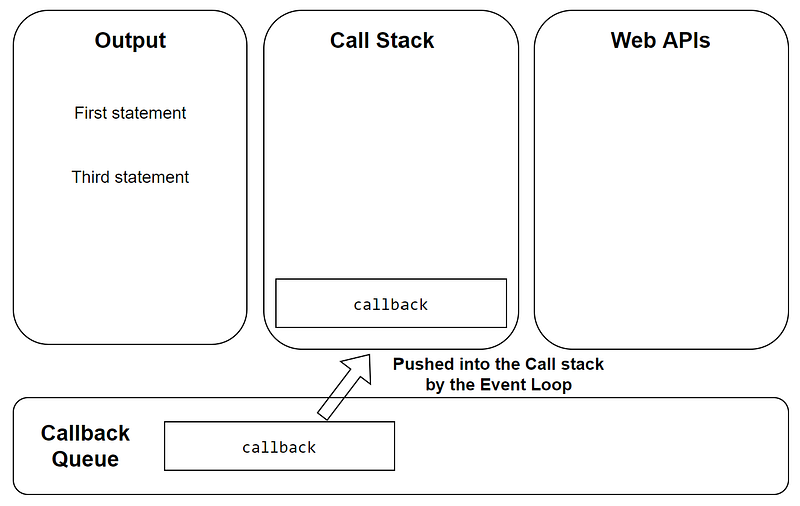
- This callback function’s function execution context is placed in the call stack and the function is executed
- This outputs to printing
Second statementon the screen
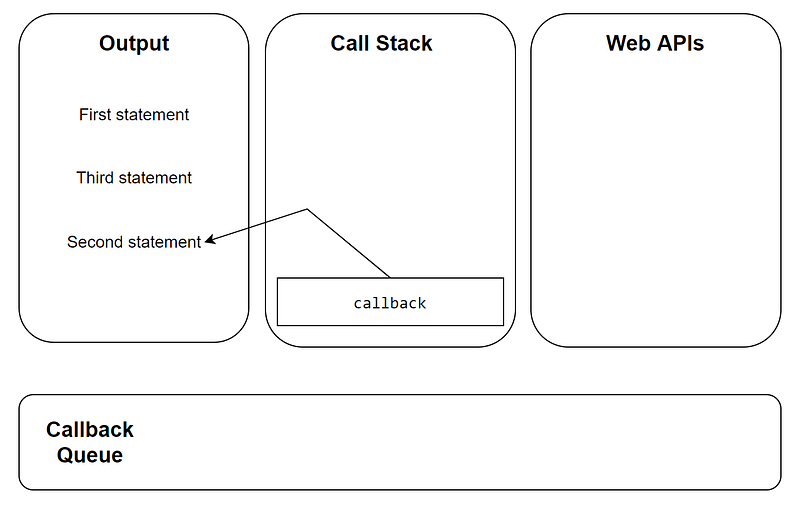
- The callback function’s function execution context is popped off the call stack
If you liked this article, please click on the clap button (one user can click up to 50 times) and follow me on Medium.
Thanks for reading this article!
If you are someone new to Python or Machine Learning, check out my books below:


