JavaScript Day 44 — Mastering JavaScript Basics: A Comprehensive Guide for Interview Preparation
100 Days of JavaScript Interview Prep: A Beginner’s Journey
Question : How to create debounce function with example ?
Answer
In simple term, we decide to introduce a rule
Our friend can only talk after a short pause.
If they say something and then stay quiet for a little while, only then can they say something new.
This way, you can listen and write down what they’re saying without feeling overwhelmed.
In our web term also searching on a website.
Imagine we’re using a search bar on a website.
- Step 1 As we type each letter, the website immediately starts searching for matches and updating the results.
- Step 2 Now, if you type quickly, this means the search function gets called every time you press a key.
Here’s where debounce comes in
It helps prevent unnecessary searches
Let’s understand how we can about debounce.
- Step 1- Instead of searching every time you press a key, debounce waits for a moment of pause in your typing.
- Step 2 — If we stop typing for a brief moment, it then triggers the search.
- Step 3 — This way, it ensures that the search function is only called after we’ve finished typing or paused for a moment, making the search more efficient and responsive.
Hope this gives you an idea of what debounce is and how we can divide our code into steps.
Let’s start
STEP 1 — Initialization
It declares a function named debounce that takes two parameters:
func (the function to be debounced) and delay (the time delay in milliseconds).
function debounce(func, delay) {

}STEP 2 — Declaration of timeoutId
Declares a variable timeoutId to store the identifier for the timeout.
function debounce(func, delay) {
     let timeoutId;
}
STEP 3 — Returning a Function
Returns an inner function that will be invoked each time the debounced function is called.
function debounce(func, delay) {
     let timeoutId;
  return function() {

  }
}
STEP 4 — Handling arguments
function debounce(func, delay) {
     let timeoutId;
  return function() {
    const context = this;
     const args = arguments;
  }
}
STEP 5 — Clearing Previous Timeout
Clears the previous timeout if it exists, effectively resetting the timer.
function debounce(func, delay) {
    let timeoutId;
    return function() {
      const context = this;
      const args = arguments;
      clearTimeout(timeoutId);
   }
}
STEP 6— Clearing Previous Timeout:
Setting a New Timeout
Sets a new timeout using setTimeout. When this timeout elapses, it executes the provided function (func) with the captured context and arguments.
function debounce(func, delay) {
    let timeoutId;
    return function() {
      const context = this;
      const args = arguments;
      clearTimeout(timeoutId);
      timeoutId = setTimeout(() => {
        func.apply(context, args);
      }, delay);
   }
}
STEP 7 — Create HTML with text input and output div for results
<!DOCTYPE html>
<html lang="en">
<head>
  <meta charset="UTF-8">
  <meta name="viewport" content="width=device-width, initial-scale=1.0">
  <title>Debounce Example</title>
</head>
<body>
  <input type="text" id="inputField" placeholder="Type something...">
  <div id="output"></div>

  <script>
    function debounce(func, delay) {
      let timeoutId;

      return function() {
        const context = this;
        const args = arguments;

        clearTimeout(timeoutId);
        timeoutId = setTimeout(() => {
          func.apply(context, args);
        }, delay);
      };
    }


  </script>
</body>
</html>
STEP 8— Create handleInput function
- Retrieves the value of the input field with the ID
'inputField'. - It assumes there's an HTML input element with that ID.
- Sets the
innerTextproperty of the element with the ID'output'to the value ofinputText. - It will update the content of that element with the text typed into the input field.
<!DOCTYPE html>
<html lang="en">
<head>
  <meta charset="UTF-8">
  <meta name="viewport" content="width=device-width, initial-scale=1.0">
  <title>Debounce Example</title>
</head>
<body>
  <input type="text" id="inputField" placeholder="Type something...">
  <div id="output"></div>

  <script>
    function debounce(func, delay) {
      let timeoutId;

      return function() {
        const context = this;
        const args = arguments;

        clearTimeout(timeoutId);
        timeoutId = setTimeout(() => {
          func.apply(context, args);
        }, delay);
      };
    }

function handleInput() {
      const inputText = document.getElementById('inputField').value;
      document.getElementById('output').innerText = inputText;
    }

  </script>
</body>
</html>
STEP 9— Add debounce method
<!DOCTYPE html>
<html lang="en">
<head>
  <meta charset="UTF-8">
  <meta name="viewport" content="width=device-width, initial-scale=1.0">
  <title>Debounce Example</title>
</head>
<body>
  <input type="text" id="inputField" placeholder="Type something...">
  <div id="output"></div>

  <script>
    function debounce(func, delay) {
      let timeoutId;

      return function() {
        const context = this;
        const args = arguments;

        clearTimeout(timeoutId);
        timeoutId = setTimeout(() => {
          func.apply(context, args);
        }, delay);
      };
    }

    function handleInput() {
      const inputText = document.getElementById('inputField').value;
      document.getElementById('output').innerText = inputText;
    }

    const debouncedHandleInput = debounce(handleInput, 500);

  </script>
</body>
</html>
STEP 10— Add Listener with debounce function
<!DOCTYPE html>
<html lang="en">
<head>
  <meta charset="UTF-8">
  <meta name="viewport" content="width=device-width, initial-scale=1.0">
  <title>Debounce Example</title>
</head>
<body>
  <input type="text" id="inputField" placeholder="Type something...">
  <div id="output"></div>

  <script>
    function debounce(func, delay) {
      let timeoutId;

      return function() {
        const context = this;
        const args = arguments;

        clearTimeout(timeoutId);
        timeoutId = setTimeout(() => {
          func.apply(context, args);
        }, delay);
      };
    }

    function handleInput() {
      const inputText = document.getElementById('inputField').value;
      document.getElementById('output').innerText = inputText;
    }

    const debouncedHandleInput = debounce(handleInput, 500);
     const inputField = document.getElementById('inputField');
    inputField.addEventListener('input', debouncedHandleInput);

  </script>
</body>
</html>
This debounce function ensures that the provided func is only executed after a certain delay since the last invocation.
If func is called again within that delay, the previous call is cancelled, and the delay is reset.
STEP 11— Complete HTML with debounce code
<!DOCTYPE html>
<html lang="en">
<head>
  <meta charset="UTF-8">
  <meta name="viewport" content="width=device-width, initial-scale=1.0">
  <title>Debounce Example</title>
</head>
<body>
  <input type="text" id="inputField" placeholder="Type something...">
  <div id="output"></div>

  <script>
    function debounce(func, delay) {
      let timeoutId;

      return function() {
        const context = this;
        const args = arguments;

        clearTimeout(timeoutId);
        timeoutId = setTimeout(() => {
          func.apply(context, args);
        }, delay);
      };
    }

    function handleInput() {
      const inputText = document.getElementById('inputField').value;
      document.getElementById('output').innerText = inputText;
    }

    const debouncedHandleInput = debounce(handleInput, 500);

    const inputField = document.getElementById('inputField');
    inputField.addEventListener('input', debouncedHandleInput);
  </script>
</body>
</html>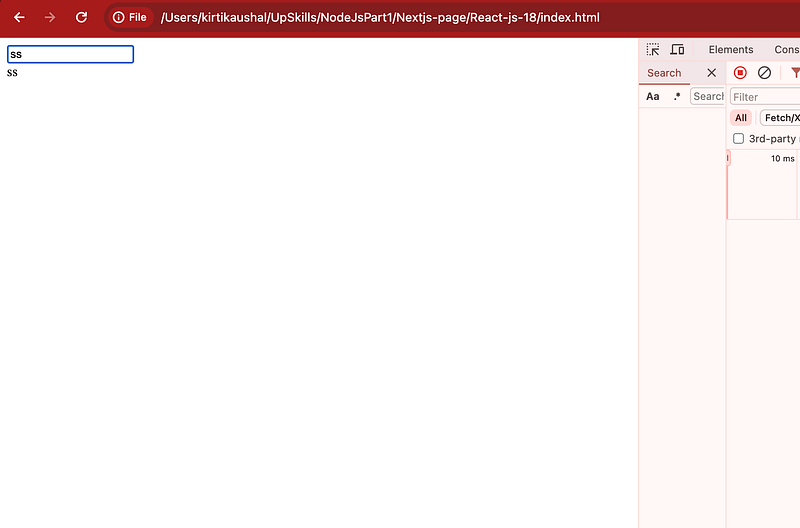
Happy Coding and Stay Tuned :)
Kind is always cool !!!
Share knowledge to gain knowledge !!!!
Be kind and treat people with respect !!
If you find my blog helpful, then please subscribe, claps and follow to support :)