JavaScript Day 25 — Mastering JavaScript Basics: A Comprehensive Guide for Interview Preparation
100 Days of JavaScript Interview Prep: A Beginner’s Journey

Welcome to Day 25–100 Days of JavaScript Interview Prep: A Beginner’s Journey
Embarking on a 100-day adventure focused on learning, practice, and growth sounds like an incredibly rewarding journey.
DAY 25 (April 16th, 2024) — Console.log or debugging method in JavaScript?
Answer —
Console — It is part of web-api and feature available in web-workers.
It’s exposed as Window.console, and can be referenced as console.
Console is an object in JavaScript which provides methods below advantages.
- It helps in interacting with the browser’s debugging console.
- It allow developers to log messages.
- It help in debugging code.
- It help to inspect the state of their applications.
How to Use It
Let’s start with simple example Usage
Simple Example
Console.log with string
console.log("Failed to open the specified link");Open browser console window and paste the above line of code. You will see log will be printed in the window.
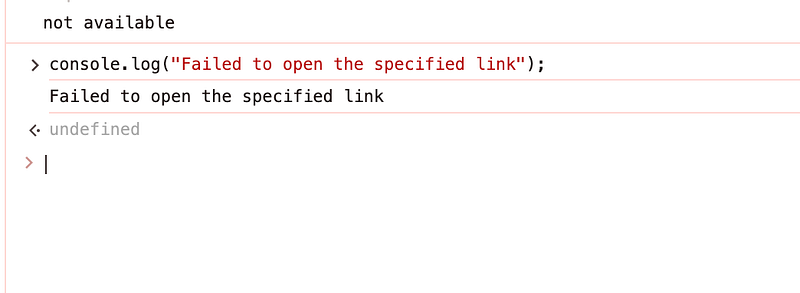
Let’s now understand Console Methods and how we can use each of them.
1. console.assert()
The console.assert() static method writes an error message to the console if the assertion is false.
If the assertion is true, nothing happens.
function isEven(num) {
    console.assert(typeof num === 'number', "Error: Input must be a number");
    return num % 2 === 0;
}

console.log(isEven(4));  // Output: true
console.log(isEven('ghfjghfjgf'));  // will throw error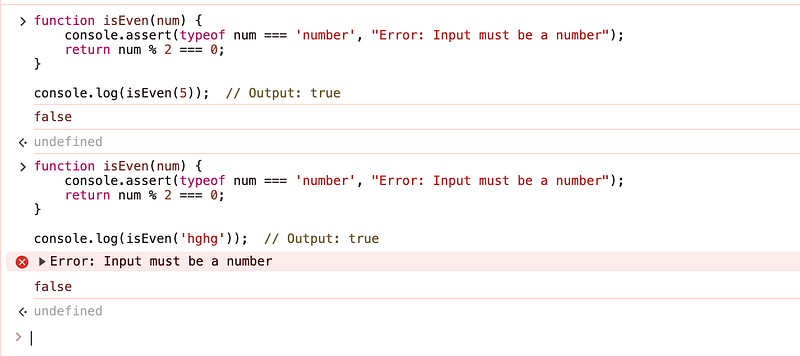
2. console.clear()
It is static method clears the console of any message.
Let’s understand with example —
First add some console.log with strings and add console.clear() method at the end.
You will notice all logs will be cleared from window or program
console.log("my first log");
console.log("my second log");

console.clear() // it will clear all above logs from window
3. console.debug()
The console.debug() method is used to log debug messages to the console.
It is similar to console.log, but it is used for debugging purposes in application.
It is very useful for debugging the production ready application and tracking user journey for errors troubleshooting.
function login(username, password) {
    console.debug("user entered with encrypted function for login",username,password);
    return true;
}

console.log(login('gfdgf', 'mypwd')); 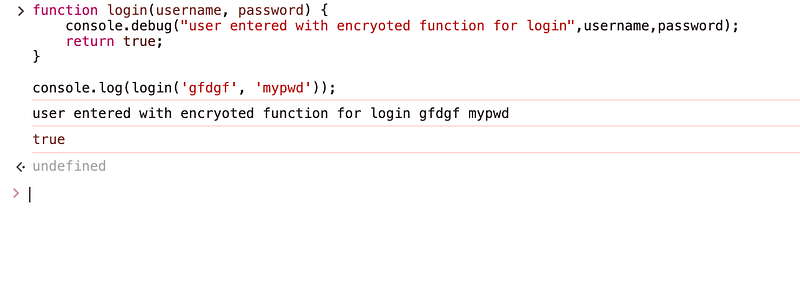
console.debug() method is used to log debug messages to the console.In our real application, we usually used console.debug with log Level — We will learn in our comming session how to use console.log with different log Level in common utility.
Conclusion
This is the basic example to understand how console works and tomorrow we will continue with other method of console.
Happy Coding and Stay Tuned :)
Kind is cool !!!
Share knowledge to gain knowledge !!!!
Be kind and treat people with respect !!
If you find my blog helpful, then please subscribe, claps and follow to support :)