avatarMING

Summary

SwiftNEWKit is an open-source Swift Package designed for Apple Developers using SwiftUI, offering a streamlined approach to display "What's New" release notes to users with features like auto-triggering, one-line coding, JSON compatibility, and remote data loading.

Abstract

SwiftNEWKit introduces a simplified solution for Apple Developers to present release notes through a Swift Package tailored for SwiftUI. This tool automatically prompts users with a "What's New" sheet when the app version or build number increases. It prides itself on ease of use, requiring minimal coding effort, and supports both local and remote JSON data for versatile data management. The package also includes features such as versioning, simple binding, and a straightforward model, with additional support for remote notifications starting from version 3.5.0. Developers can easily integrate SwiftNEWKit into their projects by adding it as a package dependency and following a few simple setup steps.

Opinions

  • The author suggests that displaying "What's New" information is now more effortless than ever with SwiftNEWKit.
  • The package is praised for its simplicity, requiring only one line of code to implement, which likely appeals to developers looking for efficiency and ease of use.
  • The support for remote data loading and notification features indicates a focus on modern, dynamic app update experiences.
  • The inclusion of environment screenshots and detailed setup instructions reflects a user-friendly approach, aiming to assist developers in quickly adopting the tool.
  • Encouraging developers to follow the author on Twitter and visit the GitHub repository shows a community-oriented mindset, seeking to build a following and foster collaboration.

Introducing SwiftNEWKit — Show “What’s New” Effortless

Designed for Apple Developers with SwiftUI.
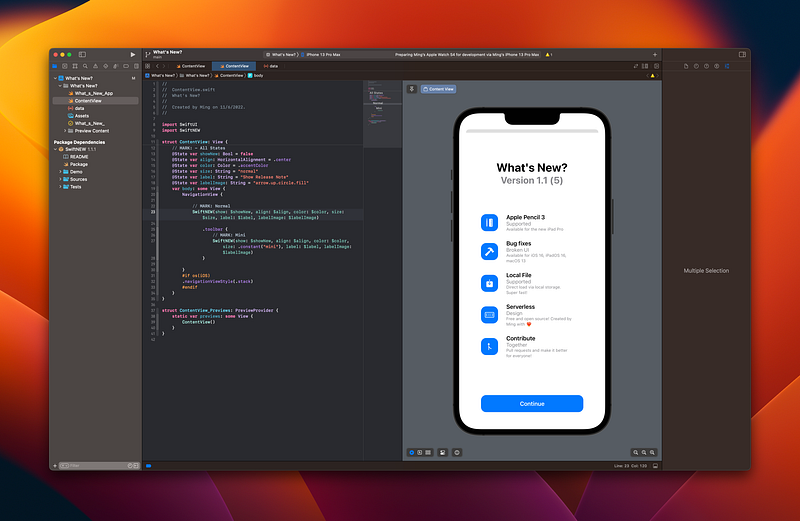
Displaying “What’s New?” is easier than ever with #SwiftNEWKit

SwiftNEWKit is a new open-source Swift Package that provides an easy way for Apple Developers to show release notes to the end-users. It can achieve:

  • Auto triggers the .sheet from Version and/or Build increase.
  • One-line coding
  • JSON compatible
  • Versioning (2.0 or above)
  • Local available
  • Simple Binding
  • Simple Model
  • Remote loading (3.0 or above)
  • Support Remote Drop Notification (3.5.0 or above)

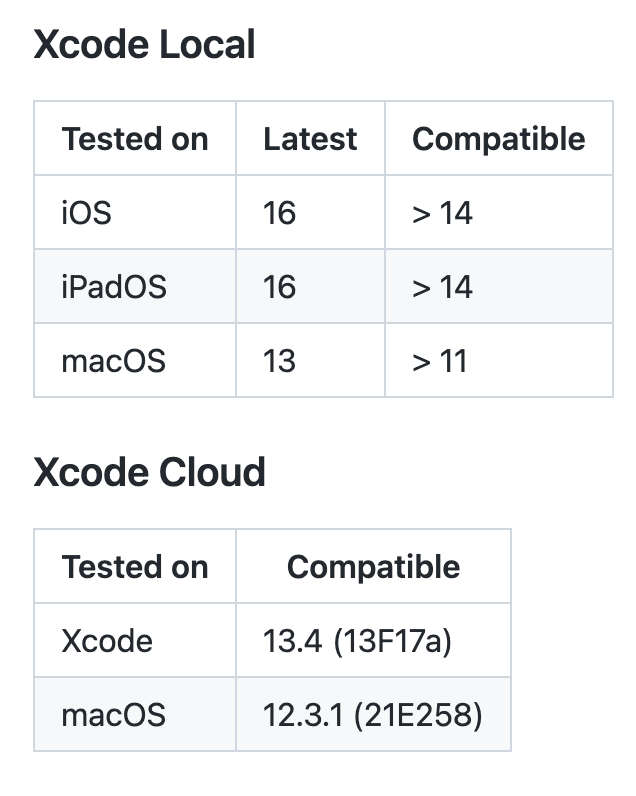
Environment

Setup

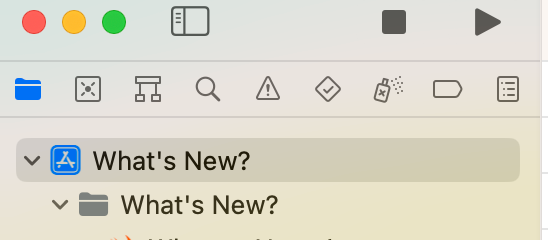
  1. Navigate to the root project
  2. Select Project

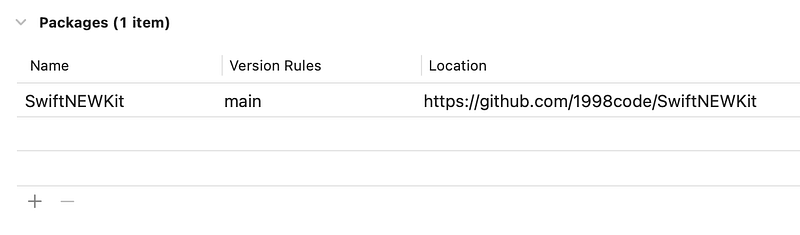
3. Select Package Dependencies

4. Click + and paste https://github.com/1998code/SwiftNEWKit to the search box
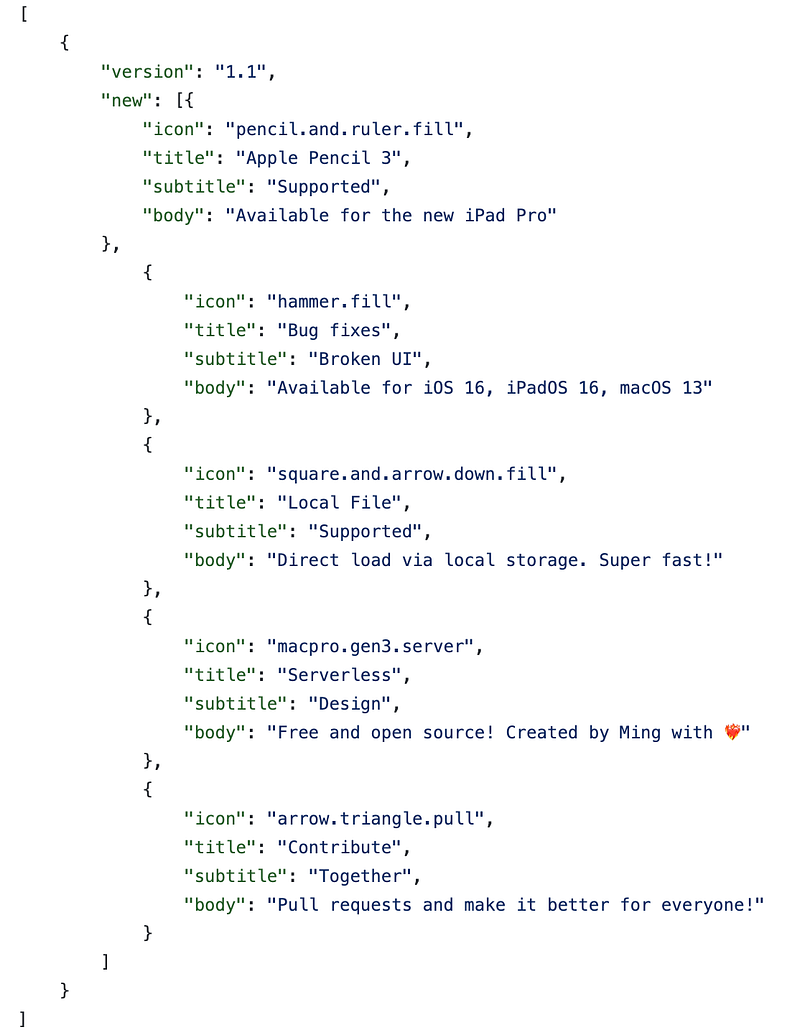
5L. If you want to load the data on device, create a new file called data.json Sample:

5R. If you want to load the data remotely, use https://…/{}.json to serve the data.

Usage

  1. Import it with import SwiftNEW
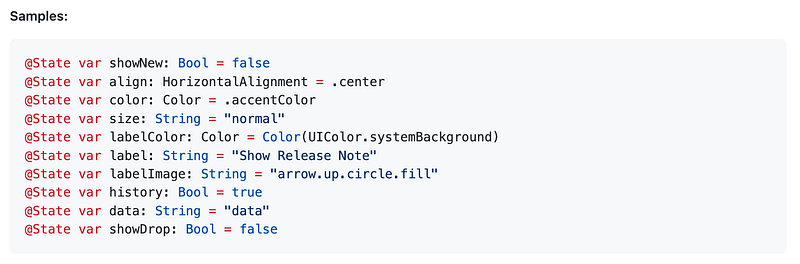
  2. Add States before var body or any view:

3. Then, add this code inside the body or any some View.

SwiftNEW(show: $showNew, align: $align, color: $color, size: $size, labelColor: $labelColor, label: $label, labelImage: $labelImage, history: $history, data: $data)

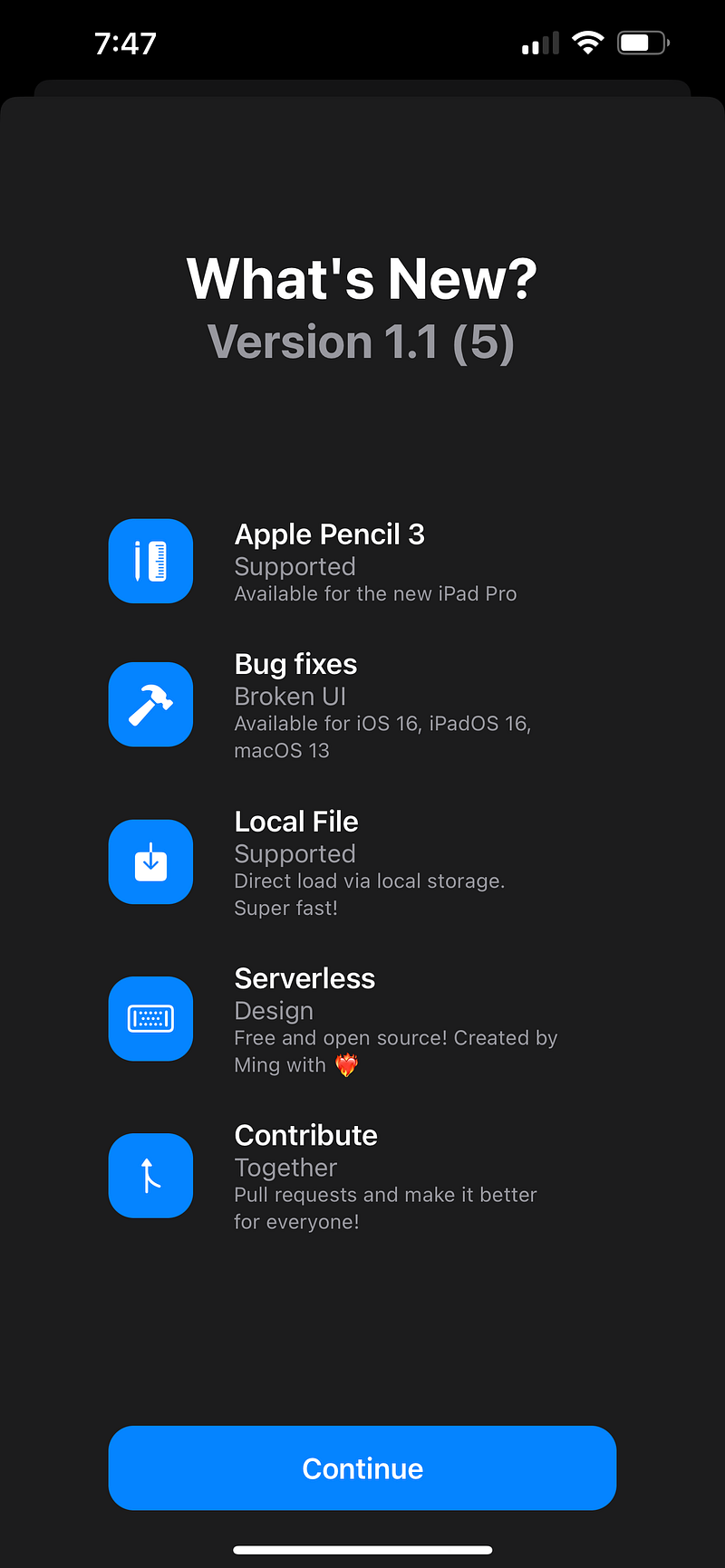
4. Done, and you should see the same view as below:
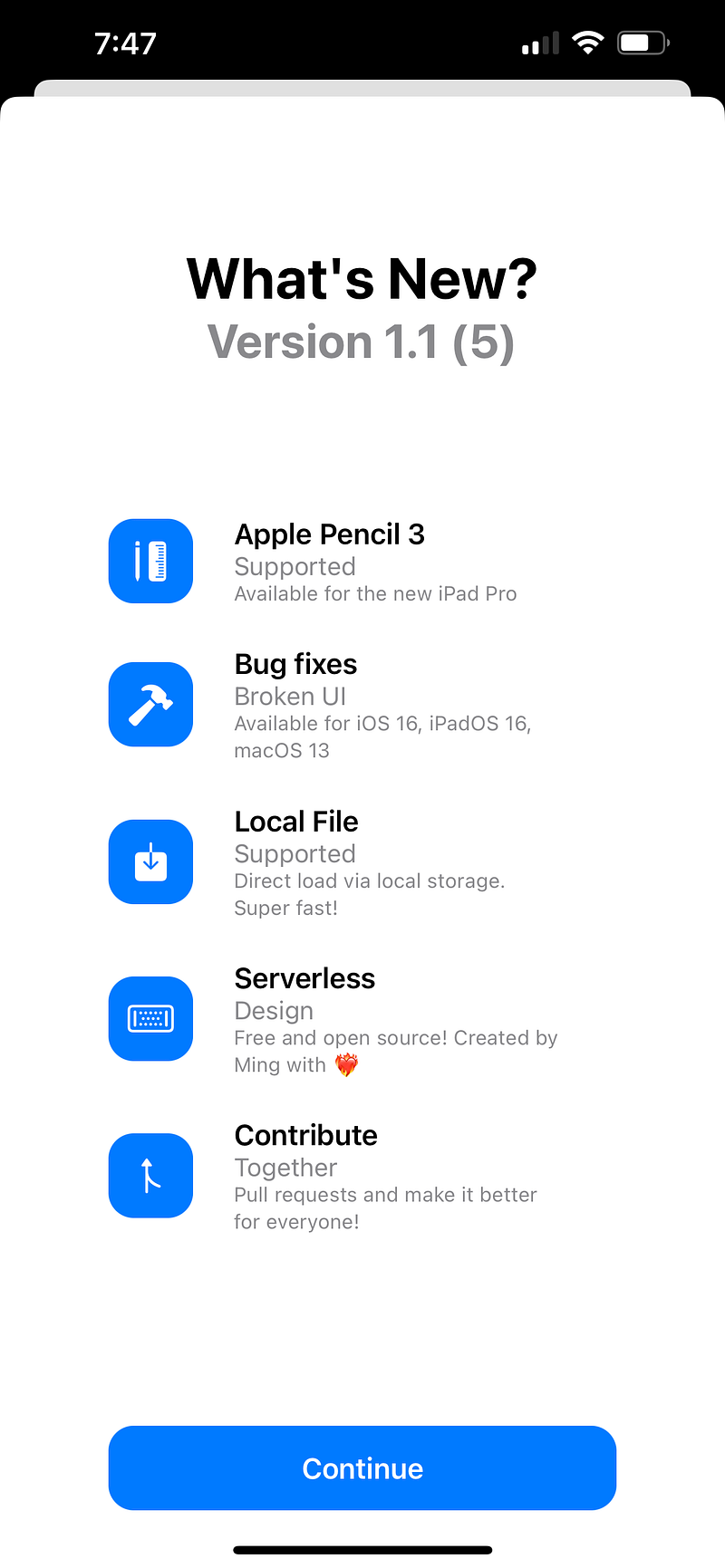
To modify the content, you may edit the data.json file.
If you wish to modify the layout, simply refer to the State and option.
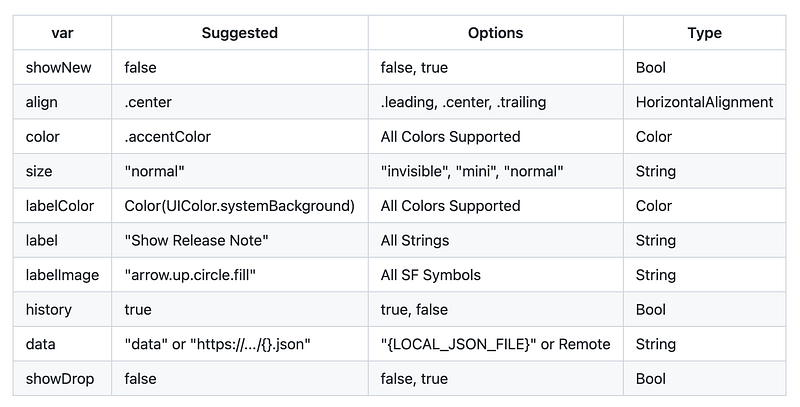
To learn more, please visit the GitHub repo:

Thanks for reading, and enjoy in Swift Coding : ) 👏

Follow me on Twitter today:

Whats New
Swiftui
Apple Developer
Wwdc22
Swiftui Sheet
Recommended from ReadMedium