
Introducing Speechable — Text to Voice Tool for iOS14
Simple and Wonderful Text to Voice Tool on the App Store. Multi-language supported.
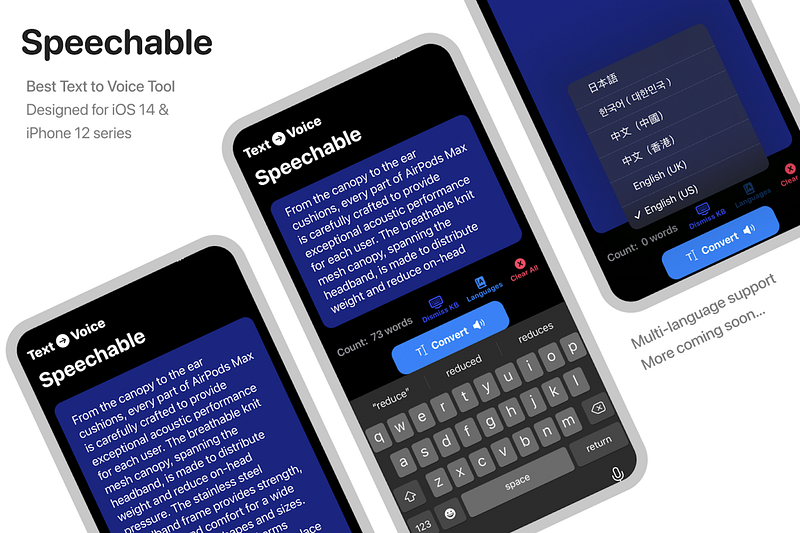
Looking for an easily accessible tool to explore new languages and learn how to speak words correctly? Speechable — The text to Voice tool can help you!
This app is made with SwiftUI and designed for iOS14.
Speechable can work fine without using the Internet, and you don’t need to download any language packs before / using the app.
How to get the app ?
Find it on Apple App Store:
OR
Try the latest AppClip Technology
To install the trial app, scan the below App Clip Code via Camera app or open QR Code scanner via control center.

Screenshots
How to use?
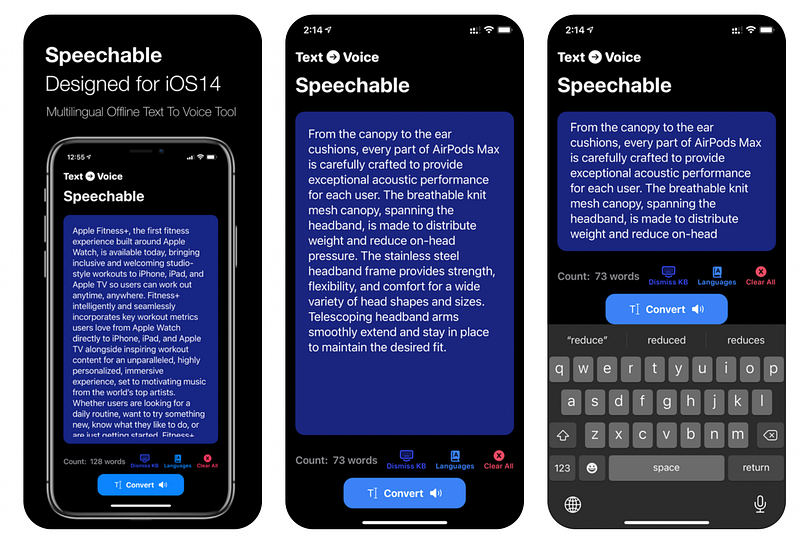
Step 1. Clear All text.
Step 2. Copy and paste text inside TextField.
Step 3. Tap convert to start speaking.
Step 4. Tap stop to end speaking.
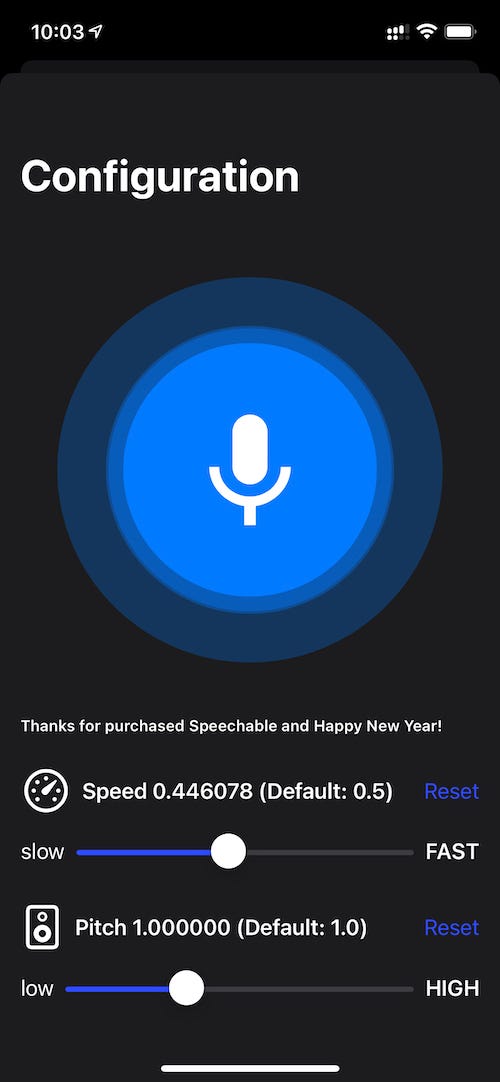
Step 5. To control the speed rate and pitch, tap “config”.
Step 6. Tap “reset”, to reset default values.
Languages
Support Multi-language with different tone:
- English (UK and US)
- Chinese (Cantonese and Mandarin)
- Korean (Republic of Korea)
- Japanese (Japan)
- Russian (Russia)
- Thai (Thailand)
- French (France)
- Danish (Denmark)
- Czech (Czech Republic)
More Coming Soon…
Other features
- One tap to clear all.
- One tap instant stop.
- Copy, cut, and paste.
- Online / Offline Mode.
- Word count (US & UK).
- AppClip
For Speechable full version, go to App Store and download now!